.thumb.gif.b68fcc45abe70ab7d7235dffc8a0c770.gif)
.thumb.gif.79aeca56ceff35f53b912f02158a0898.gif)
About Easy Workshop Skins Adder Browser Extension
I got tired of manually copying and pasting skin IDs, so I threw this extension together. It lets you send Rust skins directly from the Steam Workshop straight to your server with a single click using Web RCON.
If you're a server owner, this is going to save you a ton of time. Adding massive skin collections is completely effortless now, and you don't have to keep tabbing back and forth. It works with Chrome, Opera, Opera GX, Edge, Brave, or pretty much any Chromium-based browser.
Here is what it adds:
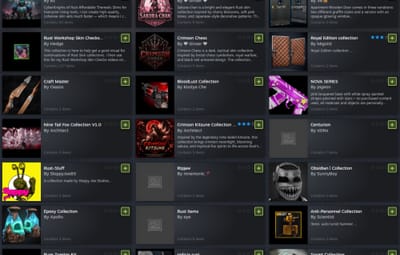
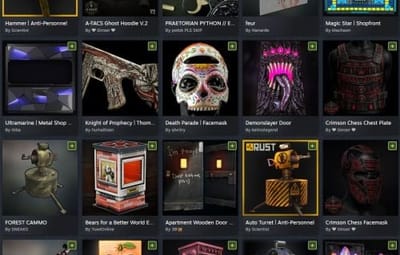
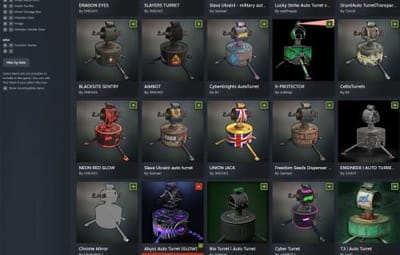
- Grid Buttons – Drops a quick "+" button directly onto the Workshop grid tiles so you can rapidly grab skins while browsing.
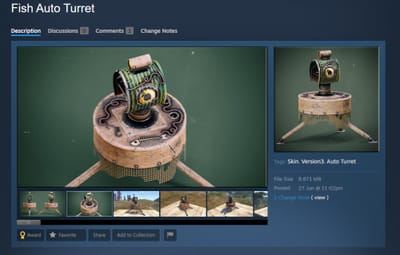
- Item Page Button – Adds a big "Send Skin to Server" button right next to the voting controls on individual item pages.
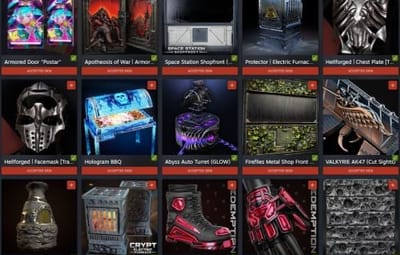
- Accepted Skin Flags – Automatically slaps a banner and a red button on officially accepted Rust skins so you can easily spot what's actually in the game.
- Quick Shortcut – Clicking the extension icon instantly opens up the Rust Workshop in a new tab.
Must Settings
Your Rust server must have Web RCON enabled for this extension to connect. Make sure you have +rcon.web 1 (or rcon.web true) set in your server startup config! Most server have this set by default.
Plugin Compatibility
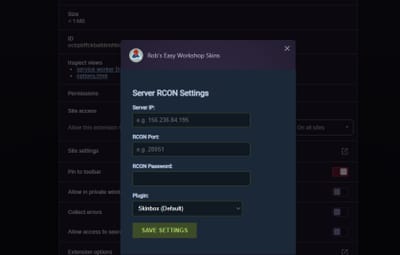
Currently, I've got it wired up to work right out of the box with both Skinbox Plugin and Skinner Plugin You can pick which one your server uses right in the extension's settings menu.
Installation
- Since this is a custom extension, it only takes a minute to install:
- Download and extract the extension ZIP file.
- Inside, you'll find a second ZIP file.
- Open your browser's Extensions page (you can type chrome://extensions into the address bar).
- Enable Developer mode using the toggle in the top-right corner.
- Simply drag and drop the second ZIP file directly into the Extensions page, and the browser will install the extension automatically.
Contact And Help
If you need to contact me discord is best: robjp2210
For help/support my discord group is best: Join RustMaps By RobJ Discord