
-
Posts
16 -
Joined
-
Last visited
Content Type
Profiles
Warranty Claims
Downloads
Forums
Store
Services
Downloads Plus Support
DOWNLOADS EXTRA
Reels
Everything posted by Kamycz3q
-

Version 1.0.0
6 downloads
This plugin gives ability to your players to post in better way than just on default chat. With that plugin players can post whatever they want as anonymous and with share location option that sends grid in their ad. For you as a server owner there are many configuration & monetization options. You can set rank-specific ad color, cooldown, time on screen, cost, max characters! Plugin is fully written by me- this is plugin is made with heart of rust player and server owner that knows what can cause lag, and what is important for server owners. Plugin is also very good optimised and using only 7 imports from other libraries without heavy ones - systems from heavy libraries has been replaced by my own to avoid using them. playersads.use - gives player ability to show ad form Other permissions are made rank specific, and you can create your own perms by rank name - you can see how it is set in default config /ad - opens an advertisement creation form (click to see)$4.99 -
 Deleted, sometimes I send special offer for random person that wishlist plugin, I am sorry about that
-
{ "Cooldown time for specific perms (in seconds)": { "playersads.default": 30, "playersads.vip": 15, "playersads.admin": 5 }, "Max characters in content ": { "playersads.default": 60, "playersads.vip": 255, "playersads.admin": 255 }, "Advertisment background color ": { "playersads.default": "0.12 0.13 0.13 0.80", "playersads.vip": "0.42 0.39 0.00 0.95", "playersads.admin": "0.80 0.25 0.16 0.80" }, "Minimum ad length in seconds": { "playersads.default": 10, "playersads.vip": 20, "playersads.admin": 25 }, "Ad price (0 if economy disabled)": { "playersads.default": 250, "playersads.vip": 50, "playersads.admin": 25 }, "Print advertisments data to console ": true, "Minimum content length ": 10, "Custom icon steamid (player icon if not set)": 0, "Last config valid version (don't change manually)": "1.0.0", "Debug mode": false }
-
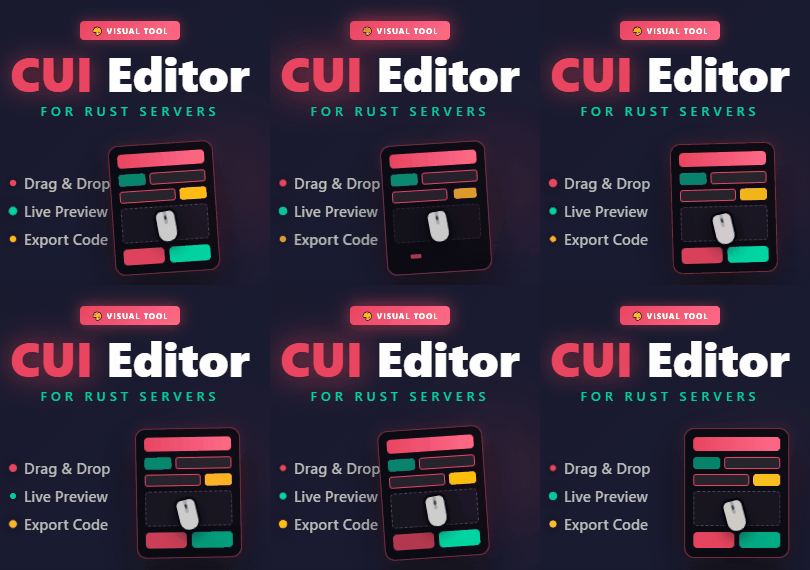 Very solid and professional application, so many options, 3 types of exporting, support for ImageLibrary, tooltips, multi-device license system, fast response and help from the creator - price to quality ratio is worth it.
-
This is complication with skill tree plugin.
-

Version 1.0.1
140 downloads
Force new players to enter code from your discord. This plugin can help preventing cheaters & trolls from entering the server Players needs to enter code only once, if you want to reset all players that entered code you need to delete ApprovedPlayers.json file in data folder! You can edit font sizes, code, and UI Messages in the configFree -
Version 1.0.6
40 downloads
Custom Items Creator is modern plugin allowing you to easily create new custom items using gui instead of paying everytime for new custom item for your server. Plugin have over 24 custom powerups/attributes that you can combine with standard in game items + you have ability to change item name and skin id: Plugin have 2 UI's: Items Selector & Edit UI /selci – Opens the UI menu displaying all custom items. /editci – Opens the editor UI for the item you are currently holding in your hands. /editci [id] – Opens the editor UI for a specific custom item based on its ID. /giveci [id] – Adds the custom item with the specified ID directly to your inventory. /giveplayerci [name/steamid] [itemid] [amount] (console command) - give specific player custom item Indestructible - Infinite durability Anti-Bleeding - Prevents bleeding Infinite Oxygen - Prevents drowning Temperature Immunity - No freezing/heating Custom Magazine Size - Custom clip size Infinite Ammo - No reload needed Anti-Radiation - Radiation immunity No Hunger - Always full No Thirst - Always hydrated Lifesteal % - Heals on hit Critical Strike Chance - Chance for crit Critical Damage % - Crit multiplier Poison Damage % - Poison damage amount Poison Time In Seconds - Poison duration Bonus Damage To NPC & Animals - PvE damage boost Additional Buildings Damage % - Raid damage boost Thorns % - Reflects incoming damage like in minecraft Fall Damage Immunity % - Reduces fall damage Fire Resistance % - Reduces fire damage Explosive Resistance % - Reduces explosion damage Dodge Chance % - Chance to dodge damage Dispenser Bonus Multipler % - Resource yield boost Auto Smelt - Auto smelts ores Heal Value On Use - Instant heal amount on use/heal customitemscreator.admin - all perms customitemscreator.menu - access to /selci command customitemscreator.edit - access to edit items (/editci & save) customitemscreator.give - access to give items /giveci Delete items deleting them from data file - deleted from UI to avoid missclicks, dm me if you need any help with that You can translate powerups and messages in localization file - if you want dm me too$7.99 -

Version 1.0.1
13 downloads
CratesLoadouts is an advanced plugin that introduces a seamless loadout system to your server. It significantly improves your players' Quality of Life by making inventory management faster, easier, and much more convenient. Plugin is well optimized, works fast and smooth with UI and some audio effects. Preview Video: https://youtu.be/3rQIcMlCUn4 Player Commands /cratesltoggle — Enables or disables the loadout UI when opening containers. Configuration You can find the configuration file in your server's directory at: oxide(or carbon)/config/CratesLoadouts.json. { "Default player loadouts limit": 5, "Loadouts group limits perms": { "cratesloadouts.vip": 15, "cratesloadouts.svip": 30, "cratesloadouts.sponsor": 50, "cratesloadouts.admin": 999 }, "Allowed Containers (ShortPrefabNames - https://github.com/Trickyyy/Rust/blob/master/Prefabs.md)": [ "box.wooden.large", "woodbox_deployed", "coffinstorage", "small_stash_deployed" ] } Default player loadouts limit - sets limit of loadouts for all players Loadouts group limits perms - here you can create new perms with specified limit Allowed Containers - list of containers where the UI shows Permissions cratesloadouts.use - permission to use the UI cratesloadouts.group - read config sectionFree -
code - Code from your discord to enter CodeFontSize - Font size of the text in the input of the code UIMessage - Message shown for new players UIMessageFontSize - Font Size of the main UI Message