

-
Posts
979 -
Joined
-
Last visited
-
Days Won
12
Content Type
Profiles
Warranty Claims
Downloads
Forums
Store
Services
Downloads Plus Support
DOWNLOADS EXTRA
Reels
Everything posted by Martian
-
Changed Status from Pending to Not a Bug
-
Changed Status from Pending to Fixed Changed Fixed In to 3.9.1
-
Changed Status from Pending to Fixed Changed Fixed In to 3.9.1
-
Changed Status from Pending to Fixed Changed Fixed In to 3.9.1
-
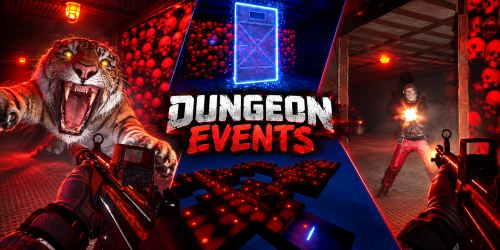 You can spawn any animal from the game in the dungeon. Just use the animal’s prefab path in the configuration. The config already includes almost all of them, but here’s the full list you can use: "Animal Prefabs": [ { "Prefab Path": "assets/rust.ai/agents/bear/bear.prefab", "Spawn Chance Percentage": 100.0 }, { "Prefab Path": "assets/rust.ai/agents/bear/polarbear.prefab", "Spawn Chance Percentage": 100.0 }, { "Prefab Path": "assets/rust.ai/agents/boar/boar.prefab", "Spawn Chance Percentage": 100.0 }, { "Prefab Path": "assets/rust.ai/agents/wolf/wolf.prefab", "Spawn Chance Percentage": 100.0 }, { "Prefab Path": "assets/rust.ai/agents/stag/stag.prefab", "Spawn Chance Percentage": 100.0 }, { "Prefab Path": "assets/rust.ai/agents/chicken/chicken.prefab", "Spawn Chance Percentage": 100.0 }, { "Prefab Path": "assets/rust.ai/agents/panther/panther.prefab", "Spawn Chance Percentage": 100.0 }, { "Prefab Path": "assets/rust.ai/agents/tiger/tiger.prefab", "Spawn Chance Percentage": 100.0 }, { "Prefab Path": "assets/rust.ai/agents/crocodile/crocodile.prefab", "Spawn Chance Percentage": 100.0 } ]
 -
Changed Status from Pending to Fixed Changed Fixed In to 3.9.1
-
3.9.1 - What's New Fixed animal spawning so animals should now stay inside dungeon rooms instead of appearing above the ceiling, which could happen in some cases. Adjusted the maximum dungeon height to 700 meters above the ground to help prevent incomplete dungeon generation in some cases.
-
Thanks for letting me know. I’ll take a look into it and see if there’s anything that can be done to improve that behavior. When you have a chance, could you please open a support ticket with the details? That helps keep everything tracked properly and makes it easier to investigate.
-
That’s an interesting idea, but custom Portal spawn rules aren’t something I’m planning to add right now. I’ll keep it in mind for the future, though.
-
Hi! From your screenshots, it looks like you placed a normal Large Wooden Box, not the Farm Pro box. A normal box will not show anything and will not work with the plugin. You need to buy the special Farm Pro item from the Farm Dealer NPC, inside the Misc category. It is the box with the FarmPro skin/antennas on top. Please try this: Go to the Farm Dealer NPC. Open the Misc category. Buy the item named Farm Pro. Place that Farm Pro box near your planter boxes. Put seeds/clones inside the Farm Pro box. After that, it should automatically detect nearby planters and start planting/harvesting every cycle. Also, please make sure your player has access to a FarmPro group/permission. The default group should work unless the server config was changed, but VIP/custom groups may require their permission. The item in your screenshots looks like a regular box, so please try again using the Farm Pro box from the NPC and let me know if it still does not work.
-
FarmPro does not open a big menu just by placing the box. Place the FarmPro box near your planter boxes, then put seeds/clones and fertilizer inside the FarmPro box. It will automatically detect nearby planters and start planting/harvesting every few seconds. To change the mode, open the FarmPro box or the planter to choose Harvest or Clone.
-
The permission node should come from the shop plugin you’re using, since each shop plugin defines its own permissions. The same applies to limiting purchases to one per player, that would need to be configured in the shop plugin itself, if it supports purchase limits.
-
“Radius Construction Block on Dungeon Portal” is the radius around the portal where building is blocked, so players cannot build too close to the dungeon entrance. About custom portal locations: currently the plugin does not support manually defined portal spawn points or forcing portals to spawn on foundations. Portal locations are still generated dynamically. For purchased dungeons, the plugin tries to spawn the portal as close as possible to the player, but it still needs to find a valid open/safe location, so sometimes it may appear farther away depending on terrain, buildings, monuments, zones, rocks, water, etc. I understand what you’re asking for, though. I’ll look into adding configurable custom portal locations in a future update.
-
I found a rare timing issue where two dungeons could start spawning at the same time and pick positions too close together. I’ve adjusted the queue and added an extra overlap check to prevent this. I’m updating the plugin later today with the fix.
-
FarmPro uses permissions to control admin tools, item giving, NPC management, and VIP farming tiers. Default permissions: farmpro.admin Gives full FarmPro access checks. Players with this permission can access FarmPro entities even if they are not the owner, teammate, or building-authorized player. farmpro.give Allows the player to use: /farmpro.give /farmgive <identifier> <amount> <playerName|playerId> This is used to give FarmPro boxes or custom FarmPro items. farmpro.spawnnpc Allows the player to use: /farmpro.spawnnpc This spawns a FarmPro vendor NPC at the player's current position. farmpro.removenpc Allows the player to use: /farmpro.removenpc This removes the nearest FarmPro NPC. Group permissions: FarmPro also creates permissions automatically for every configured group where "Need Permission" is set to true. By default, the plugin creates: farmpro.vip1 farmpro.vip2 farmpro.vip3 farmpro.vip4 farmpro.admin These permissions are based on the group names in the configuration. Example default group setup: Default No permission required. Vip1 Permission: farmpro.vip1 Vip2 Permission: farmpro.vip2 Vip3 Permission: farmpro.vip3 Vip4 Permission: farmpro.vip4 Admin Permission: farmpro.admin
-
I suspect it might be something else in the same location as the dungeon, like another plugin affecting it. Try checking whether there’s anything on the ground beneath the dungeon when the problem happens, so I can try to find the issue.
-
Hi, thanks for reporting this. That should not happen. I’m going to look into what could cause two dungeons to overlap and merge into one. If you have any logs or extra details from when it happened, send them over.
-
Portal locations are dynamic. With auto-spawn, they are generated automatically, and when buying an event, the portal spawns near the player who purchased it.
-
You can change it in the tier config using Marker Color Hex. That value controls the color shown for the tile in the /buydungeon menu.
-
I need you to test what I asked for. Could you do that, please?
-
This setting is present on normal NPCs too. Please test it to see the result and whether they take damage or not. Change the setting and restart the plugin; test with 10 first, then 100, and see what happens.
-
I’m trying to work around this problem, but I haven’t succeeded yet. Run a test to see whether they take damage. For each boss NPC, change this setting to 10: "Damage Taken From Explosion Multiplier": 10.0
-
I investigated it, and there’s nothing in my plugin that would block that kind of damage. I even created a setting for you to use in an update: "Damage Taken From Explosion Multiplier". Increase it to make explosion damage higher on NPCs. What I think is happening is that some other plugin is blocking it.
-
@laodu @bigchenny Did it work correctly with 800?