
RustyB
-
Posts
104 -
Joined
-
Last visited
Content Type
Profiles
Warranty Claims
Downloads
Forums
Store
Services
Downloads Plus Support
DOWNLOADS EXTRA
Reels
Everything posted by RustyB
-
 It looks like ProcessDeath() has no check for KDRExcludesSuicides and overwrite KDR using all deaths
 -
Hello, One of my player just pointed out that the KDR was including suicides. This is despite having "KDRExcludesSuicides": true, Is this setting broken?
-
 Thanks Tofurahie! That was fast
 -
I'm still using version 1.6.7 because the search field doesn't work anymore. If I upgrade it resets the config file, and as the search field can't be used anymore I can't readd specific resources.
-
The plugin description still says "Hardcore bypass" but the fog of war is still there and you can't teleport. Is it possible to at least remove the fog of war for admin on hardcore? And yes permissions are correctly set and I've reconnected to the server after that.
-
 Wondering the same thing.
 -
 Hey @Mr01sam, I see a lot of "pending" in the support tab, are you still active?
 -
Hello! Despite having CombineStackedPrivs set to true, now some of my players have learnt how to place their different buildings in their compound just far enough that it would cost a second raid point. Can we have 2 new setting in the config file please? - distance for CombineStackedPrivs: so that we can extend the distance - Make raid per team rather than per base: true/false raiding a team allow for raids on all their building on the map for that day.
-

MLRS Airstrike causes several raids to be used at once!
RustyB replied to SlayersRust's Support Report in Support
I had the same issue here: https://codefling.com/files/support/17401-mlrs-uses-all-raid-points/ Sadly @Mr01sam couldn't reproduce the issue. I've modified the code to exclude MLRS from triggering raid count. That means a player could technically raid several bases just with MLRS but I don't think anyone would have time for that. -
 Thank you! Does it disable all other features? If not I'll just get the plugin and try to strip the code to just keep the speed feature
 -
Thank you!
-
Haha I know! Your plugin does so much more but we'd really like to keep the "team" aspect of sailing. We'd like to display the speed for the player boats only and yours is the only plugin I've found that does that
-
I'm looking for a plugin that display the boat speed. And only display that without any changes regarding how to control the ship. I was hoping maybe that was configurable in your config file.
-
IS there a way to only get the speed displayed, without any other changes?
-
I'm sorry but that would have been useful information to add to the description. People like me may get the plugin thinking you get all the station from the json without thinking it's limited to the player language (so a player can't see all stations) and if you're in the UK the plugin sees you in the US. That's quite a limitation i wasn't aware of from reading the file description.
-
Your code seems to return only US for english players. So the plugin doesn't allow for british radio stations from a json file?
-
What are the "valid country codes" for the plugin?
-
Can you please give more details regarding this country code issue? I didn't see any information regarding this in the plugin description. The plugin is only able to read station from one specific country?
-
Hello, Just bought the plugin and there are stations I see in the json that are not in the in game menu. Checking here: https://api.myvector.xyz/stations.json I see: {"changeuuid":"9810e387-e4f9-445a-aaa5-cc869a77a73e","stationuuid":"39500a4d-5750-4a34-a8c9-d4da0018d322","serveruuid":"ad03d590-a132-43d8-b694-57c72d6d52e3","name":"Absolute Radio","url":"http://www.radiofeeds.net/playlists/bauerflash.pls?station=absoluteradiohigh-aac","url_resolved":"http://edge-bauerall-01-gos2.sharp-stream.com/absoluteradiohigh.aac?aw_0_1st.skey=1742612348&aw_0_1st.playerid=BMUK_RPi","homepage":"https://planetradio.co.uk/absolute-radio/","favicon":"https://planetradio.co.uk/tesla/static/favicons/absolute/apple-touch-icon.png","tags":"indie rock","country":"The United Kingdom Of Great Britain And Northern Ireland","countrycode":"GB","iso_3166_2":"","state":"","language":"english","languagecodes":"en","votes":740,"lastchangetime":"2025-03-26 21:24:33","lastchangetime_iso8601":"2025-03-26T21:24:33Z","codec":"AAC+","bitrate":128,"hls":0,"lastcheckok":0,"lastchecktime":"2025-03-26 21:24:34","lastchecktime_iso8601":"2025-03-26T21:24:34Z","lastcheckoktime":"2025-03-24 22:23:58","lastcheckoktime_iso8601":"2025-03-24T22:23:58Z","lastlocalchecktime":"2025-03-26 21:24:34","lastlocalchecktime_iso8601":"2025-03-26T21:24:34Z","clicktimestamp":"2025-03-27 08:53:02","clicktimestamp_iso8601":"2025-03-27T08:53:02Z","clickcount":52,"clicktrend":0,"ssl_error":0,"geo_lat":null,"geo_long":null,"geo_distance":null,"has_extended_info":false} But it doesn't appear in the game menu, how come?
-
Same issue here The raid protection is working, but the plugin no longer displays public messages. Messages still appear when you enter the admin command to check status. So it's like hitting an entity doesn't trigger the chat message anymore
-
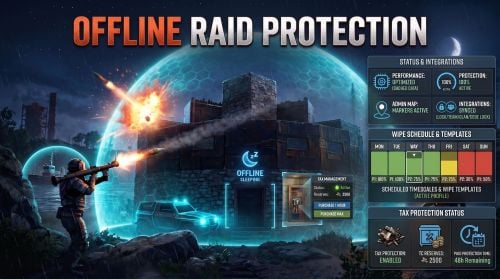 Same issue here. The raid protection is working but the plugin doesn't display public message anymore. Messages still appear when you enter the admin command to check status. So it's like hitting an entity doesn't trigger the chat message anymore
 -
same Error while compiling OfflineRaidProtection: Argument 1: cannot convert from 'System.Collections.Generic.HashSet<ulong>' to 'in System.Collections.Generic.List<ProtoBuf.PlayerNameID>' | Line: 3753, Pos: 50