

Trader08
-
Posts
21 -
Joined
-
Last visited
Content Type
Profiles
Warranty Claims
Downloads
Forums
Store
Services
Downloads Plus Support
DOWNLOADS EXTRA
Reels
Everything posted by Trader08
-
 YW and thanks for the plugin! Sad fadeout is broken. TBH I'm pretty sure I got the plugin from umod a while ago and since it's not there anymore, I kept updating it myself thinking I was on my own xD It's only after fixing it this time I realized you keep it up over here
- 242 comments
-
- 1
-

-
- #permissions
- #admin
- (and 7 more)
-
100% back when I wrote about it. Tbh I have no idea if they fixed it later on
-
They removed CUI FadeOut on staging, FadeOut UI doesn't get destroyed. I changed: var mainName = elements.Add(new CuiPanel { Image = { Color = guiString }, RectTransform = { AnchorMin = "0.3 0.1", AnchorMax = "0.7 0.9" }, CursorEnabled = true, FadeOut = 0.1f }, "Overlay", "PMBgUI"); To: var mainName = elements.Add(new CuiPanel { Image = { Color = guiString }, RectTransform = { AnchorMin = "0.3 0.1", AnchorMax = "0.7 0.9" }, CursorEnabled = true }, "Overlay", "PMBgUI"); And it works fine. I guess it'll be this way for release too
- 242 comments
-
- 1
-
-
- #permissions
- #admin
- (and 7 more)
-
 Change: CmdChatTrade(player, string.Empty, new[] { arg.Args[0] }); To: CmdChatTrade(player, string.Empty, new[] { arg.GetString(0) });
 -
I see there's a ticket for the same thing with version 1.0.23. I'll do more testing and reply back if help is still needed. Thanks
-
Regular RUST backpack (not the plugin) slot is empty when returning from arena. Backpack + all contents is lost
-
Attire with armor slots get deleted on leave while those already containing armor inserts become attire with regular container. I think it has to do with something like: ItemModContainerArmorSlot armor = item.info.GetComponent<ItemModContainerArmorSlot>(); if (armor != null) armor.CreateAtCapacity(container.capacity, item);
-
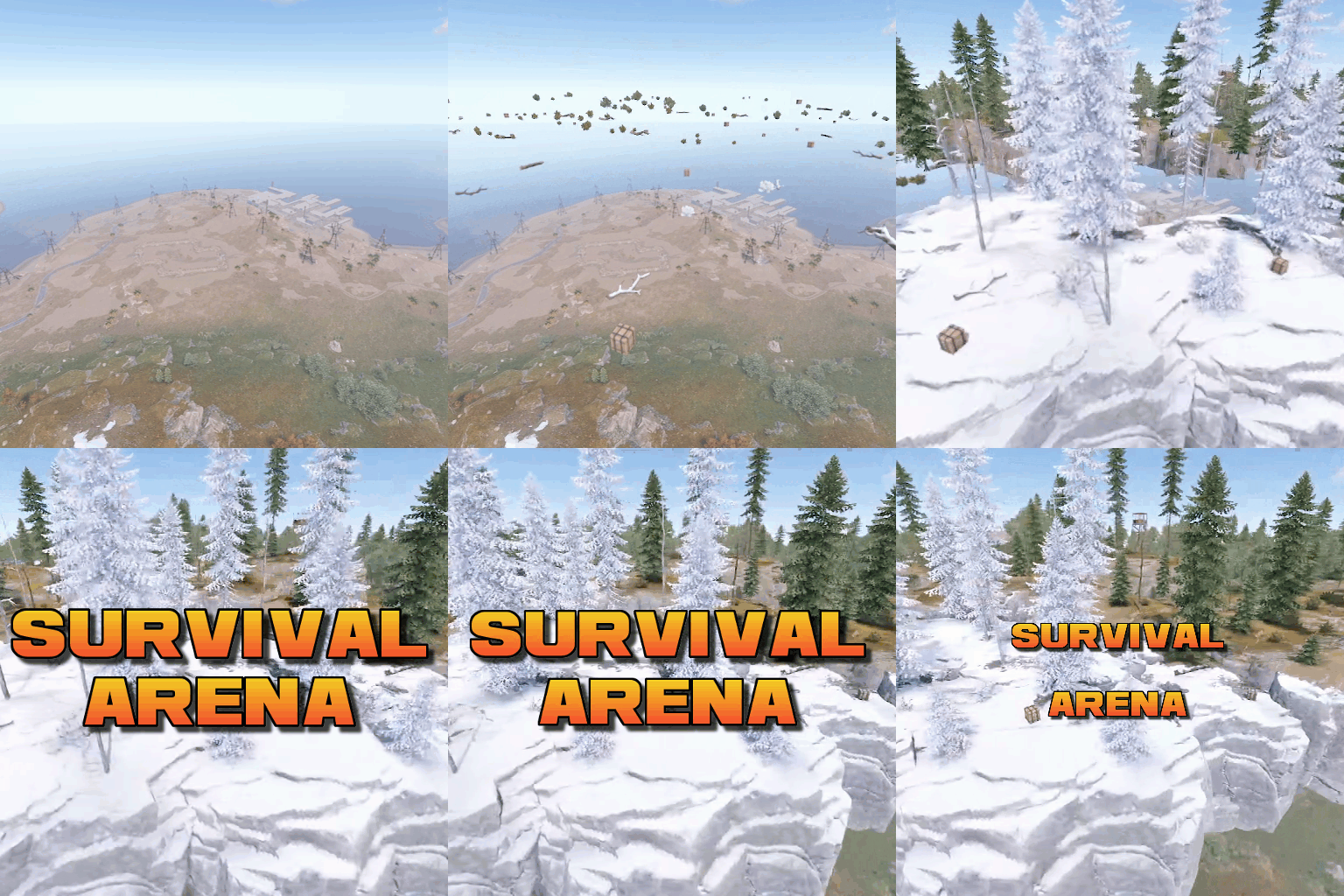 Couldn't find prefab "assets/bundled/prefabs/modding/admin/admin_cliff_medium_arc_arid_small.prefab" Couldn't find prefab "assets/bundled/prefabs/modding/admin/admin_cliff_low_arc.prefab" That's unfortunate about admin rocks. The whole creative idea of a "floating island" is great as it doesn't impede the map at all and is needed to be kept working not only for server admins, but for all the player base who enjoys it for which I think FP should care about. Lmk if I can help with anything
 -
Ok thanks!
-
Small issue in .zip file it lacks ./Fonts subdir. But after I added the font @ right place, nothing shows up at all (nor in notifications nor under /n). I'm on Linux if it matters.
-
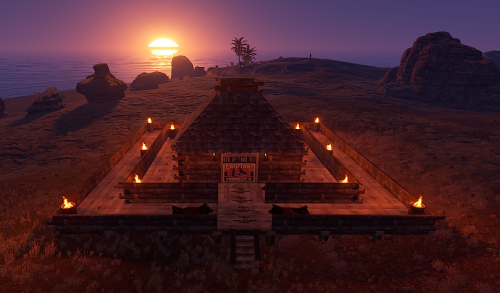 Great quality bases, players love 'em! This 2nd 100 pack is as great as 1st one and I'll certainly buy if more are released!
 -
If player is downed and happens to win the event as they are still downed, they'll respawn downed and lose inventory if they die from it
-
I purchased your original 100 bases pack and am planning on also buying this one. I'd like to know which other pack(s) are not included in those 2 100 packs? Thanks!
-
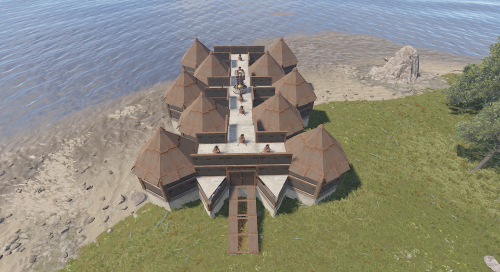 Great quality bases, players love 'em! I'll certainly buy if more are released!
 -
Under CanStackItem, GetOwnerPlayer is null when items are stacked in a container, so it gets returned null, preventing all stacking logic. OwnerPlayer is later used to giveitem (or drop) to fix other bugs. What I did is allow stacking only if both items are empty of contents & magazine, or fuel for flamethrower & chainsaw. As for water bottles/jugs that get all filled of fresh water, I commented the 1st "if" under OnItemSplit, so it does not fill them all on split. I'm annoyed you say it's not a bug when it clearly is, but anyway, I'm open to share if you're interested. It could easily be made into a "fix" option too. Thank you!
-
I've tried multiple things to end up installing a brand new vanilla instance. Then: Install umod (overwriting files) from here: https://umod.org/games/rust/download. Give myself ownerid Add only StackModifier.cs (v.2.0.8) Give myself permission stackmodifier.admin Change Assault Riffle stack size to 2 using /stackmodifier Give myself 2 ak from F1 (no skin), a weapon flashlight and a wood storage box Split both ak into my inventory Put the flashlight onto one of them 1st Transfer the empty ak into the box 2nd Right-click to transfer the ak with flashlight mod into the box (they will stack) No flashlight mod to be seen
-
No error, I'll try to find which plugin causes this and update here. Thanks!
-
Edit: Containers = small/large storage box / Locker, etc. Weapons with mod example: Store an ak w/o mod in a container. Right-click to store an ak w/mod(s) from your inventory to the container. Both ak will stack, mods go to oblivion. Same goes if you do it manually into a container. Water example: Have a water bottle/jug fully filled into a container. Stack an empty one over it then unstack them to get both fully filled. Thanks!