Jump to content

CrazyRust

Creator
  • Posts

    707
  • Joined

  • Last visited

  • Days Won

    2

Everything posted by CrazyRust

  1. CrazyRust

    Hello

    With this console command, you can add items yourself. inventory.giveto 'own name' hitchtroughcombo 1 3566180524 inventory.giveto 'own name' can.beans 10 3566180669 inventory.giveto 'own name' grub 30 3561279630
  2. It's in the config file: "HQ Animal Bait Item shortname:": "can.beans", "HQ Animal Bait Item SkinID:": 3566180669, "HQ Fish Bait Item shortname:": "grub", "HQ Fish Bait Item SkinID:": 3561279630,
  3. No command. Do you use any shop or loot plugins?
  4. Hi. You can add wild animal food and super fish bait to the shop or loot as custom items.
  5. min/max works in the fridge
  6. Version 1.0.2

    24 downloads

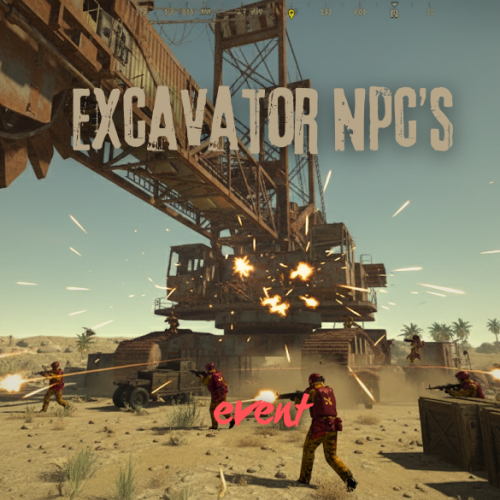
    This event makes using the excavator more exciting. When the player kills all the normal excavator NPCs and thinks everything is fine, and starts the excavator, an alarm sounds and a surprise comes. When I press the airdrop call on the computer, the NPCs spawn as well. No permissions. No commands. Contact: Additional free plugins created by me are available on Discord: https://discord.gg/C5CehdJMdK If you want to try out this plugin, you can do so on the test server. IP: 212.73.137.3:27195 My public Rust server IP: 136.243.135.46:28050 Video: Config: { "Version": { "Major": 1, "Minor": 0, "Patch": 0 }, "Event enabled?": true, "Spawn NPC when the player sets the resource?": true, "Spawn NPC when the player calls up the airdrop on the computer.?": true, "Medium Npcs settings": { "Spawn Npcs?": true, "Npc prefab name:": "assets/rust.ai/agents/npcplayer/humannpc/scientist/scientistnpc_bradley.prefab", "Name": "Excavator Guard Medium", "Health": 150.0, "Npc amount minimum": 5, "Npc amount maximum": 7, "Are you changing the NPCs' outfit?": true, "NPCs wear outfits": [ { "ShortName": "coffeecan.helmet", "SkinID (0 - default)": 3045043901 }, { "ShortName": "pants", "SkinID (0 - default)": 915346906 }, { "ShortName": "hoodie", "SkinID (0 - default)": 3044969914 }, { "ShortName": "roadsign.jacket", "SkinID (0 - default)": 3045043722 }, { "ShortName": "roadsign.kilt", "SkinID (0 - default)": 3045043574 }, { "ShortName": "shoes.boots", "SkinID (0 - default)": 916448999 } ], "Use custom loot?": false, "CustomLoot": { "Minimum items": 1, "Maximum items": 1, "Use minimum - maxium?": false, "List of items": [ { "ShortName": "xmas.present.small", "Minimum": 3, "Maximum": 6, "Chance": 100.0, "Give blueprint?": false, "SkinID": 0, "Displayname": "" } ] } }, "Heavy Npcs settings": { "Spawn Npcs?": true, "Npc prefab name:": "assets/rust.ai/agents/npcplayer/humannpc/scientist/scientistnpc_bradley_heavy.prefab", "Name": "Excavator Guard Heavy", "Health": 200.0, "Npc amount minimum": 2, "Npc amount maximum": 4, "Are you changing the NPCs' outfit?": true, "NPCs wear outfits": [ { "ShortName": "metal.facemask", "SkinID (0 - default)": 3483642014 }, { "ShortName": "pants", "SkinID (0 - default)": 3040752617 }, { "ShortName": "hoodie", "SkinID (0 - default)": 3551617741 }, { "ShortName": "metal.plate.torso", "SkinID (0 - default)": 3483640666 }, { "ShortName": "roadsign.kilt", "SkinID (0 - default)": 3088342213 }, { "ShortName": "shoes.boots", "SkinID (0 - default)": 916448999 } ], "Use custom loot?": false, "CustomLoot": { "Minimum items": 1, "Maximum items": 1, "Use minimum - maxium?": false, "List of items": [ { "ShortName": "xmas.present.small", "Minimum": 3, "Maximum": 6, "Chance": 100.0, "Give blueprint?": false, "SkinID": 0, "Displayname": "" } ] } }, "Use chat messages?": true, "Chat messages config": { "Chat messages prefix:": "<color=#C98300>Excavator Npc's</color>", "Chat Icon:": 0, "Message to the player when NPCs spawn:": "You've got company!" } }
    $15.00
  7. CrazyRust

    nre after starting event

    I don't understand this.
  8. CrazyRust

    nre after starting event

    Set this to True
  9. In a private message here on codefling. Dec. 24.
  10. CrazyRust

    nre after starting event

    Disabled on Oilrig.
  11. CrazyRust

    cant get to work

    Changed Status from Pending to Closed
  12. CrazyRust

    cant get to work

    Hi. At the moment, all my events are running with Carbon.
  13. CrazyRust

    Console spam

    This is an old version, please update the plugin. If the problem persists and you are using the BetterNpc plugin, disable it in Cargon.
  14. CrazyRust

    nre after starting event

    The HardCore Oil Rig Event does not use the Npcspawn plugin. I assume you are using the BetterNpc plugin and it is enabled on the oil rig. That could be the problem. In the next update, I will add a feature that disables BetterNpc during the event.
  15. I have already written to the plugin creator @jtedal , but he has not responded yet. I cannot disable his plugin in my own plugins. If possible, disable the monument owner in Cargon. Or pvemode in HCoilrig.
  16. Do you use the Monument owner plugin?
  17. CrazyRust

    Not working

    Changed Status from Pending to Closed
  18. CrazyRust

    Not Working

    Changed Status from Pending to Closed
  19. CrazyRust

    Console spam

    Hi. Does this happen every time you start up? Please send me the config file. I tested it and my server doesn't show that error.
  20. CrazyRust

    any chance you can

    Changed Status from Pending to Closed
  21. CrazyRust

    Question

    Changed Status from Pending to Closed
  22. CrazyRust

    No dance?

    Changed Status from Pending to Closed
  23. CrazyRust

    nre after starting event

    Hi, when exactly will this happen?
  24. CrazyRust

    Not working

    Hi. The NpcSpawn plugin is required for this plugin to work.
  25. CrazyRust

    Not Working

    Hi. The NpcSpawn plugin is required for this plugin to work.

About Us

Codefling is the largest marketplace for plugins, maps, tools, and more, making it easy for customers to discover new content and for creators to monetize their work.

Downloads
2.7m
Total downloads
Customers
11.5k
Customers served
Files Sold
164.4k
Total sales
Payments
3.6m
Processed total
×
×
  • Create New...

Important Information

We have placed cookies on your device to help make this website better. You can adjust your cookie settings, otherwise we'll assume you're okay to continue.