


-
Posts
142 -
Joined
-
Last visited
-
Days Won
2
Content Type
Profiles
Warranty Claims
Downloads
Forums
Store
Services
Downloads Plus Support
DOWNLOADS EXTRA
Everything posted by Richard Hertz
-
 It is almost done, but when I returned from traveling, work has had me almost open to close every day. As soon as I have time for myself I will complete it. I appologize for the wait, but its almost 5k lines as it is right now. Its been a monumental task to update and add so many new features. Stay tuned
 -
@DarkUnitbecause of the size. There is a full rewrite coming soon its about 90% complete, but I was unable to finish before I had to travel, so I will publiah thw update after I return. The rewrite fixes and corrects all of the issues weve seen on top of adds many many new custization options.
-
 I can take a look but i believe there is a fair amount of topology for nodes. You can increase your node count with a convar.
 -
@therb1006@Ghostmaker001@atmos@Jaiden@SlayersRust@aOnce Hey guys just wanted to let you know I am in the process of a complete rewrite of this plugin. Enhanced performance, better wall placement algorithm, and automation is coming, but I wanted to know if anyone has any thoughts or suggestions for features before I get too far. I am currently about 50% done.
-
The desnity can only be 1 or 2, if you set it higher itll default back... to 1 if i remember correctly. There will be a few open spaced here and there because the algorithm creates a real maze with areas to walk through. I can look at possibly using a different one with the next update. Times been hard to come by lately.
-
Currently there is not a way to schedule, but since thats high demand, I will add it to the next update when I am able and have the time.
-
At the moment only items can be used as prizes, however i can look into that in a future update
-
Yes there is a config setting to enable or disable the destruction of a set amount of walls on a set timer. For example, 5 walls every 30 seconds.
-
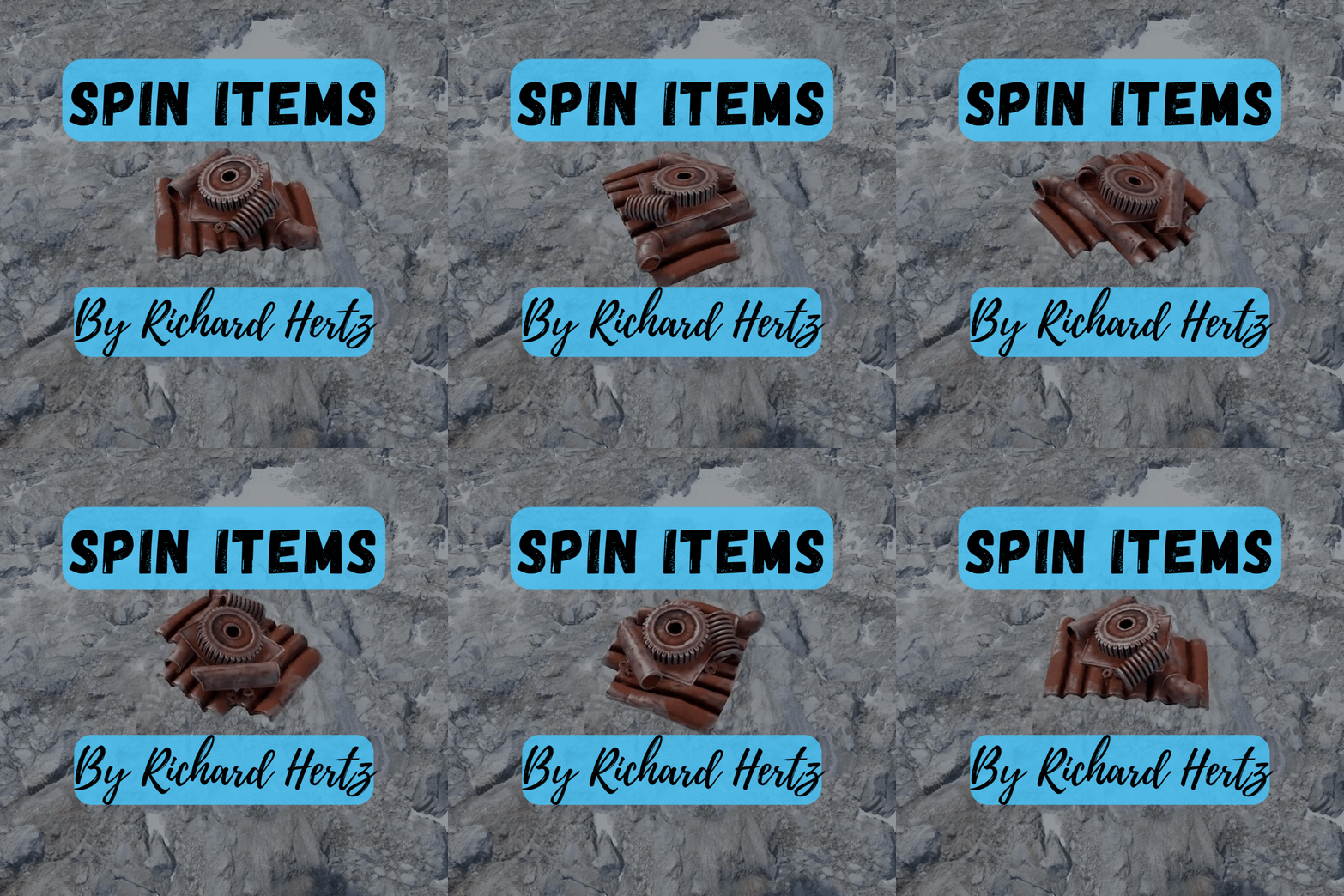 Only items with an in game world model can be spawned. Items look exactly as they would when a player drops them on the ground. You can set the rotation speed to 0 for no rotation.
 -
.thumb.png.c51edb8fbeafd0aaec72356ed1a27317.png)
Version 1.0.0
2 downloads
Introducing the go-to Rust plugin for adding a personal touch to your tugboat in Rust. Developed by Richard Hertz, this plugin lets you show off your tugboat's name in style, adding a new layer of immersion and personalization to the game. Special thank you to Reziem for the inspiration! TugID is packed with multiple features including: Customizable Tugboat Names: TugID allows you to rename your tugboat, ensuring it stands out from the crowd. Bad Word Filter: You can enable a bad word filter to prevent the use of offensive names. Permissions-Based Cooldowns: The plugin has a cooldown feature for changing tugboat names. VIP users can enjoy shorter cooldowns. Customizable Background Image: You can set a custom image for the tugboat's information display. Chat Prefix Customization: You can customize the chat prefix for all tugID messages. Chat Steam ID Icon: You can set a specific Steam ID icon to display in chat for tugID messages. Permissions: tugid.use: Allows the player to change their tugboat's name. tugid.vip1: Reduces the cooldown to change the tugboat's name for VIP1 players. tugid.vip2: Further reduces the cooldown for VIP2 players. tugid.vip3: Offers the shortest cooldown for VIP3 players. Commands: /tugid [name]: This command allows you to change the name of your tugboat to the provided name. You can use <color=[color or #Hex]>[Tugboat Name]</color> to give your name color. /tugid_remove: If you ever feel like your tugboat should go anonymous, this command removes the custom name of your tugboat. /tugid_help: Need a quick guide on how to use TugID? This command provides help and instructions for the plugin. JSON Variables: BackgroundImageUrl: The URL of the image that will be used as the background for the tugboat's info display. FilterBadWords: A boolean value that determines whether the bad words filter is enabled. ChatPrefix: The prefix for all TugID messages in chat. ChatSteamIDIcon: The Steam ID that will have its avatar shown in chat for all TugID messages. CooldownDefault: The default cooldown time (in minutes) for changing tugboat names. CooldownVIP1: The reduced cooldown time for VIP1 users. CooldownVIP2: The even more reduced cooldown for VIP2 users. CooldownVIP3: The shortest cooldown time, reserved for VIP3 users. TugID is a remarkably customizable plugin, with extensive options housed within its JSON configuration file. In addition, it provides a language file, allowing server administrators to tailor chat messages to their liking, supporting localization and facilitating player engagement. This blend of customizable features and user-focused design ensures TugID is a robust and valuable addition to any Rust server, elevating gameplay with its unique capabilities.$10.00 -
.thumb.png.6b6289b391e76c7eab96918d22af63e8.png)
Version 1.0.1
11 downloads
Unleash the power of nature in your game with the Animal Control Plugin! With this highly customizable tool, you can control the variety and frequency of animal spawns on your server, creating a more immersive and dynamic environment for your players to explore. Highlights: Flexible Animal Spawning: Populate your server with a diverse array of animal types, from the smallest critters to the fiercest predators. Biome-Based and Topology-Based Spawning: Set animals to spawn in specific biomes or topologies, preserving the authenticity of your world's ecosystems. Highly Customizable Settings: Configure the grid size, biomes, topologies, and respawn timers for each type of animal. Efficient and Optimized: The plugin leverages a queue system and timers to manage animal spawns effectively without hampering server performance. Clean Unloading: Animal Control ensures a clean slate. All spawned animals are effectively removed, leaving no loose ends. Admin Permissions: Ensure secure and controlled use of plugin functions by limiting command access to server administrators. Command Support: Manage your animal populations with admin commands such as /animals_spawn, /animals_kill, and /animals_show. Configurable JSON Variables: Animal Type: You can set types like bear, boar, chicken, polar bear, scarecrow, shark, and wolf. For each animal type, there are several attributes: Biomes: Determines in which biomes the animal can spawn. Each biome is assigned a true or false value. A true value means that the animal can spawn in that biome, while false means it cannot. Enabled: This boolean flag determines whether this animal type is enabled for spawning. If true, the animal can spawn; if false, it cannot. GridSize: Specifies the size of the grid area within which this type of animal will spawn. SpawnChance: Defines the probability that this animal will spawn. A value of 0.0 means it will never spawn, while a value of 1.0 means it will always spawn if conditions are met. Topologies: Similar to biomes, but for different types of topology. Each topology is assigned a true or false value. A true value means the animal can spawn in that topology, while false means it cannot. RespawnTime: This attribute determines the interval (in seconds) for automatic animal respawning. RespawnTimer: This boolean value determines whether the respawn timer is enabled (true) or not (false). If it's true, animals will respawn automatically after the specified RespawnTime. If false, animals will not respawn automatically. EnableDefaultAnimalSpawn: This option controls whether the default Rust animal spawning mechanism is used. Set to false to only use animal spawns from this plugin. AutoStartup: Determines whether the plugin should automatically start managing animal spawns on server startup. This structure allows for precise, granular control over the types and distributions of animals in your game environment. Chat Commands: /animals_spawn: Spawn all animal types according to the defined configuration (Admin permission required). /animals_kill: Exterminate all spawned animals and clear the spawn queue (Admin permission required). /animals_show: Display the locations of all currently spawned animals, marked with spheres (Admin permission required). Permissions: Only players with administrator privileges are permitted to use the chat commands associated with this plugin.$10.00 -
Version 1.1
19 downloads
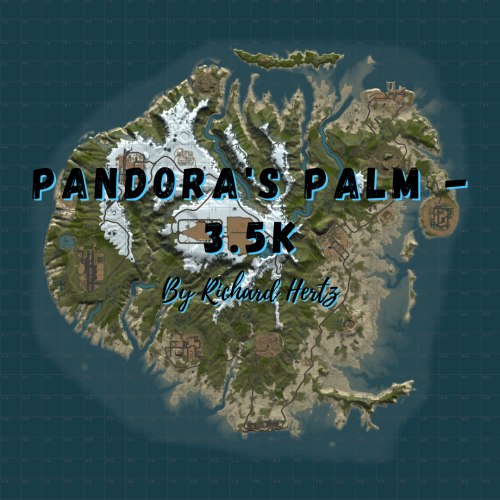
Are your players seeking a new, enchanting experience distinct from conventional island maps? Do they thirst for an adventure that promises both exploration and intense gameplay? If so, Pandora's Palm, the mysterious island of wonders, is precisely the map your players have been longing for. Pandora's Palm, with its larger size of 3.5K, provides an exquisite blend of natural landscapes, popular monuments, and an Airwolf Swamp, replacing the standard Bandit Camp. This map has been meticulously crafted to guarantee engaging player encounters and unforgettable experiences at every turn. Main Features: The map introduces an Airwolf Swamp, replacing the conventional Bandit Camp. This provides a specialized location for players to purchase minicopters. Every monument has been carefully selected and strategically positioned to offer a rich and balanced gaming experience. General Information: Map size: 3.5K Approximate Prefab Count: 7950 The map includes a customized Airwolf Swamp to replace the Bandit Camp. Map Highlights: Dense monument concentration balanced with ample building space for players. The inclusion of the Launch Site, a unique feature for a map of this size. An array of rivers and lakes, providing a lush landscape. Monuments Included: Airfield Arctic Research Base Caves (2) Compound Desert Military Base Dome Fishing Village (2) Gas Station Harbor 1 & 2 Ice Lake Junkyard Launch Site Lighthouse (2) Nuclear Missile Silo Large & Small Oil Rigs Power Plant Stable Supermarket Train Yard Underwater Labs (4) Warehouse (2) Water Treatment Plant Venture into the unseen with Pandora's Palm and keep your players captivated like never before! Upon purchasing, a password will be included with the map file, allowing you to edit or adjust the map as per your needs. To report bugs, please use the Support tab for a prompt response.$14.50 -
richardhertz
-
@Dad Frog I can make this for you. DM me on discord
-
@jaidenplayz10it controls the density of the walls. 1 is single density, 2 is double density. The value can only be 1 or 2. As for the error, would you please send me your configuration file. I will reproduce and fix that asap.
-
@SlayersRustThat is definately something i can look into, that may take a while to set up. Keep an eye out for updates moving forward.
-
@SlayersRustover the next few days or so when I have some more free time I will set up automation. There was also a bug with the player queue reported, so updates and added features will be coming
-
ok ill check it out
-
@aOnceworking on a fix now. Its a little slower for me to test solo since its 4am, my testing partners arent on . Shouldnt take much longer.
-
You can use a custom prefab to cover it, but i cannot add more prefabs to the spawn queue or it will have too much of a performance impact when creating the maze. Another way to keep players from entering is to keep it high off the ground. Ill look into maybe incorporating zone manager in a few days.
-
@izveklandI can make a video in a few days, I have a long streach of work coming up.
-
@aOncewhat is UseCustomSpawnpoints set to in your config? This belongs in the support category.
-
Version 1.0.9
128 downloads
Challenge your Rust server players with a new exciting and engaging experience! The Amazing Maze Event plugin introduces a dynamic and interactive PvP event that is a game-changer in terms of in-game entertainment. With Amazing Maze Event, you can easily generate complex, randomized mazes directly in your server. The mazes are customizable, and you can set up the size and location according to your liking or to fit your own custom prefab. This is not just a navigational challenge; it's a full-blown PvP event. The plugin introduces a competitive element by allowing only a certain number of players to participate at a time and placing them all into a confined maze space. The stakes are high as there's only one winner, the last player standing, adding a whole new level of excitement and thrill. Moreover, it comes with a winner reward system. Winners are gratified with in-game prizes, increasing the competition spirit. The reward system is flexible, and you can set any item or items as the prize, with adjustable quantity and custom skins. The plugin provides necessary commands and permissions for complete control over the maze event. You can easily create, start, cancel, and kill the event as required. Additionally, it comes with smart optional features like automatically removing walls over time to prevent the event from going on indefinitely. Easy to set up, fun to play, and adding a whole new dimension to the Rust gameplay, Amazing Maze Event is a unique addition to your Rust server that will undoubtedly thrill your player community. Improve your server's engagement with the MazeGenerator plugin! Check out the officially supported Maze Prefab created by Avalon. It will perfectly contain your maze within a beautiful building: Permissions: amazingmazeevent.create: This permission allows a player (or a role) to use the command for creating a new maze in the server. Typically, this would be assigned to server admins or moderators. amazingmazeevent.kill: This permission grants the ability to end a maze event prematurely. Again, this would generally be assigned to server admins or moderators. amazingmazeevent.start: This permission allows the user to start a maze event. This could be assigned to any player role depending on how you want to manage the events on your server. amazingmazeevent.cancel: This permission allows the user to start a maze event. This could be assigned to any player role depending on how you want to manage the events on your server. Commands: /maze_create: This command is used to create a new maze based on the parameters set in the configuration. The user needs to have the "mazegenerator.create" permission to use this command. /maze_start: This command begins the maze event, teleporting players into the maze and starting the PvP challenge after the set amount of time in the config json. The user needs to have the "mazegenerator.start" permission to use this command. /maze_kill: This command removes all walls and prefabs spawned, whether it is currently in progress or not. WARNING: Players will not be returned to their location. It is not recommended to use this while an active event is running. The user needs to have the "mazegenerator.kill" permission to use this command. /maze_cancel: This command ends a maze event immediately and removes all players from the queue if the event has not begun. Players will be returned to their original location before teleporting to the maze. It is not recommended to use this while an active event is running. The user needs to have the "mazegenerator.cancel" permission to use this command. /maze_join: This command allows a player to join the queue for the next maze event. This can be used by any player on the server, regardless of permissions, as long as a maze event has been created and is not currently in progress. /maze_leave: This command allows the winner of the event to leave the maze and be teleported back to their original location after the maze event has ended. Players may not leave the maze event once it has begun. /maze_claimprizes: If an event winner is unable to recieve their prize at the end of an event (In cases of disconnection, full inventory, etc.), they can use this command at any time to retrieve their pending prize items. Config Variables: CustomConfigSection: This section contains configuration for customizing the maze entities spawned in. CustomItems: This is an array of items that can be placed in the maze. Each item has two properties: EntityPrefab, which is the location of the item's prefab, and Quantity, which indicates how many of this item should be placed. You can change the entity path to any entities you like. Due to limited space inside the maze, if you attempt to spawn too many, they may overlap. SpawnCustomItems: If true, the custom items defined in CustomItems will be spawned in the maze. SpawnLights: If set to true, lights will be spawned in the maze. StartEventSound: You can change this sound effect to any available in game. UseStartEventSound: This will enable or disable the sound effect when the event begins. MazeConfigSection: This section contains the main configuration for the maze. AutoDestroyMazeAfterEvent: If true, the maze will automatically be destroyed after the event ends. Keep in mind that if you also spawned in a floor under the maze with the option below, you will not want to us this option or your winner will fall to their death when the event ends. IsPerimeterBoxed: If true, the maze will be surrounded by a boxed perimeter of walls. If you are using your own prefab, you can disable this. MazeDensity: This value determines the density of the maze. 1 is default, 2 is double density. It is generally not recommended to change this for large mazes. This may also result in some areas of the maze becoming very narrow. MazeQueueCapacity: This value sets the maximum number of players that can queue for the maze event. MazeQueueWaitTime: The wait time for players in the maze queue in seconds. MazeRadius: The radius of the maze. You should not need to change this unless you are making a very large maze. MazeSize: The size of the maze. 10 is default. Keep in mind that this spawns in a very large amount of entities. It is not recommended to create a maze larger than 30. MazeType: The type of maze. You can choose Ice, Stone, or Wood. WallsToRemoveDelay: The delay time in seconds between each instance of wall removal. Set this to 0 to disable. WallsToRemoveEachTime: The number of walls to remove each time. This helps progress the event if players are hiding behind walls too long. SpawnFloorUnderMaze: When true, a floor will be spawned under the maze. Keep in mind that this will also greatly increase the entity amount spawned in. It is generally better to use a custom prefab or flat area on your map. MazeLocationSection: MazeX: The x coordinate of the maze's centerpoint to spawn. MazeY: The y coordinate of the maze's centerpoint to spawn. MazeZ: The z coordinate of the maze's centerpoint to spawn. SpawnLocationSection: Contains the configuration for the spawn locations. Locations: An array of locations where players can spawn when they enter the maze. Each location has x, y, and z coordinates. You can add more if needed. This is useful if you are using your own prefab to contain the maze. UseCustomSpawnpoints: If true, players will spawn at the custom locations defined in Locations. If false, players will spawn at pregenerated locations. WinnerPrizeSection: This section contains the configuration for the winner's prize. GivePrizeToWinner: If true, a prize will be given to the winner of the maze event. Prizes: An array of items that can be given as prizes. Each item has three properties: ItemShortname, which is the item's name; Quantity, which is the number of this item that should be given; and SkinId, which is the ID of the skin to apply to the item. These configuration variables allow server administrators to control many aspects of the Amazing Maze Event plugin, offering them a wide range of customization options for their maze events.$20.00 -
What is the server rule on building proximity? Would it make sense to block building at a larger radius around the tc, unless the player is authed on the tc that owns that radius?
-

.::[PAYED]::. Looking for a developer/coder with free time
Richard Hertz replied to mrdecoder's topic in Requests
Howdy

