

Jump to content

5 Screenshots

  • 263.8k
  • 12.6k
  • 226.88 kB
  • Update details
    v3.1.6
    Released
    Download size226.88 kB
    Total versions69
    Time between versions 1 day
    Typical update pace About every 24 days
    Freshness 6 days ago

About Skinner

Premium Item Skinning ·  Oxide + Carbon
SKINNER v3.1.6

Skin every item like it’s worth keeping — 60x faster, 200x leaner.

The unrivalled no.1 performance skinning plugin. Skin any item in the game with a unique skinbox — live skinning, auto skinning, and skin sets.

The numbers, not the noise

Measured, not marketed

Skinner 2.0 delivers unrivalled efficiency. In standard testing versus the closest performing plugin, runtime was 60x faster and memory use 200x more efficient.
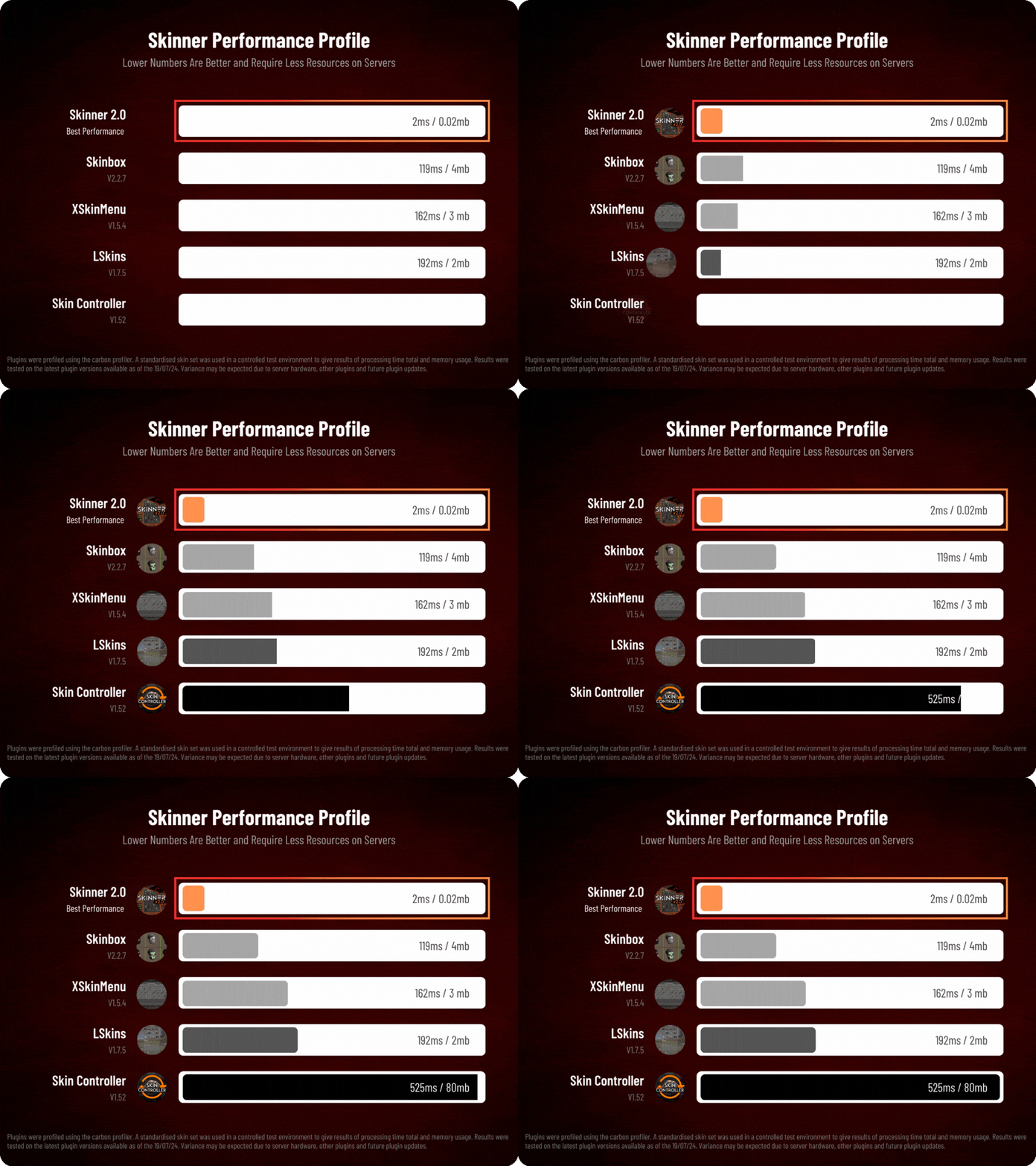
Skinner performance profile
What’s new in 3.0

Skinner 3.0 is here — a full visual overhaul with dynamic, permission-based UI menus.
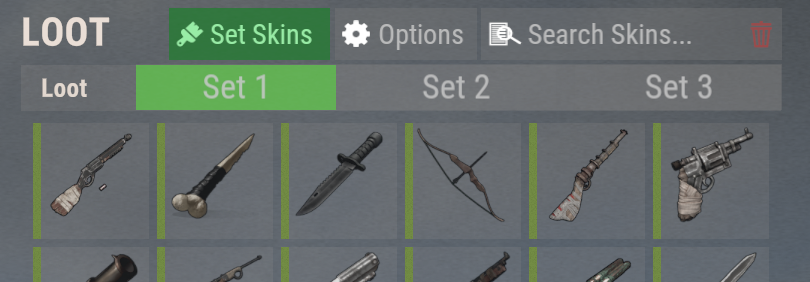
Visual overhaul with dynamic, permission-based UI menus
Automatic skin filtering and dev modes for the new TOS
Permission-based skin sets
Team-share skins
Auto-unlock owned skins
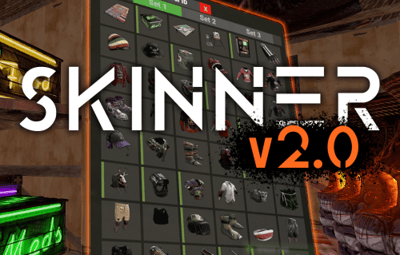
Skinner 3.0 UI
Features

Everything skinner does

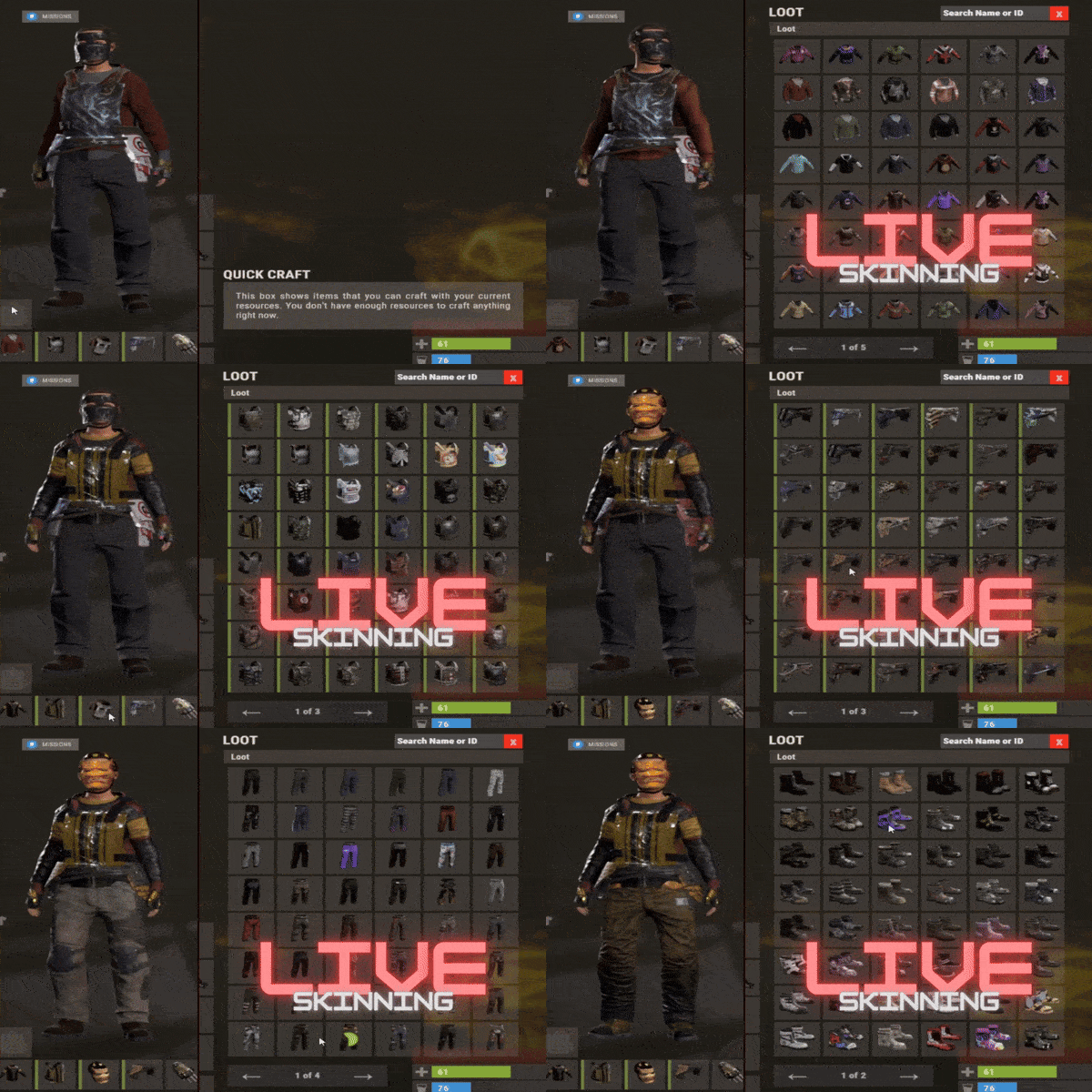
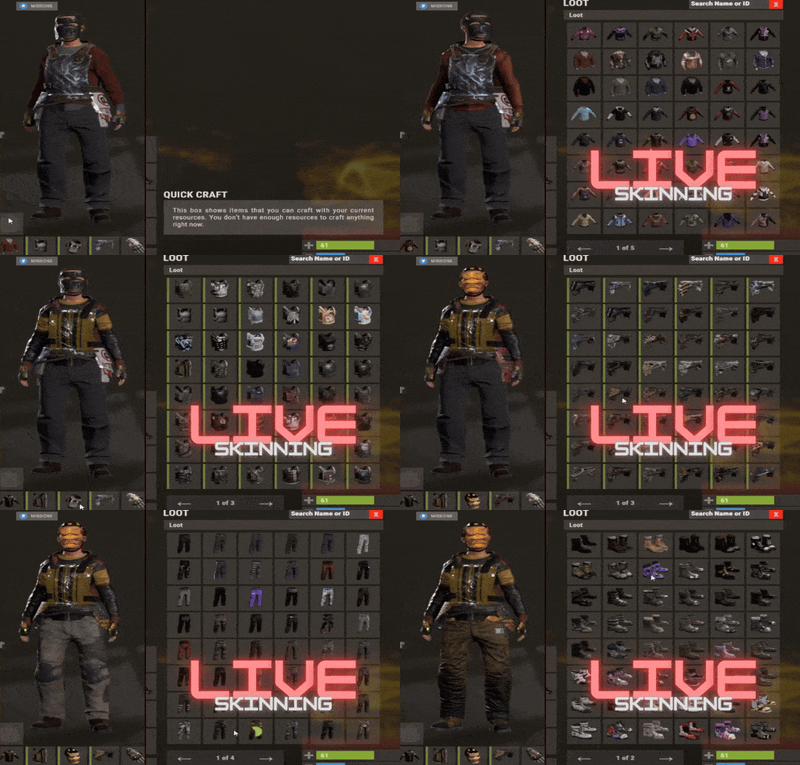
Live skinning
Skin items in place without moving them.
Auto import
Automatically import and use all game-approved skins.
Skin sets
Create a variety of skin sets for any item.
Skin requests
Players request skins; admins approve them in game.
Auto skins
Apply selected skins to every item that enters your inventory.
Team share
Skin your whole team’s inventory from your own sets.
See it running

Live demo

Live skinning
Live-skin any item in your inventory.
Skin deployed items
Skin deployables you’re looking at.
Commands

Every command

Skin menu

/skin
/s, /skinbox, /sb
Live-skin any item in your inventory by picking a skin.
/skincraft
/sc
Build skin sets used by the auto, team, and base commands.
/skinitem
/si, /skindeployed, /sd
Skin a deployable you are looking at. Args: 1, 2 or 3 to use a skin set.

Automatic

/skincon
/scon
Skin every item in the container you are looking at. Args: 1/2/3 (optional).
/skininv
/sinv
Skin every item in your inventory. Args: 1/2/3 (optional).
/skinauto
/sauto
Auto-skin every item as it enters your inventory. Args: 1/2/3 (optional).
/skinteam
/st
Skin your inventory and your team’s. Args: 1/2/3. Use /skinteam toggle to opt in or out.
/skinbase
/skinbuilding
Skin all deployables in your base. Args: item filter, e.g. /skinbase sleepingbag.
/skinall
/sa
Skin all items in every container in your base. Args: shortname, e.g. /skinall rifle.ak.
/skinset
/ss
Set your currently selected skin set.

Import & requests

/skinimport
/sip
Import a custom workshop skin. Args: WorkshopID, e.g. /skinimport 2397648701.
/colimport
/cip
Import a workshop collection. Args: Collection ID, e.g. /colimport 2921147807.
/skinrequest
/sr
Request a skin be added — shows in the requests box. Args: WorkshopID.
/skinrequests
/srs
Open the approval box. Try = copy the item, Approve = add the skin, Deny = remove it.
Permissions

Grant exactly what you want

Player

skinner.default /skin
skinner.items /skinitem
skinner.craft /skincraft
skinner.skinauto /skinauto
skinner.skincon /skincon
skinner.skininv /skininv
skinner.skinbase /skinbase
skinner.skinteam /skinteam
skinner.skinall /skinall
skinner.skinrequest /skinrequest

Admin

skinner.import Enables /skinimport, /colimport, and /skinrequests.
skinner.bypassauth Skips the building-auth check when using /skinitem.
skinner.permskintry Enables Try in /skinrequests. Trying a skin copies the item — admins only.

Auto-assigned

skinner.skinautotoggled A player disables skinauto.
skinner.skinteamblock A player opts out of team skins.
Cooldowns
Grant skinner.<command><seconds> (e.g. skinner.default30) to enforce the cooldowns set in the config. No cooldown permission = no cooldown. If a player has several, the shortest wins.
Importing skins

Five ways to add skins

Via config
Add workshop IDs to the Imported Skins List; reload and shortnames/display names auto-populate.
Via collections
Add whole workshop collection IDs; every skin imports automatically on load.
Via commands
/skinimport <WorkshopID> and /colimport <CollectionID> from chat, the F1 console, or RCON.
Via skin requests
Players /skinrequest; admins Try/Approve/Deny in the requests box. Requests log to a Discord webhook.
From other plugins
Convert data from SkinBox, xSkins, and SkinController with the SkinDataConverter tool, then paste into the config. Get the converter →
 
Configuration

Tune every behaviour

{
  "Auto import approved skins": true,
  "Remove player data after inactivity (days)": 14,
  "Apply names of skins to skinned items": true,
  "Add Search Bar UI": true,
  "Override spraycan behaviour": false,
  "Use spraycan effect when holding spraycan and skinning deployables": true,
  "Blacklisted Skins (skinID)": [],
  "Blacklisted Items (itemID)": [],
  "Import Skin collections (steam workshop ID)": [],
  "Imported Skins List": {
    "861142659": {},
    "2617744110": {}
  }
}
Developer API

Hook into Skinner

A small, stable surface for reading the cached skin data and resolving redirect items from your own plugin.

//Get all cached skins
public Dictionary<int, List<ulong>> GetAllCachedSkins() => _cachedSkins;

//Check if a skin is a redirect item
public bool IsRedirectID(ulong uID) => HasMask(uID);

//Convert a redirect ID to its item ID
public int RedirectIDtoItemID(ulong uID) => (int)UnsetMask(uID);

//Get the list of skins for an item
public List<ulong>? GetSkinsItemList(int itemid)
{
    _cachedSkins.TryGetValue(itemid, out List<ulong>? cachedSkins);
    return cachedSkins;
}
Watch

See Skinner in action

http://youtu.be/ewKlNILTwv8

Skin every item like it’s worth keeping.

The unrivaled no.1 performance skinbox for Rust — 60x faster, 200x leaner. Oxide + Carbon.

Join the Discord →
Skinner v3.1.6  ·  by Whispers88  ·  Oxide + Carbon  ·  5/5 from 50 reviews  ·  69 versions  ·  on Codefling since March 2022
  • Like 9
  • Love 10

User Feedback

About Us

Codefling is the largest marketplace for plugins, maps, tools, and more, making it easy for customers to discover new content and for creators to monetize their work.

Downloads
2.7m
Total downloads
Customers
11.6k
Customers served
Files Sold
165.2k
Total sales
Payments
3.6m
Processed total
×
×
  • Create New...

Important Information

We have placed cookies on your device to help make this website better. You can adjust your cookie settings, otherwise we'll assume you're okay to continue.