
.thumb.png.ccf8a947948c9eb1445ad21a7931247b.png)
About ServerInteraction
A server-side interaction framework for Rust plugin developers. It traces the player's look target, splits USE into quick / long presses, serves the game's native radial pie menus with per-plugin lifecycle, and adds server-authoritative attack input — everything another plugin needs to build console-quality interactions without touching UI libraries or hooking input itself.
It is a foundation, not a feature: install it, and your plugins gain a ready-made interaction layer — look-target detection, crosshair feedback, pie menus with automatic cleanup, and a safe dispatch pipeline that never lets a misbehaving callback take down the server.
 Features
-
Quick / long USE dispatch — server-side detection from
OnPlayerInput: a press under 0.2s fires the quick interaction, a held press opens the pie menu. Mirrors vanilla quick/long-press behavior with no client-side input hooks. - Look-target tracing — 2m reach across 14 physics layers (deployables, ragdolls, vehicles, constructions, terrain, bushes and more) with proper line-of-sight validation, nearest-valid-entity selection, and full ray pooling for zero garbage.
-
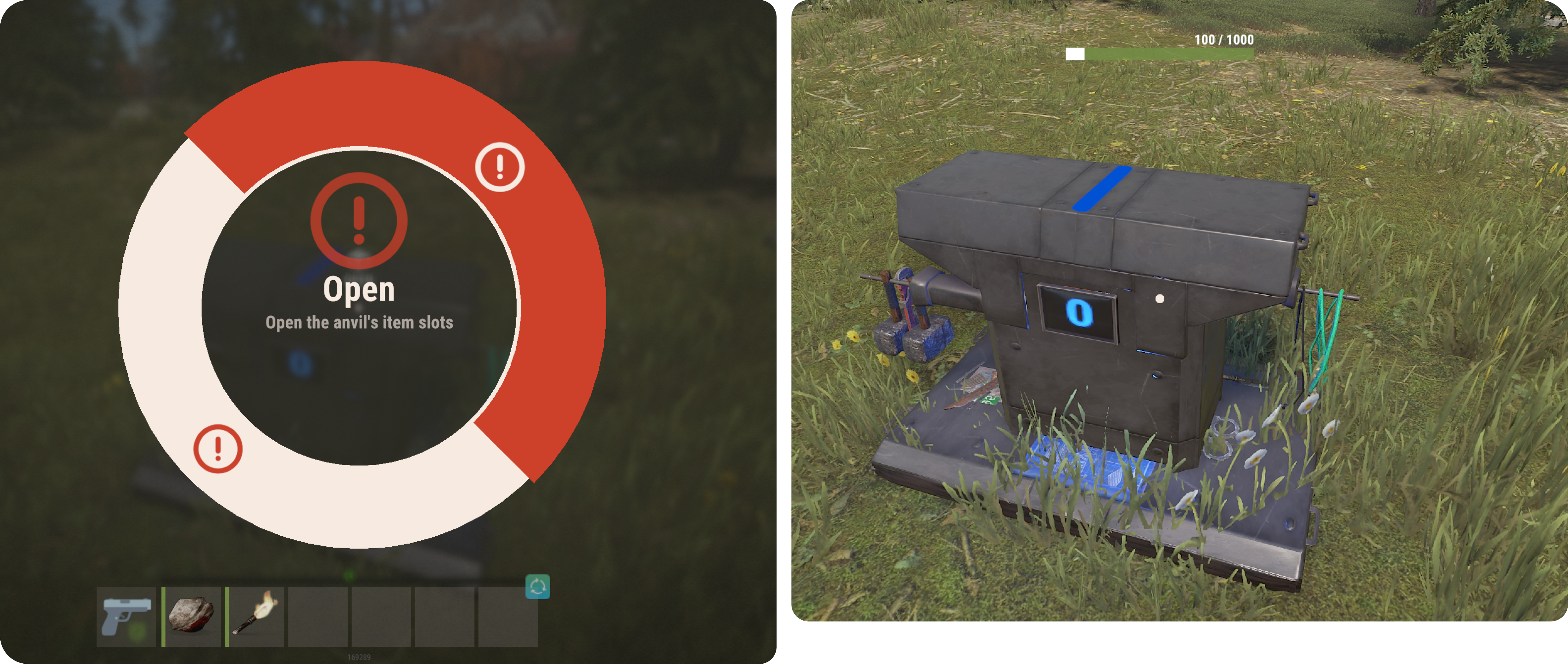
Native pie menus — options render through the game's own radial menu system (
CustomPienetwork message): name, description, sprite or skin image ID, color with built-in color modes, disabled/selected states. No CUI, no image libraries. - Nested sub-menus — options can drill into sub-menus and walk back, built lazily per level through callbacks.
-
Per-plugin ownership — menus opened via
ServerInteraction.For(this)hang off the owning plugin's context and are unregistered as a unit when that plugin unloads, when the player disconnects, when a new menu replaces them, or on click. Orphaned console commands are impossible. - Interaction crosshair — a HUD crosshair indicator appears when the looked-at entity is interactable, prewarmed per connection with cached, change-only CUI payloads so toggling costs nothing.
-
Server-authoritative attacks — held entities implementing
IServerAttackget FIRE_PRIMARY read by the server itself, not from a client-sent launch RPC: press / hold / release callbacks, configurable hold-to-fire time, one shot per hold. -
Item-side interactions — an abstract
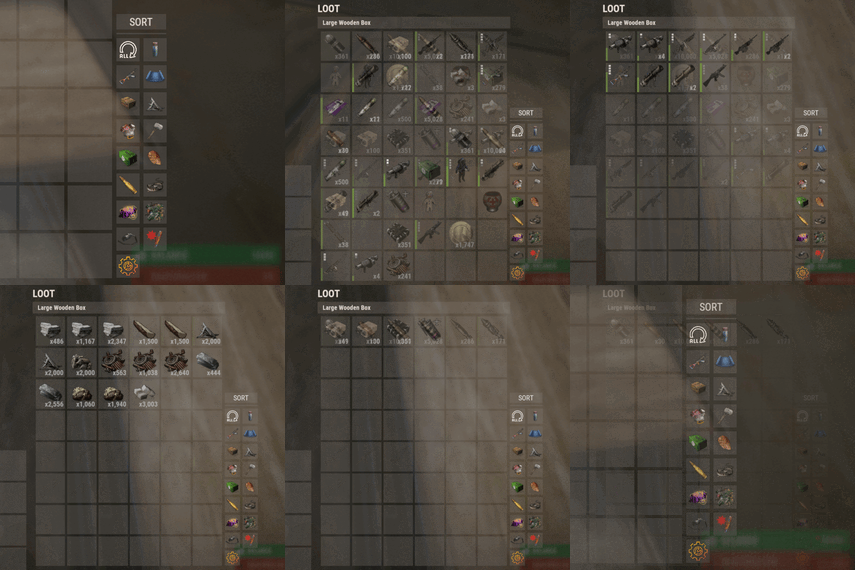
ItemModInteractionlets active-slot items define quick-use behavior and their own pie menus, with automatic fallback from the look target to the held item. - Loot entity ID override — any entity can substitute the entity ID the loot window opens on, letting you proxy or virtualize containers without breaking the client's loot UI.
- Safe callbacks — consumer plugin exceptions in menu callbacks and option populators are caught and logged; the menu still closes and the console executor survives.
- Zero configuration — no config, no data files, no permissions to grant. Drop it in and load.
 Integrations
-
Carbon — built for Carbon, with a Harmony patch into Carbon's
ModLoader.UninitializePluginso consumer plugins get automatic cleanup on unload. -
Native Rust UI — pie menus and the crosshair use the game's built-in systems (
CustomPie, CUI), no UI dependency plugins. -
Consumer plugins — anything you build against
IInteractionEntity,IServerAttack,ItemModInteraction, orILootEntityIdOverride.
 API for developers
Implement opt-in interfaces on your entities — the framework registers them automatically during its input pass:
-
IInteractionEntity— quick USE (CanQuickUse→OnUse) and long USE (CanLongUse→GetMenuOptions) on any entity the player looks at. -
IServerAttack— hold-based attacks on the held entity:AttackHoldTime(0 = instant),OnServerAttackPressfor charge-up cues,OnServerAttackto fire,OnServerAttackReleasewith held duration. -
ItemModInteraction— the item-mod counterpart for items in the active slot. -
ILootEntityIdOverride—GetLootEntityId(player)returns theNetworkableIdthe client's loot window should open on. -
PieMenuOption— one menu entry: text, description, sprite/image, color and color mode, disabled/selected flags, a leafFunction, orNextMenuOptions/PrevMenuOptionsfor sub-menus.
Open menus through your plugin's context, CID-style:
-
this.ServerInteraction().PieMenus.Open(player, options)— owned menu, auto-cleanup on your plugin's unload. -
ServerInteraction.OpenPieMenu(player, options)— ownerless, cleaned up by the standard replace/disconnect/click rules. -
ServerInteraction.IsPieMenuOpen(player)/PieMenus.IsOpen(player)/PieMenus.Close(player)— state checks and explicit close.
 FAQ
FAQ
What does the plugin do on its own?
Nothing visible beyond crosshair hints — it's a framework. Every interaction, menu and attack comes from consumer plugins you install or write against its API.
Can plugins use it without Carbon's pie-menu features?
The pie menus go straight through the game's native CustomPie message, so they render exactly like vanilla radial menus.
What happens if my callback throws?
The exception is logged, the menu closes cleanly, and the server's console executor keeps running. A buggy consumer plugin cannot brick input handling.
How do you keep console commands secure?
Menu options bind to hidden server commands with unique random GUID names, registered only while the menu is open and removed the moment it's clicked, replaced, or the player leaves. Players can't invoke stale commands.
Compatibility notes
-
The loot entity ID override uses a compiled IL pattern match on
PlayerLoot.SendUpdate; if the game build reshuffles that method, the patch fails safe with a logged error and vanilla behavior continues.
Support
Discord: https://discord.gg/8nztXhvgDe — bug reports and API questions welcome.

.gif.9100f5179d43e78cc27c910c5be0fcfb.thumb.gif.b28ea972dca389237452fa5c07412809.gif)