About TrashBoxSystem
Automatic item disposal with customizable trash boxes for Rust servers.
Getting rid of unwanted items should not mean dropping everything on the ground or filling storage boxes with useless loot.
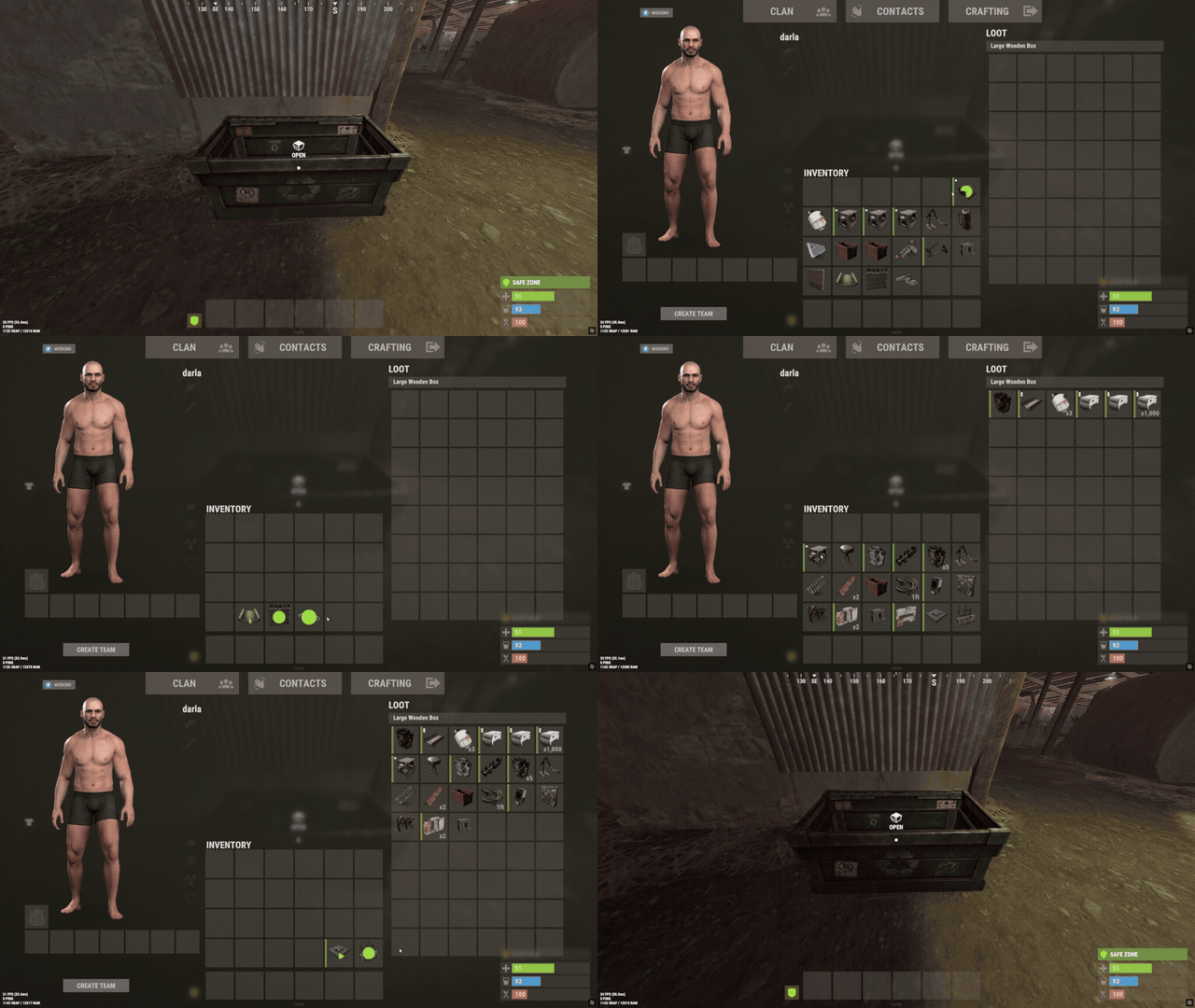
TrashBoxSystem lets players dispose of unwanted items using special trash boxes that automatically delete their contents. Server owners can control how quickly items are deleted, require boxes to be closed before deletion, protect specific items from being discarded, and manage who can use trash boxes.
With configurable box skins, permission-based access, item protection, and simple admin commands, TrashBoxSystem provides an easy way to manage item disposal without affecting normal storage boxes.
Perfect for PvE, PvP, Vanilla+, modded, RPG/RP, survival, and high-population Rust servers.

 Features
- Automatically deletes unwanted items placed inside special trash boxes.
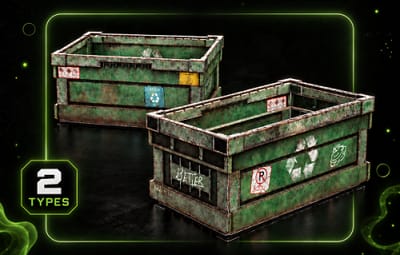
- Uses Large Wooden Boxes with a configurable skin ID to identify trash boxes.
- Normal storage boxes remain unaffected by the plugin.
- Instantly deletes eligible items when the deletion cooldown is disabled.
- Optional cooldown allows items to be deleted one stack at a time.
- Configurable deletion cooldown in seconds.
- Optional setting to delete items only when the trash box is closed.
- Supports combining close-only deletion with a configurable deletion cooldown.
- Block specific items from being placed inside trash boxes using their Rust item shortnames.
- Checks items inside other items to prevent protected contents from being discarded.
- Optional permission requirement for placing, opening, and picking up trash boxes.
- Admin permission automatically bypasses trash box usage restrictions.
- Admin command to give trash boxes to yourself or other online players.
- Supports giving multiple trash boxes with a single command.
- Players can be selected by name or Steam ID when giving trash boxes.
- Admin command to spawn a trash box directly at the surface you are looking at.
- Configurable maximum distance for spawning trash boxes.
- Automatically recognizes existing deployed trash boxes when the plugin initializes.
- English and Russian plugin messages included.
 Deletion Modes
TrashBoxSystem provides several configurable options to control when and how items are removed.
| Mode | Description |
|---|---|
| Instant Deletion | Automatically deletes eligible items without a configured cooldown. |
| Cooldown Deletion | Deletes one item stack at a time using a configurable delay. |
| Delete on Close | Waits until the trash box is closed before deleting its contents. |
| Cooldown + Delete on Close | Waits for the box to close, then deletes item stacks using the configured cooldown. |
Tip
Example: Enable the deletion cooldown and set it to 1 second to remove one item stack every second.
You can also enable Delete items only when the box is closed to let players finish managing the contents before deletion begins.
 Protected Items
Server owners can prevent specific items from being discarded by adding their shortnames to the blocked items list.
- Blocked items cannot be placed inside trash boxes.
- Items containing blocked items are also protected.
- The plugin checks nested item contents for protected items.
- Blocked items are excluded from the deletion process.
- Add or remove item shortnames directly in the configuration.
Note
Example: Adding rifle.ak to the blocked items list prevents AK-47 rifles from being placed inside trash boxes.
This also protects items containing a blocked item in their internal contents.
 Admin Commands
/givetrashbox - Gives yourself one trash box.
/givetrashbox <amount> - Gives yourself the specified number of trash boxes.
/givetrashbox <player name or Steam ID> - Gives one trash box to the selected online player.
/givetrashbox <player name or Steam ID> <amount> - Gives the specified number of trash boxes to the selected online player.
/spawntrashbox - Spawns a trash box at the surface you are looking at within the configured maximum distance.
Command Examples
/givetrashbox
/givetrashbox 5
/givetrashbox PlayerName
/givetrashbox PlayerName 3
/givetrashbox "Player Name" 5
/spawntrashbox
Note
Command Notes
-
All commands require
trashboxsystem.admin. - Player names containing spaces must be placed inside quotation marks.
- Giving trash boxes to another player requires that player to be online.
-
The
/spawntrashboxcommand uses the configured maximum spawn distance.
 Permissions
trashboxsystem.admin - Allows access to all TrashBoxSystem admin commands and bypasses trash box usage restrictions.
trashboxsystem.use - Allows players to place, open, pick up, and use trash boxes when the permission requirement is enabled.
Tip
Permission Settings
By default, the permission requirement is disabled, allowing players to use trash boxes without needing trashboxsystem.use.
Enable Require permission to place, open and pick up trash boxes in the configuration to restrict access to permitted players.
Players with trashboxsystem.admin can use trash boxes regardless of the usage permission setting.
 Example Configuration
{
  "[Box] Skin ID": 3526139942,
  "[Usage] Require permission to place, open and pick up trash boxes": false,
  "[Items] Blocked item shortnames": [
    "rifle.ak"
  ],
  "[Deletion] Enable cooldown between item stacks": false,
  "[Deletion] Cooldown (seconds)": 1.0,
  "[Deletion] Delete items only when the box is closed": false,
  "[Spawn] Maximum distance (meters)": 25.0,
  "Config Version": {
    "Major": 1,
    "Minor": 0,
    "Patch": 0
  }
}
Note
Configuration Notes
- Box Skin ID: Determines which Large Wooden Boxes are recognized as trash boxes.
- Require Permission: Enables or disables permission-based trash box access.
- Blocked Items: Prevents specified items and items containing protected contents from being discarded.
- Enable Cooldown: Controls whether item stacks are deleted individually with a delay.
- Cooldown: Sets the number of seconds between item stack deletions when enabled.
- Delete on Close: Prevents deletion while a trash box is open.
-
Spawn Distance: Sets the maximum distance for the
/spawntrashboxadmin command.
Warning
Important: Items deleted by TrashBoxSystem are permanently removed from the trash box. Use the blocked items list to protect valuable items, or enable deletion on close to give players more control over when disposal begins.
 Why Choose TrashBoxSystem?
Managing unwanted items should be simple without forcing players to drop everything on the ground or use normal storage boxes as temporary trash containers.
TrashBoxSystem provides automatic item deletion, configurable deletion timing, protected items, permission-based access, and simple admin management in one lightweight plugin.
Whether you want instant item disposal or a more controlled trash system with deletion delays and protected items, TrashBoxSystem gives server owners the flexibility to configure item disposal around their server's needs