




About PortalSystem
- PortalSystem
- Fast travel that stays balanced for any Rust server.
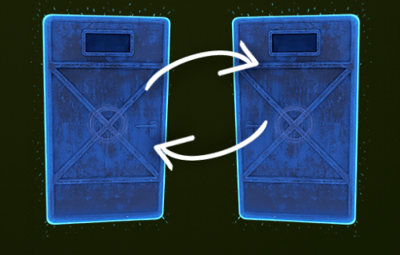
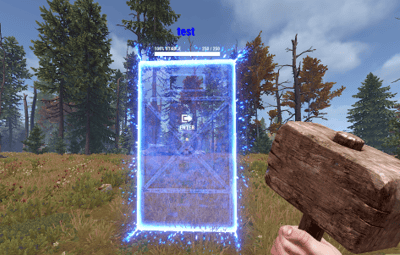
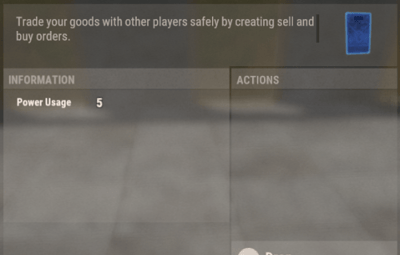
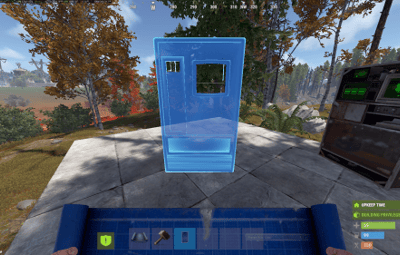
- PortalSystem adds placeable, name-linked portals that teleport players between a matching pair — while giving you full admin control over cooldowns, limits, costs, and sharing.
- And yes: Map/Monument Portals are included too, so you can create fixed portals for hubs, events, monuments, arenas, and custom locations — perfect for building a real server travel network.
-
Perfect for: PvE, RPG/RP, Hub servers, Vanilla+, and PvP servers that want fast travel without abuse.
-
 Features
- Portal Pair System (name linking): Portals link by name — only 2 portals can share the same name (A ↔ B). Use one to teleport to the other.
- Player Portals (placeable item): Portals are placed from an item (configurable name + skin).
- Includes anti-stack to prevent stacking/abuse.
- Map / Monument Portals: Admins can place fixed portals on monuments / locations using /portal commands (great for hubs & travel routes).
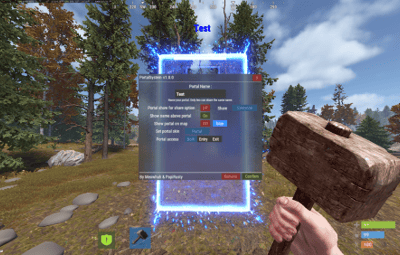
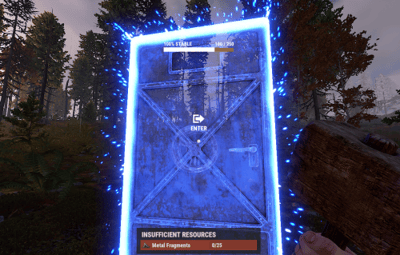
- Portal UI Menu: Clean UI to manage portal settings in-game (distance-limited to prevent remote abuse).
- Sharing Modes: Set portals as Everyone / Only Me / My Team.
- Optional clan logic (treat clanmates/allies as team) if enabled.
- Access Mode: Set a portal to Entry / Exit / Both.
- Teleport Cooldowns: Global cooldown + VIP overrides (permission → cooldown seconds).
- Portal Limits: Default portal limit per player + optional permission limits (portalsystem.limit.X).
- (Limit 0 = unlimited.)
- Entry Costs (optional): Charge players to use portals via:
- Items
- Economics
- ServerRewards
- Includes a bypass permission for free entry.
- Pickup System: Pickup with hammer right-click hold (configurable) with optional durability/HP behavior.
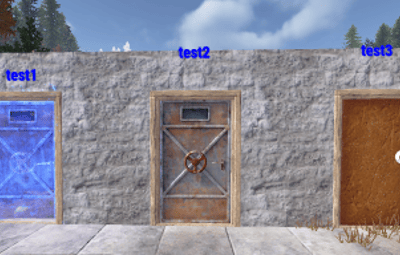
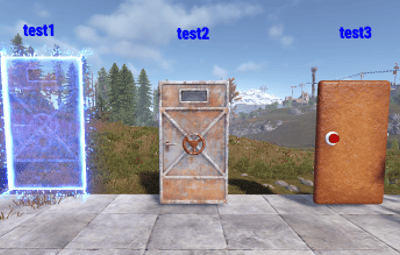
- Portal Visual Options: Optional name text above portals + optional map marker support + optional placement indicator.
-
Loot Integration (optional): Add portal items to loot containers with configurable chances.
- Map Portals (Custom Maps)
- PortalSystem supports map-placed portals for custom maps, hubs, monuments, arenas, and event areas.
- How to use
- 1. Enable it in config:
- [Custom Maps] Enable map-placed portals from prefabs = true
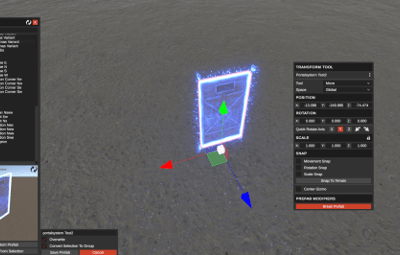
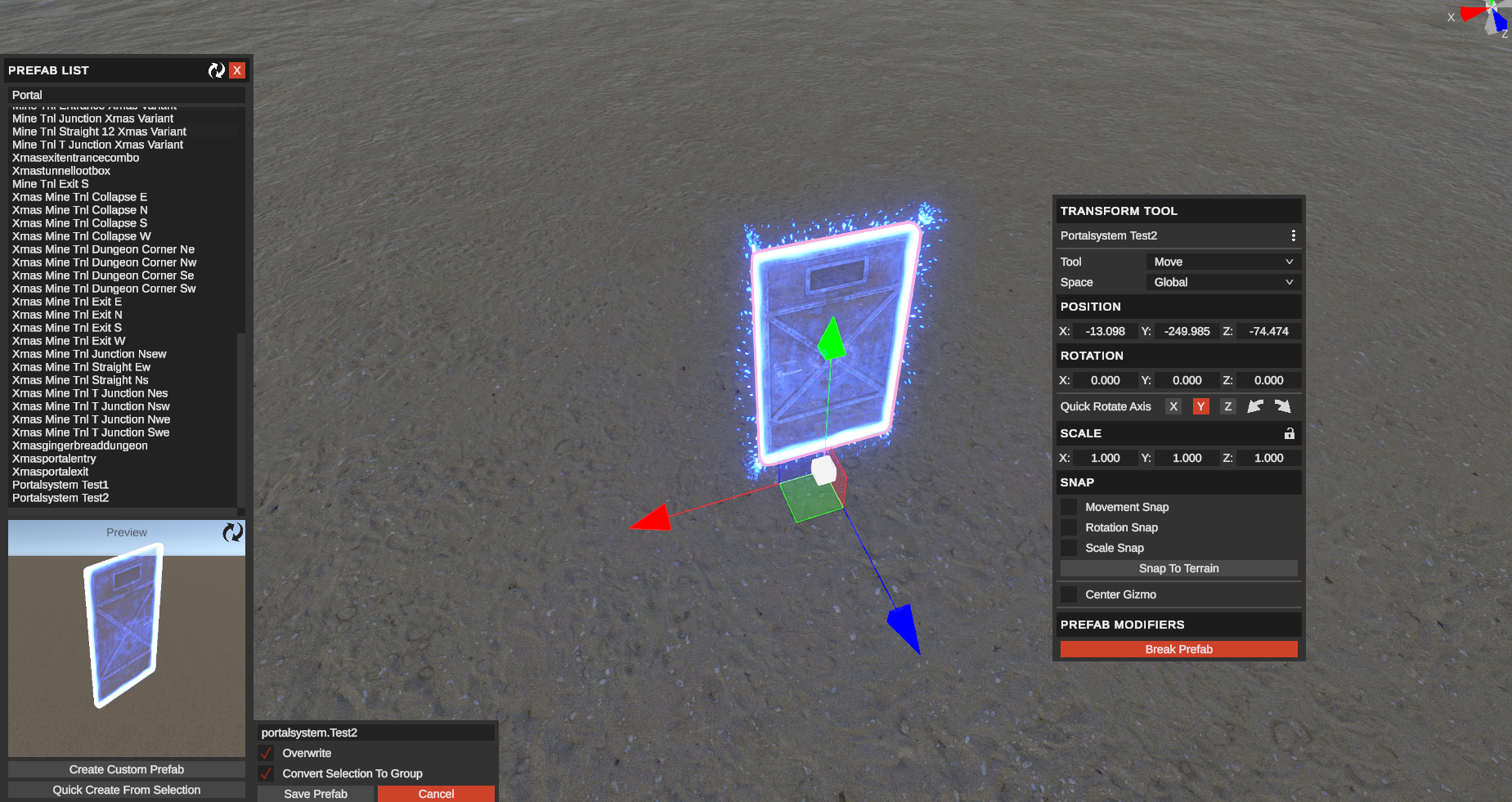
- 2. Place prefab "Halloweenportalexit" on your map and set its Name to: portalsystem.<portal name>
- (Prefix is configurable via [Custom Maps] Prefab name prefix (e.g. portalsystem.) — default: portalsystem.)
-
3.
 2 portals with the same name will link (A ↔ B).
-
 Important:
-
Make sure you don’t break the prefab, and don’t add these portals as part of other prefabs.

-
 Commands
-
Player

/buyportal → Buy a portal (if enabled; Economics/ServerRewards).

/giveportal [amount] → Give yourself portal items.

/giveportal <player> [amount] → Give portal items to another player.
(Also available as console: giveportal <player> [amount].)

Admin

/spawnportal → Spawns a portal at your look position and opens its UI.

/portal add <name> → Add a Map/Monument Portal where you’re looking.

/portal remove → Remove the portal you’re looking at (monument).

/portal reset → Remove all portals on the current monument.

/portal edit → Edit the portal you’re looking at.

/portal list → List monument portals on the current monument.
/portal list all → List all monument portals (grouped by monument) in console.
-
 Example Configuration
Quote
Example Configuration
Quote{
"Plugin Settings": {
"[Chat] Prefix text (shown before messages)": "[PortalSystem]",
"[Chat] Prefix color": "#00FF00",
"[Chat] Send notifications in chat": true,
"[GameTip] Show notifications as GameTips": true,
"[GameTip] Display time (seconds)": 10.0
},
"Portal Settings": {
"[Teleport] Cooldown between teleports (seconds)": 10.0,
"[Teleport] VIP cooldown overrides (permission -> seconds)": {
"portalsystem.vip1": 5.0,
"portalsystem.vip2": 2.0
},
"[Item] Portal item skin ID": 3616898784,
"[Placement] Default doorway snap-down amount (meters)": 0.45,
"[Placement] Default vertical lift when not in doorway (meters)": 0.2,
"[Placement] Per-skin placement offsets (key -> offsets)": {
"portal": {
"[Placement] Doorway snap-down amount (meters)": 0.45,
"[Placement] Vertical lift when not in doorway (meters)": 0.0
},
"normal": {
"[Placement] Doorway snap-down amount (meters)": 0.1,
"[Placement] Vertical lift when not in doorway (meters)": 0.0
},
"gingerbread": {
"[Placement] Doorway snap-down amount (meters)": 0.1,
"[Placement] Vertical lift when not in doorway (meters)": 0.0
}
},
"[Teleport] Move player forward from portal exit (meters)": 1.0,
"[Teleport] Safe-check radius for obstructions (meters)": 0.5,
"[Teleport] Max upward steps to find safe spot": 6,
"[Teleport] Upward step size when searching safe spot (meters)": 0.6,
"[Teleport] Block arrivals if under building foundations": true,
"[Teleport] Depth to check for foundations below exit (meters)": 2.0,
"[UI] Max distance to open portal menu (meters)": 3.0,
"[Building] Require TC auth to place portals": true,
"[Building] Require TC auth to pick up portals": true,
"[Building] Require TC auth to configure portals": true,
"[Pickup] Allow pickup with hammer (hold right-click)": true,
"[Pickup] Right-click hold time for pickup (seconds)": 0.0,
"[Limits] Default portal limit per player": 2,
"[Limits] Extra portal limits from permissions": [
4,
6,
10
],
"[Item] Base portal item name (shown in inventory)": "Portal",
"[Entry Cost] Charge any price to use portals": true,
"[Entry Cost] Item cost to enter": {
"ShortName": "scrap",
"Amount": 0,
"SkinID": 0
},
"[Entry Cost] Permission that bypasses all entry costs": "portalsystem.freeuse",
"[Entry Cost] Use Economics balance per teleport": false,
"[Entry Cost] Economics cost per teleport": 50.0,
"[Entry Cost] Use ServerRewards RP per teleport": false,
"[Entry Cost] ServerRewards RP cost per teleport": 50,
"[Damage] Portals can be damaged and destroyed": false,
"[Damage] Portal maximum HP": 250,
"[Damage] HP loss on pickup (0-100 %, 0 = no loss)": 0.0,
"[Damage] Bullet damage (projectile shortname -> HP)": {
"riflebullet_explosive": 4,
"riflebullet": 0,
"pistolbullet": 0
},
"[Damage] Explosive damage (prefab shortname -> HP)": {
"explosive.timed.deployed": 250,
"explosive.satchel.deployed": 70,
"rocket_basic": 220,
"40mm_grenade_he": 28
},
"[Repair] Allow repairing portals with hammer hits": true,
"[Repair] Item shortname used as repair cost": "metal.fragments",
"[Repair] Amount of repair item used per hit": 25,
"[Repair] HP restored per hammer hit": 25,
"[Repair] Require TC auth to repair portals": true,
"[Repair] Play repair effect when repairing": true,
"[Repair] Lock repairs after taking damage (seconds)": 30.0,
"[Repair][NoEscape] Block repair when combat blocked": true,
"[Repair][NoEscape] Block repair when raid blocked": true,
"[Buy] Enable /buyportal chat command": false,
"[Buy] Require permission 'portalsystem.buy'": true,
"[Buy] Use Economics balance": true,
"[Buy] Economics price per portal": 250.0,
"[Buy] Use ServerRewards RP": false,
"[Buy] ServerRewards price per portal": 250,
"[Custom Maps] Enable map-placed portals from prefabs": true,
"[Custom Maps] Prefab name prefix (e.g. portalsystem.)": "portalsystem.",
"[Wipe] Remove monument portals on map wipe": false,
"[Name Tag] Show portal name above portal": true,
"[Name Tag] View distance for name text (meters)": 5.0,
"[Name Tag] Refresh interval for name text (seconds)": 0.1,
"[Name Tag] Height of name text above portal (meters)": 3.0,
"[Name Tag] Font size of name text": 40.0,
"[Name Tag] Color of name text (hex)": "#0000ff",
"[Placement] Show arrow indicator after placing portal": true,
"[Placement] Arrow indicator duration (seconds)": 5.0,
"[Placement] Arrow indicator color (hex)": "#33CC33",
"[Placement] Arrow indicator length (meters)": 1.5,
"[NoEscape] Block portal use when combat blocked": false,
"[NoEscape] Block portal use when raid blocked": false,
"[Clans] Treat clanmates as team for portal sharing": true,
"[Clans] Treat clan allies as team for portal sharing": false,
"[Blacklist] Block normal portals if carrying these items": false,
"[Blacklist] Block monument portals if carrying these items": false,
"[Blacklist] Item shortnames that block portal use": [
"wood",
"metal.fragments"
],
"[Loot] Portal item drop settings for containers": [
{
"Enabled": true,
"Prefab contains this string": "assets/bundled/prefabs/radtown/crate_normal.prefab",
"Chance (0-100) to add a portal item": 8,
"Minimum portals to add": 1,
"Maximum portals to add": 2
},
{
"Enabled": true,
"Prefab contains this string": "assets/prefabs/npc/patrolhelicopter/heli_crate.prefab",
"Chance (0-100) to add a portal item": 10,
"Minimum portals to add": 1,
"Maximum portals to add": 2
},
{
"Enabled": true,
"Prefab contains this string": "assets/bundled/prefabs/radtown/crate_elite.prefab",
"Chance (0-100) to add a portal item": 5,
"Minimum portals to add": 1,
"Maximum portals to add": 2
},
{
"Enabled": true,
"Prefab contains this string": "assets/prefabs/npc/m2bradley/bradley_crate.prefab",
"Chance (0-100) to add a portal item": 10,
"Minimum portals to add": 1,
"Maximum portals to add": 2
}
]
},
"UI Settings": {
"[UI] Use blur material behind main window": true,
"[UI] Blur material path": "assets/content/ui/uibackgroundblur.mat",
"[UI] Window background color (hex)": "#3C3C3C",
"[UI] Window background transparency (0-100)": 77,
"[UI] Divider/line color (hex)": "#D9D9D9",
"[UI] Header text color (hex)": "#FFFFFF",
"[UI] Version text color (hex)": "#FFFFFF",
"[Buttons] Close button background (hex)": "#892D2D",
"[Buttons] Close button text color (hex)": "#FF7E7E",
"[Buttons] Remove button background (hex)": "#892D2D",
"[Buttons] Remove button text color (hex)": "#FF7E7E",
"[Buttons] Confirm button background (hex)": "#3D4B27",
"[Buttons] Confirm button text color (hex)": "#A6CD63",
"[Text] Main label text color (hex)": "#FFFFFF",
"[Text] Options / toggle label text color (hex)": "#FFFFFF",
"[Text] Note / hint text color (hex)": "#FFFFFF",
"[Input] Text box background color (hex)": "#3C3C3C",
"[Input] Text box text color (hex)": "#FFFFFF",
"[Toggles] ON background color (hex)": "#3D4B27",
"[Toggles] ON text color (hex)": "#A6CD63",
"[Toggles] OFF background color (hex)": "#892D2D",
"[Toggles] OFF text color (hex)": "#FF7E7E",
"[Share] Active share mode background (hex)": "#305A80",
"[Share] Active share mode text color (hex)": "#599FC6",
"[Share] Inactive share mode background (hex)": "#3C3C3C",
"[Share] Inactive share mode text color (hex)": "#FFFFFF",
"[UI] Footer text color (hex)": "#FFFFFF",
"[Insufficient] Main popup background color (hex)": "#24201A",
"[Insufficient] Main popup background transparency (0-100)": 95,
"[Insufficient] Header bar background color (hex)": "#893B2D",
"[Insufficient] Amount row background color (hex)": "#24201A",
"[Insufficient] Amount row background transparency (0-100)": 38,
"[Insufficient] Border color (hex)": "#D9D9D9",
"[Insufficient] Border transparency (0-100)": 0,
"[Insufficient] Text color (hex)": "#E4DAD1"
},
"Config Version": {
"Major": 1,
"Minor": 0,
"Patch": 0
}
}
-
 Permissions
-
portalsystem.use → Use portals (teleport)

portalsystem.place → Place portals

portalsystem.give → Use /giveportal

portalsystem.spawn → Use /spawnportal

portalsystem.admin → Access /portal map/monument portal management

portalsystem.buy → Required for /buyportal (when enabled)

portalsystem.free → Free /buyportal purchase (bypass buy cost)

portalsystem.freeuse → Bypass entry cost when using portals (configurable)

portalsystem.limit.X → Extra portal limits via permission (example: portalsystem.limit.6)

VIP cooldown perms → whatever you define in the VIP cooldown override list
-
 API
API
-
Item API_CreatePortalItem() // returns a ready-to-use portal item
BaseEntity API_SpawnPortal(Vector3 position, Quaternion rotation, string name) // spawns a portal entity at position/rotation and registers it (spawn portal)
-
 Why Choose PortalSystem?
- Because fast travel should be useful for players and controllable for admins.
- PortalSystem gives you a clean paired portal system, plus Map/Monument Portals for hubs and events all while keeping things fair with cooldowns, limits, costs, and sharing rules.