Depends on
Required for this file to work correctly.

Works with
Optional integrations and compatible files.

About Monument Events (All in One Events)
Monument Events
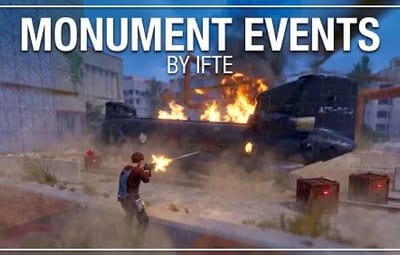
Turn your monuments into battlegrounds. Rogue scientists take over a monument, a Chinook air-drops locked crates, patrol helicopters circle overhead, and the moment someone starts hacking, reinforcements fly in. 15 monuments come preconfigured. Drop it in and events start on their own.
Warning
Requires NpcSpawn. Monument Events unloads itself if NpcSpawn isn't installed.
Video Showcase
How an event plays out
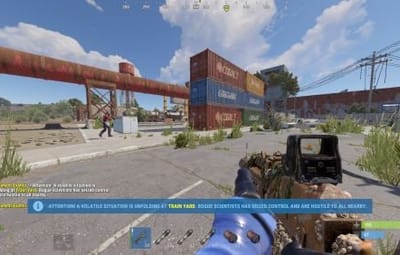
- Warning. Players are told an event is starting at a monument soon.
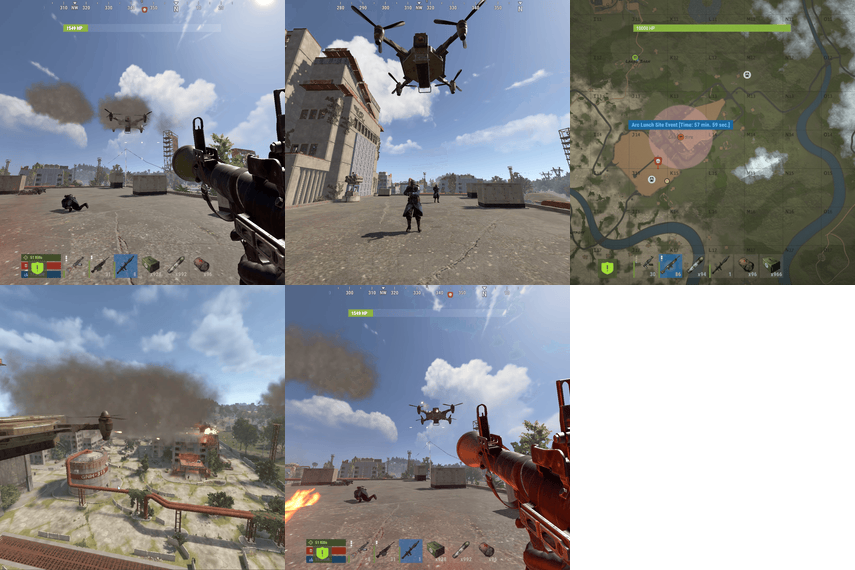
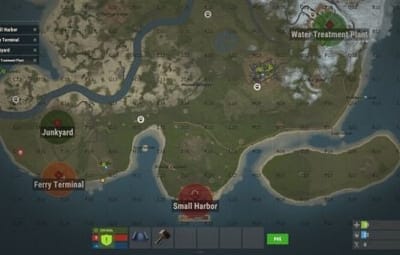
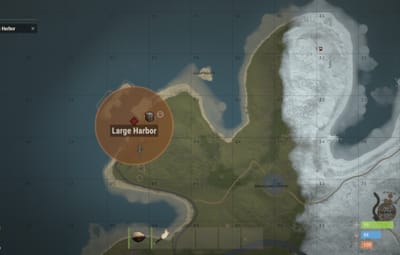
- Takeover. Armed scientists spawn around the monument and roam it. A coloured dome and a map marker with a countdown show where the event is.
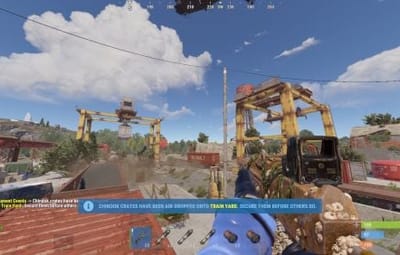
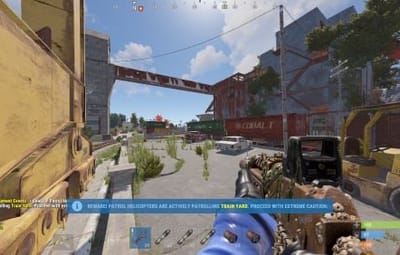
- Air drop. A Chinook flies in and drops locked hackable crates onto the monument. On the bigger monuments, patrol helicopters circle the area.
- Hack. Someone starts hacking a crate, and the whole server is told.
- Reinforcements. A Chinook brings a wave of scientists (and optionally another heli) to stop the hackers.
- Victory. Loot the main crate and the event wraps up after a short countdown. Otherwise it ends when its timer runs out.
Tip
Event owner (optional). The first player to deal enough damage to the NPCs becomes the Event Owner. Only they can loot the hackable crates, and you can run console commands as their prize. Leave the area for too long and the ownership is up for grabs again.
Features
- 15 preconfigured monuments. Spawn points, crates, drop zones and dome sizes are already set up for every one.
- Drag and drop. Events start automatically on a random timer.
- Scheduled events. Set the time between events, how many can run at once, and a minimum player count. Pick random monuments or use your own list.
- Custom NPCs. Health, speed, aim, ranges, vision, names, clothing, weapons with attachments, or Kits.
- Chinook crate drops and reinforcement waves.
- Patrol helicopters circling the monument (napalm optional).
- Event owner system. Owner by damage, crates reserved for the owner, console-command rewards and a return timer.
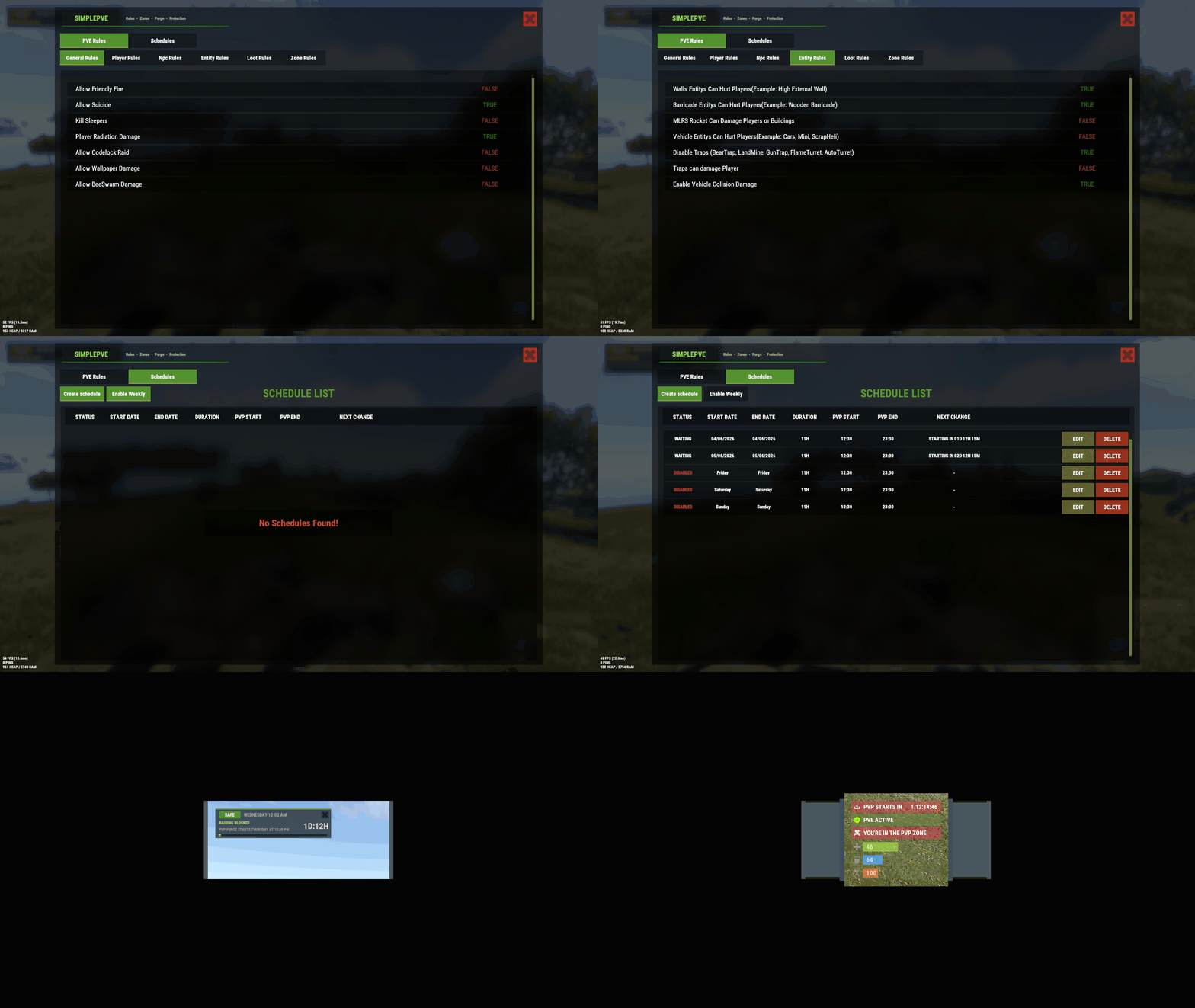
- Automatic PVP zones. On PVE servers the event area becomes a PVP zone and is removed when the event ends.
- Dome spheres in random colours mark the event area.
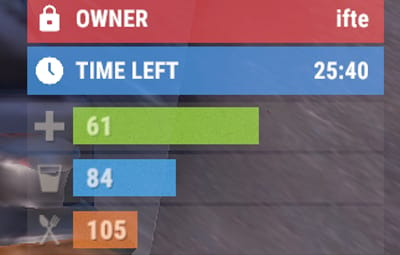
- Map markers showing the event name, time left and owner.
- Puzzle reset. Monument puzzles reset when the event starts (optional, per monument).
- Custom loot. Scientist loot can be vanilla or your own item list.
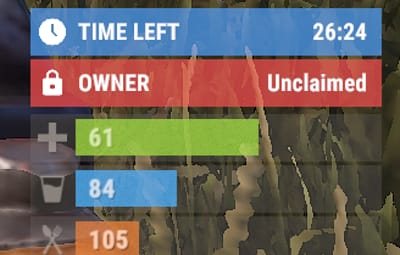
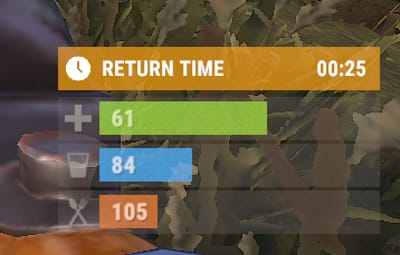
- Custom Vitals status (CustomVitalsManager). Time left, event owner, and the owner's return timer.
- In-game spawn editor. Add NPC, crate and drop points by walking around the monument.
- Multi-language. Messages show in each player's own language.
- Developer hooks for HUDs and other plugins.
Preconfigured monuments
| Monument | Event ID | NPCs | Crates | Patrol heli | Wave NPCs |
|---|---|---|---|---|---|
| Radtown |
radtown_1
|
20 | 1 | — | 20 |
| Oxum's Gas Station |
gas_station_1
|
20 | 1 | — | 20 |
| Abandoned Supermarket |
supermarket_1
|
20 | 1 | — | 20 |
| Water Treatment Plant |
water_treatment_plant_1
|
40 | 2 |

|
40 |
| Power Plant |
powerplant_1
|
50 | 2 |
|
40 |
| Ferry Terminal |
ferry_terminal_1
|
30 | 1 | — | 30 |
| Small Harbor |
harbor_2
|
40 | 2 |
|
30 |
| Large Harbor |
harbor_1
|
50 | 1 |
|
40 |
| Junkyard |
junkyard_1
|
35 | 1 | — | 30 |
| The Dome |
sphere_tank
|
30 | 1 | — | 30 |
| Airfield |
airfield_1
|
45 | 2 |
|
40 |
| Train Yard |
trainyard_1
|
50 | 2 |
|
30 |
| Satellite Dish |
satellite_dish
|
35 | 1 | — | 30 |
| Sewer Branch |
radtown_small_3
|
35 | 1 | — | 30 |
| Launch Site |
launch_site_1
|
60 | 3 |
|
40 |
Every value can be changed per monument, and each monument can be turned off on its own.
Commands
All commands need the monumentevents.admin permission.
Events
| Command | Type | Description |
|---|---|---|
/melist
|
Chat & Console | List the monument events available on this map |
/mestart <preset or ID>
|
Chat & Console | Start an event at a monument |
/mestart <preset or ID> <steamid>
|
Chat & Console | Start an event and make that player the Event Owner |
/mestop <preset or ID>
|
Chat & Console | Stop a running event |
/mestartrandom
|
Chat & Console | Start an event at a random monument |
Spawn editor
| Command | Description |
|---|---|
/meadd edit <preset>
|
Select a monument to edit |
/meadd npcspawn
|
Add an NPC spawn point where you stand |
/meadd cratespawn
|
Add a hackable crate point where you stand |
/meadd wavespawn
|
Add a reinforcement drop point where you stand |
/meadd stopedit
|
Stop editing |
Note
Points are saved relative to the monument, so the same setup works on any map with that monument. They save to the data file straight away.
Hosting partner
Game hosting perfected, that's Physgun.
Join the thousands of server owners using Physgun to take their game server communities to the top.

Installation
- Install NpcSpawn.
-
Upload
MonumentEvents.cstooxide/plugins. - Done. Scheduled events start on their own, every 30–60 minutes by default.
- (Optional) Grant yourself admin and test one right away:
oxide.grant user YourName monumentevents.admin
Then type /mestart airfield_1.
Files
| File | What's in it |
|---|---|
oxide/config/MonumentEvents.json
|
General settings, schedule, event owner, chat, Custom Vitals |
oxide/data/MonumentEvents/SettingsData.json
|
Every monument preset: NPCs, crates, helis, waves, marker, dome, PVP |
oxide/data/MonumentEvents/NPCData.json
|
The NPC types (by ID): health, AI, clothing, weapons, kits |
oxide/data/MonumentEvents/NpcLoottable.json
|
Scientist loot |
oxide/lang/en/MonumentEvents.json
|
All messages |
Configuration
Config (oxide/config/MonumentEvents.json)
{
  "Event Timer Interval (In Seconds)": 1,
  "Event Notification Timer (In Seconds)": 300,
  "Notify on crate hack to all players": true,
  "Event conclude on Hackable Crate loot": true,
  "Event conclude countdown on Hackable Crate loot": 300,
  "Event Owner Settings": {
    "Enable event owner based on npc damage?": false,
    "The amount of damage that the player has to do to become the Event Owner": 500.0,
    "Send Console commands on event won by player": false,
    "Console commands list(Placeholder: {PlayerSteamID})": [
      "sendmenudes {PlayerSteamID} 100",
      "sendmenudes {PlayerSteamID} 100"
    ],
    "Can the non-owner of the event loot the Hackable Locked crates": false,
    "Event owner left timer until they can join the event as Event Owner again": 30
  },
  "Chat Settings": {
    "Chat Avatar Icon": 0,
    "Chat Prefix": "<color=#FFFF00>Monument Events</color>: ",
    "Chat Notification Type(CHAT/TIP/BOTH)": "BOTH"
  },
  "Scheduled Events": {
    "Enabled": true,
    "Minimum Time Between Events [In Seconds]": 1800,
    "Maximum Time Between Events [In Seconds]": 3600,
    "Max Events On Server At Once": 3,
    "Minimum Required Players Online": 1,
    "Spawn Event From The Schedule Events List": false,
    "Schedule Events List": [
      "gas_station_1",
      "airfield_1",
      "launch_site_1",
      "trainyard_1",
      "junkyard_1",
      "harbor_2",
      "harbor_1",
      "powerplant_1",
      "water_treatment_plant_1",
      "sphere_tank",
      "satellite_dish",
      "ferry_terminal_1"
    ]
  },
  "CustomVitalsManager Settings": {
    "Enable Custom Vitals Manager? Requires: CustomVitalsManager": true,
    "Show Monument event time left Vitals": {
      "Enable Status": true,
      "Vitals Text": "Time Left",
      "Vitals Icon URL": "https://i.postimg.cc/QtXxZHWz/clock.png",
      "Vitals Color": "#55aaff80",
      "Vitals Icon Color": "#ffffff",
      "Vitals Left Text Color": "#ffffff",
      "Vitals Right Text Color": "#ffffff"
    },
    "Show Monument event Owner Vitals (If Event Owner Setting is enabled)": {
      "Enable Status": true,
      "Vitals Text": "Owner",
      "Vitals Icon URL": "https://i.postimg.cc/sxbrxX1q/icon-locked.png",
      "Vitals Color": "#ff555580",
      "Vitals Icon Color": "#ffffff",
      "Vitals Left Text Color": "#ffffff",
      "Vitals Right Text Color": "#ffffff"
    },
    "Show Event Owner Left Area Vitals (Only shown to owner while outside event area)": {
      "Enable Status": true,
      "Vitals Text": "Return Time",
      "Vitals Icon URL": "https://i.postimg.cc/QtXxZHWz/clock.png",
      "Vitals Color": "#ffaa0080",
      "Vitals Icon Color": "#ffffff",
      "Vitals Left Text Color": "#ffffff",
      "Vitals Right Text Color": "#ffffff"
    }
  },
  "Version": {
    "Major": 1,
    "Minor": 1,
    "Patch": 15
  }
}
Key settings explained
| Setting | What it does |
|---|---|
Event Notification Timer
|
How many seconds before an event starts players are warned |
Event conclude on Hackable Crate loot
|
Looting the main crate ends the event after the countdown below it |
Enable event owner based on npc damage?
|
Turns the Event Owner system on |
The amount of damage…
|
Damage to NPCs needed to become the owner |
Console commands list
|
Commands run for the winner. {PlayerSteamID} is replaced with their ID
|
Event owner left timer…
|
Seconds the owner can be away before losing ownership |
Spawn Event From The Schedule Events List
|
true = only pick from your list, false = any enabled monument
|
Max Events On Server At Once
|
How many events can run at the same time |
Monument preset (SettingsData.json), Radtown shown. All 15 presets look like this.
{
  "Monument Name": "Radtown",
  "Enable Monument": true,
  "Monument ID": "radtown_1",
  "Timer": 1800,
  "Monument Reset Puzzle": false,
  "NPC Setting": {
    "Spawn Npc": true,
    "NPC Spawn Amount": 20,
    "NPCs to Use From Data": [ 101, 102, 103, 104, 201, 301, 401, 402 ],
    "NPCs Spawn Positions": [ "(-49.64, 0.16, -2.63)", "(-50.22, 0.05, 4.40)", "(-39.15, 0.14, -28.51)" ]
  },
  "PatrolHeli Setting": {
    "Patrol Helicopters": false,
    "Patrol Helicopters Amount": 1,
    "Can Patrol heli use Naplam rocket": false
  },
  "Crate Setting": {
    "Spawn Crates": true,
    "Spawn CodeLockedHackableCrate Amount": 1,
    "CodeLockedHackableCrate Timer": 300,
    "CodeLockedHackableCrate Location": [ "(7.92, 0.20, 0.49)", "(-3.49, 0.19, 0.88)" ]
  },
  "Waves Setting": {
    "Enable Waves": true,
    "NPC Spawn Amount": 20,
    "NPCs to Use From Data": [ 101, 102, 103, 104, 201, 301, 401, 402 ],
    "NPCs drop location": [ "(66.94, 0.49, 0.20)", "(-60.08, 0.11, 1.22)" ],
    "Patrol Helicopter Amount": 0
  },
  "Map Marker Setting": {
    "Marker Transparency": 0.75,
    "Marker Color": "#000000",
    "Marker Outline Color": "#c5e361",
    "Enable Marker": true,
    "Marker Radius": 1.0,
    "Marker Text": "[{MonumentName} Event] Time Remaining: {TIMER}",
    "Event Owner Text": " [Owner: {OwnerName}]"
  },
  "Sphere Dome Setting": {
    "Enable Sphere Dome": true,
    "Sphere Dome Amount": 3,
    "Sphere Dome Radius": 120.0,
    "Sphere Colors[If random false, it will use the first color from the list]": [
      "assets/bundled/prefabs/modding/events/twitch/br_sphere.prefab",
      "assets/bundled/prefabs/modding/events/twitch/br_sphere_green.prefab",
      "assets/bundled/prefabs/modding/events/twitch/br_sphere_purple.prefab",
      "assets/bundled/prefabs/modding/events/twitch/br_sphere_red.prefab"
    ],
    "Spehere get random from the list?": true
  },
  "PVE Setting": {
    "Enable PVP On Event? It will automatically create a zone and enable PVP on the zone then remove the zone when event ends. (Require: ZoneManager & (SimplePVE or TruePVE))": true
  }
}
NPC type (NPCData.json), one of the 11 built-in types shown
{
  "ID": 101,
  "Names": [ "Scientist" ],
  "Health": 120.0,
  "Roam Range": 30.0,
  "Chase Range": 30.0,
  "Attack Range Multiplier": 1.0,
  "Sense Range": 30.0,
  "Target Memory Duration [sec.]": 10.0,
  "Scale damage": 1.0,
  "Aim Cone Scale": 1.0,
  "Detect the target only in the NPC's viewing vision cone?": false,
  "Vision Cone": 135.0,
  "Speed": 5.5,
  "Disable radio effects?": false,
  "Is this a stationary NPC?": false,
  "Remove a corpse after death?": true,
  "Wear items": [
    { "ShortName": "coffeecan.helmet", "SkinID (0 - default)": 0 },
    { "ShortName": "hoodie", "SkinID (0 - default)": 0 },
    { "ShortName": "roadsign.jacket", "SkinID (0 - default)": 0 },
    { "ShortName": "pants", "SkinID (0 - default)": 0 },
    { "ShortName": "roadsign.kilt", "SkinID (0 - default)": 0 },
    { "ShortName": "roadsign.gloves", "SkinID (0 - default)": 0 },
    { "ShortName": "shoes.boots", "SkinID (0 - default)": 0 }
  ],
  "Belt items": [
    { "ShortName": "rifle.m39", "Amount": 1, "SkinID (0 - default)": 0, "Mods": [ "weapon.mod.holosight", "weapon.mod.flashlight" ], "Ammo": "" },
    { "ShortName": "syringe.medical", "Amount": 10, "SkinID (0 - default)": 0, "Mods": [], "Ammo": "" },
    { "ShortName": "grenade.f1", "Amount": 10, "SkinID (0 - default)": 0, "Mods": [], "Ammo": "" }
  ],
  "Kits ": null
}
Built-in NPC types
| ID | Name | Weapon |
|---|---|---|
| 101 | Scientist | M39 |
| 102 | Scientist | LR-300 |
| 103 | Scientist | LR-300 (metal armour) |
| 104 | Scientist | HMLMG |
| 105 | Scientist | Semi-auto rifle |
| 201 | Bolti head | Bolt action |
| 202 | L96 header | L96 |
| 301 | Pump ur Ass | Pump shotgun |
| 302 | Spa ur Ass | Spas-12 |
| 401 | MP ur mom | MP5 |
| 402 | Thom ur mom | Thompson |
A monument picks from these with NPCs to Use From Data. Add your own types with new IDs.
Scientist loot (NpcLoottable.json)
{
  "Scientist Loottable": {
    "Loot to spawn (Default = 0, Own = 1)": 0,
    "If own lootable then this loot going to spawn": {
      "Minimum numbers of items": 2,
      "Maximum numbers of items": 4,
      "List of items": [
        { "ShortName": "techparts", "Minimum": 5, "Maximum": 15, "Chance [0.0-100.0]": 70.0, "Blueprint? [true/false]": false, "SkinID (0 - default)": 0, "Name (empty - default)": "" },
        { "ShortName": "gears", "Minimum": 5, "Maximum": 15, "Chance [0.0-100.0]": 70.0, "Blueprint? [true/false]": false, "SkinID (0 - default)": 0, "Name (empty - default)": "" },
        { "ShortName": "syringe.medical", "Minimum": 5, "Maximum": 10, "Chance [0.0-100.0]": 50.0, "Blueprint? [true/false]": false, "SkinID (0 - default)": 0, "Name (empty - default)": "" },
        { "ShortName": "grenade.f1", "Minimum": 5, "Maximum": 10, "Chance [0.0-100.0]": 50.0, "Blueprint? [true/false]": false, "SkinID (0 - default)": 0, "Name (empty - default)": "" }
      ]
    }
  }
}
Lang file (oxide/lang/en/MonumentEvents.json)
{
  "EventStartMSG": "Attention! A volatile situation is unfolding at <color=#55aaff>{EVENT_NAME}</color>. Rogue scientists has seized control and are hostile to all nearby.",
  "EventEndMSG": "<color=#55aaff>{EVENT_NAME}</color> event has concluded!",
  "EventCrateLanded": "Chinook crates have been air-dropped onto <color=#55aaff>{EVENT_NAME}</color>. Secure them before others do.",
  "EventEndingSoon": "<color=#FFFF00>{EVENT_NAME}</color> event will end in in <color=#55aaff>{TIMER}</color> sec!",
  "EventPatrolHeliCover": "Beware! Patrol helicopters are actively patrolling <color=#55aaff>{EVENT_NAME}</color>. Proceed with extreme caution.",
  "EventCratedHackStart": "Alert! Someone is trying to hack the crates on <color=#55aaff>{EVENT_NAME}</color>.",
  "EventBackupSent": "Scientists have been alerted on <color=#55aaff>{EVENT_NAME}</color> and reinforcements are en route.",
  "EventNotifyOnCrateHack": "<color=#FFFD8F>{PLAYER_NAME}</color> started <color=#FFFD8F>decoding</color> the Hackable Crates on <color=#55aaff>{EVENT_NAME}</color>",
  "EventPreNotify": "<color=#55aaff>{EVENT_NAME}</color> Event starting in <color=#55aaff>{NOTIFYTIME}</color> seconds.",
  "EventJoinPlayer": "You have entered the event area",
  "EventLeavePlayer": "You have left the event area",
  "EventConcludeOnCrateLoot": "<color=#FFFD8F>{PLAYER_NAME}</color> <color=#81EF91>managed to loot the main event crate, and the event was finalized. The event will be concluded in <color=#55aaff>{NOTIFYTIME}</color> seconds.</color>",
  "EventOwnerNotSetEnter": "The event owner for <color=#55aaff>{EVENT_NAME}</color> hasn't been set yet. Deal enough damage to the NPCs to become the official owner.",
  "EventOwnerSetEnter": "The event owner has been claimed. You can help fight off the enemies, but the hackable crates are reserved for the current owner.",
  "EventOwnerLoot": "You are not the owner of the event <color=#55aaff>{EVENT_NAME}</color>, you cannot loot this crate.",
  "EventOwnerLootNpcCorpse": "You are not the owner of the event <color=#55aaff>{EVENT_NAME}</color>, you cannot loot this NPC corpse.",
  "EventOwnerDamage": "You have dealt enough damage to become the owner of the event <color=#55aaff>{EVENT_NAME}</color>.",
  "EventNonOwnerLoot": "You can not loot this Hackable Locked Crate.",
  "EventOwnerLeftBroadcast": "The Event Owner has been removed due to inactivity. Deal enough damage to become the new Event Owner!",
  "EventOwnerRemoveTimerRem": "You will be removed as the event owner if you do not re-enter the event area.",
  "EventOwnerUnclaimedText": "Unclaimed"
}
Plugins
| Plugin | Required? | Used for |
|---|---|---|
| NpcSpawn | Yes | Spawning the event NPCs |
| ZoneManager + SimplePVE / TruePVE | Optional | Automatic PVP zones during events on PVE servers |
| CustomVitalsManager | Optional | Time-left, owner and return-timer status |
| Kits | Optional |
NPC loadouts from kits (the NPC type's Kits list, applied through NpcSpawn)
|
FAQ
Do I need to set anything up?
No. All 15 monuments come with spawn points, crates and drop zones, and scheduled events start on their own. Just install NpcSpawn first.
Does it work on PVE servers?
Yes. With ZoneManager and SimplePVE or TruePVE, the event area becomes a PVP zone while the event runs and goes back to PVE afterwards. Turn this off per monument in its PVE Setting.
How does the Event Owner work?
Turn it on in Event Owner Settings. The first player to deal enough damage to the NPCs becomes the owner. Only they can loot the hackable crates (unless you allow everyone), and the winner can get console-command rewards. If the owner leaves the area for too long, someone else can claim it.
Can I give the event to a specific player?
Yes. /mestart <preset> <steamid> starts the event with that player as the Event Owner. That's great for shop purchases or rewards.
How do I add a monument from a custom map?
Add a new preset to SettingsData.json, then use /meadd edit <preset> and the npcspawn, cratespawn and wavespawn commands to place its points in game.
How do I change the NPCs?
Edit NPCData.json. Each NPC type has an ID with its own health, AI ranges, clothing, weapons or kit. Pick the types a monument uses with NPCs to Use From Data.
Why did my event end early?
With Event conclude on Hackable Crate loot on, looting the main crate ends the event after a countdown (5 minutes by default).
For developers
bool IsMonumentEventsRunning(string monumentID)

void OnMEStarted(string monumentID)
void OnMEStop(string monumentID)
void OnMEWinnerAnnounce(string winnerSteamID)
Per-monument hooks. Each monument also fires OnMe<Name>Starts and OnMe<Name>Stops, where <Name> is the monument name without spaces or apostrophes. That's handy for server HUDs.
All per-monument hooks
OnMeRadtownStarts              / OnMeRadtownStops
OnMeOxumsGasStationStarts      / OnMeOxumsGasStationStops
OnMeAbandonedSupermarketStarts / OnMeAbandonedSupermarketStops
OnMeWaterTreatmentPlantStarts  / OnMeWaterTreatmentPlantStops
OnMePowerPlantStarts           / OnMePowerPlantStops
OnMeFerryTerminalStarts        / OnMeFerryTerminalStops
OnMeSmallHarborStarts          / OnMeSmallHarborStops
OnMeLargeHarborStarts          / OnMeLargeHarborStops
OnMeJunkyardStarts             / OnMeJunkyardStops
OnMeTheDomeStarts              / OnMeTheDomeStops
OnMeAirfieldStarts             / OnMeAirfieldStops
OnMeTrainYardStarts            / OnMeTrainYardStops
OnMeSatelliteDishStarts        / OnMeSatelliteDishStops
OnMeSewerBranchStarts          / OnMeSewerBranchStops
OnMeLaunchSiteStarts           / OnMeLaunchSiteStops
Support
Need help or found a bug? Open a support ticket on this page.