Jump to content
Message added by ninco90,

 ✅ COMPATIBILITY WITH FACEPUNCH NEW POLICY

As some of you may already know, Facepunch has updated its server policies regarding the distribution of paid content.
Servers are no longer allowed to provide paid Skins or DLC for free to players who have not purchased them legitimately.

You can read the updated policy here: 🔗 https://facepunch.com/legal/servers

Because of this, BetterTC has been updated to fully comply with the new guidelines:

✅ Skin ownership validation added:

Only the following will be shown or usable:

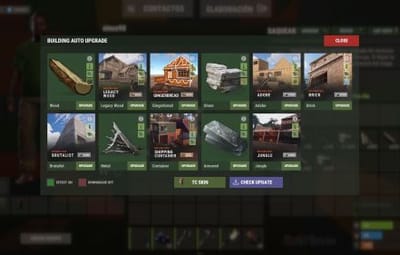
  • Building skins, Tool Cupboard (TC) skins, and Wallpapers that the player legitimately owns in their Steam inventory.
  • Any existing free skins.

Key notes:

  • All available building skins will still be shown, but players can only use them for upgrading or reskinning if they own them or they are free.
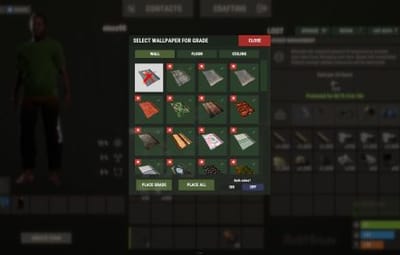
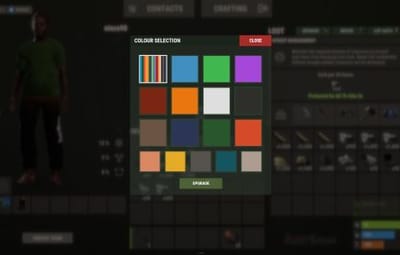
  • Only free, custom, and owned wallpapers will be visible. More custom wallpapers coming soon.
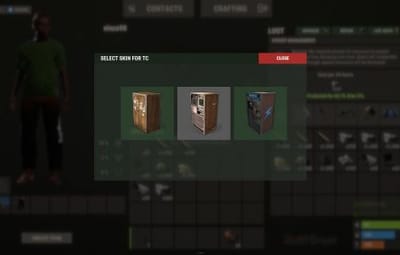
  • TC skins will only be visible and selectable if the player owns them.

✅ New configuration option:

Quote

  "Bypass DLC ownership check (⚠ only allowed on creative/test servers per Facepunch rules)": false,

⚠️ VERY IMPORTANT

This option should only be enabled on creative or training servers. Using it on public PvP or PvE servers violates Facepunch’s policies and may result in your server being penalized or blacklisted.
You’ve been warned!

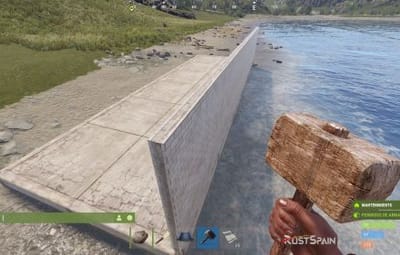
9 Screenshots
  • 99.9k
  • 6.4k
  • 27.4 kB

This area is for discussion and questions. Please use the support area for reporting issues or getting help.

Recommended Comments


Lumin

Posted

4 minutes ago, Stark said:

So I'm guessing the wallpaper issue still hasn't been fixed then?

i use simplepve with better tc and wallpaper tool, we can apply wallpapers to the outsaide of the base while the wallpaper is protected meaning no more random blue paper is being spawned

Stark

Posted

2 minutes ago, Lumin said:

i use simplepve with better tc and wallpaper tool, we can apply wallpapers to the outsaide of the base while the wallpaper is protected meaning no more random blue paper is being spawned

What about the issue where the wallpaper is being removed?

Lumin

Posted

4 minutes ago, Stark said:

What about the issue where the wallpaper is being removed?

when patrol heli does damage on the base or from players the wallpaper now sticks and cant be removed

  • Like 1
ninco90

Posted

56 minutes ago, Stark said:

So I'm guessing the wallpaper issue still hasn't been fixed then?


49 minutes ago, Lumin said:

i use simplepve with better tc and wallpaper tool, we can apply wallpapers to the outsaide of the base while the wallpaper is protected meaning no more random blue paper is being spawned

I’ve just released a new update that, among other things, changes part of the wallpaper protection system. This should fix the existing bug.

If it doesn’t, I’ll probably end up removing this option. Most of you are using PvE plugins that already allow this, and this feature was only added because other plugins used to randomly generate default wallpapers due to a bug. However, that issue has already been fixed in those plugins (or at least it should be).

  • Like 1
ZA_Machete

Posted

Hi,

I just wanted to check if there are any updates regarding the issue with bases getting destroyed after a restart.

The server has been running fine since the start of wipe, but after the most recent restart the problem started happening again. To test, I removed Better TC, and after the restart every base remained intact without any issues.

At this stage, it seems like it may be a random bug, but the behavior makes Better TC feel unreliable for use.

Could you please clarify if this is still a known issue, if there’s a fix in progress, or if there’s anything specific i should be checking in our configuration?

ninco90

Posted

2 minutes ago, ZA_Machete said:

Hi,

I just wanted to check if there are any updates regarding the issue with bases getting destroyed after a restart.

The server has been running fine since the start of wipe, but after the most recent restart the problem started happening again. To test, I removed Better TC, and after the restart every base remained intact without any issues.

At this stage, it seems like it may be a random bug, but the behavior makes Better TC feel unreliable for use.

Could you please clarify if this is still a known issue, if there’s a fix in progress, or if there’s anything specific i should be checking in our configuration?

There’s nothing confirmed. I made a change to the wallpaper damage system that might (there’s a remote possibility) have been the cause. But nothing is 100% confirmed.

The key thing is to see whether, after this latest update, it keeps happening (whether or not the plugin was to blame) or if it’s been resolved because that was indeed the cause.

So I encourage you to test it and let me know if it’s still happening with today’s update.

ZA_Machete

Posted

1 hour ago, ninco90 said:

There’s nothing confirmed. I made a change to the wallpaper damage system that might (there’s a remote possibility) have been the cause. But nothing is 100% confirmed.

The key thing is to see whether, after this latest update, it keeps happening (whether or not the plugin was to blame) or if it’s been resolved because that was indeed the cause.

So I encourage you to test it and let me know if it’s still happening with today’s update.

Currently running test om my test server with 3 bases and new update 1st base is normal rust upgrade 2de base is with the tc upgrade and 3de base is rust upgrade and wallpapers with better tc will let you know how it goes 

ninco90

Posted

9 minutes ago, ZA_Machete said:

Currently running test om my test server with 3 bases and new update 1st base is normal rust upgrade 2de base is with the tc upgrade and 3de base is rust upgrade and wallpapers with better tc will let you know how it goes 

I'm almost certain that if there are any problems, it's due to the wallpaper being corrupted. There's nothing else that could actually damage the building block's properties and corrupt it.

I'll wait for your update!

Create an account or sign in to comment

You need to be a member in order to leave a comment

Create an account

Sign up for a new account in our community. It's easy!

Register a new account

Sign in

Already have an account? Sign in here.

Sign In Now
  • Like 8
  • Love 6

User Feedback

2.2m

Downloads

Total number of downloads.

10.4k

Customers

Total customers served.

150.1k

Files Sold

Total number of files sold.

3.2m

Payments Processed

Total payments processed.

×
×
  • Create New...

Important Information

We have placed cookies on your device to help make this website better. You can adjust your cookie settings, otherwise we'll assume you're okay to continue.