Jump to content

Vinni_TV_'s Wishlist

  1. More information about "Gas Station Plus"

    $14.00

    Gas Station Plus

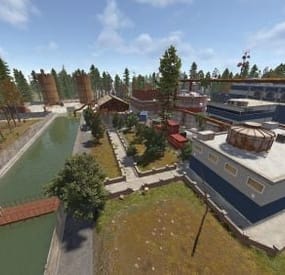
    Tired of the roadside gas stations being nothing more than decorative monuments? ZGasStationPlus breathes new life into these locations, turning them into fully functional, automated service points for all players. This plugin adds a dynamic open/closed schedule, automatic vehicle repair, and free refueling, all complemented by immersive visual cues. It's a lightweight, "set it and forget it" addition that enhances the player experience and adds real utility to a classic Rust monument, now with a convenient admin command for easy management.
    - Automated Vehicle Services: When a gas station is open, it will automatically service any vehicles parked within its designated area.
    - Free Refueling: Automatically adds Low Grade Fuel to vehicles up to a configurable maximum amount.
    - Free Repairs: Automatically repairs damaged vehicle modules, getting your players back on the road faster.
    Dynamic Operating Hours:
      Configure the exact in-game hour the gas stations open and how many hours they remain operational.
      Services are only active during opening hours, encouraging players to plan their pit stops.
    Immersive Visual Enhancements:
      Custom Neon Signs: The plugin spawns fully customizable neon signs on each gas station. The text and color automatically change to reflect the "OPEN" or "CLOSED" status.
      Functional Lighting: Industrial lights are also spawned, which automatically turn on when the station opens and switch off when it closes, providing a clear visual indicator from a distance.
    Admin Convenience Command:
      Includes the /zgas chat command for easy administration.
      Admins with the ZGasStationPlus.Admin permission can use this command to instantly teleport to a random gas station, making it simple to check on them or verify settings.
    Highly Configurable:
      Easily adjust fuel amounts, repair rates, service radius, and operating hours directly from the configuration file.
      Customize the text and color for the "OPEN" and "CLOSED" neon signs to match your server's theme.
    Seamless Integration:
      The plugin automatically detects all gas station monuments on your map upon server start.
      All spawned entities (lights, signs) are protected from player damage, ensuring they remain functional without admin intervention.

    Config:
    { "CheckIntervalInSeconds": 5.0, "FuelAmountPerInterval": 10, "MaxFuelAmount": 500, "RepairAmountPerInterval": 20.0, "OpeningHour": 6.0, "OpenDurationHours": 12.0, "VehicleCheckRadius": 10.0, "Enable car lift?": true, "Enable Vending machines?": true, "Enable Extra barrels? (0 = disable)": 20, "Enable HeliCrate?": true, "Enable BradleyCrate?": true, "NeonSettings": { "Enabled": true, "TextSize": 14, "Open": { "Text": "OPEN\nFree FUEL", "Color (Hex)": "#66ff66" }, "Closed": { "Text": "CLOSED", "Color (Hex)": "#ff6666" } } } Permission:
      ZGasStationPlus.Admin

    Chat command:
      /zgas
     
    Update: 1.1.0
    - added autospawn Loots
    - added Car lift (works in opening time)
    - added VendingMachines

    all configurable
     
    I guarantee the functionality of the plugin as described. However, I cannot take responsibility for conflicts or issues arising from incompatibility with third-party plugins or themes. Please take this into account before purchasing. I will list all known compatibility details in the product description.
     
  2. More information about "vDelivery"

    $4.99

    vDelivery

    Allows you to add delivery drones to your vending machine through which you can order various items.
    Note: For transactions with a custom fee, you still need to have 20 scrap available, which will not be taken.
    Also, for the vending machines modified by CustomVendingSetup(umod), there is no custom fee.


    vDelivery.admin - Provides unrestricted access to the plugin's functionality. This includes the ability to add/remove or clear terminals from other players' vending machines.  
    Note: In the configuration file, within the "Settings of Vending machines for each permission" section, you can specify limits for any existing permission by simply listing its name.
    "Settings of vending machines for each permission. Leave null or empty to recreate the default": { "vDelivery.default": { "Max ammount": 1, "Delivery fee item": "scrap", "Delivery fee amount": 20 }, ... } If you want to create a new permission, you can also include it in the list, but the name must begin with "vDelivery".
     

    { "Chat command": "vdelivery", "Is it worth enabling GameTips for messages?": true, "Is it worth ignoring the inaccessibility of drones?": false, "AutoModify - Default value for new players": true, "List of language keys for creating language files": [ "en" ], "Display position - Forward": -0.35, "Display position - Up": 1.8, "Display position - Right": 0.0, "Popup - Duration": 6.0, "Popup - Position AnchorMin": "0 0.9", "Popup - Position AnchorMax": "0.25 1", "Popup - Position OffsetMin": "20 0", "Popup - Position OffsetMax": "0 -30", "Popup - Icon Url": "https://i.imgur.com/4Adzkb8.png", "Popup - Icon Color(Hex or RGBA)": "#CCE699", "Popup - Icon Transparency": 0.8, "Popup - Text Font(https://umod.org/guides/rust/basic-concepts-of-gui#fonts)": "RobotoCondensed-Bold.ttf", "Popup - Text Font Size": 14, "Popup - Text Font Color(Hex or RGBA)": "#FFFFFF", "Popup - Description Font": "RobotoCondensed-Regular.ttf", "Popup - Description Font Size": 12, "Popup - Description Font Color(Hex or RGBA)": "#FFFFFF", "Popup - Text FadeIn": 1.0, "Popup - Sound Prefab Name": "assets/bundled/prefabs/fx/invite_notice.prefab", "Settings of vending machines for each permission. Leave null or empty to recreate the default": { "vDelivery.default": { "Max ammount": 1, "Delivery fee item": "scrap", "Delivery fee amount": 20 }, "vDelivery.vip": { "Max ammount": 3, "Delivery fee item": "scrap", "Delivery fee amount": 20 }, "realpve.vip": { "Max ammount": 5, "Delivery fee item": "scrap", "Delivery fee amount": 20 } }, "Version": { "Major": 0, "Minor": 1, "Patch": 6 } }  

    EN: { "MsgNotAllowed": "You do not have permission to use this command!", "MsgNotOwner": "You are not the owner of this vending machine!", "MsgNotAccessible": "The vending machine is not accessible to drones!", "MsgNotVending": "You need to look at the vending machine or provide correct net ID!", "MsgNotVendingDelivery": "The vending machine does not have a terminal!", "MsgLimitReached": "You cannot add a terminal as you have reached your limit of {0}!", "MsgPopupText": "Add a terminal to the vending machine?", "MsgPopupSubText": "Click on the notification to confirm", "MsgMyAdded": "The terminal has been successfully added!", "MsgMyRemoved": "The terminal has been successfully removed!", "MsgMyAllRemoved": "All your terminals have been successfully removed!", "MsgPlayerAllRemoved": "All {0}'s terminals have been successfully removed!", "MsgAllRemoved": "All terminals have been successfully removed!", "MsgTerminalsNotFound": "No terminals found!", "MsgPlayerTerminalsNotFound": "{0}'s terminals not found!", "MsgNoHaveCustomFee": "To pay the personal fee, you need to have :{0}:(x{1}). Using default fee settings!", "MsgAutoModifyEntityEnabled": "Automatic entity modification is enabled!", "MsgAutoModifyEntityDisabled": "Automatic entity modification is disabled!" } RU: { "MsgNotAllowed": "У вас недостаточно прав для использования этой команды!", "MsgNotOwner": "Вы не являетесь владельцем данного торгового автомата!", "MsgNotAccessible": "Торговый автомат не доступен для дронов!", "MsgNotVending": "Вам необходимо смотреть на торговый автомат или указать корректный net ID!", "MsgNotVendingDelivery": "Торговый автомат не имеет терминала!", "MsgLimitReached": "Вы не можете добавить терминал, так как вы превысили свой лимит в {0}!", "MsgPopupText": "Добавить терминал к торговому автомату?", "MsgPopupSubText": "Нажмите на уведомление для подтверждения", "MsgMyAdded": "Терминал успешно добавлен!", "MsgMyRemoved": "Терминал успешно удалён!", "MsgMyAllRemoved": "Все ваши терминалы успешно удалены!", "MsgPlayerAllRemoved": "Все терминалы игрока {0} успешно удалены!", "MsgAllRemoved": "Все терминалы успешно удалены!", "MsgTerminalsNotFound": "Терминалы не найдены!", "MsgPlayerTerminalsNotFound": "Терминалы игрока {0} не найдены!", "MsgNoHaveCustomFee": "Для оплаты персональной комиссии вам необходимо иметь :{0}:(x{1}). Использование настроек комиссии по умолчанию!", "MsgAutoModifyEntityEnabled": "Автоматическая модификация сущностей включена!", "MsgAutoModifyEntityDisabled": "Автоматическая модификация сущностей выключена!" }  

    add - Adding a terminal to the vending machine that you are looking at from a distance of no more than 10 meters. *netID* - Adding a terminal to a vending machine with the specified netID; remove - Removing a terminal from the vending machine that you are looking at from a distance of no more than 10 meters. *netID* - Removing a terminal from the vending machine with the specified netID; clear - Removing all of your terminals from vending machines. *userID* - Removing all of specified player's terminals from vending machines. Permission "vDelivery.admin" required. all - Removing all terminals from vending machines. Permission "vDelivery.admin" required. auto - Enabling/Disabling automatic modification of VendingMachines, if possible.  
    Example:
    /vdelivery add /vdelivery clear all
  3. More information about "ServerBridge – Server Switching"

    $7.99

    ServerBridge – Server Switching

    ServerBridge makes it quick and easy for players to join other Rust servers using an intuitive in-game UI.
    Players can use a server list that is customizable by the admin.
    Due to Rust's own Nexus system, players can be connected smoothly to the server they want without having to disconnect and connect manually.
    🧭 Player Command: /servers — opens the server list
    🔧 Admin Command: /serverbridge — opens the admin panel


    • ServerBridge.use – access the server list • ServerBridge.admin – manage servers via admin panel
    All edits of this file can be done with the /serverbridge Admin Panel
    { "Server with Domain & no Port": { "Name": "Server with Domain & no Port", "IP": "mycool-rustserver.com", "Port": null, "Description": "I disabled the Port with -1 in the Port field!", "ImageUrl": "" }, "Server with IP Address & Port": { "Name": "Server with IP Address & Port", "IP": "192.168.2.1", "Port": 28015, "Description": "This is my cool Rust Server!", "ImageUrl": "" } }
    { "ui.serverlist.title": "SERVER LIST", "ui.admin.title": "SERVER MANAGEMENT", "ui.addserver.title": "ADD NEW SERVER", "ui.editserver.title": "EDIT SERVER", "ui.button.connect": "CONNECT", "ui.button.add": "ADD", "ui.button.save": "SAVE", "ui.button.addserver": "ADD NEW SERVER", "ui.form.servername": "SERVER NAME", "ui.form.ipaddress": "IP ADDRESS OR DOMAIN", "ui.form.port": "PORT", "ui.form.description": "DESCRIPTION", "ui.table.server": "SERVER", "ui.table.address": "ADDRESS", "ui.table.actions": "ACTIONS", "msg.noperm.serverlist": "You don't have permission to open the server list.", "msg.noperm.admin": "You don't have permission for this command.", "msg.server.notfound": "Server '{0}' not found.", "msg.server.redirect": "You are being redirected to server '{0}'...", "msg.server.noname": "No server name specified.", "msg.server.deleted": "Server '{0}' has been deleted.", "msg.server.fillfields": "Please fill in all required fields.", "msg.server.exists": "A server with the name '{0}' already exists.", "msg.server.invalidport": "Invalid port. Please enter a number between 1 and 65535.", "msg.server.added": "Server '{0}' has been added.", "msg.server.updated": "Server '{0}' has been updated.", "msg.connection.redirect": "Connecting to {0} - Have fun!", "ui.button.nextpage": "NEXT →", "ui.button.prevpage": "← PREV", "ui.pagination.info": "PAGE {0} OF {1}" }  
  4. More information about "Heli Pilots"

    $29.90

    Heli Pilots

    Want more intense air combat and dynamic patrols on your Rust server?
    HeliPilots introduces AI helicopter pilots ready to dominate the skies and attack players from the air. Customize everything - from helicopter type and pilot behavior to flight routes!
    Features:
    🚁 Helicopter Setup
    • Supports Scrap Transport Helicopter, Minicopter and Attack Helicopter.
    • Customizable AI pilots with adjustable health, clothes, weapons, and combat behaviour.
    • Define specific flight behavior, speed, altitude, and route paths — random or pre-defined.
    🔥 Combat & AI Behavior
    • Pilots dynamically engage or avoid player attacks.
    • Setup rockets and turret for Attack Helicopter.
    • Customize aggression level — determine whether AI attacks immediately or must be provoked.
    • Customize damage, accuracy, and targeting behavior.
    ⚙ Advanced Heli Customization
    • Modify flight speed, fuel consumption, durability, and damage rate.
    • Customize helicopter loot tables and drop rates.
    • Configure crash behavior, detonator and other.
    🎯 Pilot Customization
    • Set health, clothes, weapon loadouts, and equipment.
    • Custom damage multipliers.
    • Customize pilot loot, including weapons, items and resources.
    🛠 Event & Path System
    • Record custom flight paths or let the plugin auto-generate patrol routes.
    • Control event triggers, spawn rates, patrol frequency, and respawn timers.
    🖥 Admin Commands (permission drivercontroller.admin)
    • spawnhelitest – Spawn a test helicopter with AI pilot.
    • removehelitest – Delete spawned test helicopters.
    • visibleheli – Toggle admin visibility of AI helicopters.
    • recordhelipath – Record a custom helicopter patrol path.
    📺 See It in Action! Watch the Video
    ⚠️ After downloading you’ll also get plugin called DriverController. It’s a single plugin to setup presets of bots and loot between all of my plugins.
    📃 Configuration:
    {   "Event settings": {     "Allowed events (vehicle) count": {       "Min": 3.0,       "Max": 6.0     },     "Event restart delay": {       "Min": 60.0,       "Max": 120.0     },     "Prevent NPC from attacking drivers and companions?": true,     "Block damage to transport from not players?": true,     "Block damage to driver and companion from not players?": true,     "Destroy events of this plugin when pause is enabled?": true,     "Delete the event if ran out of fuel?": true,     "Marker text color": {       "Color (for HEX, put # at the beginning)": "0.4 0.5 0.6 1"     },     "Event name for the marker": "EVENT HELI",     "Route recording settings": {       "Enable recorded routes usage?": true,       "Clear saved routes after wipe?": true,       "Minimum distance between points to record in route (used when recording route)": 40.0,       "Minimum number of points to save (used when recording route)": 30.0,       "Recorder route height": 50.0     },     "Route generation": {       "Enable route generation": true,       "Maximum number of monuments for a flight, when generating a route": 5,       "Names of monuments, prefabs or their part, for the blacklist (will be excluded when generating a route)": [         "Outpost"       ]     },     "Controller settings": {       "Controller update timer (0 - 0.2)": 0.0     }   },   "Loot container position settings": {     "Minicopter": {       "Container position offset on the vehicle": {         "x": 0.0,         "y": 0.95,         "z": -0.8       },       "Container rotation offset on the vehicle": {         "x": 0.0,         "y": 0.0,         "z": 0.0       }     },     "TransportHeli": {       "Container position offset on the vehicle": {         "x": 0.0,         "y": 0.95,         "z": -0.8       },       "Container rotation offset on the vehicle": {         "x": 0.0,         "y": 0.0,         "z": 0.0       }     }   },   "Heli settings": [     {       "Activate this event?": true,       "Transport type for event(Minicopter, TransportHeli)": "Minicopter",       "Driver name (key) from driver settings in DriverController plugin": "PilotHeli",       "Companion name (key) from companion settings in DriverController plugin (list to occupy free seats in the vehicle)": [         "Companion1"       ],       "Loot container settings": {         "Enable loot in vehicle container?": true,         "Drop the loot when destroying the transport?": false,         "Amount of slots": 1,         "Name of loot set from loot settings in DriverController plugin (list loot sets for random selection)": [           "ResourcesHeli"         ]       },       "Сontroller settings": {         "Max speed (km/h)": 40.0,         "Maximum speed when obstacles detected (km/h)": 15.0,         "Height for flying along the route": {           "Min": 30.0,           "Max": 60.0         },         "Chase mode settings": {           "Chase attacking players?": true,           "Max chase distance": 250.0,           "Chase timer": 120.0,           "Maximum speed during chase (km/h)": 60.0,           "Height for flying during chase": {             "Min": 10.0,             "Max": 30.0           }         }       },       "Damage receive rate": 0.5,       "Fuel settings": {         "Enable automatic fuel refueling?": true,         "Remove fuel when unlocking vehicle?": true,         "Maximum fuel in vehicle": 500       },       "Vehicle headlight settings": {         "Enable vehicle headlights?": true,         "Use headlights only at night?": true       },       "Detonator settings": {         "Add C4 to the vehicle after the death of the driver (used to despawn vehicles)": true,         "After how many seconds explosives will be blown up": 60.0,         "Explosives position offset": {           "x": 0.0,           "y": 0.1,           "z": 0.0         }       }     },     {       "Activate this event?": true,       "Transport type for event(Minicopter, TransportHeli)": "TransportHeli",       "Driver name (key) from driver settings in DriverController plugin": "PilotHeli",       "Companion name (key) from companion settings in DriverController plugin (list to occupy free seats in the vehicle)": [         "Companion1"       ],       "Loot container settings": {         "Enable loot in vehicle container?": true,         "Drop the loot when destroying the transport?": false,         "Amount of slots": 1,         "Name of loot set from loot settings in DriverController plugin (list loot sets for random selection)": [           "ResourcesHeli"         ]       },       "Сontroller settings": {         "Max speed (km/h)": 40.0,         "Maximum speed when obstacles detected (km/h)": 15.0,         "Height for flying along the route": {           "Min": 40.0,           "Max": 70.0         },         "Chase mode settings": {           "Chase attacking players?": true,           "Max chase distance": 250.0,           "Chase timer": 120.0,           "Maximum speed during chase (km/h)": 60.0,           "Height for flying during chase": {             "Min": 5.0,             "Max": 20.0           }         }       },       "Damage receive rate": 0.5,       "Fuel settings": {         "Enable automatic fuel refueling?": true,         "Remove fuel when unlocking vehicle?": true,         "Maximum fuel in vehicle": 500       },       "Vehicle headlight settings": {         "Enable vehicle headlights?": true,         "Use headlights only at night?": true       },       "Detonator settings": {         "Add C4 to the vehicle after the death of the driver (used to despawn vehicles)": true,         "After how many seconds explosives will be blown up": 60.0,         "Explosives position offset": {           "x": 0.0,           "y": 0.8,           "z": 0.0         }       }     }   ] } 📑 DriverController Configuration:
    {   "Drivers settings": {     "DriverBike": {       "Bot health": {         "Min": 100.0,         "Max": 150.0       },       "Prevent attacking players first?": true,       "Damage receive rate": 2.0,       "Damage rate": 2.0,       "Spawn bag with items instead of corpse on death?": true,       "In how many seconds remove bots, after destroying the vehicle? (0 - will not remove)": 120.0,       "Clothes": [         {           "Item": {             "Item shortname or ID": "shoes.boots",             "Item skin": 0           },           "Item custom name (if not needed leave empty)": null,           "Amount": 1         },         {           "Item": {             "Item shortname or ID": "wood.armor.pants",             "Item skin": 0           },           "Item custom name (if not needed leave empty)": null,           "Amount": 1         },         {           "Item": {             "Item shortname or ID": "pants",             "Item skin": 0           },           "Item custom name (if not needed leave empty)": null,           "Amount": 1         },         {           "Item": {             "Item shortname or ID": "wood.armor.jacket",             "Item skin": 0           },           "Item custom name (if not needed leave empty)": null,           "Amount": 1         },         {           "Item": {             "Item shortname or ID": "hoodie",             "Item skin": 0           },           "Item custom name (if not needed leave empty)": null,           "Amount": 1         },         {           "Item": {             "Item shortname or ID": "riot.helmet",             "Item skin": 0           },           "Item custom name (if not needed leave empty)": null,           "Amount": 1         }       ],       "Weapons": [         {           "Item": {             "Item shortname or ID": "pistol.revolver",             "Item skin": 0           },           "Item custom name (if not needed leave empty)": null,           "Amount": 1         }       ],       "Bot loot": {         "Enable loot after bot's death?": true,         "Amount of slots": 5,         "Loot set name (key) from loot settings (you can enter many sets for random selection)": [           "ResourcesDriver"         ]       }     },     "DriverCar": {       "Bot health": {         "Min": 100.0,         "Max": 150.0       },       "Prevent attacking players first?": true,       "Damage receive rate": 2.0,       "Damage rate": 2.0,       "Spawn bag with items instead of corpse on death?": true,       "In how many seconds remove bots, after destroying the vehicle? (0 - will not remove)": 120.0,       "Clothes": [         {           "Item": {             "Item shortname or ID": "hazmatsuit",             "Item skin": 0           },           "Item custom name (if not needed leave empty)": null,           "Amount": 1         }       ],       "Weapons": [         {           "Item": {             "Item shortname or ID": "rifle.ak",             "Item skin": 0           },           "Item custom name (if not needed leave empty)": null,           "Amount": 1         }       ],       "Bot loot": {         "Enable loot after bot's death?": true,         "Amount of slots": 5,         "Loot set name (key) from loot settings (you can enter many sets for random selection)": [           "ResourcesDriver"         ]       }     },     "DriverBoat": {       "Bot health": {         "Min": 100.0,         "Max": 150.0       },       "Prevent attacking players first?": true,       "Damage receive rate": 2.0,       "Damage rate": 2.0,       "Spawn bag with items instead of corpse on death?": true,       "In how many seconds remove bots, after destroying the vehicle? (0 - will not remove)": 120.0,       "Clothes": [         {           "Item": {             "Item shortname or ID": "hazmatsuit",             "Item skin": 0           },           "Item custom name (if not needed leave empty)": null,           "Amount": 1         }       ],       "Weapons": [         {           "Item": {             "Item shortname or ID": "t1_smg",             "Item skin": 0           },           "Item custom name (if not needed leave empty)": null,           "Amount": 1         }       ],       "Bot loot": {         "Enable loot after bot's death?": true,         "Amount of slots": 5,         "Loot set name (key) from loot settings (you can enter many sets for random selection)": [           "ResourcesDriver"         ]       }     },     "PilotHeli": {       "Bot health": {         "Min": 100.0,         "Max": 150.0       },       "Prevent attacking players first?": true,       "Damage receive rate": 2.0,       "Damage rate": 2.0,       "Spawn bag with items instead of corpse on death?": true,       "In how many seconds remove bots, after destroying the vehicle? (0 - will not remove)": 120.0,       "Clothes": [         {           "Item": {             "Item shortname or ID": "jumpsuit.suit.blue",             "Item skin": 0           },           "Item custom name (if not needed leave empty)": null,           "Amount": 1         }       ],       "Weapons": [         {           "Item": {             "Item shortname or ID": "rifle.ak",             "Item skin": 0           },           "Item custom name (if not needed leave empty)": null,           "Amount": 1         }       ],       "Bot loot": {         "Enable loot after bot's death?": true,         "Amount of slots": 5,         "Loot set name (key) from loot settings (you can enter many sets for random selection)": [           "ResourcesDriver"         ]       }     }   },   "Companion settings": {     "Companion1": {       "Bot health": {         "Min": 100.0,         "Max": 150.0       },       "Prevent attacking players first?": true,       "Damage receive rate": 2.0,       "Damage rate": 2.0,       "Spawn bag with items instead of corpse on death?": true,       "In how many seconds remove bots, after destroying the vehicle? (0 - will not remove)": 120.0,       "Clothes": [         {           "Item": {             "Item shortname or ID": "hazmatsuit_scientist_nvgm",             "Item skin": 0           },           "Item custom name (if not needed leave empty)": null,           "Amount": 1         }       ],       "Weapons": [         {           "Item": {             "Item shortname or ID": "rifle.ak",             "Item skin": 0           },           "Item custom name (if not needed leave empty)": null,           "Amount": 1         }       ],       "Bot loot": {         "Enable loot after bot's death?": true,         "Amount of slots": 5,         "Loot set name (key) from loot settings (you can enter many sets for random selection)": [           "ResourcesCompanion",           "WeaponsCompanion"         ]       }     },     "Companion2": {       "Bot health": {         "Min": 100.0,         "Max": 150.0       },       "Prevent attacking players first?": true,       "Damage receive rate": 2.0,       "Damage rate": 2.0,       "Spawn bag with items instead of corpse on death?": true,       "In how many seconds remove bots, after destroying the vehicle? (0 - will not remove)": 120.0,       "Clothes": [         {           "Item": {             "Item shortname or ID": "hazmatsuit.arcticsuit",             "Item skin": 0           },           "Item custom name (if not needed leave empty)": null,           "Amount": 1         }       ],       "Weapons": [         {           "Item": {             "Item shortname or ID": "rifle.ak",             "Item skin": 0           },           "Item custom name (if not needed leave empty)": null,           "Amount": 1         }       ],       "Bot loot": {         "Enable loot after bot's death?": true,         "Amount of slots": 5,         "Loot set name (key) from loot settings (you can enter many sets for random selection)": [           "ResourcesCompanion",           "WeaponsCompanion"         ]       }     },     "Companion3": {       "Bot health": {         "Min": 100.0,         "Max": 150.0       },       "Prevent attacking players first?": true,       "Damage receive rate": 2.0,       "Damage rate": 2.0,       "Spawn bag with items instead of corpse on death?": true,       "In how many seconds remove bots, after destroying the vehicle? (0 - will not remove)": 120.0,       "Clothes": [         {           "Item": {             "Item shortname or ID": "hazmatsuit.lumberjack",             "Item skin": 0           },           "Item custom name (if not needed leave empty)": null,           "Amount": 1         }       ],       "Weapons": [         {           "Item": {             "Item shortname or ID": "rifle.ak",             "Item skin": 0           },           "Item custom name (if not needed leave empty)": null,           "Amount": 1         }       ],       "Bot loot": {         "Enable loot after bot's death?": true,         "Amount of slots": 5,         "Loot set name (key) from loot settings (you can enter many sets for random selection)": [           "ResourcesCompanion",           "WeaponsCompanion"         ]       }     },     "Companion4": {       "Bot health": {         "Min": 100.0,         "Max": 150.0       },       "Prevent attacking players first?": true,       "Damage receive rate": 2.0,       "Damage rate": 2.0,       "Spawn bag with items instead of corpse on death?": true,       "In how many seconds remove bots, after destroying the vehicle? (0 - will not remove)": 120.0,       "Clothes": [         {           "Item": {             "Item shortname or ID": "hazmatsuit.spacesuit",             "Item skin": 0           },           "Item custom name (if not needed leave empty)": null,           "Amount": 1         }       ],       "Weapons": [         {           "Item": {             "Item shortname or ID": "rifle.ak",             "Item skin": 0           },           "Item custom name (if not needed leave empty)": null,           "Amount": 1         }       ],       "Bot loot": {         "Enable loot after bot's death?": true,         "Amount of slots": 5,         "Loot set name (key) from loot settings (you can enter many sets for random selection)": [           "ResourcesCompanion",           "WeaponsCompanion"         ]       }     }   },   "Loot settings": {     "ResourcesBike": [       {         "Item": {           "Item shortname or ID": "wood",           "Item skin": 0         },         "Item custom name (if not needed leave empty)": null,         "Spawn chance (0-100%)": {           "Min": 100.0,           "Max": 100.0         },         "Amount": {           "Min": 5000.0,           "Max": 50000.0         }       },       {         "Item": {           "Item shortname or ID": "stones",           "Item skin": 0         },         "Item custom name (if not needed leave empty)": null,         "Spawn chance (0-100%)": {           "Min": 100.0,           "Max": 100.0         },         "Amount": {           "Min": 1000.0,           "Max": 10000.0         }       }     ],     "ResourcesCar": [       {         "Item": {           "Item shortname or ID": "wood",           "Item skin": 0         },         "Item custom name (if not needed leave empty)": null,         "Spawn chance (0-100%)": {           "Min": 100.0,           "Max": 100.0         },         "Amount": {           "Min": 5000.0,           "Max": 50000.0         }       },       {         "Item": {           "Item shortname or ID": "stones",           "Item skin": 0         },         "Item custom name (if not needed leave empty)": null,         "Spawn chance (0-100%)": {           "Min": 100.0,           "Max": 100.0         },         "Amount": {           "Min": 1000.0,           "Max": 10000.0         }       }     ],     "ResourcesBoat": [       {         "Item": {           "Item shortname or ID": "wood",           "Item skin": 0         },         "Item custom name (if not needed leave empty)": null,         "Spawn chance (0-100%)": {           "Min": 100.0,           "Max": 100.0         },         "Amount": {           "Min": 5000.0,           "Max": 50000.0         }       },       {         "Item": {           "Item shortname or ID": "stones",           "Item skin": 0         },         "Item custom name (if not needed leave empty)": null,         "Spawn chance (0-100%)": {           "Min": 100.0,           "Max": 100.0         },         "Amount": {           "Min": 1000.0,           "Max": 10000.0         }       }     ],     "ResourcesHeli": [       {         "Item": {           "Item shortname or ID": "wood",           "Item skin": 0         },         "Item custom name (if not needed leave empty)": null,         "Spawn chance (0-100%)": {           "Min": 100.0,           "Max": 100.0         },         "Amount": {           "Min": 5000.0,           "Max": 50000.0         }       },       {         "Item": {           "Item shortname or ID": "stones",           "Item skin": 0         },         "Item custom name (if not needed leave empty)": null,         "Spawn chance (0-100%)": {           "Min": 100.0,           "Max": 100.0         },         "Amount": {           "Min": 1000.0,           "Max": 10000.0         }       }     ],     "ResourcesDriver": [       {         "Item": {           "Item shortname or ID": "wood",           "Item skin": 0         },         "Item custom name (if not needed leave empty)": null,         "Spawn chance (0-100%)": {           "Min": 100.0,           "Max": 100.0         },         "Amount": {           "Min": 1000.0,           "Max": 10000.0         }       },       {         "Item": {           "Item shortname or ID": "stones",           "Item skin": 0         },         "Item custom name (if not needed leave empty)": null,         "Spawn chance (0-100%)": {           "Min": 100.0,           "Max": 100.0         },         "Amount": {           "Min": 100.0,           "Max": 1000.0         }       }     ],     "ResourcesCompanion": [       {         "Item": {           "Item shortname or ID": "wood",           "Item skin": 0         },         "Item custom name (if not needed leave empty)": null,         "Spawn chance (0-100%)": {           "Min": 100.0,           "Max": 100.0         },         "Amount": {           "Min": 100.0,           "Max": 1000.0         }       },       {         "Item": {           "Item shortname or ID": "stones",           "Item skin": 0         },         "Item custom name (if not needed leave empty)": null,         "Spawn chance (0-100%)": {           "Min": 100.0,           "Max": 100.0         },         "Amount": {           "Min": 10.0,           "Max": 100.0         }       }     ],     "WeaponsCompanion": [       {         "Item": {           "Item shortname or ID": "rifle.ak",           "Item skin": 0         },         "Item custom name (if not needed leave empty)": null,         "Spawn chance (0-100%)": {           "Min": 40.0,           "Max": 80.0         },         "Amount": {           "Min": 1.0,           "Max": 1.0         }       }     ]   } }  
  5. More information about "TC Stack Limiter"

    $2.99

    TC Stack Limiter

    TC Stack Limiter lets you set custom stack limits for items inside the Tool Cupboard (TC).
    It’s a great way to control how much stuff players can store in the TC and help keep the game balanced.

    Can this plugin do that?
    Server operators can manage game balance by adjusting the number of items that can be stored in a TC.

    Key Future
    * Change the global stack size of items: by setting a global stack multiplier, you can change the stack size of a particular item.
    * Item Stack Limit in Tool Cabinet: Apply a specific maximum stack number to wood, stone, Metal Fragments, and HQMs set in the Cabinet Stack Override. (e.g. if wood: 1000 is set, only a maximum of 1000 pieces of wood can be stacked in the tool cabinet).
    * Notification: If enable notification is set to true, items that exceed the stack limit will be automatically returned to the player's inventory and the player will be notified.
    * Handling of items exceeding stack limit: If a player attempts to place an item in the tool cabinet that exceeds the limit, the excess will be returned to the player's inventory. If the player's inventory is full, the item will be dropped to the floor.

    Compatibility
    * StackSizeController
    * Loot Table & Stacksize GUI
    Although this plugin is compatible with StackSizeController, an error is triggered every time an item is placed into a Tool Cupboard due to an issue on StackSizeController's side. For this reason, we recommend using Loot Table & Stacksize GUI instead.

    Admin Commands
    /tcstack list - Displays the current configuration.
    /tcstack set <item shortname> <amount> - Sets the TC stack limit for the specified item to <amount>.
    /tcstack remove <item shortname> - Removes the stack limit (reverts to the normal stack size in the TC).
    /tcstack reload - Reloads the configuration.

    Config
    {   "Cupboard Stack Overrides": {     "wood": 1000,     "stones": 1000,     "metal.ore": 1000,     "metal.fragments": 1000,     "hq.metal.ore": 100,     "metal.refined": 100,     "lowgradefuel": 500,     "crude.oil": 500     "fat.animal": 1000,     "cloth": 1000,     "bone.fragments": 1000,     "charcoal": 1000,     "horsedung": 500,     "fertilizer": 1000,     "scrap": 1000   },   "Enable Notifications": true, // Toggle whether players receive a message when an item exceeds the stack limit.   "Priority Mode (TCFirst or InventoryFirst)": "TCFirst", // "TCFirst": Try placing excess items in other TC slots first, then. "InventoryFirst": Try returning to player's inventory first, then TC.   "Enforce TC Limits": true, // Whether to actually apply stack limits in the TC. If disabled, limits are only visual.   "Split Excess Stacks": true, // If enabled, automatically split items into valid stack sizes when inserting into the TC.   "Override Other Plugins for TC": true // "true": Prioritize TCStackLimiter values inside the TC. "false": Use the minimum stack size between TCStackLimiter and other plugins. }
2.1m

Downloads

Total number of downloads.

10k

Customers

Total customers served.

145.7k

Files Sold

Total number of files sold.

3.1m

Payments Processed

Total payments processed.

×
×
  • Create New...

Important Information

We have placed cookies on your device to help make this website better. You can adjust your cookie settings, otherwise we'll assume you're okay to continue.