
Jk.GT's Wishlist
-
$32.99
Metropolis
By Silent Creations in Maps
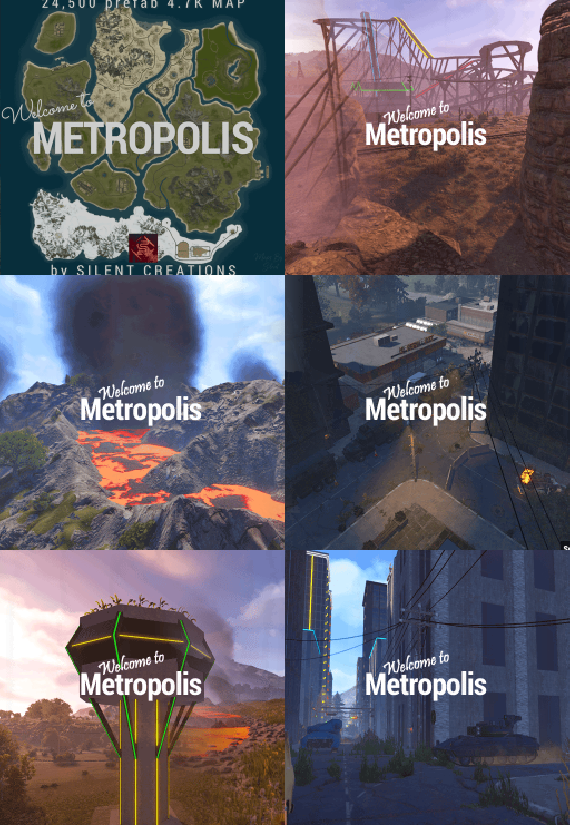
🌃 Metropolis: Where Concrete Meets Carnage
Dive into Metropolis, a densely packed, abandoned city map where danger lurks on every street corner and the highest loot awaits the bold. This 4700-sized environment transforms the survival sandbox into an intense urban battleground, perfect for players craving high-stakes PVP and intricate exploration.
The heart of the map is the vast Metropolis itself—an urban labyrinth heavily patrolled by two formidable Bradleys and overseen by airborne Scientists. Navigate the city's depths to find multiple puzzle rooms (2 Red, 1 Blue, 2 Green) and unlock the abundant loot scattered throughout its concrete canyons.
Custom Safe Zone: New Haven Outpost
This once-abandoned locale has been meticulously re-energized by a team of Cobalt scientists, providing the starting population with an abundance of supplies and services. This monument retains all the essential features of the original Outpost—and delivers much more:
Striking Architecture: The central compound is now secured by large, custom glass walls, creating a visually stunning and unique aesthetic. Custom Water Features: A tranquil, custom-built lake and an elegant fountain enhance the environment. Functional water catchers are installed, providing players with a reliable source of hydration. Expanded Services: A custom Air Wolf vendor has been integrated for convenient helicopter purchases. High-Stakes Casino: An all-new, dedicated casino allows players to safely gamble their riches, adding a fun and high-risk activity to the safe zone. Ample Safe Loot: Players can safely gather a generous amount of loot scattered throughout the outpost.
Thrills and Exploration
Experience the map's unique flair with a custom-built, fully working rollercoaster that is plug-in controlled to spawn a vehicle for your player with the press of a button! Explore intricate infrastructure including underground train tunnels, underground roads, and custom bridges, as well as two Heli Towers offering verticality to the fight.
💧 Water Treatment & Sewer Branch Reimagined
Welcome to the New Sewer Treatment Plant, a monument that takes the best features of both Water Treatment Plant and Sewer Branch to create one incredible, high-value loot location. This massive, abandoned facility is loaded with features and rewards.
Cobalt's Control: Don't be fooled by the ruin; Cobalt Scientists still maintain control over the facility's sewer drains. Underground Puzzles: Navigate two new, exclusive puzzles deep within the piping, featuring a dedicated Blue and Green keycard room. Lurking Danger: Keep your guard up—a scientist or two may still be lurking in the shadows, guarding their subterranean assets.
Map Prefabs Count: 24,493 | Map Size: 4700
Monument List
Custom Monuments and Prefabs
Metropolis New Haven Outpost Murder Farm The Roller Coaster Sewage Treatment Plant 19 custom build locations Underground Train Tunnels Underground Roads Custom Bridges 2x Heli Towers Mod Room For Staff Facepunch Monuments
Bandit Camp Missile Silo Apartment Complex Launch Site Artic Research Stone, Hqm, & Sulfer Quarry Rad Town Power Plant Airfield Trainyard Jungle Ziggurat 2x Mining Outpost Large Harbor Small Harbor 3x Oxums gas Station 2x lighthouse Supermarket Large Barn Ranch Military Tunnel Missile Silo Ferry Terminal Giant Excavator Abandoned Cabins Large Fishing Village 2x Small Fishing Village Large Oil Rig Small Oil Rig 2x WaterWell For any Assistance or questions Please contact me on Discord @ https://discord.gg/THf6dGN8eW
Acknowledgements
Shoutout to Substrata for helping with making the plugin for the rollercoaster.
Shoutout to MrLiquid and the Luffy Map Testing team for their help polishing this map.
Shoutout to Milky for help with making the video.
- #rust
- #rust edit
- (and 13 more)
-

$24.99
Item Perks
By imthenewguy in Plugins
Item Perks is a plugin that enhances everyday weapons, tools and armour with over 50 different types of perks.
Items with perks can be obtained a variety of ways, including:
Finding them randomly in crates or barrels during your morning scrap farm. Randomly crafting an enhanced version of your equipment while you roof camp noobs from your base. Recycling enhanced equipment and finding enhancement kits stuck in the teeth of the recycler. Using a console or chat command that can be ran through seedy plugin traders like GUIShop.
The plugin gives a large amount of control to server owners when it comes to implementation. You can:
Enable/disable perks, or modify the minimum and maximum values that they roll when applied to gear. Blacklist or whitelist items to each perk, so they will be exclusively excluded or included (based on the list you choose). Adjust the weight of each perk, so it is more or less likely to be seen on gear., or adjust the chances amount of perks that items can potentially have. Fully adjust or disable the chance for item drops to be found, or enable the enhancement kit system so players can recycle gear. So much more (watch the configuration section of the video below to see the full extent).
There are over 50 perks included with the plugin. The following list will describe briefly what each perk does.
Name: Prospector Description: This perk increases your mining yield when mining stone, metal and sulfur nodes. Name: Lumberjack Description: This perk increases your woodcutting yield when chopping living or dead trees. Name: Butcher Description: This perk increases the resources gained from skinning humans and animals. Name: Horticulture Description: This perk increases the amount of resources gained when harvesting grown plants. Name: Forager Description: This perk increases the amount of resources gained when picking up map generated collectibles. Name: Angler Description: This perk increases the amount of fish you receive upon a successful catch. Name: BeastBane Description: This perk increases the damage dealt to animals. Name: ScientistBane Description: This perk increases the damage dealt to scientists. Name: FlakJacket Description: This perk reduces the damage received from explosions. Name: Elemental Description: This perk reduces damage from received from cold and heat sources. Name: Scavenger Description: This perk provides you with a chance to find additional scrap from crates and barrels. Name: Manufacture Description: This perk increases the speed of your crafting. Name: Durable Description: This peark reduces the durability damage of all equipped items. Name: BeastWard Description: This perk reduces the damage received from animals. Name: ScientistWard Description: This perk reduces the damage received from scientists. Name: Builder Description: This perk provides you with a chance for your building upgrades to be free. Name: Thrifty Description: This perk provides you with a chance for your crafting components to be refunded upon a successful craft. Name: Fabricate Description: This perk provides you with a chance to duplicate an item upon a successful craft. Name: Pharmaceutical Description: This perk increases the amount of healing received from all sources. Name: MeleeWard Description: This perk reduces the damage received from melee weapons. Name: Academic Description: This perk provides you with a chance to receive a scrap refund when researching an item at the research bench. Name: FallDamage Description: This perk reduces the impact damage received from falling. Name: Lead Description: This perk reduces the damage from radiation. Name: Smasher Description: This perk will provide you with a chance to instantly destroy barrels with any amount of damage. Name: Environmentalist Description: This perk will increase the speed of recyclers that you activate. Name: Smelter Description: This perk will increase the smelting speed of furnaces you activate. Name: Paramedic Description: This perk provides players that you revive with additional health. Name: Prepper Description: This perk provides you with a chance to not consume food when eating. Name: Regeneration Description: This perk will passively regenerate you. Name: SharkWard Description: This perk will reduce the amount of damage received from sharks. Name: SharkBane Description: This perk will increase the amount of damage dealt to sharks. Name: Deforest Description: This perk provides you with a chance to cut down nearby trees when successfully cutting a tree down. Name: BlastMine Description: This perk provides you with a chance to mine out nearby nodes when successfully mining out a node. Name: Tanner Description: This perk provides you with a chance to skin nearby corpses when successfully skinning out a corpse. Name: Vampiric Description: This perk will heal you for a percentage of the damage dealt to certain enemies. Name: Reinforced Description: This perk will reduce the the amount of damage that your vehicles receive when mounted. Name: ComponentLuck Description: This perk will provide you with a chance to receive additional components when looting barrels and crates. Name: ElectronicsLuck Description: This perk will provide you with a chance to receive additional electronics when looting barrels and crates. Name: UncannyDodge Description: This perk provides you with a chance to dodge incoming damage, reducing it to 0. Name: LineStrength Description: This perk increases the tensile strength of your fishing line. Name: HealShare Description: This perk will share healing effects with nearby players. Name: Attractive Description: This perk will provide you with a chance to automatically pick up components when destroying barrels. Name: WoodcuttingLuck Description: This perk provides you with a chance to find a random item when you cut down a tree. Name: MiningLuck Description: This perk provides you with a chance to find a random item when you mine out a node. Name: SkinningLuck Description: This perk provides you with a chance to find a random item when you skin out a corpse. Name: FishingLuck Description: This perk provides you with a chance to find a random item when you catch a fish. Name: Sated Description: This perk will increase the amount of calories and hydration you receive from food and water sources. Name: IronStomach Description: This perk provides you with a chance to negate negative effects when consuming food. Name: TreePlanter Description: This perk will provide a chance for a tree to instantly regrow when cut down. Name: RockCycler Description: This perk will provide a chance for a node to instantly respawn when mined out. Name: BradleyDamage Description: This perk increases the damage dealt to Bradley Tanks. Name: HeliDamage Description: This perk increases the damage dealt to Patrol Helicopters. Name: Thorns Description: This perk reflects a % of the damage done back to the attacker Name: TurretDamage Description: This perk increases the damage dealt to Auto Turrets. Name: Rancher Description: This perk increases the amount of milk and wool you receive when milking cows and shearing sheep. Name: Wrangler Description: This perk increases the speed at which livestock become familiar with you while you handle them. Name: Herder Description: This perk reduces the time it takes for cows to produce milk and sheep to regrow wool after you milk or shear them.
Command: ipgive
Type: console/chat
Parameters: <target ID/Name> <optional: shortname> <optional: perks>
Description: Gives the target player an enhanced item. If shortname is specified, it will base the enhancement off of that item. If perks are specified, it will add only those perks to the item.
Command: ipgivekit
Type: console/chat
Parameters: <target ID/Name> <perk>
Description: Gives an enhancement kit to the target.
itemperks.use - Required to receive any benefit from enhanced items. itemperks.loot - Required to loot enhanced items from crates and barrels. itemperks.craft - Required for a chance to received enhanced versions of crafted gear. itemperks.admin - Required to use admin commands. itemperks.enhance - Required to add enhancement kits to items via the workbench. itemperks.recycle - Required to receive enhancement kits from recycling enhanced items.
IPAPI_CreateItem - creates and returns an enhanced item using the details fed into the method. If shortname is left blank, it will pick a random valid item. If api_perks is null it will pick random perk(s) and add them.
Returns Item
[HookMethod("IPAPI_CreateItem")] public object IPAPI_CreateItem(string shortname = null, ulong skin = 0, Dictionary<string, float> api_perks = null) { List<KeyValuePair<Perk, float>> perks = Pool.GetList<KeyValuePair<Perk, float>>(); foreach (var perk in api_perks) { Perk _perk; if (parsedEnums.TryGetValue(perk.Key, out _perk)) perks.Add(new KeyValuePair<Perk, float>(_perk, perk.Value)); } var result = CreateItem(shortname, skin, perks); Pool.FreeList(ref perks); // Returns an Item class return result; } Example usage:
[ChatCommand("testipapi")] void TestIPAPI(BasePlayer player) { Dictionary<string, float> perks = new Dictionary<string, float>() { ["Prospector"] = 1f, ["Lumberjack"] = 1f, ["Butcher"] = 1f, ["Horticulture"] = 0.5f }; var item = (Item)ItemPerks.Call("IPAPI_CreateItem", "hammer.salvaged", (ulong)2830083288, perks); if (item == null) { Puts("Failed"); return; } item.name = "tool of the trade"; player.GiveItem(item); }
- #items
- #enhancement
- (and 6 more)
-

$11.99
Item Perks: Legendary Items
By imthenewguy in Plugins
Item Perks: Legendary items is a plugin that allows you to create and fully customize legendary named items on your rust server.
It uses the perk sets available from the Item Perks plugin, allowing for the creation of some very unique items in Rust.
The fields for creating a new item are:
Name: Give the item a unique name that captures it's essence Skin: Assign a skin that matches what the item does. Description/Story: Add some flavor to the item and write a short blurb or backstory for the item, which will display when the player mouses over the ownership banner, along with the buffs. Buffs: Add as many or as few ItemPerk buffs as you would like, with any amount of buff values. Restrict enhancement: Prevent or allow enhancement kits to affect each Legendary item. Global chat announcement: Announce in chat when a player finds a really rare or powerful item. Amour slots: Set the amount of armor slots the item spawns with (if applicable).
There are a number of drop sources that can be selected for your legendary items to drop. Along with the source, you can specify which item/prefab shortname you want to restrict the drop to, or which shortnames you want it to exclude.
The shortname will depend on the loot source. Loot sources with the type "Prefab" will need to use the prefab shortname, where as those with the "Item" type will need to use item shortnames.
Type: Prefab
Example: crate_normal_2, heli_crate, crate_elite.
Type: Prefab
Example: loot-barrel-2, loot-barrel-1
Type: Boss name
Example: scarecrow the destroyer.
Type: Event name
Supports:
Harbor Event: "Harbor" Junkyard Event: "Junkyard" Satellite Dish Event: "SatDish" Water Event: "Water" Air Event: "Air" Arctive Base Event: "Arctic" Gas Station Event: "GasStation" Sputnik Event: "Sputnik" Shipwreck Event: "Shipwreck" Triangulation Event: "Triangulation" Supermarket Event: "Supermarket" Caravan Event: "Caravan" Powerplant Event: "Powerplant" Armored Train Event: "ArmoredTrain" Convoy Event: "Convoy" Ferry Terminal Event: "FerryTerminal" SurvivalArena: "SurvivalArena"
Type: Prefab
Example: scientistnpc_arena, scientistnpc_heavy.
Type: Prefab
Example: npc_tunneldweller, npc_underwaterdweller.
Type: Npc name
Example: military defenders.
Type: Prefab
Example: oak_b, swamp_tree_a, pine_dead_snow_c.
Type: Prefab
Example: stone-ore, sulfur-ore, metal-ore.
Type: Prefab
Example: chicken.corpse, shark.corpse, player_corpse.
Type: Prefab
Example: hemp-collectable, berry-red-collectable, corn-collectable.
Type: Prefab
Example: hemp.entity, pumpkin.entity, wheat.entity.
Type: Item
Example: rifle.ak, axe.salvaged, icepick.salvaged.
-
$7.99
Lucky Crates
Add a whole new level of excitement to your Rust server with Lucky Crates! This customizable loot crate plugin randomly spawns crates around the map, giving players a shot at discovering unique items and valuable loot. Whether you're aiming for thrilling high-stakes loot runs or just want to drop some fun surprises, Lucky Crates is designed to fit seamlessly into your server.
With easy-to-tweak settings, you have full control over how often the crates spawn, what kind of loot they contain, and how long they stick around. You can even set it up so the whole server gets notified when a crate spawns, turning it into a server-wide event that gets everyone racing for the prize. Lucky Crates not only reward players with valuable loot but also create hot spots for potential PvP encounters, making every crate spawn a thrilling event.
Want to make it easier for players to find the crates? No problem—just enable map markers! Whether your server is all about intense PvP action or focuses more on community-driven PvE, Lucky Crates will keep things fresh and fun for your players.
Config:
The configuration is fully customizable to fit your preferences and performance needs. Please note that these values have been tested on a 1000x1000 'small' map, so be sure to adjust them as needed for different map sizes.
Log player looting to file - Logs Lucky Crate's loot interaction to file for admins. Destroy Lucky Crate on looting - Instantly destroy the Lucky Crate after it has been looted, or allow it to remain for the entire duration. Max number of slots in a container - The number of item slots available in each Lucky Crate. Always fill all container slots - This will always fill all container slots in the Lucky Crate. Prevent duplicate items - This will make sure each item is unique in the Lucky Crate.
Note: this will override "always fill container slots", meaning it's best to use if you have a large loot table. If the loot table length is lower than the container size, it will result in empty slots. Container type to use - Choose whether to spawn Lucky Crate in large or small wooden boxes. Large box skin id - The skin ID for the large wooden box. By default, this uses a custom-made Lucky Crate skin. Small box skin id - The skin ID for the small wooden box. By default, this uses a custom-made Lucky Crate skin. Debug mode - Enables detailed feedback in the console for troubleshooting. Broadcast Lucky Crate spawn to all player - Sends a global message to all players when a Lucky Crate spawns. Broadcast message - This customizable global message uses placeholders: {x}, {y}, {z} for coordinates, {grid} for the grid location, {distance} for how far the player is from the Lucky Crate, and {direction} for the direction in compass terms. Total maximum number of Lucky Crates that can exist: Defines the overall maximum Lucky Crates allowed across the server. Set to -1 for unlimited. Number of Lucky Crates to spawn each interval - Controls how many Lucky Crates are spawned per spawn interval. Maximum number of Lucky Crates on the map at any given time: The maximum number of Lucky Crates that can exist simultaneously on the map. Duration of Lucky Crates in seconds - The lifespan of each Lucky Crate before it is automatically removed. Lucky Crate spawn frequency in seconds - How often the system will attempt to spawn new Lucky Crates. If a player loots a crate, this will trigger a new spawn attempt after one minute (up to the maximum number of crates allowed). Lucky Crate spawn attempts - The number of attempts the system will make to find a valid spawn location for each Lucky Crate. Enable map marker - Displays a map icon at the spawn location of each Lucky Crate to encourage PvP or help players find the crates. Map marker duration in seconds - The lifespan of the map marker. If "Destroy Lucky Crate on looting" is set to false, the marker can encourage PvP by keeping players aware of crate locations. Map marker name - The name of the map marker when you hover it / click on it. Check Lucky Crates to destroy interval in seconds - The interval at which the plugin checks to see if crates should be destroyed. Higher intervals can improve performance, but the interval should not exceed the crate's lifespan.
Default config:
{ "Log player looting to file": true, "Destroy Lucky Crate on looting": true, "Max number of slots in a container": 1, "Always fill all container slots": true, "Prevent duplicate items": true, "Container type to use": "box.wooden.large", "Large box skin id": 3346528269, "Small box skin id": 3346533967, "Debug mode": false, "Broadcast Lucky Crate spawn to all players": true, "Broadcast message": "<color=#FF9900>[LuckyCrate]</color> A Lucky Crate has spawned at {x}, {y}, {z} in grid {grid}, {distance}m away to the {direction}!", "Total maximum number of Lucky Crates that can exist": 50, "Number of Lucky Crates to spawn each interval": 1, "Maximum number of Lucky Crates on the map at any given time": 10, "Duration of the Lucky Crate in seconds": 300.0, "Lucky Crate spawn frequency in seconds": 60, "Lucky Crate spawn attempts": 10, "Maximum allowed slope angle for crate spawning": 45.0, "Enable map marker": true, "Show Lucky Crates items on the map marker": true, "Map marker duration in seconds": 300.0, "Map marker name": "Lucky Crates", "Check Lucky Crates to destroy interval in seconds": 60.0 }
Loot table:
You can keep the standard setup or use your imagination to add a wide variety of items that fit your server's theme. Whether it's high-tier weapons, rare resources, or fun and quirky surprises, the choice is yours! Add more items to make every Lucky Crate spawn feel unique and rewarding for players.
The weight system determines the likelihood of each item appearing in a Lucky Crate. Items with higher weights are more likely to spawn compared to items with lower weights. For example, if an item has a weight of 50 and another item has a weight of 1, the item with weight 50 is much more likely to appear. This allows you to control the rarity of specific items, creating a balanced and engaging loot experience for your players.
{ "LootTable": [ { "ItemName": "rifle.ak", "Weight": 1, "AmountMin": 1, "AmountMax": 1 }, { "ItemName": "weapon.mod.holosight", "Weight": 5, "AmountMin": 1, "AmountMax": 1 }, { "ItemName": "ammo.pistol", "Weight": 50, "AmountMin": 10, "AmountMax": 10 }, { "ItemName": "scrap", "Weight": 75, "AmountMin": 50, "AmountMax": 100 }, { "ItemName": "metal.fragments", "Weight": 50, "AmountMin": 200, "AmountMax": 250 }, { "ItemName": "supply.signal", "Weight": 3, "AmountMin": 1, "AmountMax": 1 }, { "ItemName": "wood", "Weight": 100, "AmountMin": 500, "AmountMax": 500 }, { "ItemName": "metal.refined", "Weight": 15, "AmountMin": 50, "AmountMax": 100 }, { "ItemName": "rifle.bolt", "Weight": 2, "AmountMin": 1, "AmountMax": 1 }, { "ItemName": "explosive.timed", "Weight": 1, "AmountMin": 1, "AmountMax": 1 }, { "ItemName": "weapon.mod.silencer", "Weight": 10, "AmountMin": 1, "AmountMax": 1 }, { "ItemName": "leather", "Weight": 50, "AmountMin": 100, "AmountMax": 100 }, { "ItemName": "sulfur.ore", "Weight": 75, "AmountMin": 200, "AmountMax": 300 } ] }
The logging format:
Each time a player loots a Lucky Crate, the plugin logs the event in a file, making it easy for admins to track interactions. Here’s an example of what the log file might look like:
[ "Matt looted a Lucky Crate at (1262.12, 10.45, 522.40) on 10/11/2024 03:40:00", "Matt looted a Lucky Crate at (782.73, 8.85, 1693.96) on 10/11/2024 03:40:14", "Matt looted a Lucky Crate at (754.21, 22.18, 79.26) on 10/11/2024 03:53:53", "Matt looted a Lucky Crate at (314.68, 48.28, -224.63) on 10/11/2024 03:54:06", "Matt looted a Lucky Crate at (-1121.76, 11.11, -240.14) on 10/11/2024 03:57:48", "Matt looted a Lucky Crate at (-475.64, 16.85, -208.04) on 10/11/2024 03:57:57", "Matt looted a Lucky Crate at (-236.99, 32.97, 349.00) on 10/11/2024 03:58:07" ]
Hooks
SpawnLuckyCrate
This hook allows you to spawn a crate at any given location. It takes a Vector3 position and spawns a container at those coordinates. Server owners can use this to manage custom crate placement.
[HookMethod("SpawnLuckyCrate")] private BaseEntity SpawnLuckyCrate(Vector3 position) { return SpawnContainer(position); } With Lucky Crates, server owners have a powerful tool to inject excitement and unpredictability into their world, keeping players engaged and eager for the next crate to appear.
- #lucky
- #lucky crates
- (and 20 more)
-
$22.00
HardCore Oil Rig Event
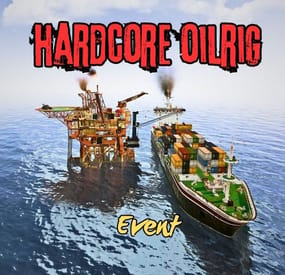
This event is the most difficult event on the oil rig. This is ensured by turret's, bradley, patrol helicopter, and respawning NPCs. The mission is to find the codes for the two doors and call Cargo. The event ends when all locked crates on Cargo have been looted.
Tip: The first code is in the locked crate on the helipad. The second code is in a helicopter crate behind the garage door.
Np Permission.
Server Console Commands:
hcoestart hcoestop Contact:
Discord: https://discord.gg/C5CehdJMdK
If you want to try out this plugin, you can do so on the test server. IP: 212.73.137.6:28018
My public Rust server IP: 212.73.137.40:28027
Hook:
void OnHCOilrigEventStart() void OnHCOilRigEventStop() Video:
Config:
{ "Version": { "Major": 1, "Minor": 0, "Patch": 6 }, "Automatic event start": true, "Minimum time for event start": 3600.0, "Maximum time for event start": 7200.0, "Duration of the event": 2800.0, "Warning messages before event start": 300.0, "Warning messages before event end": 300.0, "Chat icon": 0, "Enabled on silent mode (No messages, no marker)?!": false, "Map marker name": "HardCore OilRig Event", "Map marker radius": 0.6, "Color": { "r": 1.0, "g": 0.0, "b": 0.0 }, "Locked crate hack time": 900.0, "Disable BetterNpc plugin npc's for the duration of the event?": false, "Sheetmetal doors SkinID on the cargo": 3088355400, "Garage door SkinID on the OilRig": 3527077202, "Sheetmetal doubledoor SkinID on the oilrig": 2817178597, "AutoTurret setting on the oilrig": { "Health": 300.0, "Weapon ShortName": "rifle.ak", "Ammo ShortName": "ammo.rifle", "Number of ammo": 5000 }, "AutoTurret setting on the cargo": { "Health": 300.0, "Weapon ShortName": "rifle.ak", "Ammo ShortName": "ammo.rifle", "Number of ammo": 5000 }, "Bradley setting": { "Bradley health": 1000.0, "Number of crate to spawn when the bradley dies": 3, "Number of Npc spawning from Bradely": 3 }, "List of lootable crates on Oilrig": [ { "Prefab": "assets/bundled/prefabs/radtown/crate_elite.prefab", "Position": "(11.584, 24.032, 2.267)", "Rotation": "(0, 0, 0)", "Are you deleting the original loot from the crate?": false, "Use custom loot?": true, "CustomLoot": { "Minimum items": 1, "Maximum items": 1, "Use minimum - maxium?": false, "List of items": [ { "ShortName": "diesel_barrel", "Minimum": 3, "Maximum": 6, "Chance": 100.0, "Give blueprint?": false, "SkinID": 0, "Displayname": "" } ] } }, { "Prefab": "assets/bundled/prefabs/radtown/crate_elite.prefab", "Position": "(22.996, 19.543, 3.315)", "Rotation": "(0, 0, 0)", "Are you deleting the original loot from the crate?": false, "Use custom loot?": true, "CustomLoot": { "Minimum items": 1, "Maximum items": 1, "Use minimum - maxium?": false, "List of items": [ { "ShortName": "diesel_barrel", "Minimum": 3, "Maximum": 6, "Chance": 100.0, "Give blueprint?": false, "SkinID": 0, "Displayname": "" } ] } }, { "Prefab": "assets/prefabs/npc/patrol helicopter/heli_crate.prefab", "Position": "(19.982, 28.546, -7.443)", "Rotation": "(0, 0, 0)", "Are you deleting the original loot from the crate?": false, "Use custom loot?": false, "CustomLoot": { "Minimum items": 1, "Maximum items": 1, "Use minimum - maxium?": false, "List of items": [ { "ShortName": "xmas.present.small", "Minimum": 3, "Maximum": 6, "Chance": 100.0, "Give blueprint?": false, "SkinID": 0, "Displayname": "" } ] } }, { "Prefab": "assets/prefabs/npc/patrol helicopter/heli_crate.prefab", "Position": "(9.215, 28.536, 7.118)", "Rotation": "(0, 0, 0)", "Are you deleting the original loot from the crate?": false, "Use custom loot?": false, "CustomLoot": { "Minimum items": 1, "Maximum items": 1, "Use minimum - maxium?": false, "List of items": [ { "ShortName": "xmas.present.small", "Minimum": 3, "Maximum": 6, "Chance": 100.0, "Give blueprint?": false, "SkinID": 0, "Displayname": "" } ] } } ], "List of lootable crates on Cargo": [ { "Prefab": "assets/prefabs/deployable/chinooklockedcrate/codelockedhackablecrate.prefab", "Position": "(0, 9.500, 71.734)", "Rotation": "(0, 0, 0)", "Are you deleting the original loot from the crate?": false, "Use custom loot?": true, "CustomLoot": { "Minimum items": 1, "Maximum items": 1, "Use minimum - maxium?": false, "List of items": [ { "ShortName": "diesel_barrel", "Minimum": 3, "Maximum": 6, "Chance": 100.0, "Give blueprint?": false, "SkinID": 0, "Displayname": "" } ] } }, { "Prefab": "assets/prefabs/deployable/chinooklockedcrate/codelockedhackablecrate.prefab", "Position": "(-8.524, 0.500, 37.519)", "Rotation": "(0, 90, 0)", "Are you deleting the original loot from the crate?": false, "Use custom loot?": true, "CustomLoot": { "Minimum items": 1, "Maximum items": 1, "Use minimum - maxium?": false, "List of items": [ { "ShortName": "diesel_barrel", "Minimum": 3, "Maximum": 6, "Chance": 100.0, "Give blueprint?": false, "SkinID": 0, "Displayname": "" } ] } }, { "Prefab": "assets/prefabs/deployable/chinooklockedcrate/codelockedhackablecrate.prefab", "Position": "(-1.817, 0.500, -4.039)", "Rotation": "(0, 0, 0)", "Are you deleting the original loot from the crate?": false, "Use custom loot?": true, "CustomLoot": { "Minimum items": 1, "Maximum items": 1, "Use minimum - maxium?": false, "List of items": [ { "ShortName": "diesel_barrel", "Minimum": 3, "Maximum": 6, "Chance": 100.0, "Give blueprint?": false, "SkinID": 0, "Displayname": "" } ] } }, { "Prefab": "assets/prefabs/deployable/chinooklockedcrate/codelockedhackablecrate.prefab", "Position": "(7.095, 6.500, -2.940)", "Rotation": "(0, 0, 0)", "Are you deleting the original loot from the crate?": false, "Use custom loot?": true, "CustomLoot": { "Minimum items": 1, "Maximum items": 1, "Use minimum - maxium?": false, "List of items": [ { "ShortName": "diesel_barrel", "Minimum": 3, "Maximum": 6, "Chance": 100.0, "Give blueprint?": false, "SkinID": 0, "Displayname": "" } ] } } ], "Npcs settings on the Oilrig": { "Minimum": 8, "Maximum": 8, "List of position": [ "(4.414, 27.020, 5.130)", "(0.400, 27.020, -4.115)", "(27.759, 27.021, -34.864)", "(12.133, 22.520, -31.684)", "(24.314, 22.520, -0.799)", "(6.012, 22.488, 7.338)", "(-3.402, 22.520, -15.901)", "(13.935, 18.020, -38.237)", "(18.418, 18.020, 2.229)", "(0.192, 18.020, 1.720)" ], "NPCs setting": [ { "Name": "OilRig Guard", "Health": 250.0, "Scale damage": 0.6, "Wear items": [ { "ShortName": "coffeecan.helmet", "SkinID (0 - default)": 3045043901 }, { "ShortName": "pants", "SkinID (0 - default)": 915346906 }, { "ShortName": "hoodie", "SkinID (0 - default)": 3044969914 }, { "ShortName": "roadsign.jacket", "SkinID (0 - default)": 3045043722 }, { "ShortName": "roadsign.kilt", "SkinID (0 - default)": 3045043574 }, { "ShortName": "shoes.boots", "SkinID (0 - default)": 916448999 } ] }, { "Name": "OilRig Guard", "Health": 250.0, "Scale damage": 0.6, "Wear items": [ { "ShortName": "attire.banditguard", "SkinID (0 - default)": 0 } ] }, { "Name": "OilRig Guard", "Health": 250.0, "Scale damage": 0.6, "Wear items": [ { "ShortName": "hazmatsuit_scientist_peacekeeper", "SkinID (0 - default)": 0 } ] }, { "Name": "OilRig Guard", "Health": 250.0, "Scale damage": 0.6, "Wear items": [ { "ShortName": "hazmatsuit", "SkinID (0 - default)": 0 } ] }, { "Name": "OilRig Guard", "Health": 250.0, "Scale damage": 0.6, "Wear items": [ { "ShortName": "scientistsuit_heavy", "SkinID (0 - default)": 0 } ] }, { "Name": "OilRig Guard", "Health": 250.0, "Scale damage": 0.6, "Wear items": [ { "ShortName": "hazmatsuit_scientist_nvgm", "SkinID (0 - default)": 0 } ] } ] }, "PVE Mode Setting (only for users PveMode plugin)": { "Use PveMode plugin?": false, "Required damage to the event owner": 500.0, "The event is a right of ownership, to obtain it you need damage multiplier.": { "Npc": 1.0 }, "Non owner can loot the crates?": false, "Non owner can loot the Npc's?": false, "Non owner can damage Npc's?": false, "Non owner can be attacked by Npc's?": false, "Non owner, can you enter the event zone?": false, "Allow a player who has an active cooldown of the Event Owner to enter the event zone?": true, "The time that the Event Owner may not be inside the event zone.": 300, "The time until the event owner can return to the event zone.": 60, "Block the RestoreUponDeath plugin in the event zone.": true, "After all this time, an event owner can be an event owner again.": 86400.0, "Darkening the sphere.": 15 } } Lang File:
{ "Prefix": "<color=#ff0000>HardCore OilRig Event</color>", "WarnStart": "Everyone be careful, the event is about to start.", "WarnStop": "The event will end soon!!", "Start": "has started!!", "Stop": "end!", "Code": "Find the code!", "DoorUnlock": "Opened the doors of at the event", "CallCargo": "Call the Cargo of at the event", "PveModeOwner": "has become the owner of event", "WarnStartNearbyPlayer": "Leave the OilRig area! The HardCore OilRig Event is about to begin!" }