
G_SAPLING's Wishlist
-
$8.99
Custom Drops
Create as many custom supply drops as you want, themed to drop cash, furniture, resources, or anything else you like.
Upon Throw or Drop , The Signal will spawn a container and spawn loot by chance depending on your configuration.
Video Demo
COMMANDS /GIVESUPPLY - ADMIN ONLY, WILL DEPO SIGNALS TO YOUR INV FOR TESTING
*** Adding to your Loot Table Relies on the item being a Flashbang, and SKINID match ***
CONFIG
{ "Supply Drops List": [ { "Drop Custom Name": "Medical Drop", "Drop SkinID": 3298169317, "Min Amount of Loot In Container": 2, "Max Amount of Loot In Container": 3, "Loot Table": [ { "Item Shortname": "largemedkit", "Item Name": "", "Item SkinID": 0, "Chance To Be Selected": 0.5, "Min Amount of this Item": 1, "Max Amount of this Item": 3 }, { "Item Shortname": "syringe.medical", "Item Name": "", "Item SkinID": 0, "Chance To Be Selected": 0.3, "Min Amount of this Item": 1, "Max Amount of this Item": 3 }, { "Item Shortname": "bandage", "Item Name": "", "Item SkinID": 0, "Chance To Be Selected": 0.3, "Min Amount of this Item": 1, "Max Amount of this Item": 3 }, { "Item Shortname": "antiradpills", "Item Name": "", "Item SkinID": 0, "Chance To Be Selected": 0.3, "Min Amount of this Item": 1, "Max Amount of this Item": 3 } ] }, { "Drop Custom Name": "Cash Drop", "Drop SkinID": 3298169069, "Min Amount of Unique Loot In Container": 2, "Max Amount of Unique Loot In Container": 3, "Loot Table": [ { "Item Shortname": "paper", "Item Name": "Cash", "Item SkinID": 3048132587, "Chance To Be Selected": 0.2, "Min Amount of this Item": 10, "Max Amount of this Item": 20 }, { "Item Shortname": "glue", "Item Name": "Coins", "Item SkinID": 3047580022, "Chance To Be Selected": 0.3, "Min Amount of this Item": 20, "Max Amount of this Item": 35 }, { "Item Shortname": "blood", "Item Name": "Pelt", "Item SkinID": 3047576938, "Chance To Be Selected": 0.3, "Min Amount of this Item": 4, "Max Amount of this Item": 10 }, { "Item Shortname": "bleach", "Item Name": "Irradiated Scrap", "Item SkinID": 3027539724, "Chance To Be Selected": 0.3, "Min Amount of this Item": 8, "Max Amount of this Item": 15 } ] }, { "Drop Custom Name": "Ammo Drop", "Drop SkinID": 3298168943, "Min Amount of Unique Loot In Container": 3, "Max Amount of Unique Loot In Container": 5, "Loot Table": [ { "Item Shortname": "ammo.rocket.hv", "Item Name": "", "Item SkinID": 0, "Chance To Be Selected": 0.5, "Min Amount of this Item": 5, "Max Amount of this Item": 10 }, { "Item Shortname": "ammo.rocket.basic", "Item Name": "", "Item SkinID": 0, "Chance To Be Selected": 0.3, "Min Amount of this Item": 1, "Max Amount of this Item": 5 }, { "Item Shortname": "ammo.rocket.mlrs", "Item Name": "", "Item SkinID": 0, "Chance To Be Selected": 0.3, "Min Amount of this Item": 1, "Max Amount of this Item": 5 }, { "Item Shortname": "ammo.rocket.seeker", "Item Name": "", "Item SkinID": 0, "Chance To Be Selected": 0.3, "Min Amount of this Item": 1, "Max Amount of this Item": 5 }, { "Item Shortname": "ammo.rifle.hv", "Item Name": "", "Item SkinID": 0, "Chance To Be Selected": 0.3, "Min Amount of this Item": 32, "Max Amount of this Item": 64 }, { "Item Shortname": "ammo.pistol.hv", "Item Name": "", "Item SkinID": 0, "Chance To Be Selected": 0.3, "Min Amount of this Item": 32, "Max Amount of this Item": 64 } ] } ] }
- #custom
- #supply signals
- (and 2 more)
-
$18.99$15.19XCustomGenes
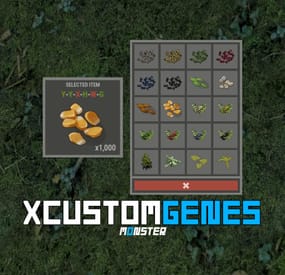
XCustomGenes is a versatile gene editor plugin offering a user-friendly UI, multilingual support, sound effects, and robust features for editing or deleting genes through chat commands or the UI, with options for payment integration using in-game currency.
-> In the code you can switch the plugin language - LanguageEnglish = true <-
Features
Optimization of the interface for different monitor resolutions. There is a lang ru/en/uk/es. Sound effects when interacting with the menu. User-friendly UI gene editor. To change/delete genes, player/administrator can use: chat commands or UI editor. Ability to change/delete genes on a selected item, as well as on all items in inventory simultaneously. Ability to make gene changing/deletion paid. Balance of any plugin or Scrap can be used as currency. Various chat messages. Protection against incorrect input of genes. The administrator can quickly give himself seeds with the right genes using the UI editor.
Permissions
xcustomgenes.use - access to menu / access to genes editing. xcustomgenes.admin - access to admin functionality.
Commands
/g, /gene, /genes - to open the menu. [ Commands can be changed in the config. ] /genes item genes(xxxxxx) - to change/delete genes on the selected item. /genes all genes(xxxxxx) - to change/delete genes on all items in inventory simultaneously. xcustomgenes_give steamID shortname genes(xxxxxx) amount skinID - to give seeds with genes to the player. [ Arguments - genes, amount, skinID - is not a mandatory. ]
Config
{ "General settings": { "SteamID profile for custom avatar": 0, "Chat prefix": "<size=12><color=#FFFFFF50>[</color> <color=#00FF0050>XCustomGenes</color> <color=#FFFFFF50>]</color></size>\n", "List of commands to open the menu": [ "g", "gene", "genes" ], "Gene list for quick selection": [ "GGGGYY", "GGGYYY", "GGYYYY", ... ] }, "GUI settings": { "Color_background_1": "0.517 0.521 0.509 0.95", "Color_background_2": "0.217 0.221 0.209 0.95", "Button color (icons)": "1 1 1 0.75", "Block color": "0.517 0.521 0.509 0.5" }, "Payment settings": { "Use payment": false, "True - plugin with balance | False - scrap": false, "Price formation - [ True - per stack | False - per seeds ]": true, "Price": 10.0, "Price - gene delete": 2.0, "Plugin name": "Economics", "Method name(API) - Balance": "Balance", "Method name(API) - Withdraw": "Withdraw", "Method(API) data type - [ 0 - int | 1 - float | 2 - double ]": 0 } } -

$15.00
Fishing Event
Event which idea was taken from halloween's and easter's hunting. As in original game we collect candies or eggs, that in this case we are catching fishes for which we are getting points. Amount of points are dependent on the type of fish or item we catch. It depens exacly on number of "Bait" that every type of fish has e.g. Sardine has Bait 3 so we get 3 points.
Permission
To assign a permission, use 'oxide.grant <user or group> <name or steam id>' fishingevent.admin - Allow to using commands.
Commands
This plugin provides both chat and console commands using the same syntax. When using a command in chat, prefix it with a forward slash: `/`. startfe - starts the countdown to the start of the fishing event.
stopfe - Ends the event immediately, without giving away any prizes.
finishfe - Ends the event immediately, with giving away any prizes.
configfe - Opens the configuration UI panel
Configuration
Language
Default English FIle
{ "noOneStart": "Wow, no one played so no one won.", "bestPlayer": "{0} is the top fisherman who has caught {1} fish and {2} points collected.", "playerStats": "You placed {0} of {1} with caught {2} fish and {3} points collected.", "rewardMessage": "You received {0}x {1} as an award!", "timeMessageToEvent": "<color=#326de3>Fishing Event</color>: The fishing event starts in {0} minutes." }
Hooks
void OnFishingEventStartCountdown() - Call when starts counting down to the start of the fishing event.
void OnFishingEventStarted() - Call when the fishing event begins.
void OnFishingEventEnded() - Call when the fishing event is over.
void OnFishingEventUIClosed() - Call when UI disappears from players screen.(Five seconds after fishing event is over)
Credits
@STIVI Plugin tester and release help.
@Flammable Plugin originator and tester.
@Billy Joe Thanks for your UI Tool(I hate it but i love it)
-

$4.99
Infinite Ammo
A powerful plugin, That allows players with the permissions for certain guns, to shoot with a never-ending stream of bullets, Showcase Below
-

$8.49
Craft Controller
Crafting rules Every craftable item, on your terms One crafting speed for everyone, a workbench ladder you can't touch, and a tech tree that hands out everything eventually. Servers that want tiered craft speed, a banned weapon, or an item nobody is allowed to research end up stacking three plugins to get there. This is one file that owns crafting from end to end — speed by permission group, and seven switches on every item in the game.
7 Switches on every craftable item 3 Routes to a blueprint, each closable 2 Speed tiers shipped, add as many as you like 0 Dependencies ✓ Craft speed per permission group — name the permission, name the multiplier, it is registered for you ✓ Workbench tier per item — raise it, lower it, or take the bench requirement off entirely ✓ Research table, blueprint paper and tech tree — three separate switches, because players will try all three ✓ A blocked tech tree node doesn't have to wall off the branch — the plugin unlocks around it and charges the right scrap ✓ Every craftable item is listed for you — an icon grid with search, no shortname hunting 01 — Speed Faster crafting as something you sell Craft speed is one of the few perks players will actually pay for, and the only one that costs a server nothing to give. Here it is a two-column list: permission on the left, multiplier on the right.
As many tiers as your shop has Two come configured — 1.5× for everyone and 3× for VIP — but the list is yours. Write craftcontroller.bronze, .silver, .gold with the numbers you want and the plugin registers every one of them on load. Nothing to declare anywhere else. Worked out per craft, not per session The multiplier is resolved the moment a craft starts, from the item's own base time. Grant a permission mid-wipe and the next thing that player queues is already faster — no relog, no reload. 02 — Items Seven switches on anything with a recipe On first load every craftable item in the game is written into the config with its vanilla values, so there is no list to build and no shortname to look up. Open the menu, click the icon, change what you need.
Move an item up or down the bench ladder The plugin takes the workbench requirement off the engine and enforces its own, which is what lets you go both ways: put an AK behind tier 3, or let players craft a tier-2 item with no bench at all by setting it to zero. A player who tries too early gets a game tip naming the tier they need. Block an item outright One toggle and the recipe is closed — caught on both the inventory craft and the crafter itself, so there is no second path in. The player gets a message instead of a silent failure, and it is in the language file like everything else. A default skin, applied on the way out Give an item a skin ID and everything crafted comes out wearing it, held entity included, so it looks right in hand and not just in the inventory. A player who deliberately picked a skin keeps theirs — the default only fills the gap. 03 — Research Closing a door means closing all three There are three ways to learn something in Rust, and blocking one is worth nothing on its own. Each gets its own switch, so you can leave a route open on purpose — researchable from a found blueprint, but never from the tech tree.
The table and the paper One switch covers both the research table and studying a blueprint that dropped in loot — the two routes players reach for first, and the pair that plugins usually forget to close together. The tech tree, node by node Mark a node blocked and it cannot be unlocked at the workbench, with a notice on screen and in chat rather than a dead button. And what happens to everything behind it This is the part most plugins get wrong. Block a node in the middle of a branch and you have accidentally banned the whole branch. A second switch decides which you meant: seal the path, or let players through it. Let them through and the plugin rebuilds the unlock itself — it works out which nodes are still needed, prices them in scrap at the correct tier including tax, takes the payment, unlocks them, and tells other plugins it happened through the standard hook so your logging and reward plugins still see it. Reliability Puts the game back ✓ Vanilla values are saved before anything is touched — every recipe's original time and bench level go into a data file on first load, and that file is the reference point from then on ✓ Unload restores every recipe — times and bench levels are written back from that file and the client is told to go back to normal crafting, so removing the plugin is not a wipe-day job ✓ Joining players are handled properly — if someone is still loading their snapshot the plugin waits and retries instead of firing into the void and leaving them with the wrong crafting rules ✓ Edits apply live — change a bench level or a block in the menu and it is in force before you close it, on a server full of people ✓ Four messages, all translatable — and no dependencies to install alongside it Commands One command, and the tiers you invent Players never type anything — the rules apply to them through the vanilla crafting menu.
/craftcontrole Open the item grid — search, pick an icon, edit its seven settings craftcontroller.use Open the editor. Server admins have it without being granted anything craftcontroller.default 1.5× craft speed as shipped — rename it or change the number craftcontroller.vip 3× as shipped, and the template for every extra tier you add Questions Before you buy The workbench labels disappear from the crafting menu. Is that expected? Yes, and it is the trade for being able to move items between tiers at all. Those coloured “requires workbench X” lines are drawn by the client straight from the recipe, so the requirement has to come off the recipe before the plugin can enforce a different one. The rule itself still holds — a player crafting too early is stopped and told which tier they need — but the label is gone until they try. If untouched tier labels matter more to you than per-item tiers, this plugin is the wrong trade. A player is in two speed groups. Which multiplier applies? The last one they match in the config file, not the largest. Write the list slowest first and fastest last and the answer is always the one you want. Do I have to know item shortnames? No. Every craftable item writes itself into the config on the first load with its vanilla values, and the in-game grid shows real item icons with a search box above them. Shortnames are there if you prefer editing the file, but nothing requires it. Can players still find a banned item as a blueprint in loot? The blueprint can still drop, but studying it is refused if you closed that route, and blocking the craft closes it even for a player who learned the item before you installed the plugin. If I block one tech tree node, do I lose everything past it? Only if you want to. That is a separate switch on the same item — leave it off and players unlock straight through the blocked node to what is behind it, paying the correct scrap for the nodes they actually get. Can I let players craft without standing at a workbench? Set an item's bench level to 0 and it crafts anywhere. Do it for everything and you have a no-workbench server without a second plugin. What happens if I remove the plugin later? Every recipe is written back to the values captured before it ever changed anything, and connected players are switched back to normal crafting on the spot. Blueprints players unlocked while it was running stay unlocked — those live in the game's own save, not in the plugin.- #craft
- #workbench
- (and 9 more)