
Chill Roleplay's Wishlist
-
$2.99
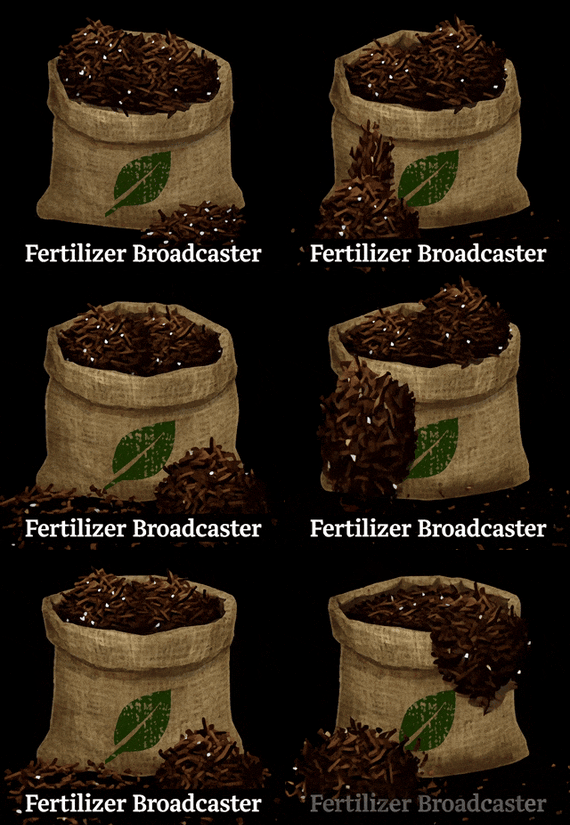
Fertilizer Broadcaster
By ShadowStrike in Plugins
===============================================================================
FERTILIZER BROADCASTER
by ShadowStrike Version 4.2.0
===============================================================================
DESCRIPTION:
Tired of opening every planter box just to add fertilizer? This plugin lets you fill planters directly by clicking on them while holding fertilizer in your hand.
Features
- Click any planter box while holding fertilizer to add it instantly
- Hold Shift while clicking to add larger amounts (100 by default)
- Live UI display shows the current fertilizer level when looking at a planter
- Low fertilizer warning - the display turns red when levels drop below 100
HOW IT WORKS:
- Look at a planter while holding fertilizer
- Left-click to add fertilizer (default: 10)
- Shift + Left-click to add more (default: 100)
- UI overlay shows current fertilizer level and instructions
- Works up to 3 meters away by default
USAGE:
1. Hold fertilizer in hand
2. Look at any planter box
3. Click to add 10 fertilizer
4. Shift+Click to add 100 fertilizer
5. Chat message confirms amount added
===============================================================================
INSTALLATION:
===============================================================================
1. Copy FertilizerBroadcaster.cs to: /carbon/plugins/
2. Config auto-generates on first load
3. (Optional) Edit: /carbon/config/FertilizerBroadcaster.json
4. Restart or reload: c.reload FertilizerBroadcaster
No permissions or commands required.
-
$11.99
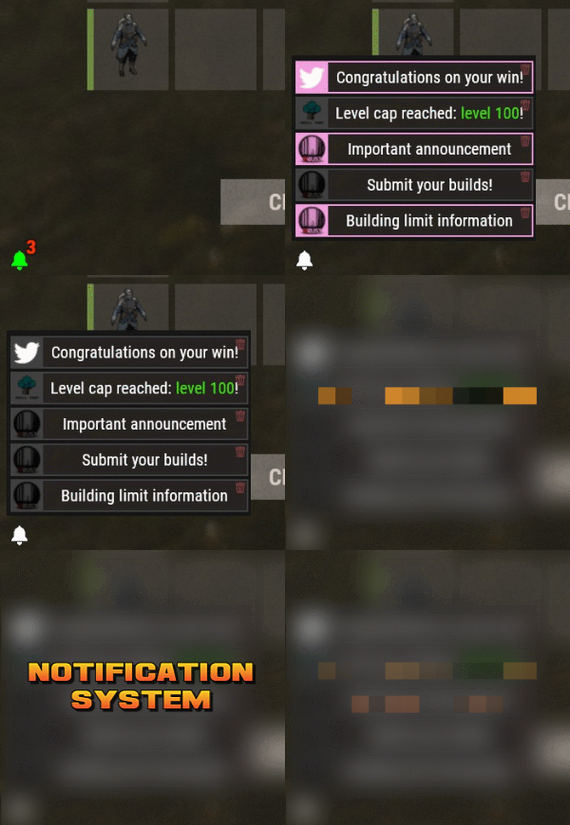
Notification System
By imthenewguy in Plugins
Notification Systems is a versatile plugin designed to deliver messages directly to players on your server — even when they’re offline.
Seamlessly integrate it into other plugins, such as Skill Tree, or trigger notifications manually through commands for complete flexibility.
Each notification can include a custom title, message, and an optional redemption button, giving you the power to reward players with items, currency, points, or trigger client-side commands — all tailored to your server’s needs.
The idea behind the plugin is to allow server owners to send critical information to players, with the option to run commands that target said players.
For example, you can send a notification to all players that have joined your server (regardless of their online status), with a redemption button that will give each of them 500 scrap.
The following commands can be run in your server console, or player console (with the notificationsystem.admin permission).
The commands are broken up in 3 sections: Title, body, redemptions, each of which is differentiated using "[]".
Parameters:
Userid: target player's Steam64 id. Message icon id: the skin id that you want to appear on the notification list. Setting to 0 will default to the message item id icon. Message item id: the item image you want to appear on the notification list (-769647921 = skull.trophy). Setting to 0 will default o the config icon. Title: Must be formatted with square brackets and surrounded by quotation marks like so: "[Title here]" Body: Must be formatted the same way as the title, with square brackets and quotation marks, like so: "[description here]" Redemptions: Must also have the square brackets and quotation marks, but also allow for an optional parameter of running it as a server command or client command.
Here is the formatting for running a server command: "[(inventory.giveto {id} scrap 500, true)]"
Here is the formatting for running a client command: "[(chat.say "/sprize", false)]"
Here is the formatting for running both: "[(inventory.giveto {id} scrap 500, true),(chat.say "/sprize", false)]"
Command: notification.add <userid> <message icon id> <message item id> "[Title]" "[Description]" "[(command1,bool:isServer)(command2,bool:isServer)]"
Command: notification.all <message icon id> <message item id> "[Title]" "[Description]" "[(command1,bool:isServer)(command2,bool:isServer)]"
Example of a full command:
notification.add 123445667878213 "[Title goes here]" "[Here is my message, there are many others like it, but this is mine]" "[(inventory.giveto {id} scrap 500. true)]" notification.all "[Title goes here]" "[Here is my message, there are many others like it, but this is mine]" "[(inventory.giveto {id} scrap 500. true)]"
void AddAll(string title, string body, int itemID, ulong picID = 0, string sprite = null, List<(string, bool)> commands = null) void Add(ulong id, string title, string body, int itemID, ulong picID = 0, string sprite = null, List<(string, bool)> commands = null)
- #notify
- #notification
- (and 7 more)
-
$2.30
MBCommands
By Barry_Allenn in Plugins
📋 Overview
MBCommands provides players with an intuitive graphical interface to view available server commands. Instead of typing help commands in chat, players can open a visually appealing menu that lists commands with descriptions in their native language (English, Ukrainian, Russian).
The plugin features a built-in local image loader, eliminating the need for external dependencies like ImageLibrary. Images are cached locally for optimal performance.
✨ Features
🖼️ Local Image Loader — Downloads and caches images locally (oxide/data/). No external plugin dependencies required. 🌍 Multi-Language Support — Command descriptions configurable per language (EN/UK/RU) directly in the config file. ⚙️ Fully Configurable — Add, remove, or edit commands via JSON without changing code. 🎨 Modern UI — Scrollable command list with custom background images and customizable scrollbar colors. 🔗 MBMainMenu Integration — Includes a "Back" button to return to the main menu (if MBMainMenu is installed). ⚙️ Configuration
{ "NPC Image URL": "https://i.ibb.co/r2Ft9sJQ/MBNPC.png", "Scrollbar Handle Color": "1 0 0 0.6", "Commands": [ { "Command": "/vip", "Descriptions": { "en": { "Enabled": true, "Text": "Opens VIP menu with exclusive perks." }, "uk": { "Enabled": true, "Text": "Відкриває VIP меню з ексклюзивними привілеями." }, "ru": { "Enabled": true, "Text": "Открывает VIP меню с эксклюзивными привилегиями." } } }, { "Command": "/craft", "Descriptions": { "en": { "Enabled": true, "Text": "Opens crafting menu for exclusive items." }, "uk": { "Enabled": true, "Text": "Відкриває меню крафту ексклюзивних предметів." }, "ru": { "Enabled": true, "Text": "Открывает меню крафта эксклюзивных предметов." } } } ] } 🎮 Commands
/commands Opens the commands menu. -

$9.99
Drone Delivery
🚁 Drone Delivery
Allows players to seamlessly send care packages, resources, and gifts to other players across the map using a fully autonomous drone delivery service!
✅ Features
• Send custom items to any online player anywhere on the map via a deployable drone
Send custom items to any online player anywhere on the map via a deployable drone Expedited delivery drone delivery for an additional cost! Simple UI-driven management (Purchasing, Targeting, and Launching) Require players to /accept or /deny incoming deliveries Configurable invitation timeouts where unanswered requests auto-refund the sender Drones utilize dynamic collision and damage immunity in transit to prevent griefing, SAM site destruction, or getting stuck Smart landing mechanics that drop the drone safely beside the recipient Unclaimed load self-destruct timers to prevent map entity clutter Comprehensive permission-based command cooldowns Zero data file bloat! Everything runs efficiently in active server memory Fully autonomous player-to-player delivery — open the GUI, pay the fee, load your loot, and dispatch Intelligent pathfinding during delivery. Custom stylized GUI interface - a premium, native-looking interface for purchasing and target selection Extensive anti-abuse checks - automatically restricts deliveries to players who are underground, underwater, mounted, or building-blocked Live transit alerts - notifies recipients with distance updates as the drone arrives Fully refundable cancellations - handles request timeouts, denials, and server disconnects gracefully by refunding the sender's scrap 🔐 Permissions
dronedelivery.use — Required to use the /deliver menu and spawn drones dronedelivery.bypasscooldown — Bypasses the configured command cooldown timer 💬 Chat Commands
/deliver — Opens the main Drone Delivery UI to purchase and launch a drone /accept — Accepts a pending delivery request from another player /deny — Denies a pending delivery request, instantly refunding the sender /launch — Quick chat command alternative to launching the drone after a recipient has accepted (Note: Console commands like drone.close, drone.purchase, drone.send, etc., are securely bound to the UI buttons and don't need to be typed manually).
🌐 Localization
{ "SelectRecipientLaunch": "You must select a recipient and they must accept before launching!", "RecipientIneligible": "Recipient is unable to receive a drone delivery at this time (underwater or underground).", "DroneDeparting": "The drone is now departing to {0}!", "NoDroneReady": "You do not have a delivery drone ready to launch.", "DeliveryAcceptedTarget": "You have accepted the drone delivery. Awaiting dispatch...", "DeliveryAcceptedSender": "{0} accepted the delivery! You may now launch the drone.", "NoPendingAccept": "You have no pending drone deliveries to accept.", "DeliveryDeniedTarget": "You have denied the drone delivery.", "DeliveryDeniedSender": "{0} denied your delivery. Drone cancelled and scrap refunded.", "NoPendingDeny": "You have no pending drone deliveries to deny.", "AlreadyActiveDrone": "You already have an active drone.", "NotEnoughScrap": "You need {0} scrap to purchase a drone.", "PurchaseSuccess": "Drone purchased! You can now load it and select a destination.", "SelectRecipientFirst": "You must select a recipient before launching the drone!", "PurchaseCancelled": "Purchase cancelled. Refunded {0} scrap.", "PlayerNotFound": "Player not found or offline.", "TargetIneligible": "That player is unable to receive a drone delivery at this time (underwater or underground).", "RequestSent": "Delivery request sent! Waiting for {0} to type /accept.", "RequestReceived": "{0} wants to send you a drone delivery. Type <color=#00ff00>/accept</color> to allow it, or <color=#ff0000>/deny</color> to reject.", "TaskCompleted": "The delivery drone has completed its task and departed.", "DroneInbound": "Notice: A delivery drone from {0} has launched and is inbound to your location!", "Drone500m": "Notice: Delivery drone is within 500m!", "Drone100m": "Notice: Delivery drone is within 100m!", "DroneArrived": "The delivery drone has arrived! You can now loot its inventory. It will depart once emptied.", "NoPermission": "You do not have permission to use this command.", "SenderIneligible": "You cannot use the drone delivery service while underwater or underground.", "DroneDestroyedTransit": "{0} is no longer available to receive the parcel. Delivery failed.", "DeliveryFailedTarget": "Your inbound delivery from {0} failed. Reason: {1}", "TargetBuildingBlocked": "That player is currently in a Building Blocked zone and cannot receive deliveries.", "DroneWaitCooldown": "You must wait {0} seconds before using this command again.", "DroneDestructTimeout": "The drone self-destructed because the delivery was not claimed in time.", "PlayerMounted": "Unable to either send or deliver while mounted.", "RequestExpiredSender": "Your delivery request to {0} expired.", "RequestExpiredTarget": "The delivery request from {0} has expired." } ⚙️ Configuration
{ "ConfigVersion": "1.0.7", "Drone Cost (Scrap)": 250, "Drone Flight Speed": 15.0, "Expedited Drone Flight Speed": 45.0, "Expedited Delivery Cost (Additional Scrap)": 100, "Chat Prefix": "[Drone Delivery]", "Proximity Alert Distance": 250.0, "Block Delivery if Recipient is Building Blocked": true, "Command Cooldown (Seconds)": 300, "Drone Landing Speed": 4.0, "Loot Unclaimed Self-Destruct Timer (Seconds)": 60, "Invitation Timeout (Seconds)": 60 } ⚠️ Caveats
• Players cannot dispatch or receive a drone if they are in deep water, underground (caves/tunnels), or mounted on a vehicle/horse.
• If the recipient hops on a horse or into a vehicle mid-flight, the drone will safely abort the delivery and self-destruct to prevent physics exploits.
• Senders and targets both have extensive safety checks. If a target logs off while the drone is in flight, the drone gracefully aborts.
• Drones phase through the environment during high-altitude transit, preventing them from being shot down, damaged by base SAM sites, or looted by intercepting players.
🤝 Support
Chat us for all your delivery needs, we will even do pizza for a small fee! Dark Side Development Discord
☕ Ko-Fi
Like what we do? Support us over at Ko-Fi
📜 Legal
Copyright © 2026 Lincoln
This plugin, Drone Delivery, is the intellectual property of Lincoln. The plugin may not be copied, modified, merged, published, or redistributed without the explicit permission of the creator, Lincoln.
Permission is granted solely for personal use on a Rust server that you own or manage. Commercial use, sharing with third parties, or distribution on multiple servers is strictly prohibited without prior consent from the creator.
Disclaimer of Warranty and Liability:
This plugin is provided "as is" without any express or implied warranties. The creator disclaims any liability for damages, including but not limited to server malfunctions, data loss, or other issues arising from the use of this software. Use of the plugin is at your own risk.
-
$19.90
Courier NPCs
Bring your Rust server to life with Courier NPCs — AI bots that travel across the map carrying valuable loot. Hunt them down for rewards, but be careful — they may not go down without a fight.
Features:
📦 Traveling Couriers
• NPCs spawn with random loot from your config and start travel to point.
• At destination, couriers either despawn or dropping a stash.
• Setup health, damage rates, spawn frequency, and other.
• Configure spawn loadouts — weapons, clothes, and loot for delivery.
• Each courier can carry a backpack with its own separate loot.
⚔️ Dynamic Combat
• Configurable combat behaviour:
Friendly (doesn't attack, continues to run) Defensive (defends if attacked) Aggressive (attacks first) • Uses ranged and melee weapons in fights.
• Couriers can deploy mines, bear traps, and other traps while traveling.
• Couriers heal themselves during and outside of combat using configurable health thresholds.
🗺️ Flexible Spawn System
• Multiple spawn modes available — random map position, road/beach position, or SpawnsDatabase points.
• Spawn and destination modes can be mixed for varied and unpredictable routes.
• Couriers can prefer road-based pathfinding or take off-road routes.
📺 See It in Action! Watch The Video
🛠️ Commands ("couriernpcs.admin" permission):
/cnpc vis - shows all couriers on server /cnpc killall - kills all couriers /cnpc tp - teleports all couriers to you 📃 Configuration:
{ "Bots settings": [ { "Enable bot?": true, "How many of these bots can be spawned?": 1, "Bot name (leave empty for random)": "Leon", "Respawn timer (min 3 seconds)": { "Min": 600.0, "Max": 1800.0 }, "Configure the position of the courier's birth. (configure several modes for random selection)": { "Random map position mode": { "Enable this mode?": false }, "Random road position mode": { "Enable this mode?": true }, "Random spawn position mode": { "Enable this mode?": false }, "Mode of selection of a position from the Spawns.cs plugin": { "Enable this mode?": false, "File name with positions": "" } }, "Configure the position of the courier's final path. (configure several modes for random selection)": { "Random map position mode": { "Enable this mode?": false }, "Random road position mode": { "Enable this mode?": true }, "Random spawn position mode": { "Enable this mode?": false }, "Mode of selection of a position from the Spawns.cs plugin": { "Enable this mode?": false, "File name with positions": "" } }, "Maximum health": 500.0, "What spawns on death (PlayerCorpse, NpcCorpse, Backpack)": "PlayerCorpse", "How many items will be destroyed when Backpack is selected (0 - 100%)": 0.0, "Backpack setup": { "Should I give out a backpack?": true, "Backpack item": { "Item shortname or ID": "largebackpack", "Item skin": 0 }, "Lock container? (true - after death loot won't drop)": false, "List of items": [ { "Chance (% 0 - 100)": 10.0, "Item settings": { "Item shortname or ID": "rifle.sks", "Item skin": 0 }, "Random amount": { "Min": 1.0, "Max": 1.0 }, "Attachments": [ { "Item settings": { "Item shortname or ID": "weapon.mod.silencer", "Item skin": 0 }, "Random amount": { "Min": 1.0, "Max": 1.0 }, "Attachments": null } ] }, { "Chance (% 0 - 100)": 5.0, "Item settings": { "Item shortname or ID": "minigun", "Item skin": 0 }, "Random amount": { "Min": 1.0, "Max": 1.0 }, "Attachments": [] }, { "Chance (% 0 - 100)": 20.0, "Item settings": { "Item shortname or ID": "ammo.shotgun.slug", "Item skin": 0 }, "Random amount": { "Min": 100.0, "Max": 500.0 }, "Attachments": [] }, { "Chance (% 0 - 100)": 5.0, "Item settings": { "Item shortname or ID": "explosives", "Item skin": 0 }, "Random amount": { "Min": 100.0, "Max": 500.0 }, "Attachments": [] }, { "Chance (% 0 - 100)": 90.0, "Item settings": { "Item shortname or ID": "wood", "Item skin": 0 }, "Random amount": { "Min": 2000.0, "Max": 5000.0 }, "Attachments": [] }, { "Chance (% 0 - 100)": 80.0, "Item settings": { "Item shortname or ID": "stones", "Item skin": 0 }, "Random amount": { "Min": 1000.0, "Max": 2000.0 }, "Attachments": [] }, { "Chance (% 0 - 100)": 80.0, "Item settings": { "Item shortname or ID": "metal.fragments", "Item skin": 0 }, "Random amount": { "Min": 500.0, "Max": 1000.0 }, "Attachments": [] }, { "Chance (% 0 - 100)": 70.0, "Item settings": { "Item shortname or ID": "sulfur", "Item skin": 0 }, "Random amount": { "Min": 200.0, "Max": 500.0 }, "Attachments": [] }, { "Chance (% 0 - 100)": 60.0, "Item settings": { "Item shortname or ID": "scrap", "Item skin": 0 }, "Random amount": { "Min": 100.0, "Max": 200.0 }, "Attachments": [] }, { "Chance (% 0 - 100)": 50.0, "Item settings": { "Item shortname or ID": "metal.refined", "Item skin": 0 }, "Random amount": { "Min": 50.0, "Max": 100.0 }, "Attachments": [] } ] }, "Wear settings": { "Lock container? (true - after death loot won't drop)": true, "List of items": [ { "Item settings": { "Item shortname or ID": "hazmatsuit.kick", "Item skin": 0 }, "Random amount": { "Min": 1.0, "Max": 1.0 }, "Attachments": [] } ] }, "Belt customization (add weapons, ammo, medicine, traps that the bot can use here)": { "Lock container? (true - after death loot won't drop)": true, "List of items": [ { "Item settings": { "Item shortname or ID": "smg.mp5", "Item skin": 0 }, "Random amount": { "Min": 1.0, "Max": 1.0 }, "Attachments": [ { "Item settings": { "Item shortname or ID": "weapon.mod.silencer", "Item skin": 0 }, "Random amount": { "Min": 1.0, "Max": 1.0 }, "Attachments": null } ] }, { "Item settings": { "Item shortname or ID": "ammo.pistol", "Item skin": 0 }, "Random amount": { "Min": 500.0, "Max": 1000.0 }, "Attachments": [] }, { "Item settings": { "Item shortname or ID": "legacy bow", "Item skin": 0 }, "Random amount": { "Min": 1.0, "Max": 1.0 }, "Attachments": [] }, { "Item settings": { "Item shortname or ID": "arrow.wooden", "Item skin": 0 }, "Random amount": { "Min": 200.0, "Max": 300.0 }, "Attachments": [] }, { "Item settings": { "Item shortname or ID": "salvaged.cleaver", "Item skin": 0 }, "Random amount": { "Min": 1.0, "Max": 1.0 }, "Attachments": [] }, { "Item settings": { "Item shortname or ID": "syringe.medical", "Item skin": 0 }, "Random amount": { "Min": 300.0, "Max": 300.0 }, "Attachments": [] } ] }, "Inventory settings": { "Lock container? (true - after death loot won't drop)": false, "List of items": [ { "Chance (% 0 - 100)": 10.0, "Item settings": { "Item shortname or ID": "rifle.sks", "Item skin": 0 }, "Random amount": { "Min": 1.0, "Max": 1.0 }, "Attachments": [ { "Item settings": { "Item shortname or ID": "weapon.mod.silencer", "Item skin": 0 }, "Random amount": { "Min": 1.0, "Max": 1.0 }, "Attachments": null } ] }, { "Chance (% 0 - 100)": 5.0, "Item settings": { "Item shortname or ID": "minigun", "Item skin": 0 }, "Random amount": { "Min": 1.0, "Max": 1.0 }, "Attachments": [] }, { "Chance (% 0 - 100)": 20.0, "Item settings": { "Item shortname or ID": "ammo.shotgun.slug", "Item skin": 0 }, "Random amount": { "Min": 100.0, "Max": 500.0 }, "Attachments": [] }, { "Chance (% 0 - 100)": 5.0, "Item settings": { "Item shortname or ID": "explosives", "Item skin": 0 }, "Random amount": { "Min": 100.0, "Max": 500.0 }, "Attachments": [] }, { "Chance (% 0 - 100)": 90.0, "Item settings": { "Item shortname or ID": "wood", "Item skin": 0 }, "Random amount": { "Min": 2000.0, "Max": 5000.0 }, "Attachments": [] }, { "Chance (% 0 - 100)": 80.0, "Item settings": { "Item shortname or ID": "stones", "Item skin": 0 }, "Random amount": { "Min": 1000.0, "Max": 2000.0 }, "Attachments": [] }, { "Chance (% 0 - 100)": 80.0, "Item settings": { "Item shortname or ID": "metal.fragments", "Item skin": 0 }, "Random amount": { "Min": 500.0, "Max": 1000.0 }, "Attachments": [] }, { "Chance (% 0 - 100)": 70.0, "Item settings": { "Item shortname or ID": "sulfur", "Item skin": 0 }, "Random amount": { "Min": 200.0, "Max": 500.0 }, "Attachments": [] }, { "Chance (% 0 - 100)": 60.0, "Item settings": { "Item shortname or ID": "scrap", "Item skin": 0 }, "Random amount": { "Min": 100.0, "Max": 200.0 }, "Attachments": [] }, { "Chance (% 0 - 100)": 50.0, "Item settings": { "Item shortname or ID": "metal.refined", "Item skin": 0 }, "Random amount": { "Min": 50.0, "Max": 100.0 }, "Attachments": [] } ] }, "List of items that won't drop on death (applies if the inventory is not locked)": [ { "Item shortname or ID": "smg.mp5", "Item skin": 0 } ], "Courier behavior settings": { "Time for a brain tick (0.01 - 1)": 0.1, "Combat setup (weapons, ammunition, should be given in the belt inventory)": { "Use ammunition from equipment?": true, "The bot's character when meeting players - Aggressive, Friendly, Defensive": "Aggressive", "The bot's character when meeting npc - Aggressive, Friendly, Defensive": "Defensive", "The bot's character when meeting animal - Aggressive, Friendly, Defensive": "Defensive", "Damage settings": { "Damage multiplier for players": 1.0, "NPC damage multiplier": 1.0, "Damage multiplier for animals": 1.0, "Courier damage multiplier from players": 1.0, "Courier damage multiplier from NPCs": 1.0, "Animal damage multiplier for the courier": 1.0 } }, "Treatment settings (medications should be issued in the belt inventory)": { "Percentage of health to enter the healing state (% 50 - 90)": 75.0, "Percentage of health to enter healing state during combat (% 1 - 50)": 30.0, "Use the medicines from the equipment?": true }, "Setting up traps (mines and traps should be given in the belt inventory)": { "Enable this setting?": true, "Use mines and traps from equipment?": false, "Trap usage check timer (min 60 sec.)": { "Min": 300.0, "Max": 300.0 }, "Chance of using a trap (% 0 - 100)": { "Min": 50.0, "Max": 50.0 }, "Life time (0 - will exist until restart)": 3600.0 }, "Setting up movement to the finishing position": { "Allow searching for routes by roads first?": true, "Speed of movement to the finish (Slowest, Slow, Normal, Fast)": "Fast" }, "Setting up behavior when reaching the finish position": { "Use stash mode?": true, "Use suicide mode?": true, "Movement speed while searching for a hiding place (Slowest, Slow, Normal, Fast)": "Fast", "Setting up a stash": { "Stash setup (bot will put items in the stash)": { "Enable?": true, "Hide stash?": true, "Life time (0 - will exist until restart)": 3600.0 }, "Box setup (bot will put items in the box)": { "Enable?": false, "Use small box?": true, "Box skin": 0, "Life time (0 - will exist until restart or until it dies)": 3600.0, "Another container prefab (you can leave it empty)": "" } } } }, "Controller settings": { "Time for a controller tick (0.01 - 0.2)": 0.05, "Allow turrets to attack the courier?": true } }, { "Enable bot?": true, "How many of these bots can be spawned?": 1, "Bot name (leave empty for random)": "Denis", "Respawn timer (min 3 seconds)": { "Min": 600.0, "Max": 1800.0 }, "Configure the position of the courier's birth. (configure several modes for random selection)": { "Random map position mode": { "Enable this mode?": true }, "Random road position mode": { "Enable this mode?": true }, "Random spawn position mode": { "Enable this mode?": true }, "Mode of selection of a position from the Spawns.cs plugin": { "Enable this mode?": false, "File name with positions": "" } }, "Configure the position of the courier's final path. (configure several modes for random selection)": { "Random map position mode": { "Enable this mode?": true }, "Random road position mode": { "Enable this mode?": true }, "Random spawn position mode": { "Enable this mode?": true }, "Mode of selection of a position from the Spawns.cs plugin": { "Enable this mode?": false, "File name with positions": "" } }, "Maximum health": 150.0, "What spawns on death (PlayerCorpse, NpcCorpse, Backpack)": "PlayerCorpse", "How many items will be destroyed when Backpack is selected (0 - 100%)": 0.0, "Backpack setup": { "Should I give out a backpack?": true, "Backpack item": { "Item shortname or ID": "smallbackpack", "Item skin": 0 }, "Lock container? (true - after death loot won't drop)": false, "List of items": [ { "Chance (% 0 - 100)": 10.0, "Item settings": { "Item shortname or ID": "rifle.sks", "Item skin": 0 }, "Random amount": { "Min": 1.0, "Max": 1.0 }, "Attachments": [ { "Item settings": { "Item shortname or ID": "weapon.mod.silencer", "Item skin": 0 }, "Random amount": { "Min": 1.0, "Max": 1.0 }, "Attachments": null } ] }, { "Chance (% 0 - 100)": 5.0, "Item settings": { "Item shortname or ID": "minigun", "Item skin": 0 }, "Random amount": { "Min": 1.0, "Max": 1.0 }, "Attachments": [] }, { "Chance (% 0 - 100)": 20.0, "Item settings": { "Item shortname or ID": "ammo.shotgun.slug", "Item skin": 0 }, "Random amount": { "Min": 100.0, "Max": 500.0 }, "Attachments": [] }, { "Chance (% 0 - 100)": 5.0, "Item settings": { "Item shortname or ID": "explosives", "Item skin": 0 }, "Random amount": { "Min": 100.0, "Max": 500.0 }, "Attachments": [] }, { "Chance (% 0 - 100)": 90.0, "Item settings": { "Item shortname or ID": "wood", "Item skin": 0 }, "Random amount": { "Min": 2000.0, "Max": 5000.0 }, "Attachments": [] }, { "Chance (% 0 - 100)": 80.0, "Item settings": { "Item shortname or ID": "stones", "Item skin": 0 }, "Random amount": { "Min": 1000.0, "Max": 2000.0 }, "Attachments": [] }, { "Chance (% 0 - 100)": 80.0, "Item settings": { "Item shortname or ID": "metal.fragments", "Item skin": 0 }, "Random amount": { "Min": 500.0, "Max": 1000.0 }, "Attachments": [] }, { "Chance (% 0 - 100)": 70.0, "Item settings": { "Item shortname or ID": "sulfur", "Item skin": 0 }, "Random amount": { "Min": 200.0, "Max": 500.0 }, "Attachments": [] }, { "Chance (% 0 - 100)": 60.0, "Item settings": { "Item shortname or ID": "scrap", "Item skin": 0 }, "Random amount": { "Min": 100.0, "Max": 200.0 }, "Attachments": [] }, { "Chance (% 0 - 100)": 50.0, "Item settings": { "Item shortname or ID": "metal.refined", "Item skin": 0 }, "Random amount": { "Min": 50.0, "Max": 100.0 }, "Attachments": [] } ] }, "Wear settings": { "Lock container? (true - after death loot won't drop)": true, "List of items": [ { "Item settings": { "Item shortname or ID": "hazmatsuit.pilot", "Item skin": 0 }, "Random amount": { "Min": 1.0, "Max": 1.0 }, "Attachments": [] } ] }, "Belt customization (add weapons, ammo, medicine, traps that the bot can use here)": { "Lock container? (true - after death loot won't drop)": true, "List of items": [ { "Item settings": { "Item shortname or ID": "rifle.m39", "Item skin": 0 }, "Random amount": { "Min": 1.0, "Max": 1.0 }, "Attachments": [ { "Item settings": { "Item shortname or ID": "weapon.mod.silencer", "Item skin": 0 }, "Random amount": { "Min": 1.0, "Max": 1.0 }, "Attachments": null } ] }, { "Item settings": { "Item shortname or ID": "ammo.rifle", "Item skin": 0 }, "Random amount": { "Min": 100.0, "Max": 300.0 }, "Attachments": [] }, { "Item settings": { "Item shortname or ID": "trap.bear", "Item skin": 0 }, "Random amount": { "Min": 5.0, "Max": 10.0 }, "Attachments": [] }, { "Item settings": { "Item shortname or ID": "trap.landmine", "Item skin": 0 }, "Random amount": { "Min": 5.0, "Max": 10.0 }, "Attachments": [] }, { "Item settings": { "Item shortname or ID": "syringe.medical", "Item skin": 0 }, "Random amount": { "Min": 300.0, "Max": 300.0 }, "Attachments": [] }, { "Item settings": { "Item shortname or ID": "largemedkit", "Item skin": 0 }, "Random amount": { "Min": 1.0, "Max": 1.0 }, "Attachments": [] } ] }, "Inventory settings": { "Lock container? (true - after death loot won't drop)": false, "List of items": [ { "Chance (% 0 - 100)": 10.0, "Item settings": { "Item shortname or ID": "rifle.sks", "Item skin": 0 }, "Random amount": { "Min": 1.0, "Max": 1.0 }, "Attachments": [ { "Item settings": { "Item shortname or ID": "weapon.mod.silencer", "Item skin": 0 }, "Random amount": { "Min": 1.0, "Max": 1.0 }, "Attachments": null } ] }, { "Chance (% 0 - 100)": 5.0, "Item settings": { "Item shortname or ID": "minigun", "Item skin": 0 }, "Random amount": { "Min": 1.0, "Max": 1.0 }, "Attachments": [] }, { "Chance (% 0 - 100)": 20.0, "Item settings": { "Item shortname or ID": "ammo.shotgun.slug", "Item skin": 0 }, "Random amount": { "Min": 100.0, "Max": 500.0 }, "Attachments": [] }, { "Chance (% 0 - 100)": 5.0, "Item settings": { "Item shortname or ID": "explosives", "Item skin": 0 }, "Random amount": { "Min": 100.0, "Max": 500.0 }, "Attachments": [] }, { "Chance (% 0 - 100)": 90.0, "Item settings": { "Item shortname or ID": "wood", "Item skin": 0 }, "Random amount": { "Min": 2000.0, "Max": 5000.0 }, "Attachments": [] }, { "Chance (% 0 - 100)": 80.0, "Item settings": { "Item shortname or ID": "stones", "Item skin": 0 }, "Random amount": { "Min": 1000.0, "Max": 2000.0 }, "Attachments": [] }, { "Chance (% 0 - 100)": 80.0, "Item settings": { "Item shortname or ID": "metal.fragments", "Item skin": 0 }, "Random amount": { "Min": 500.0, "Max": 1000.0 }, "Attachments": [] }, { "Chance (% 0 - 100)": 70.0, "Item settings": { "Item shortname or ID": "sulfur", "Item skin": 0 }, "Random amount": { "Min": 200.0, "Max": 500.0 }, "Attachments": [] }, { "Chance (% 0 - 100)": 60.0, "Item settings": { "Item shortname or ID": "scrap", "Item skin": 0 }, "Random amount": { "Min": 100.0, "Max": 200.0 }, "Attachments": [] }, { "Chance (% 0 - 100)": 50.0, "Item settings": { "Item shortname or ID": "metal.refined", "Item skin": 0 }, "Random amount": { "Min": 50.0, "Max": 100.0 }, "Attachments": [] } ] }, "List of items that won't drop on death (applies if the inventory is not locked)": [ { "Item shortname or ID": "rifle.m39", "Item skin": 0 } ], "Courier behavior settings": { "Time for a brain tick (0.01 - 1)": 0.1, "Combat setup (weapons, ammunition, should be given in the belt inventory)": { "Use ammunition from equipment?": true, "The bot's character when meeting players - Aggressive, Friendly, Defensive": "Defensive", "The bot's character when meeting npc - Aggressive, Friendly, Defensive": "Defensive", "The bot's character when meeting animal - Aggressive, Friendly, Defensive": "Defensive", "Damage settings": { "Damage multiplier for players": 1.0, "NPC damage multiplier": 1.0, "Damage multiplier for animals": 1.0, "Courier damage multiplier from players": 1.0, "Courier damage multiplier from NPCs": 1.0, "Animal damage multiplier for the courier": 1.0 } }, "Treatment settings (medications should be issued in the belt inventory)": { "Percentage of health to enter the healing state (% 50 - 90)": 75.0, "Percentage of health to enter healing state during combat (% 1 - 50)": 30.0, "Use the medicines from the equipment?": true }, "Setting up traps (mines and traps should be given in the belt inventory)": { "Enable this setting?": true, "Use mines and traps from equipment?": true, "Trap usage check timer (min 60 sec.)": { "Min": 300.0, "Max": 300.0 }, "Chance of using a trap (% 0 - 100)": { "Min": 50.0, "Max": 50.0 }, "Life time (0 - will exist until restart)": 3600.0 }, "Setting up movement to the finishing position": { "Allow searching for routes by roads first?": false, "Speed of movement to the finish (Slowest, Slow, Normal, Fast)": "Fast" }, "Setting up behavior when reaching the finish position": { "Use stash mode?": true, "Use suicide mode?": true, "Movement speed while searching for a hiding place (Slowest, Slow, Normal, Fast)": "Fast", "Setting up a stash": { "Stash setup (bot will put items in the stash)": { "Enable?": true, "Hide stash?": true, "Life time (0 - will exist until restart)": 3600.0 }, "Box setup (bot will put items in the box)": { "Enable?": false, "Use small box?": true, "Box skin": 0, "Life time (0 - will exist until restart or until it dies)": 3600.0, "Another container prefab (you can leave it empty)": "" } } } }, "Controller settings": { "Time for a controller tick (0.01 - 0.2)": 0.1, "Allow turrets to attack the courier?": true } }, { "Enable bot?": true, "How many of these bots can be spawned?": 1, "Bot name (leave empty for random)": "Paul", "Respawn timer (min 3 seconds)": { "Min": 600.0, "Max": 1800.0 }, "Configure the position of the courier's birth. (configure several modes for random selection)": { "Random map position mode": { "Enable this mode?": true }, "Random road position mode": { "Enable this mode?": true }, "Random spawn position mode": { "Enable this mode?": true }, "Mode of selection of a position from the Spawns.cs plugin": { "Enable this mode?": false, "File name with positions": "" } }, "Configure the position of the courier's final path. (configure several modes for random selection)": { "Random map position mode": { "Enable this mode?": true }, "Random road position mode": { "Enable this mode?": true }, "Random spawn position mode": { "Enable this mode?": true }, "Mode of selection of a position from the Spawns.cs plugin": { "Enable this mode?": false, "File name with positions": "" } }, "Maximum health": 150.0, "What spawns on death (PlayerCorpse, NpcCorpse, Backpack)": "PlayerCorpse", "How many items will be destroyed when Backpack is selected (0 - 100%)": 0.0, "Backpack setup": { "Should I give out a backpack?": true, "Backpack item": { "Item shortname or ID": "smallbackpack", "Item skin": 0 }, "Lock container? (true - after death loot won't drop)": false, "List of items": [ { "Chance (% 0 - 100)": 10.0, "Item settings": { "Item shortname or ID": "rifle.sks", "Item skin": 0 }, "Random amount": { "Min": 1.0, "Max": 1.0 }, "Attachments": [ { "Item settings": { "Item shortname or ID": "weapon.mod.silencer", "Item skin": 0 }, "Random amount": { "Min": 1.0, "Max": 1.0 }, "Attachments": null } ] }, { "Chance (% 0 - 100)": 5.0, "Item settings": { "Item shortname or ID": "minigun", "Item skin": 0 }, "Random amount": { "Min": 1.0, "Max": 1.0 }, "Attachments": [] }, { "Chance (% 0 - 100)": 20.0, "Item settings": { "Item shortname or ID": "ammo.shotgun.slug", "Item skin": 0 }, "Random amount": { "Min": 100.0, "Max": 500.0 }, "Attachments": [] }, { "Chance (% 0 - 100)": 5.0, "Item settings": { "Item shortname or ID": "explosives", "Item skin": 0 }, "Random amount": { "Min": 100.0, "Max": 500.0 }, "Attachments": [] }, { "Chance (% 0 - 100)": 90.0, "Item settings": { "Item shortname or ID": "wood", "Item skin": 0 }, "Random amount": { "Min": 2000.0, "Max": 5000.0 }, "Attachments": [] }, { "Chance (% 0 - 100)": 80.0, "Item settings": { "Item shortname or ID": "stones", "Item skin": 0 }, "Random amount": { "Min": 1000.0, "Max": 2000.0 }, "Attachments": [] }, { "Chance (% 0 - 100)": 80.0, "Item settings": { "Item shortname or ID": "metal.fragments", "Item skin": 0 }, "Random amount": { "Min": 500.0, "Max": 1000.0 }, "Attachments": [] }, { "Chance (% 0 - 100)": 70.0, "Item settings": { "Item shortname or ID": "sulfur", "Item skin": 0 }, "Random amount": { "Min": 200.0, "Max": 500.0 }, "Attachments": [] }, { "Chance (% 0 - 100)": 60.0, "Item settings": { "Item shortname or ID": "scrap", "Item skin": 0 }, "Random amount": { "Min": 100.0, "Max": 200.0 }, "Attachments": [] }, { "Chance (% 0 - 100)": 50.0, "Item settings": { "Item shortname or ID": "metal.refined", "Item skin": 0 }, "Random amount": { "Min": 50.0, "Max": 100.0 }, "Attachments": [] } ] }, "Wear settings": { "Lock container? (true - after death loot won't drop)": true, "List of items": [ { "Item settings": { "Item shortname or ID": "hazmatsuit.diver", "Item skin": 0 }, "Random amount": { "Min": 1.0, "Max": 1.0 }, "Attachments": [] } ] }, "Belt customization (add weapons, ammo, medicine, traps that the bot can use here)": { "Lock container? (true - after death loot won't drop)": true, "List of items": [ { "Item settings": { "Item shortname or ID": "rifle.lr300.space", "Item skin": 0 }, "Random amount": { "Min": 1.0, "Max": 1.0 }, "Attachments": [] }, { "Item settings": { "Item shortname or ID": "ammo.rifle", "Item skin": 0 }, "Random amount": { "Min": 100.0, "Max": 300.0 }, "Attachments": [] }, { "Item settings": { "Item shortname or ID": "trap.bear", "Item skin": 0 }, "Random amount": { "Min": 5.0, "Max": 10.0 }, "Attachments": [] }, { "Item settings": { "Item shortname or ID": "trap.landmine", "Item skin": 0 }, "Random amount": { "Min": 5.0, "Max": 10.0 }, "Attachments": [] }, { "Item settings": { "Item shortname or ID": "syringe.medical", "Item skin": 0 }, "Random amount": { "Min": 300.0, "Max": 300.0 }, "Attachments": [] }, { "Item settings": { "Item shortname or ID": "largemedkit", "Item skin": 0 }, "Random amount": { "Min": 1.0, "Max": 1.0 }, "Attachments": [] } ] }, "Inventory settings": { "Lock container? (true - after death loot won't drop)": false, "List of items": [ { "Chance (% 0 - 100)": 10.0, "Item settings": { "Item shortname or ID": "rifle.sks", "Item skin": 0 }, "Random amount": { "Min": 1.0, "Max": 1.0 }, "Attachments": [ { "Item settings": { "Item shortname or ID": "weapon.mod.silencer", "Item skin": 0 }, "Random amount": { "Min": 1.0, "Max": 1.0 }, "Attachments": null } ] }, { "Chance (% 0 - 100)": 5.0, "Item settings": { "Item shortname or ID": "minigun", "Item skin": 0 }, "Random amount": { "Min": 1.0, "Max": 1.0 }, "Attachments": [] }, { "Chance (% 0 - 100)": 20.0, "Item settings": { "Item shortname or ID": "ammo.shotgun.slug", "Item skin": 0 }, "Random amount": { "Min": 100.0, "Max": 500.0 }, "Attachments": [] }, { "Chance (% 0 - 100)": 5.0, "Item settings": { "Item shortname or ID": "explosives", "Item skin": 0 }, "Random amount": { "Min": 100.0, "Max": 500.0 }, "Attachments": [] }, { "Chance (% 0 - 100)": 90.0, "Item settings": { "Item shortname or ID": "wood", "Item skin": 0 }, "Random amount": { "Min": 2000.0, "Max": 5000.0 }, "Attachments": [] }, { "Chance (% 0 - 100)": 80.0, "Item settings": { "Item shortname or ID": "stones", "Item skin": 0 }, "Random amount": { "Min": 1000.0, "Max": 2000.0 }, "Attachments": [] }, { "Chance (% 0 - 100)": 80.0, "Item settings": { "Item shortname or ID": "metal.fragments", "Item skin": 0 }, "Random amount": { "Min": 500.0, "Max": 1000.0 }, "Attachments": [] }, { "Chance (% 0 - 100)": 70.0, "Item settings": { "Item shortname or ID": "sulfur", "Item skin": 0 }, "Random amount": { "Min": 200.0, "Max": 500.0 }, "Attachments": [] }, { "Chance (% 0 - 100)": 60.0, "Item settings": { "Item shortname or ID": "scrap", "Item skin": 0 }, "Random amount": { "Min": 100.0, "Max": 200.0 }, "Attachments": [] }, { "Chance (% 0 - 100)": 50.0, "Item settings": { "Item shortname or ID": "metal.refined", "Item skin": 0 }, "Random amount": { "Min": 50.0, "Max": 100.0 }, "Attachments": [] } ] }, "List of items that won't drop on death (applies if the inventory is not locked)": [ { "Item shortname or ID": "rifle.lr300.space", "Item skin": 0 } ], "Courier behavior settings": { "Time for a brain tick (0.01 - 1)": 0.1, "Combat setup (weapons, ammunition, should be given in the belt inventory)": { "Use ammunition from equipment?": false, "The bot's character when meeting players - Aggressive, Friendly, Defensive": "Defensive", "The bot's character when meeting npc - Aggressive, Friendly, Defensive": "Defensive", "The bot's character when meeting animal - Aggressive, Friendly, Defensive": "Defensive", "Damage settings": { "Damage multiplier for players": 1.0, "NPC damage multiplier": 1.0, "Damage multiplier for animals": 1.0, "Courier damage multiplier from players": 1.0, "Courier damage multiplier from NPCs": 1.0, "Animal damage multiplier for the courier": 1.0 } }, "Treatment settings (medications should be issued in the belt inventory)": { "Percentage of health to enter the healing state (% 50 - 90)": 75.0, "Percentage of health to enter healing state during combat (% 1 - 50)": 30.0, "Use the medicines from the equipment?": true }, "Setting up traps (mines and traps should be given in the belt inventory)": { "Enable this setting?": true, "Use mines and traps from equipment?": true, "Trap usage check timer (min 60 sec.)": { "Min": 300.0, "Max": 300.0 }, "Chance of using a trap (% 0 - 100)": { "Min": 50.0, "Max": 50.0 }, "Life time (0 - will exist until restart)": 3600.0 }, "Setting up movement to the finishing position": { "Allow searching for routes by roads first?": false, "Speed of movement to the finish (Slowest, Slow, Normal, Fast)": "Fast" }, "Setting up behavior when reaching the finish position": { "Use stash mode?": true, "Use suicide mode?": true, "Movement speed while searching for a hiding place (Slowest, Slow, Normal, Fast)": "Fast", "Setting up a stash": { "Stash setup (bot will put items in the stash)": { "Enable?": true, "Hide stash?": true, "Life time (0 - will exist until restart)": 3600.0 }, "Box setup (bot will put items in the box)": { "Enable?": false, "Use small box?": true, "Box skin": 0, "Life time (0 - will exist until restart or until it dies)": 3600.0, "Another container prefab (you can leave it empty)": "" } } } }, "Controller settings": { "Time for a controller tick (0.01 - 0.2)": 0.1, "Allow turrets to attack the courier?": true } }, { "Enable bot?": true, "How many of these bots can be spawned?": 1, "Bot name (leave empty for random)": "Mike", "Respawn timer (min 3 seconds)": { "Min": 600.0, "Max": 1800.0 }, "Configure the position of the courier's birth. (configure several modes for random selection)": { "Random map position mode": { "Enable this mode?": false }, "Random road position mode": { "Enable this mode?": false }, "Random spawn position mode": { "Enable this mode?": true }, "Mode of selection of a position from the Spawns.cs plugin": { "Enable this mode?": false, "File name with positions": "" } }, "Configure the position of the courier's final path. (configure several modes for random selection)": { "Random map position mode": { "Enable this mode?": true }, "Random road position mode": { "Enable this mode?": false }, "Random spawn position mode": { "Enable this mode?": false }, "Mode of selection of a position from the Spawns.cs plugin": { "Enable this mode?": false, "File name with positions": "" } }, "Maximum health": 500.0, "What spawns on death (PlayerCorpse, NpcCorpse, Backpack)": "PlayerCorpse", "How many items will be destroyed when Backpack is selected (0 - 100%)": 0.0, "Backpack setup": { "Should I give out a backpack?": true, "Backpack item": { "Item shortname or ID": "kriegbackpack", "Item skin": 0 }, "Lock container? (true - after death loot won't drop)": false, "List of items": [ { "Chance (% 0 - 100)": 10.0, "Item settings": { "Item shortname or ID": "rifle.sks", "Item skin": 0 }, "Random amount": { "Min": 1.0, "Max": 1.0 }, "Attachments": [ { "Item settings": { "Item shortname or ID": "weapon.mod.silencer", "Item skin": 0 }, "Random amount": { "Min": 1.0, "Max": 1.0 }, "Attachments": null } ] }, { "Chance (% 0 - 100)": 5.0, "Item settings": { "Item shortname or ID": "minigun", "Item skin": 0 }, "Random amount": { "Min": 1.0, "Max": 1.0 }, "Attachments": null }, { "Chance (% 0 - 100)": 20.0, "Item settings": { "Item shortname or ID": "ammo.shotgun.slug", "Item skin": 0 }, "Random amount": { "Min": 100.0, "Max": 500.0 }, "Attachments": null }, { "Chance (% 0 - 100)": 5.0, "Item settings": { "Item shortname or ID": "explosives", "Item skin": 0 }, "Random amount": { "Min": 100.0, "Max": 500.0 }, "Attachments": null }, { "Chance (% 0 - 100)": 90.0, "Item settings": { "Item shortname or ID": "wood", "Item skin": 0 }, "Random amount": { "Min": 2000.0, "Max": 5000.0 }, "Attachments": null }, { "Chance (% 0 - 100)": 80.0, "Item settings": { "Item shortname or ID": "stones", "Item skin": 0 }, "Random amount": { "Min": 1000.0, "Max": 2000.0 }, "Attachments": null }, { "Chance (% 0 - 100)": 80.0, "Item settings": { "Item shortname or ID": "metal.fragments", "Item skin": 0 }, "Random amount": { "Min": 500.0, "Max": 1000.0 }, "Attachments": null }, { "Chance (% 0 - 100)": 70.0, "Item settings": { "Item shortname or ID": "sulfur", "Item skin": 0 }, "Random amount": { "Min": 200.0, "Max": 500.0 }, "Attachments": null }, { "Chance (% 0 - 100)": 60.0, "Item settings": { "Item shortname or ID": "scrap", "Item skin": 0 }, "Random amount": { "Min": 100.0, "Max": 200.0 }, "Attachments": null }, { "Chance (% 0 - 100)": 50.0, "Item settings": { "Item shortname or ID": "metal.refined", "Item skin": 0 }, "Random amount": { "Min": 50.0, "Max": 100.0 }, "Attachments": null } ] }, "Wear settings": { "Lock container? (true - after death loot won't drop)": true, "List of items": [ { "Item settings": { "Item shortname or ID": "hazmatsuit.arcticsuit", "Item skin": 0 }, "Random amount": { "Min": 1.0, "Max": 1.0 }, "Attachments": null } ] }, "Belt customization (add weapons, ammo, medicine, traps that the bot can use here)": { "Lock container? (true - after death loot won't drop)": true, "List of items": [ { "Item settings": { "Item shortname or ID": "rifle.ak.ice", "Item skin": 0 }, "Random amount": { "Min": 1.0, "Max": 1.0 }, "Attachments": [] }, { "Item settings": { "Item shortname or ID": "knife.combat", "Item skin": 0 }, "Random amount": { "Min": 1.0, "Max": 1.0 }, "Attachments": [] }, { "Item settings": { "Item shortname or ID": "largemedkit", "Item skin": 0 }, "Random amount": { "Min": 300.0, "Max": 300.0 }, "Attachments": [] } ] }, "Inventory settings": { "Lock container? (true - after death loot won't drop)": false, "List of items": [ { "Chance (% 0 - 100)": 10.0, "Item settings": { "Item shortname or ID": "rifle.sks", "Item skin": 0 }, "Random amount": { "Min": 1.0, "Max": 1.0 }, "Attachments": [ { "Item settings": { "Item shortname or ID": "weapon.mod.silencer", "Item skin": 0 }, "Random amount": { "Min": 1.0, "Max": 1.0 }, "Attachments": null } ] }, { "Chance (% 0 - 100)": 5.0, "Item settings": { "Item shortname or ID": "minigun", "Item skin": 0 }, "Random amount": { "Min": 1.0, "Max": 1.0 }, "Attachments": null }, { "Chance (% 0 - 100)": 20.0, "Item settings": { "Item shortname or ID": "ammo.shotgun.slug", "Item skin": 0 }, "Random amount": { "Min": 100.0, "Max": 500.0 }, "Attachments": null }, { "Chance (% 0 - 100)": 5.0, "Item settings": { "Item shortname or ID": "explosives", "Item skin": 0 }, "Random amount": { "Min": 100.0, "Max": 500.0 }, "Attachments": null }, { "Chance (% 0 - 100)": 90.0, "Item settings": { "Item shortname or ID": "wood", "Item skin": 0 }, "Random amount": { "Min": 2000.0, "Max": 5000.0 }, "Attachments": null }, { "Chance (% 0 - 100)": 80.0, "Item settings": { "Item shortname or ID": "stones", "Item skin": 0 }, "Random amount": { "Min": 1000.0, "Max": 2000.0 }, "Attachments": null }, { "Chance (% 0 - 100)": 80.0, "Item settings": { "Item shortname or ID": "metal.fragments", "Item skin": 0 }, "Random amount": { "Min": 500.0, "Max": 1000.0 }, "Attachments": null }, { "Chance (% 0 - 100)": 70.0, "Item settings": { "Item shortname or ID": "sulfur", "Item skin": 0 }, "Random amount": { "Min": 200.0, "Max": 500.0 }, "Attachments": null }, { "Chance (% 0 - 100)": 60.0, "Item settings": { "Item shortname or ID": "scrap", "Item skin": 0 }, "Random amount": { "Min": 100.0, "Max": 200.0 }, "Attachments": null }, { "Chance (% 0 - 100)": 50.0, "Item settings": { "Item shortname or ID": "metal.refined", "Item skin": 0 }, "Random amount": { "Min": 50.0, "Max": 100.0 }, "Attachments": null } ] }, "List of items that won't drop on death (applies if the inventory is not locked)": [ { "Item shortname or ID": "rifle.ak.ice", "Item skin": 0 } ], "Courier behavior settings": { "Time for a brain tick (0.01 - 1)": 0.1, "Combat setup (weapons, ammunition, should be given in the belt inventory)": { "Use ammunition from equipment?": false, "The bot's character when meeting players - Aggressive, Friendly, Defensive": "Aggressive", "The bot's character when meeting npc - Aggressive, Friendly, Defensive": "Aggressive", "The bot's character when meeting animal - Aggressive, Friendly, Defensive": "Defensive", "Damage settings": { "Damage multiplier for players": 1.0, "NPC damage multiplier": 1.0, "Damage multiplier for animals": 1.0, "Courier damage multiplier from players": 1.0, "Courier damage multiplier from NPCs": 1.0, "Animal damage multiplier for the courier": 1.0 } }, "Treatment settings (medications should be issued in the belt inventory)": { "Percentage of health to enter the healing state (% 50 - 90)": 75.0, "Percentage of health to enter healing state during combat (% 1 - 50)": 30.0, "Use the medicines from the equipment?": true }, "Setting up traps (mines and traps should be given in the belt inventory)": { "Enable this setting?": true, "Use mines and traps from equipment?": false, "Trap usage check timer (min 60 sec.)": { "Min": 300.0, "Max": 300.0 }, "Chance of using a trap (% 0 - 100)": { "Min": 50.0, "Max": 50.0 }, "Life time (0 - will exist until restart)": 3600.0 }, "Setting up movement to the finishing position": { "Allow searching for routes by roads first?": true, "Speed of movement to the finish (Slowest, Slow, Normal, Fast)": "Fast" }, "Setting up behavior when reaching the finish position": { "Use stash mode?": true, "Use suicide mode?": true, "Movement speed while searching for a hiding place (Slowest, Slow, Normal, Fast)": "Fast", "Setting up a stash": { "Stash setup (bot will put items in the stash)": { "Enable?": true, "Hide stash?": true, "Life time (0 - will exist until restart)": 3600.0 }, "Box setup (bot will put items in the box)": { "Enable?": true, "Use small box?": true, "Box skin": 0, "Life time (0 - will exist until restart or until it dies)": 3600.0, "Another container prefab (you can leave it empty)": "" } } } }, "Controller settings": { "Time for a controller tick (0.01 - 0.2)": 0.05, "Allow turrets to attack the courier?": true } } ] }