
AlaEddineYahia's Wishlist
-
$15.00
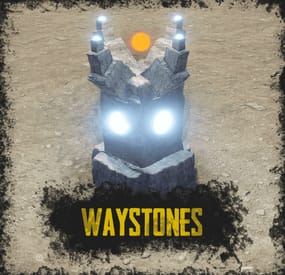
Waystones
By ThePitereq in Plugins
RUST Plugin Test Server
TEST MY PLUGINS THERE!
connect play.thepitereq.ovh:28050
Waystones plugin gives you the ability to quickly move from one position to another.
It creates a waystone on desired monuments that can be used by players for quick movement around the map.
It also allows players for creating their own waystones in their homes.
Automatically place waystones on monuments for player teleportation. Supports waystones in player bases with ground, wall and empty space checks. Custom monument support. Configurable marker on map. Easy command waystone placement. Optional command for waystone crafting. RUST-like UI design. A lot of VIP permission options. (points gather, max points, max waystones saved) Auto data clear on map wipe. NoEscape PvP support. Pre-configured default RUST monuments.
waystones.admin - Gives access to /placeway, tppoints and givewaystone commands. waystones.craft - Gives ability to craft waystone. (Configurable) Any other permission added in config file.
/waystone - Command to craft waystone. (Configurable) /placeway [Optional: MonumentName] - Sets new position for nearest [set] monument waystone. /placestaticway <name> - Sets new position for <name> static waystone. Displayed name of waystone can be changed in settings. tppoints - Command for giving teleport points to players. (Console Command) givewaystone [Optional: userId] - Gives you [user] an waystone for placement. (Console Command)
{ "PopUpAPI Preset Name": "Inventory", "Waystone Craft Command": "waystone", "Waystone Placeable Shortname": "composter", "Waystone Placeable Display Name": "Waystone", "Waystone Marker - Enabled": true, "Waystone Marker - Marker Alpha": 0.7, "Waystone Marker - Marker Radius": 0.05, "Waystone Marker - Marker Color #1": "#ffd342", "Waystone Marker - Marker Color #2": "#a38729", "Waystone Marker - Enable On Monuments": true, "Waystone Marker - Show Player Waystones By Default": false, "Waystone Marker - Lock Player Waystone Visibility Change": false, "Waystone Crafting - Enable Crafting": true, "Waystone Crafting - Require Permission": true, "Waystone Crafting - Required Workbench Level": 2, "Waystone Crafting - Craft Cost": [ { "Shortname": "stones", "Amount": 5000, "Skin": 0 }, { "Shortname": "targeting.computer", "Amount": 10, "Skin": 0 }, { "Shortname": "industrial.wall.light", "Amount": 4, "Skin": 0 }, { "Shortname": "industrial.wall.light.red", "Amount": 1, "Skin": 0 } ], "NoEscape - Lock Teleporting When PvP Blocked": true, "NoEscape - Lock Teleporting When Raid Blocked": true, "Teleport Cost Per Kilometer": 25.0, "Initial Point Amount": 100, "Initial Point Amount Permissions": { "waystones.admin": 1000, "waystones.svip": 500, "waystones.vip": 250 }, "Teleport Points Default Cap": 1000, "Teleport Points Cap Permissions": { "waystones.admin": 100000, "waystones.svip": 5000, "waystones.vip": 2500 }, "Teleport Points Refill Interval (in seconds, 0 to disable)": 60.0, "Teleport Points Refill Amount": 2, "Teleport Points Refill Amount Permissions": { "waystones.admin": 20, "waystones.svip": 5, "waystones.vip": 3 }, "Max Waystones Saved Default Cap": 6, "Max Waystones Saved Permissions": { "waystones.admin": 100, "waystones.svip": 18, "waystones.vip": 12 }, "God Mode After Teleport (in seconds, 0 to disable)": 0.0, "Waystone Destroy Entity Names": [ "rocket_basic", "explosive.timed.deployed" ], "Generate New Map Market Config Sections": true, "Map Marker Waystones": { "arctic_research_base_a": { "Enabled": true, "Offset": { "x": -34.46, "y": 0.0, "z": -54.53 }, "Rotation": { "x": 0.0, "y": 24.0, "z": 0.0 }, "Teleport Price Multiplier": 1.0 }, "fishing_village_a": { "Enabled": true, "Offset": { "x": 19.59, "y": 1.99, "z": -10.79 }, "Rotation": { "x": 0.0, "y": 0.33, "z": 0.0 }, "Teleport Price Multiplier": 0.3 }, "fishing_village_b": { "Enabled": true, "Offset": { "x": -6.4, "y": 2.0, "z": 15.36 }, "Rotation": { "x": 0.0, "y": 180.4, "z": 0.0 }, "Teleport Price Multiplier": 0.3 }, "fishing_village_c": { "Enabled": true, "Offset": { "x": -7.62, "y": 2.02, "z": 16.37 }, "Rotation": { "x": 0.0, "y": 178.85, "z": 0.0 }, "Teleport Price Multiplier": 0.3 }, "ferry_terminal_1": { "Enabled": true, "Offset": { "x": 11.35, "y": 5.19, "z": 7.14 }, "Rotation": { "x": 0.0, "y": 86.81, "z": 0.0 }, "Teleport Price Multiplier": 1.0 }, "harbor_1": { "Enabled": true, "Offset": { "x": 100.56, "y": 4.28, "z": -59.3 }, "Rotation": { "x": 0.0, "y": 273.79, "z": 0.0 }, "Teleport Price Multiplier": 1.0 }, "harbor_2": { "Enabled": true, "Offset": { "x": -54.15, "y": 4.02, "z": -0.02 }, "Rotation": { "x": 0.0, "y": 88.02, "z": 0.0 }, "Teleport Price Multiplier": 1.0 }, "airfield_1": { "Enabled": true, "Offset": { "x": -163.78, "y": 0.26, "z": -104.47 }, "Rotation": { "x": 0.0, "y": 3.34, "z": 0.0 }, "Teleport Price Multiplier": 1.0 }, "excavator_1": { "Enabled": true, "Offset": { "x": -94.42, "y": 0.61, "z": -57.44 }, "Rotation": { "x": 0.0, "y": 138.7, "z": 0.0 }, "Teleport Price Multiplier": 1.0 }, "military_tunnel_1": { "Enabled": true, "Offset": { "x": -76.77, "y": 19.47, "z": 63.1 }, "Rotation": { "x": 0.0, "y": 91.46, "z": 0.0 }, "Teleport Price Multiplier": 1.0 }, "powerplant_1": { "Enabled": true, "Offset": { "x": -40.84, "y": 0.29, "z": -89.01 }, "Rotation": { "x": 0.0, "y": 90.4, "z": 0.0 }, "Teleport Price Multiplier": 1.0 }, "trainyard_1": { "Enabled": true, "Offset": { "x": -82.86, "y": 0.28, "z": 15.5 }, "Rotation": { "x": 0.0, "y": 91.62, "z": 0.0 }, "Teleport Price Multiplier": 1.0 }, "water_treatment_plant_1": { "Enabled": true, "Offset": { "x": -5.19, "y": 0.28, "z": -152.01 }, "Rotation": { "x": 0.0, "y": 0.08, "z": 0.0 }, "Teleport Price Multiplier": 1.0 }, "lighthouse": { "Enabled": true, "Offset": { "x": 2.3, "y": 5.96, "z": 13.91 }, "Rotation": { "x": 0.0, "y": 84.95, "z": 0.0 }, "Teleport Price Multiplier": 1.0 }, "bandit_town": { "Enabled": true, "Offset": { "x": 27.92, "y": 1.76, "z": -21.08 }, "Rotation": { "x": 0.0, "y": 20.9, "z": 0.0 }, "Teleport Price Multiplier": 0.1 }, "compound": { "Enabled": true, "Offset": { "x": 14.35, "y": 0.19, "z": 32.57 }, "Rotation": { "x": 0.0, "y": 92.0, "z": 0.0 }, "Teleport Price Multiplier": 0.1 }, "junkyard_1": { "Enabled": true, "Offset": { "x": 48.98, "y": 0.07, "z": 46.16 }, "Rotation": { "x": 0.0, "y": 190.78, "z": 0.0 }, "Teleport Price Multiplier": 1.0 }, "nuclear_missile_silo": { "Enabled": true, "Offset": { "x": 41.7, "y": -5.91, "z": -58.81 }, "Rotation": { "x": 0.0, "y": 322.75, "z": 0.0 }, "Teleport Price Multiplier": 1.0 }, "radtown_small_3": { "Enabled": true, "Offset": { "x": -46.11, "y": 19.79, "z": -48.73 }, "Rotation": { "x": 0.0, "y": 82.24, "z": 0.0 }, "Teleport Price Multiplier": 1.0 }, "desert_military_base_a": { "Enabled": true, "Offset": { "x": 26.62, "y": 0.0, "z": -41.89 }, "Rotation": { "x": 0.0, "y": 359.57, "z": 0.0 }, "Teleport Price Multiplier": 1.0 }, "desert_military_base_b": { "Enabled": true, "Offset": { "x": -45.48, "y": 0.0, "z": -21.53 }, "Rotation": { "x": 0.0, "y": 80.83, "z": 0.0 }, "Teleport Price Multiplier": 1.0 }, "desert_military_base_c": { "Enabled": true, "Offset": { "x": -44.95, "y": 0.0, "z": 9.5 }, "Rotation": { "x": 0.0, "y": 89.92, "z": 0.0 }, "Teleport Price Multiplier": 1.0 }, "desert_military_base_d": { "Enabled": true, "Offset": { "x": -63.3, "y": 0.0, "z": 2.77 }, "Rotation": { "x": 0.0, "y": 89.52, "z": 0.0 }, "Teleport Price Multiplier": 1.0 }, "gas_station_1": { "Enabled": true, "Offset": { "x": 6.77, "y": 3.03, "z": -10.93 }, "Rotation": { "x": 0.0, "y": -180.04, "z": 0.0 }, "Teleport Price Multiplier": 1.0 }, "radtown_1": { "Enabled": true, "Offset": { "x": 49.19, "y": 0.24, "z": 10.03 }, "Rotation": { "x": 0.0, "y": 180.21, "z": 0.0 }, "Teleport Price Multiplier": 1.0 }, "supermarket_1": { "Enabled": true, "Offset": { "x": -1.26, "y": 0.0, "z": -18.49 }, "Rotation": { "x": 0.0, "y": 0.29, "z": 0.0 }, "Teleport Price Multiplier": 1.0 }, "warehouse": { "Enabled": true, "Offset": { "x": -18.34, "y": 0.03, "z": -8.99 }, "Rotation": { "x": 0.0, "y": 90.56, "z": 0.0 }, "Teleport Price Multiplier": 1.0 }, "mining_quarry_a": { "Enabled": true, "Offset": { "x": 10.34, "y": 3.6, "z": 24.88 }, "Rotation": { "x": 0.0, "y": 81.5, "z": 0.0 }, "Teleport Price Multiplier": 1.0 }, "mining_quarry_b": { "Enabled": true, "Offset": { "x": 0.8, "y": 0.0, "z": 12.63 }, "Rotation": { "x": 0.0, "y": 159.67, "z": 0.0 }, "Teleport Price Multiplier": 1.0 }, "mining_quarry_c": { "Enabled": true, "Offset": { "x": -11.03, "y": 2.99, "z": 32.86 }, "Rotation": { "x": 0.0, "y": 171.85, "z": 0.0 }, "Teleport Price Multiplier": 1.0 }, "satellite_dish": { "Enabled": true, "Offset": { "x": -0.94, "y": 6.05, "z": -1.25 }, "Rotation": { "x": 0.0, "y": 187.49, "z": 0.0 }, "Teleport Price Multiplier": 1.0 }, "sphere_tank": { "Enabled": true, "Offset": { "x": -33.94, "y": 5.76, "z": -12.03 }, "Rotation": { "x": 0.0, "y": 78.7, "z": 0.0 }, "Teleport Price Multiplier": 1.0 }, "stables_a": { "Enabled": true, "Offset": { "x": 19.44, "y": 3.05, "z": -2.58 }, "Rotation": { "x": 0.0, "y": 271.67, "z": 0.0 }, "Teleport Price Multiplier": 0.5 }, "stables_b": { "Enabled": true, "Offset": { "x": 16.64, "y": 2.99, "z": 2.14 }, "Rotation": { "x": 0.0, "y": 271.24, "z": 0.0 }, "Teleport Price Multiplier": 0.5 }, "launch_site_1": { "Enabled": true, "Offset": { "x": 208.42, "y": 3.25, "z": 54.73 }, "Rotation": { "x": 0.0, "y": 181.44, "z": 0.0 }, "Teleport Price Multiplier": 1.0 } } }
- #teleport
- #teleporting
- (and 14 more)
-
![More information about "Dynamic Monuments [Jungle Bundle]"](https://codefling.com/cdn-cgi/image/width=285,height=275,quality=80,fit=cover,format=webp/https://codefling.com/uploads/monthly_2026_02/adem_prev_aztec_prev.thumb.jpg.33a76c6b835053171351d3129d5bbe88.jpg)
$39.99
Dynamic Monuments [Jungle Bundle]
‼️Note: This is an add-on, not a standalone plugin. It requires the Dynamic Monuments plugin to be installed (sold separately).
🌴Enhance your Rust world with Jungle Bundle — a rich and immersive monument pack for the Dynamic Monuments plugin!
Explore dense jungle environments and mysterious ancient sites, or configure them to appear in any biome you prefer.
Included in the addon:
7 land monuments 1 coastal location 1 dam 2 modified in-game locations Player-placeable locations:
The Mayan Pyramid The Tree House Eye of the Jungle Eclipse Fort Bone Cape The Ancient Dam Installation Instructions:
Make sure you have the latest version of the Dynamic Monuments plugin installed Move the contents of the data/DynamicMonuments folder from the archive you downloaded into the oxide/data/DynamicMonuments folder on your server Reload the plugin
Check out the rest of my work: Adem's Codefling Library
Join the Mad Mappers Discord!
-
$9.90
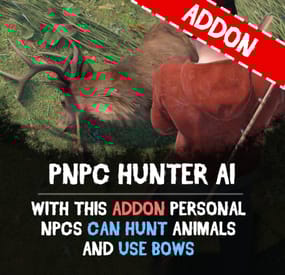
PNPC Hunter AI Addon
Unleash the wild side of your NPCs with the PNPC Hunter AI Addon — it allows your NPCs to hunt, harvest animals and use bows/crossbows.
🦌 Features:
🎯 Automated Hunting
• Activate hunting mode with "/pnpc hunting" command.
• Your NPC will scan the area for animals within a set radius and start to hunt animals.
🤖 Combat & Harvesting
• Adds bow and crossbow support for PNPCs.
• After the kill, bot will automatically harvest the animal if equipped with needed tools (e.g., bone knife, combat knife).
⚙️ Customization & Control
• Configure hunt radius for target detection.
• Specify which tools and weapons are allowed to use for hunting and harvesting.
🧭 How to Use:
1️⃣ Spawn your Personal NPC and equip it with allowed weapon.
2️⃣ Optionally provide a harvesting tool for resource collection.
3️⃣ Use /pnpc hunting to start the hunting mode.
4️⃣ Your NPC will hunt, kill, and harvest nearby animals!
📜 Requirements:
• PersonalNPC Plugin
📺 See it in Action! Watch the Video
🛠️ Configuration:
{ "Hunting radius": 100.0, "Allowed weapons for hunting (shortnames)": [ "bow.compound", "crossbow", "bow.hunting", "legacy.bow", "minicrossbow", "rifle.ak" ], "Allowed tools for hunting (shortnames)": [ "knife.bone", "knife.butcher", "knife.combat", "knife.bone.obsidian", "knife.skinning", "sunken.knife" ] } -

$20.00
Detective Stewie
The NpcDetective plugin adds a detective named Stewie, standing in the outpost and bandit camp.
Detective for a specified fee through time will send information about the location of the player, but there is a chance that the detective will not be able to find him, as well as that the target will feel the gaze of the detective directed at him.
The plugin is aimed at PVP content and will definitely be of interest to your players who love battles, because they will be able to find out the whereabouts of the obitchik or if they are lucky to find out where his house is, which will allow them to raid him.
Some details of the default plugin settings:
There are 2 spawn points on the monuments, in the outpost and the bandit camp. Default mission completion time is 5 to 10 minutes. Chance of mission failure - 30% Chance that the target will feel the detective's gaze - 10%. Kulldown 10 minutes Price for the service is 200 scrap Features:
The plugin supports 4 types of economics namely Economics, ServerRewards, IQEconomics, Items Has completely identical UI that Rust uses for conversations as well as for player selection. The UIs have been replicated from scratch and do not require extra dependencies. It has dialogs already ready to use. Provides the ability to translate each of the plugin texts, including the name of the bot above. A wide range of mission settings, including the chances of a variety of events, which greatly fuels interest. The plugin is immediately ready to use without further customization. Permissions:
npcdetective.allow - allows you to use the services of NPCs Commands:
getnpcpos - allows you to get a spawn point for an NPC, relative to a monument or world (in this case specified as "custom”)
Video:
Default Config:
{ "Spawn Points": { "assets/bundled/prefabs/autospawn/monument/medium/compound.prefab": "-26.38629 0.2249966 -20.25003 -6.138487 245.2638 7.046678", "assets/bundled/prefabs/autospawn/monument/medium/bandit_town.prefab": "42.65682 7.059561 -31.20314 8.198808 329.3285 7.740015" }, "Payment Settings": { "Provider (Economics | ServerRewards | IQEconomics | Item)": "Item", "Provider Currency Name": "scrap", "[Item Provider] Short Name": "scrap", "[Item Provider] Skin ID": 0, "Price of search service": 200 }, "Mission Properties": { "Information Accuracy Type (Mark | Grid)": "Mark", "Lead Time Range Min (in seconds)": 300.0, "Lead Time Range Max (in seconds)": 600.0, "Cooldown in seconds": 600.0, "Chance of mission failure (0-100%)": 30.0, "Сhance that the target will sense the presence (0-100%)": 10.0 } }
-

$22.00
Jet Event
Random jets that fly around the map shooting off nukes and crash with some loot.
Permissions
jetevent.admin
Commands
jet - Displays command usage
You can use Custom Loot from here to populate the heli_crates
{ "Jet Settings": { "Chat Command": "jet", "Use Random Timer": false, "Random Timer In Minutes": 60, "Random Timer chance 1-100": 20, "Total Jets To Spawn": 15, "Jet Lifetime In Minutes": 5, "Total Nukes The Jet Can Fire": 3, "Jet Altitude (Recommended 360.0 or above)": 360.0, "Allow nuke damage to BuildingBlocks": true, "Disable Map Marker": false, "Use nuke fog effect on close by players": false }, "Radiation Settings": { "Use Radiation": true, "Radiation Radius": 50.0, "Radiation Amount": 10.0, "The Lifetime Of The Radiation Pocket In Minutes": 5 }, "Crash Settings": { "Use Jet Crashes": true, "Total Plains To Crash": 2, "Spawn Dead Pilot": true, "How Many Loot Crates On Crash": 3, "Crates On Fire For x Seconds": 180, "Crate Loot From CustomLoot Profile Name": [], "Crate Loot Table File Name And Total Item Slots To Use": { "CrateLoot": 5 } }, "TruePVE Settings": { "Create PVP Zone Around Crash Site Using ZoneManager And TruePVE Mapping Name": "", "Create Visual Dome Around Zone": false, "Zone Radius - 0.0 Disables Zone And Dome": 50.0, "LifeTime Of The Zone In Minutes": 60, "Zone Enter Message": "You have Entered A PVP Zone", "Zone Exit Message": "You have Left A PVP Zone" }, "Nuke Player Settings": { "Jet Altitude (Recommended 360.0 or above)": 360.0, "Use Radiation": false, "Radiation Radius": 50.0, "Radiation Amount": 10.0, "The Lifetime Of The Radiation Pocket In Minutes": 5, "Allow nuke damage to BuildingBlocks": true, "Use Explosion effect (Calling in more then 10 planes to one location this may cause fps lag if enabled)": false, "Use nuke fog effect on close by players": false }, "Send In Npc BackUp Settings": { "Total Defenders": 6, "Total Time In Minutes Defender Will Stay": 60, "Crash Site Npc Configs": [ { "Spawn Health Of The Defender": 100.0, "Weapon Damage Scale Default 1.0": 1.0, "Defenders aimConeScale default 2.0": 2.0, "Names To Give The Defenders": [ "Pvt. Harris", "Pvt. Hobbs", "Pvt. Fiske", "Pvt. Carter", "Pvt. Mackenzie", "Pvt. Quinn", "Pvt. Wright", "Pvt. Baird", "Pvt. Marshall", "Pvt. O'Malley", "Pvt. McElroy", "Pvt. Grimes", "Pvt. McGovern", "Pvt. McGinnis", "Pvt. Foley", "Pvt. Morgan", "Pvt. McEvoy", "Pvt. Gunderson", "Pvt. Hammarsten", "Pvt. Jenkins", "SGT. Tosh", "SGT. Waugh", "SGT. Stoughton", "SGT. Cooper", "SGT. Crockett", "SGT. Jackson", "SGT. Hamilton", "SGT. Jefferson", "SGT. Wilson", "SGT. Lane", "SGT. Jameson", "SGT. Nuttall", "SGT. Gentry", "SGT. Gillespie", "SGT. Pike" ], "Defenders Drop Loot": false, "Spawn Kits For The Defenders": [], "Keep Kit Items On Defender Corpse": false, "Remove Kit Weapon On Defender Corpse Spawn": false, "Lock Wear Slots On Defender Corpse Spawn": false, "Loot From CustomLoot Profile Name": [], "Loot Table Data File Name And Total Item Slots To Use": { "Default": 5 } }, { "Spawn Health Of The Defender": 110.0, "Weapon Damage Scale Default 1.0": 1.0, "Defenders aimConeScale default 2.0": 2.0, "Names To Give The Defenders": [ "Pvt. Harris", "Pvt. Hobbs", "Pvt. Fiske", "Pvt. Carter", "Pvt. Mackenzie", "Pvt. Quinn", "Pvt. Wright", "Pvt. Baird", "Pvt. Marshall", "Pvt. O'Malley", "Pvt. McElroy", "Pvt. Grimes", "Pvt. McGovern", "Pvt. McGinnis", "Pvt. Foley", "Pvt. Morgan", "Pvt. McEvoy", "Pvt. Gunderson", "Pvt. Hammarsten", "Pvt. Jenkins", "SGT. Tosh", "SGT. Waugh", "SGT. Stoughton", "SGT. Cooper", "SGT. Crockett", "SGT. Jackson", "SGT. Hamilton", "SGT. Jefferson", "SGT. Wilson", "SGT. Lane", "SGT. Jameson", "SGT. Nuttall", "SGT. Gentry", "SGT. Gillespie", "SGT. Pike" ], "Defenders Drop Loot": false, "Spawn Kits For The Defenders": [], "Keep Kit Items On Defender Corpse": false, "Remove Kit Weapon On Defender Corpse Spawn": false, "Lock Wear Slots On Defender Corpse Spawn": false, "Loot From CustomLoot Profile Name": [], "Loot Table Data File Name And Total Item Slots To Use": { "Default": 5 } } ] }, "Version": { "Major": 1, "Minor": 7, "Patch": 2 } }