
MACHIN3
-
Posts
627 -
Joined
-
Last visited
-
Days Won
5
Content Type
Profiles
Warranty Claims
Downloads
Forums
Store
Services
Downloads Plus Support
DOWNLOADS EXTRA
Everything posted by MACHIN3
-
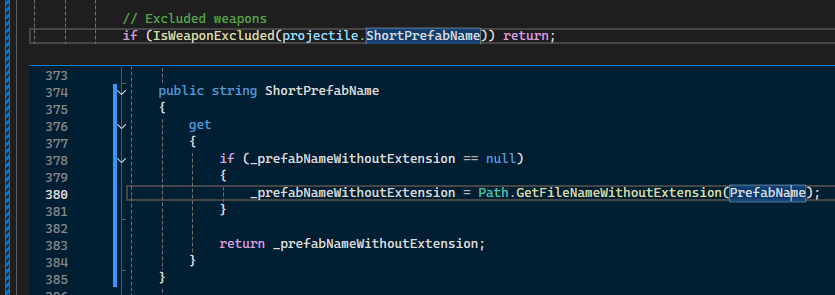
the reload hooks use projectile.ShortPrefabName instead of normal item prefab names. This would probably match closer to the Prefab list here: https://www.corrosionhour.com/rust-prefab-list/

-
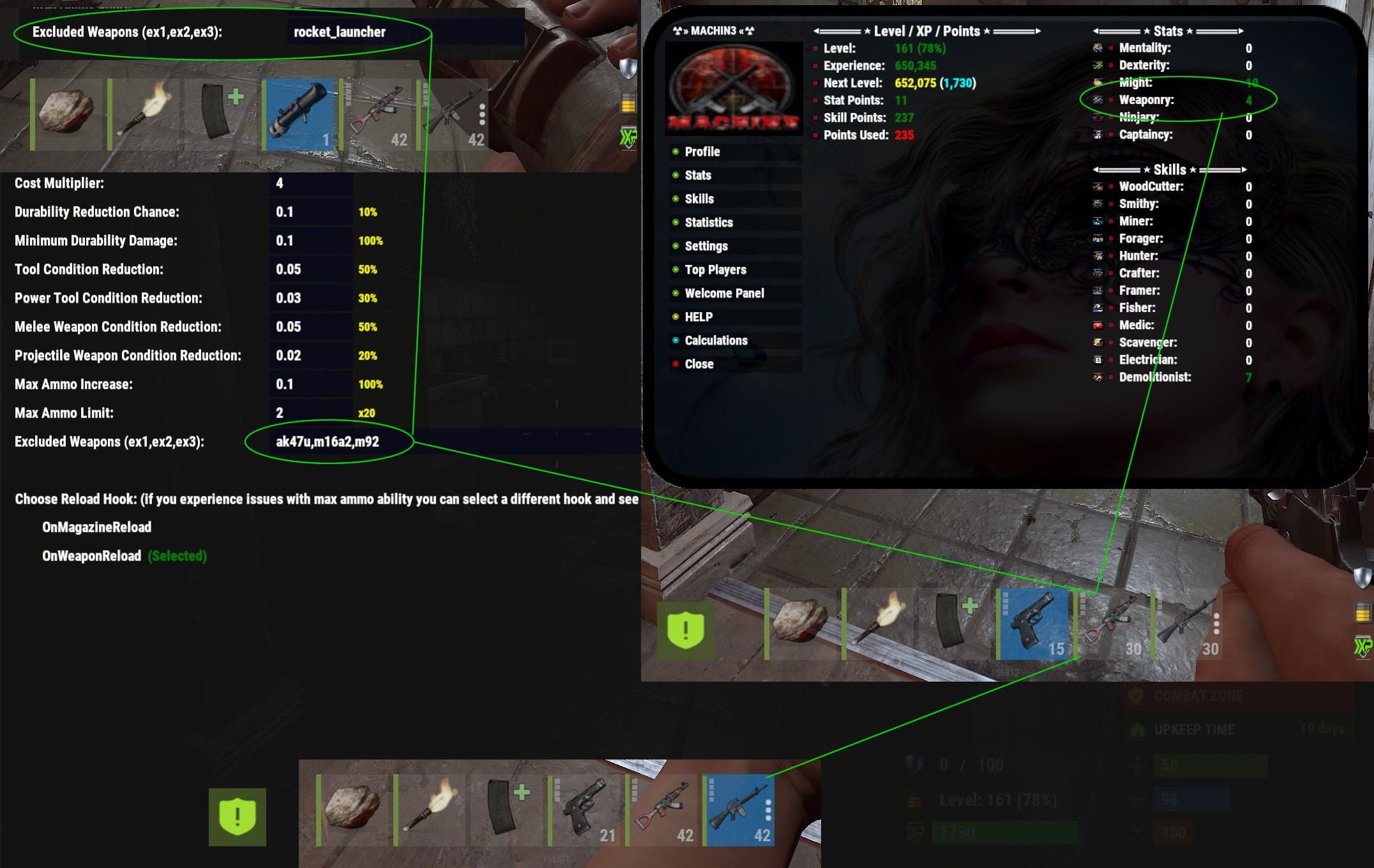
Make sure you have the weapon shortname correct. I tested it with several weapons and works including the Rocket launcher.
-
Changed Status from Work in Progress to Fixed
-
Changed Fixed In to Next Version
-
Changed Status from Pending to Work in Progress
-

Suggestion: Only teleport when sleeping xx hours or more
MACHIN3 replied to ToliburtiX's Support Report in Support
Changed Status from Pending to Work in Progress -
Suggestion: Only teleport when sleeping xx hours or more
MACHIN3 replied to ToliburtiX's Support Report in Support
I have an untested version ready if you want to try it out. Join our discord and submit a ticket there and I will upload it to you to test out. -
Suggestion: Only teleport when sleeping xx hours or more
MACHIN3 replied to ToliburtiX's Support Report in Support
ok I think I got you. Your just wanting a timestamp added to every player and when the command is ran just ignore players with a timestamp that is x seconds from the time that command is ran. -
Suggestion: Only teleport when sleeping xx hours or more
MACHIN3 replied to ToliburtiX's Support Report in Support
I had to go back and look at this one but your right, It already does have a data file, I was wrong lol. I haven't messed with this one in some time I was thinking it was something a bit more simple but like my other plugins I left room for improvement and your suggestion might can work. The 24 hour delay or timer will be the trick. I have to be able to either tell the system to run the command for each player after xx seconds (or 24 hours) when they log out which requires a timer to be set when the player logs out or do a random scan every xx seconds for sleepers that are outside with a timestamp longer than xx seconds.. The random check every so often would probably be best for system performance -
Suggestion: Only teleport when sleeping xx hours or more
MACHIN3 replied to ToliburtiX's Support Report in Support
For something like this it would require record keeping and data files which this plugin doesn't do. I would have to store logout times for each player to know exactly when they logged out and then have either a timer running or a constant check every x amount of mins for sleepers with a recorded timestamp that's greater than the set time limit. This would change this plugin greatly from a simply sleeper mover to a sleeper tracker.. -
After this update it automatically downloads all images to your server and updates the URLs to local. check your settings to make sure it's update correct and you may need to reload Image Library or refresh the data files in Image Library
-
Changed Status from Pending to Work in Progress
-
Does the chat command to move them back manually work? See if it saved the player locations and that the first option (enable) is also true
-
A) Square: 1. Set the area type to square by typing "/stsetting areatype square" in chat 2. Stand in each corner 1 at a time and type the "/marker 1-4" commands for each corner. The order does not matter 3. Once all 4 markers are set then use chat command "/marker update" to allow the system to generate the min/max location values 4. Then save all current markers and settings by typing "/marker save" in chat 5. Now you must define the limits in the square area. Set the height to auto/random & height adjustment /stsetting autoheight on/off - on will detect terrain height and place player on the ground, off will use random height from the 4 markers /stsetting height # - adds x to the height to make sure players do not spawn in foundations Make sure you adjust the height, sometimes the auto height can do this and spawn in foundations or level with the ground so you can add x amount to make sure players are spawned above this.
-
you update by replacing the .cs file and it will overwrite and reload like most plugins. XPerience is a large .cs file and some have reported issues like this when downloading. Usually downloading it from umod or our discord works even though it's the same file and others have no issues. The file gets corrupted
-
v1.3.902 is for the latest Oxide and will not work on Carbon. v1.3.900 will work on Carbon
-
This sounds like a corrupted download, make sure you turn off any VPNs when downloading as it can effect the files. If this continues you can download the update from our discpord
-
Issue with XPerience.cs compilation on Carbon - Missing MySqlConnector (CS0246)
MACHIN3 replied to K9N_Twitch's Support Report in Support
Loading the previous version of XPerience for now should work until Carbon supports MySqlConnector -
It appears that Oxide has updated to use MySqlConnector; but Carbon does not support this at this time. This may be something they update to. With Carbon you might be able to load a previous version if Kill Reccords until Carbon supports MySqlConnector;
-
Make sure you have the latest Oxide version This update was to support the latest Oxide version which changed from using MySql.Data.MySqlClient; to using MySqlConnector; - which is what XPerience is originally designed for. If your using Carbon this might be something Carbon needs to update to as well.
-
Issue with XPerience.cs compilation on Carbon - Missing MySqlConnector (CS0246)
MACHIN3 replied to K9N_Twitch's Support Report in Support
This update was to support the latest Oxide version which changed from using MySql.Data.MySqlClient; to using MySqlConnector; - which is what XPerience is originally designed for. This might be something Carbon needs to update to as well. -
Changed Status from Work in Progress to Fixed Changed Fixed In to 1.3.902
-
Changed Status from Pending to Work in Progress
-
 I have moved them to a more reliable location. I host them myself, that is what the local option is for. Once you setup your server to local host (which I have it auto detect but the instructions are there for verification and troubleshooting) your server will download them automatically from my host to yours and then your server will have them. Then you will no longer have to rely on a remote server period for the images as they will be on your server. The fastest rendering you could have. You don't have to change the URLs or anything as it will do that automatically as well.
 -
This plugin is not an out-of-box ready to go plugin. This is why is has an ingame admin panel with live adjustments and is highly recommended to setup on a test server first to get the correct environment you want. This plugin changes way too much in the game to have a basic ready to go default. If changing the images from remote to local within the ingame UI is too much then this is definitely not the plugin for you as the settings pages and amount of adjustments are far more detailed