
ninco90
-
Posts
775 -
Joined
-
Last visited
-
Days Won
5
Content Type
Profiles
Warranty Claims
Downloads
Forums
Store
Services
Downloads Plus Support
DOWNLOADS EXTRA
Reels
Everything posted by ninco90
-
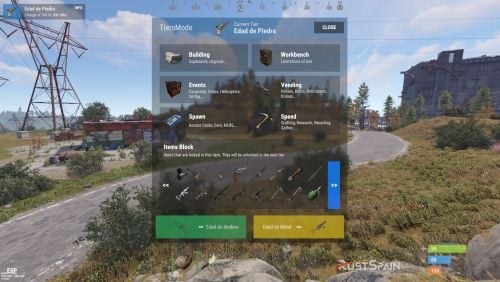 You can also block his crafting. But it cannot be removed from the game's crafting menu, since that is client-side.
 -
Checking your configuration file, you have set: "ID Item Default": 1, However, there is no item with "ID": 1, configured. You will have to modify the ID of an existing item or simply change "Default Item ID": To an existing ID. Example: "Default Item ID": 95, Maybe this is your problem, since the plugin tries to open the item by default but it does not exist.
-
Does the same thing happen when you try to open it with the chat command? /craft What do you have set in the config: ID Item Default ? Does the id established there really exist?
-
They have released an update to the server and oxide, can you confirm if once updated it continues to happen?
-
Hello! Not as such, it is preferable that you disable the container skin completely. We had to do it on my server for the same reason. This skin has so many details that it lowers the client's performance in large builds.
-
Don't you have any other plugins that could affect builds? Add me on discord and we'll see it with more details if you want. The reports I received about it were due to Building Skin, but with the patch I made it seemed to be solved. Maybe some kind of conflict will arise with another plugin.
-
Changed Status from Pending to Closed
-
New Update: I have had to disable the button that appears from being picked up. Because if you don't pick up the button with the hammer, it won't let you pick up the workbench.
-
 Hello! When images appear like this it is because Image Library was unable to download the images correctly. I would recommend resetting the image library cache by running its cleanup command and then reloading the plugins that use Image Library to download images again, including BetterTC. This should solve it.
 -
Changed Status from Pending to Not a Bug
-
Changed Status from Pending to No Response
-
I seem to remember that if you put it to work and then continue increasing the base, the new constructions are not added to the queue of entities to improve. So yes, you will have to stop and restart the process. At the optimization level, it is preferable to do a stop/run manually before adding new entities to the base.
-
If you are also using BuildingSkins from umod, try this modification I made, it should solve it. You tell me! BuildingSkins.cs
-
Can you show me what happens? I think I know what you mean, but I need to see it.
-
Changed Status from Pending to Closed
-
It is likely that in constructions with multitc this can happen. Since the entities are assigned to a specific cabinet (normally) and when several cabinets are connected, what really happens is a bug. Above all, you have to be careful if you use other plugins like TiersMode, or other similar build level plugins. If it happens to you again, tell me.
-
Was that construction made by the same player who is upgrading it?
-
Do you have other plugins that may affect the build?
-
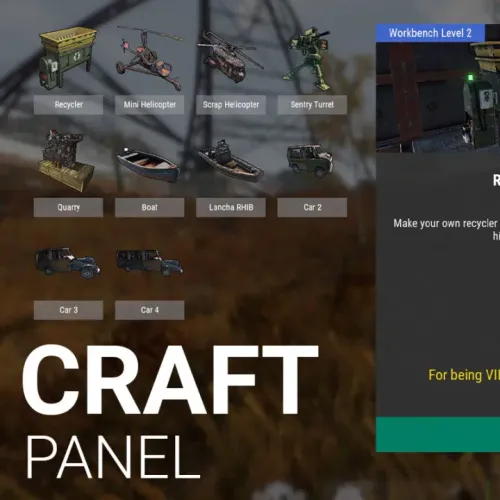 Correct. Craft Panel is nothing more than a "direct access" to the creation of items from other plugins. Although you can also give items from the normal game. You can add as many items as you need. In the plugin I give several options as an example, but you can add more options by configuring the details and command correctly.
 -
Hello! What item are you crafting? If it is a custom item, do you have the plugin for said item?