
Jump to content

kaysharp

Creator
  • Posts

    409
  • Joined

  • Last visited

Everything posted by kaysharp

  1. No its not. Reload Image library and check console for any errors .
  2. kaysharp

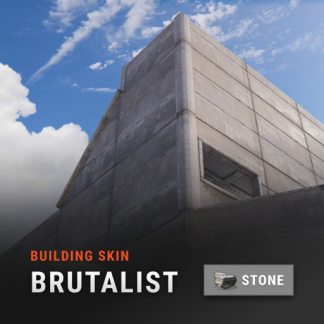
    Building Skins

    Delete the old config file, if you did delete the old data file.
  3. You need to download Image library https://umod.org/plugins/image-library
  4. kaysharp

    Building Skins

    Delete old config and data files.
  5. kaysharp

    Building Skins

    I'll fix this in the next update.
  6. kaysharp

    Building Skins

    Unload the plugin , delete data file then reload it.
  7. can post the config file
  8. I didn't change any thing related to command or permissions. its the same code as before. I've installed fresh server and everything is working fine. Update oxide and your plugins.
  9. kaysharp

    not working

    Changed Status from Pending to Closed
  10. kaysharp

    Error

    try deleting building skins data file. I just can't understand why only you facing this issue.
  11. kaysharp

    Error

    send the config file.
  12. kaysharp

    not working

    Unload the plugin -> delete config file -> load it again.
  13. kaysharp

    Building skins

    Everything is working fine on my server
  14. kaysharp

    Building skins

    Can you send me a video of that bug or your server IP?
  15. kaysharp

    Error

    Did you delete the old config file before updating?
  16. kaysharp

    Brick skin

    Changed Status from Pending to Closed Changed Fixed In to 1.1.2
  17. Changed Status from Pending to Closed Changed Fixed In to 1.1.2
  18. Changed Status from Pending to Closed Changed Fixed In to 1.1.2
  19. kaysharp

    Issue I found with this

    Try unloading plugins one by one too find witch one is conflicting with Tugboat Warfare and can you give me list of all plugins installed on your server?

  20. kaysharp

    Issue I found with this

    .what do you mean bu it fails? Is there a compiling error?
  21. kaysharp

    Issue I found with this

  22. kaysharp

    Issue I found with this

    Everything is working on my server. remove the plugin and config file then reupload it if nothing changes give me your server ip to try.
  23. kaysharp

    Issue I found with this

    Hi, that never happen to me.Can you attach the config file and I'll have a look after work.
  24. Right now its not an event just players go around taking out other tugboat as you said but it will be in the future.
  25. Version 1.0.4

    126 downloads

    Tugboat Warfare takes your waterborne adventures to new heights with exhilarating naval combat. With fully functional cannons and a variety of powerful ammunition options, players can engage in action-packed PvP battles on the open waters. Right now its not an event just players go around taking out other tugboat but it will be in the future. Canons can damage building(Subject to change). Permissions: TugboatWarfare.use - allows player to spawn canons on the tugaboatboat they're looking at. Commands: /scanons spawn: spawn cannons on your tugboat. /scanons remove: remove canons Config If play has multiple ammunition that can be used by the cannon a chat message will be display and write the item name that is going to be used by the canon. Ammo Types: Can be any ammunition availeble in game. you can get items short name from https://www.corrosionhour.com/rust-item-list/ and prefab from https://www.corrosionhour.com/rust-prefab-list/ . Canons Positions: Each canon have its position and rotation. Canon heading: Front => 1 Back left => 2 Back right => 3 { "Toggle Tugboat Cannon Spawning(When enabled, all tugboat will have canons when spawned; when disabled, only players with permission 'use' can access this feature.)": true, "Permission to use tugboat canons": "TugboatWarfare.use", "Ammo Types": [ { "Short Name": "ammo.rocket.basic", "Ammo Prefab": "assets/prefabs/ammo/rocket/rocket_basic.prefab", "Initialize velocity": 15.0, "Enable": true, "Reload Time": 3.0 }, { "Short Name": "ammo.rocket.fire", "Ammo Prefab": "assets/prefabs/ammo/rocket/rocket_fire.prefab", "Initialize velocity": 15.0, "Enable": true, "Reload Time": 3.0 }, { "Short Name": "ammo.rocket.hv", "Ammo Prefab": "assets/prefabs/ammo/rocket/rocket_hv.prefab", "Initialize velocity": 15.0, "Enable": true, "Reload Time": 3.0 }, { "Short Name": "ammo.rocket.mlrs", "Ammo Prefab": "assets/content/vehicles/mlrs/rocket_mlrs.prefab", "Initialize velocity": 50.0, "Enable": true, "Reload Time": 3.0 }, { "Short Name": "ammo.rocket.sam", "Ammo Prefab": "assets/prefabs/npc/sam_site_turret/sam_ammo.prefab", "Initialize velocity": 15.0, "Enable": true, "Reload Time": 3.0 }, { "Short Name": "ammo.grenadelauncher.he", "Ammo Prefab": "assets/prefabs/ammo/40mmgrenade/40mm_grenade_he.prefab", "Initialize velocity": 15.0, "Enable": true, "Reload Time": 3.0 }, { "Short Name": "ammo.grenadelauncher.smoke", "Ammo Prefab": "assets/prefabs/ammo/40mmgrenade/40mm_grenade_smoke.prefab", "Initialize velocity": 15.0, "Enable": true, "Reload Time": 3.0 } ], "Maximum shots before overheating": 3, "Overheat cooldown": 5.0, "Canons Positions": [ { "Canon Positions": { "x": 0.0, "y": 3.0, "z": 11.25 }, "Canon Rotation": { "x": 0.0, "y": 200.0, "z": 0.0 }, "Canon heading": 0 }, { "Canon Positions": { "x": 3.0, "y": 2.5, "z": -8.5 }, "Canon Rotation": { "x": 0.0, "y": -90.0, "z": 0.0 }, "Canon heading": 2 }, { "Canon Positions": { "x": -3.0, "y": 2.5, "z": -8.5 }, "Canon Rotation": { "x": 0.0, "y": -90.0, "z": 0.0 }, "Canon heading": 1 } ], "Tugboat speed multiplier": 2.0, "Tugboat Stearing Scale multiplier": 2.0 }
    $11.99

About Us

Codefling is the largest marketplace for plugins, maps, tools, and more, making it easy for customers to discover new content and for creators to monetize their work.

Downloads
2.5m
Total downloads
Customers
11.2k
Customers served
Files Sold
160.2k
Total sales
Payments
3.4m
Processed total
×
×
  • Create New...

Important Information

We have placed cookies on your device to help make this website better. You can adjust your cookie settings, otherwise we'll assume you're okay to continue.