
-
Posts
213 -
Joined
-
Last visited
-
Days Won
2
Content Type
Profiles
Warranty Claims
Downloads
Forums
Store
Services
Downloads Plus Support
DOWNLOADS EXTRA
Reels
Everything posted by Caroleenje
-
thanks for the fast resolution!
-
Hi, I just got a report from a player. The plugin automatically stacks partially broken items with those with 100% condition (say cards/fuses). If you swipe with the stacked card, it loses the condition. Then you remove it from the stack and stack it back and it fully breaks despite the remaining condition the card still had - that is, using the "Disable Auto Item Condition Merges When Stacked (Feature Toggle)": false option If I flip it to True, it works the same way but repairs the item instead. Is this intended behavior? If they already have items in the inventory with a lower condition, they lose them because of automatic stacking.
-
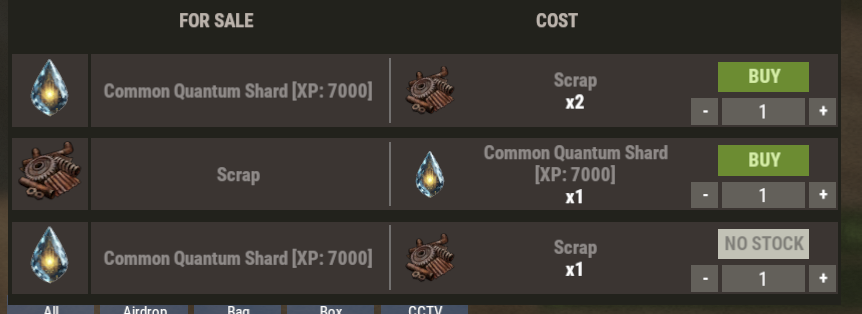
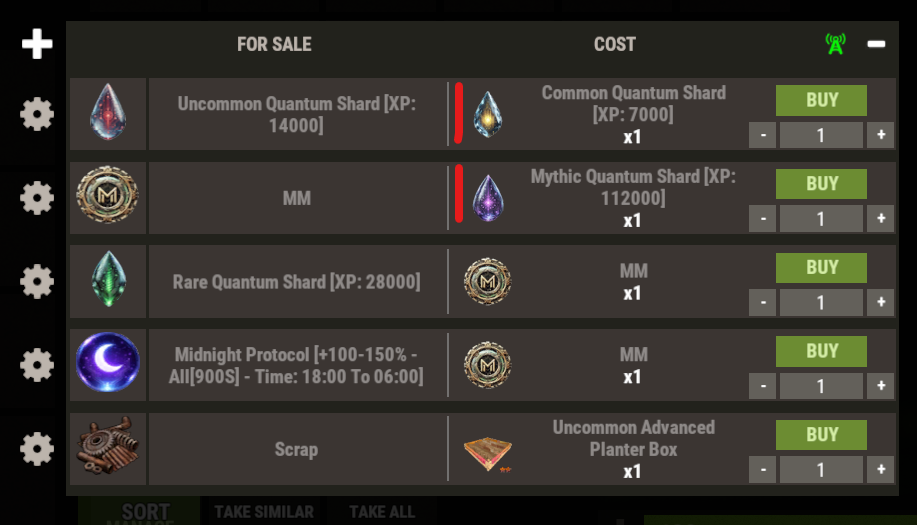
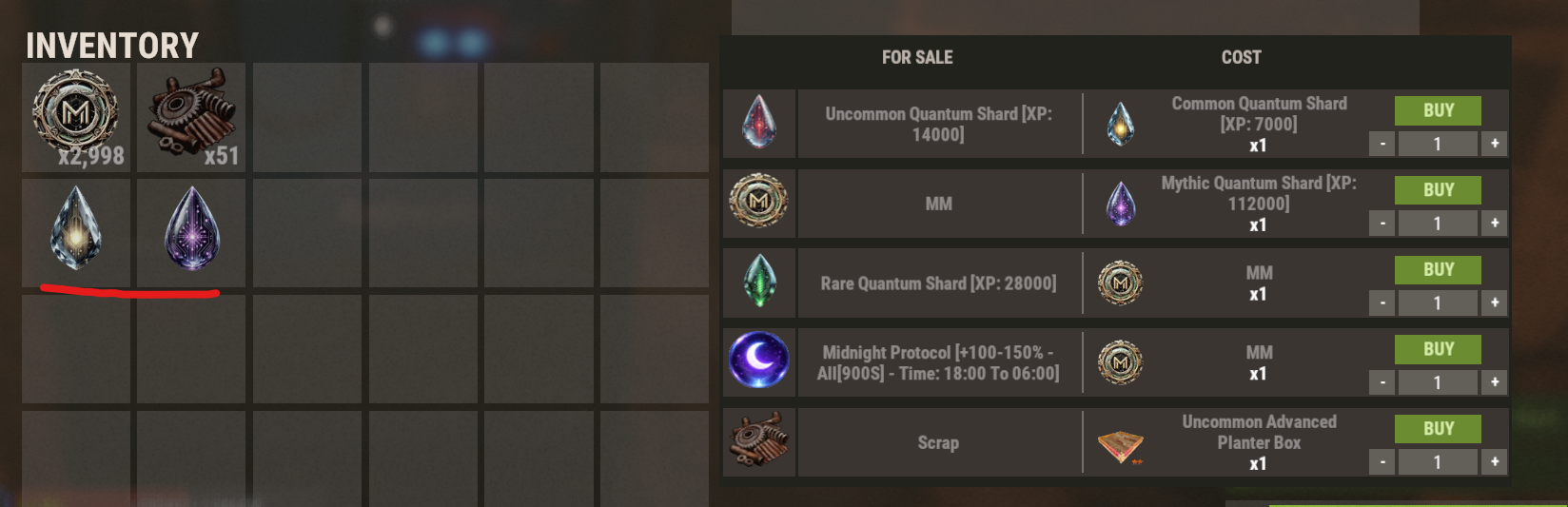
Interesting, the first listing I can purchase without issues. The second one says the same thing: you cannot afford this purchase even though this item is in my inventory. The last listing doesn't recognize the item at all. CustomItemVending.json CustomItemVending_cfg.json

-
"displayName": "Common Quantum Shard [XP: 7000]", I tried setting everything to lowercase and uppercase instead, but that doesn't make any difference, and it still tells me I cannot afford this purchase. Weirdly enough, it worked for almost a year and only stopped working recently. Equally, I have the hardy planters set up with the first letter of each word in uppercase, and those have no issues at all
-
Hi, For some reason, the STIP buffs and XP injections stopped working correctly a few weeks ago - only config change on my part was reducing the duration of buffs. If you list them for sale in exchange for whatever item you want, they work fine with no issues, and you receive the items normally. But if you set the exact same item as the currency/payment, I can't purchase anything and get the pop-up "You cannot afford this purchase," even though I have the required items in my inventory. The settings look correct on my part too, since I haven't changed those at all: CVS: { "currencyType": "Item", "itemID": -1622660759, "skinID": 3329896239, "displayName": "Common Quantum Shard [XP: 7000]", "defaultDisplayName": null, "text": "common quantum shard", "armorSlots": 0, "conditionPercentage": 0.0, "hasCondition": false, "maxStack": 1 }, ______________________________ STIP: "common quantum shard": { "shortname": "xmas.present.large", "skinID": 3329896239, "effects": [ { "min": 7000.0, "max": 7000.0, "type": "XPInjection", "preventXpModifiers": true } ] },
-
Thank you, and no worries! Yeah that is usually the issue that they squeeze 10 towers next to each other, so the chance it ends up in the building blocked is about 99.9 %. If there is any other more reliable solution in the future, that would be great but for now, great that the fire no longer burns again Thanks again!
-
Hi, to lock the crates, I'm using the fire (the code lock often bugged out and couldn't be unlocked) - "Use Fireballs As Chest Lock (...)": true Then I set each fire to last only 1 second so everyone can loot them immediately: "Loot - Fire Lock Time (in seconds)": 1 Since the wipe, the crates burn just like in vanilla, though, and I noticed this error right after the crates spawn: MissingMethodException: Method 'LockedByEntCrate.SetLockingEnt' not found. at System.RuntimeType.InvokeMember (System.String name, System.Reflection.BindingFlags bindingFlags, System.Reflection.Binder binder, System.Object target, System.Object[] providedArgs, System.Reflection.ParameterModifier[] modifiers, System.Globalization.CultureInfo culture, System.String[] namedParams) [0x006e0] in <41d29b352f6a475ab1bf7c6628b82790>:0 at UnityEngine.SetupCoroutine.InvokeMember (System.Object behaviour, System.String name, System.Object variable) [0x0001e] in <541bad9922cc471fb776cf62c05b1d38>:0 UnityEngine.Component:SendMessage_Injected(IntPtr, ManagedSpanWrapper&, Object, SendMessageOptions) UnityEngine.Component:SendMessage(String, Object, SendMessageOptions) Oxide.Plugins.RoadBradley:InitializeCustomTankDeath(BradleyAPC, RoadBradleyController) Oxide.Plugins.RoadBradley:OnEntityDestroy(BradleyAPC) Oxide.Plugins.RoadBradley:DirectCallHook(String, Object&, Object[]) Oxide.Plugins.CSharpPlugin:InvokeMethod(HookMethod, Object[]) Oxide.Core.Plugins.CSPlugin:OnCallHook(String, Object[]) Oxide.Core.Plugins.Plugin:CallHook(String, Object[]) Oxide.Core.Plugins.PluginManager:CallHook(String, Object[]) Oxide.Core.OxideMod:CallHook(String, Object[]) Oxide.Core.Interface:CallHook(String, Object[]) Oxide.Core.Interface:CallHook(String, Object) BradleyAPC:OnDied(HitInfo) BaseCombatEntity:Die(HitInfo) BaseCombatEntity:Hurt(HitInfo) BradleyAPC:Hurt(HitInfo) BaseCombatEntity:OnAttacked(HitInfo) BradleyAPC:OnAttacked(HitInfo) DamageUtil:RadiusDamage(BaseEntity, BaseEntity, Vector3, Single, Single, List`1, Int32, Boolean, Boolean, Boolean, Boolean, List`1, Boolean, Boolean, BaseEntity) TimedExplosive:Explode(Vector3) TimedExplosive:Explode() TimedExplosive:ProjectileImpact(RaycastHit, Vector3) ServerProjectile:ProcessHit(RaycastHit, BaseEntity, Vector3) ServerProjectile:DoHitDetection(Vector3, Single) ServerProjectile:DoMovement() ServerProjectile:FixedUpdate()
-
.thumb.gif.473157f6844989d096c05bd9f3c4501b.gif) No worries! Thank you!
No worries! Thank you! -
Thank you that one workes! There is also an issue with the Prison event which I posted already last week in support. Could that be also looked at if possibe, please?
-
Since the wipe: MapSkinner - Failed to compile: 'Fridge' does not contain a definition for 'SetFlag' and no accessible extension method 'SetFlag' accepting a first argument of type 'Fridge' could be found (are you missing a using directive or an assembly reference?) | Line: 119, Pos: 32
-
No worries at all! thank you, much appreciated, that would be super helpful!
-
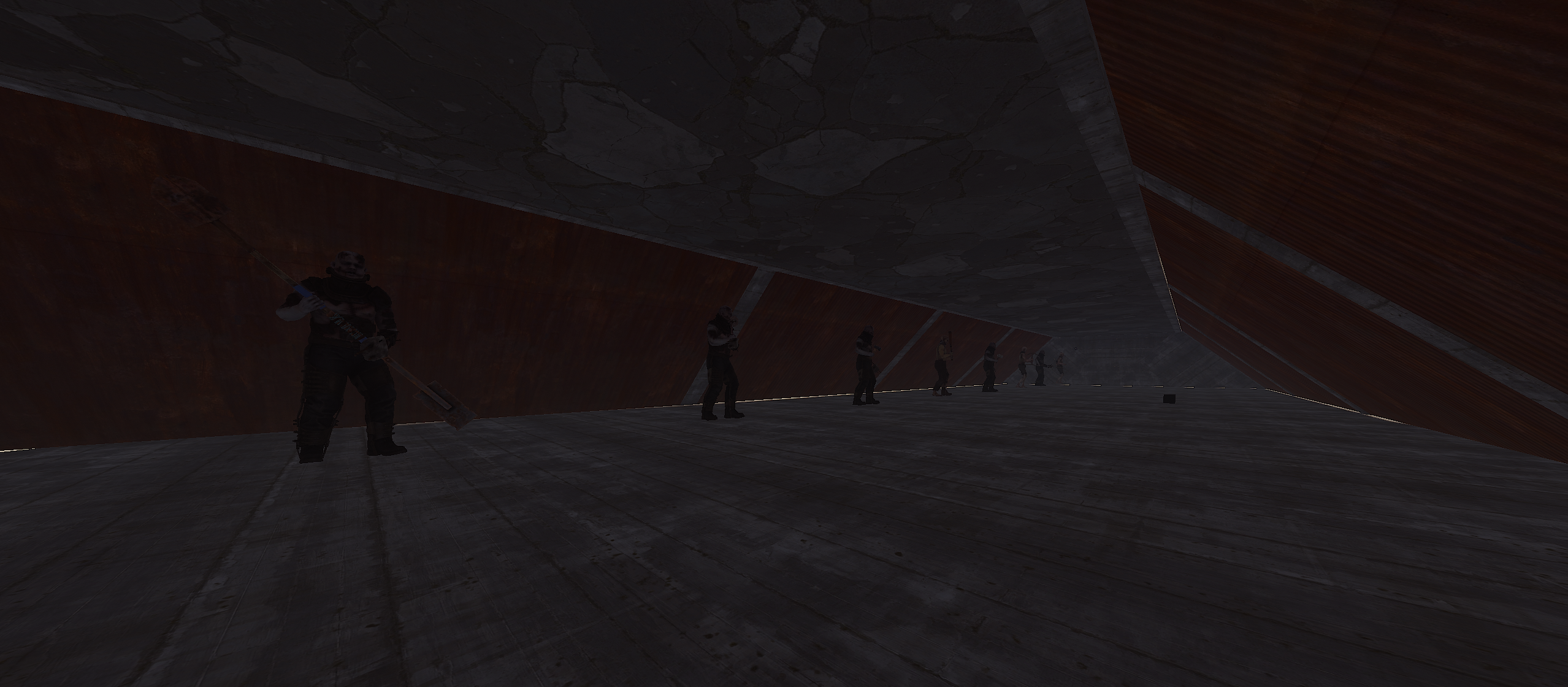
Hi, The Scarecrows in the Prison (PrisonAlert event) spawn on the ceiling instead of in their cells. First, I thought this was a plugin conflict; however, I tested this with nothing but the plugins delivered with the map, NpcSpawn, and Whitelist, but they still spawned on the first floor under the roof instead of in their cells.
-
Hi, I was wondering whether there are any possibilities to prevent people from skinning the planters. I imagine the answer is probably no, but I won't know without asking. We have only the default planters enabled for the special abilities to make sure there is nothing breaking the FP policies, however, some players will still reskin them to railroad through the repair table even though we advise them not to. This obviously breaks all the properties and returns the planters back to the vanilla state. Is it possible to either keep the properties so they can use the the railroad skin or block them from skinning if they have the skinID specified in the config?
-
 I'm on oxide and it surely happened with Shop from David (here from CF) and with RestoreUponDeath (so a free one).
 -
Yeah, on the latest. I better checked, because I never trust myself xD 95 "PermissionsManager" (2.1.2) by Steenamaroo
-
oh I thought I was going crazy, but I also went multiple times through my list to find like two plugins and thought I was going crazy where I just gave up and added the perms manually xD
-

SP display error + XP for new DLC items
Caroleenje replied to Caroleenje's Support Report in Support
Thank you! I completely missed the whitelist section haha. It works now. -
Hi, We noticed there is a minor skill point display error. If you click the top buttons to switch between the trees, the "Tree Points Spent" continues to display the amount spent in the Mining tree, regardless of which tree you select. However, if you use the arrows at the bottom to navigate through the trees, the SP spent display is correct for each tree. The new industrial traps (autoturret/shotgun) are not covered yet, so the skills to increase damage to traps and reduce damage taken from them won't work, and they don't reward any XP either. The obsidian knife also doesn't reward XP per hit while skinning.
-
Thank you for the solution. Appreciated!
-
The behavior has become glitchy following the latest update.
Caroleenje replied to hid333's Support Report in Support
Haven't seen any issues so far! Thanks for the resolution. -
I guess no solution to this... Please close the ticket
-
The behavior has become glitchy following the latest update.
Caroleenje replied to hid333's Support Report in Support
If you dismount the pogo, the server gets spammed with this. That's why the lag most likely happens for the person above. I had this spam literally for one hour straight a few days ago where I got a warning about a memory leak caused by the spam. Video of the spam is below. Server Exception: Player Update NullReferenceException: Object reference not set to an instance of an object. at UnityEngine.Bindings.ThrowHelper.ThrowNullReferenceException (System.Object obj) [0x00018] in <541bad9922cc471fb776cf62c05b1d38>:0 at UnityEngine.Component.get_transform () [0x00006] in <541bad9922cc471fb776cf62c05b1d38>:0 at BaseMountable.GetEyeOverride () [0x00015] in <2d1dc99d19e64addb595a8e6f0b445f5>:0 at BaseMountable.EyePositionForPlayer (BasePlayer player, UnityEngine.Quaternion lookRot) [0x00014] in <2d1dc99d19e64addb595a8e6f0b445f5>:0 at PlayerEyes.GetPos (UnityEngine.Vector3 pos, UnityEngine.Quaternion rot, System.Boolean isMounted, BaseMountable mounted) [0x0001d] in <2d1dc99d19e64addb595a8e6f0b445f5>:0 at BasePlayer.ServerCachePlayerInfo (BasePlayer+PlayerServerStates& playerStates, Unity.Collections.NativeArray`1+ReadOnly[T] indices, System.Boolean recachePosDependentOnly) [0x001c3] in <2d1dc99d19e64addb595a8e6f0b445f5>:0 at BasePlayer.FinalizeTickParallel (BasePlayer+PlayerServerStates& playerStates, System.Single deltaTime, Unity.Collections.NativeList`1[T] toUpdate) [0x0014c] in <2d1dc99d19e64addb595a8e6f0b445f5>:0 at BasePlayer.ServerUpdateParallel (System.Single deltaTime, BasePlayer+PlayerServerStates& playerStates) [0x00051] in <2d1dc99d19e64addb595a8e6f0b445f5>:0 at (wrapper dynamic-method) MonoMod.Utils.DynamicMethodDefinition.BasePlayer.ServerCycle_Patch0(single) at (wrapper dynamic-method) MonoMod.Utils.DynamicMethodDefinition.ServerMgr.Update_Patch0(ServerMgr) UnityEngine.DebugLogHandler:Internal_LogException_Injected(Exception, IntPtr) UnityEngine.DebugLogHandler:Internal_LogException(Exception, Object) UnityEngine.DebugLogHandler:LogException(Exception, Object) UnityEngine.Logger:LogException(Exception, Object) UnityEngine.Debug:LogException(Exception, Object) MonoMod.Utils.DynamicMethodDefinition:ServerMgr.Update_Patch0(ServerMgr) https://youtu.be/xaC58e-ueIc -
I understand, however, it also removes those that players spawn as a personal event. This is a prime example of a player report (they fought it at night, so the visibility is poor). Once the Convoy comes close, their Bradley gets removed. It's a high difficulty which costs up to 200 C4 to kill. I guess you can imagine the frustration if they are mid-fight, spending all the materials on spawning them, and on the lost C4. https://drive.google.com/file/d/1KjUMpLYbmhHRQrZX9-wv353IwtUC69D1/view
-
Hi. I only recently started using Convoy, and everything went great until I began receiving reports of players losing their personal Bradleys. I'm using the Road Bradley plugin, where players call personal ones on the roads. The Convoy seems to destroy any obstacle in its path (understandably), including those personal Bradleys. Blacklisting roads is not always an option since fully custom maps often lack the ring road or longer paths in general. Is there anything that can be done about this? A setting that lets us choose whether Bradleys can be removed (for other owners using Road Bradley) would help greatly! Thank you for consideration.
-
You can add them by yourself as industrial.furnace.large, however, the industrial electric ones won't work at all. Those don't take any power if you add them to the list even if they are directly plugged from the test generator. They won't light up at all.