NavyChief
-
Posts
189 -
Joined
-
Last visited
-
Days Won
1
Content Type
Profiles
Warranty Claims
Downloads
Forums
Store
Services
Downloads Plus Support
DOWNLOADS EXTRA
Reels
Everything posted by NavyChief
-
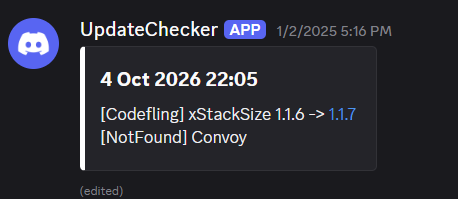
Below is the DISCORD entry this morning 14 Oct 2026 04:06: Update check incomplete. See the check log for details. [CheckFailed] AdminAntiHackFix: query=https://umod.org/plugins/admin-anti-hack-fix; HTTP 523; ProtocolError; HTTP/1.1 523 Unknown HTTP status [CheckFailed] AdminRadar: query=https://umod.org/plugins/admin-radar; HTTP 522; ProtocolError; HTTP/1.1 522 Unknown HTTP status [CheckFailed] AlphaLoot: query=https://chaoscode.io/resources/alphaloot.13/; HTTP 522; ProtocolError; HTTP/1.1 522 Unknown HTTP status [CheckFailed] ArmoredTrain: query=https://codefling.com/plugins/armored-train; HTTP 522; ProtocolError; HTTP/1.1 522 Unknown HTTP status [CheckFailed] AutoDoors: query=https://umod.org/plugins/auto-doors; HTTP 522; ProtocolError; HTTP/1.1 522 Unknown HTTP status [CheckFailed] AutoPickupBarrel: query=https://umod.org/plugins/auto-pickup-barrel; HTTP 522; ProtocolError; HTTP/1.1 522 Unknown HTTP status [CheckFailed] Backpacks: query=https://umod.org/plugins/backpacks; HTTP 522; ProtocolError; HTTP/1.1 522 Unknown HTTP status [CheckFailed] BaseRepair: query=https://umod.org/plugins/base-repair; HTTP 522; ProtocolError; HTTP/1.1 522 Unknown HTTP status [CheckFailed] BuildingGrades: query=https://umod.org/plugins/building-grades; HTTP 522; ProtocolError; HTTP/1.1 522 Unknown HTTP status [CheckFailed] BuildingInfo: query=https://umod.org/plugins/building-info; HTTP 522; ProtocolError; HTTP/1.1 522 Unknown HTTP status [CheckFailed] BuildingWorkbench: query=https://umod.org/plugins/building-workbench; HTTP 522; ProtocolError; HTTP/1.1 522 Unknown HTTP status [CheckFailed] BuyableTugboats: query=https://codefling.com/plugins/buyable-tugboats; HTTP 522; ProtocolError; HTTP/1.1 522 Unknown HTTP status [CheckFailed] CargoPlaneCrash: query=https://codefling.com/plugins/cargo-plane-crash; HTTP 522; ProtocolError; HTTP/1.1 522 Unknown HTTP status [CheckFailed] ColouredChat: query=https://umod.org/plugins/coloured-chat; HTTP 522; ProtocolError; HTTP/1.1 522 Unknown HTTP status [CheckFailed] Convoy: query=https://codefling.com/plugins/convoy; HTTP 522; ProtocolError; HTTP/1.1 522 Unknown HTTP status [CheckFailed] CopyPaste: query=https://umod.org/plugins/copy-paste; HTTP 523; ProtocolError; HTTP/1.1 523 Unknown HTTP status [CheckFailed] CreativeToggle: query=https://codefling.com/plugins/creative-toggle-–-rust-creative-mode; HTTP 522; ProtocolError; HTTP/1.1 522 Unknown HTTP status [CheckFailed] DeathNotes: query=https://umod.org/plugins/magic-death-notes-panel; HTTP 522; ProtocolError; HTTP/1.1 522 Unknown HTTP status [CheckFailed] DiscordChat: query=https://umod.org/plugins/discord-chat; HTTP 522; ProtocolError; HTTP/1.1 522 Unknown HTTP status [CheckFailed] DiscordLogger: query=https://umod.org/plugins/discord-logger; HTTP 522; ProtocolError; HTTP/1.1 522 Unknown HTTP status [CheckFailed] DiscordPresence: query=https://umod.org/plugins/discord-presence; HTTP 522; ProtocolError; HTTP/1.1 522 Unknown HTTP status [CheckFailed] EntityOwner: query=https://umod.org/plugins/entity-owner; HTTP 522; ProtocolError; HTTP/1.1 522 Unknown HTTP status [CheckFailed] ExtendedRecycler: query=https://umod.org/plugins/extended-recycler; HTTP 523; ProtocolError; HTTP/1.1 523 Unknown HTTP status [CheckFailed] Finder: query=https://umod.org/plugins/finder; HTTP 522; ProtocolError; HTTP/1.1 522 Unknown HTTP status [CheckFailed] Freeze: query=https://umod.org/plugins/freeze; HTTP 523; ProtocolError; HTTP/1.1 523 Unknown HTTP status [CheckFailed] FurnaceSplitter: query=https://umod.org/plugins/furnace-splitter; HTTP 522; ProtocolError; HTTP/1.1 522 Unknown HTTP status [CheckFailed] GatherManager: query=https://umod.org/plugins/gather-manager; HTTP 522; ProtocolError; HTTP/1.1 522 Unknown HTTP status [CheckFailed] Godmode: query=https://umod.org/plugins/godmode; HTTP 523; ProtocolError; HTTP/1.1 523 Unknown HTTP status The list of updates has reached its limit, please update your plugins.
-
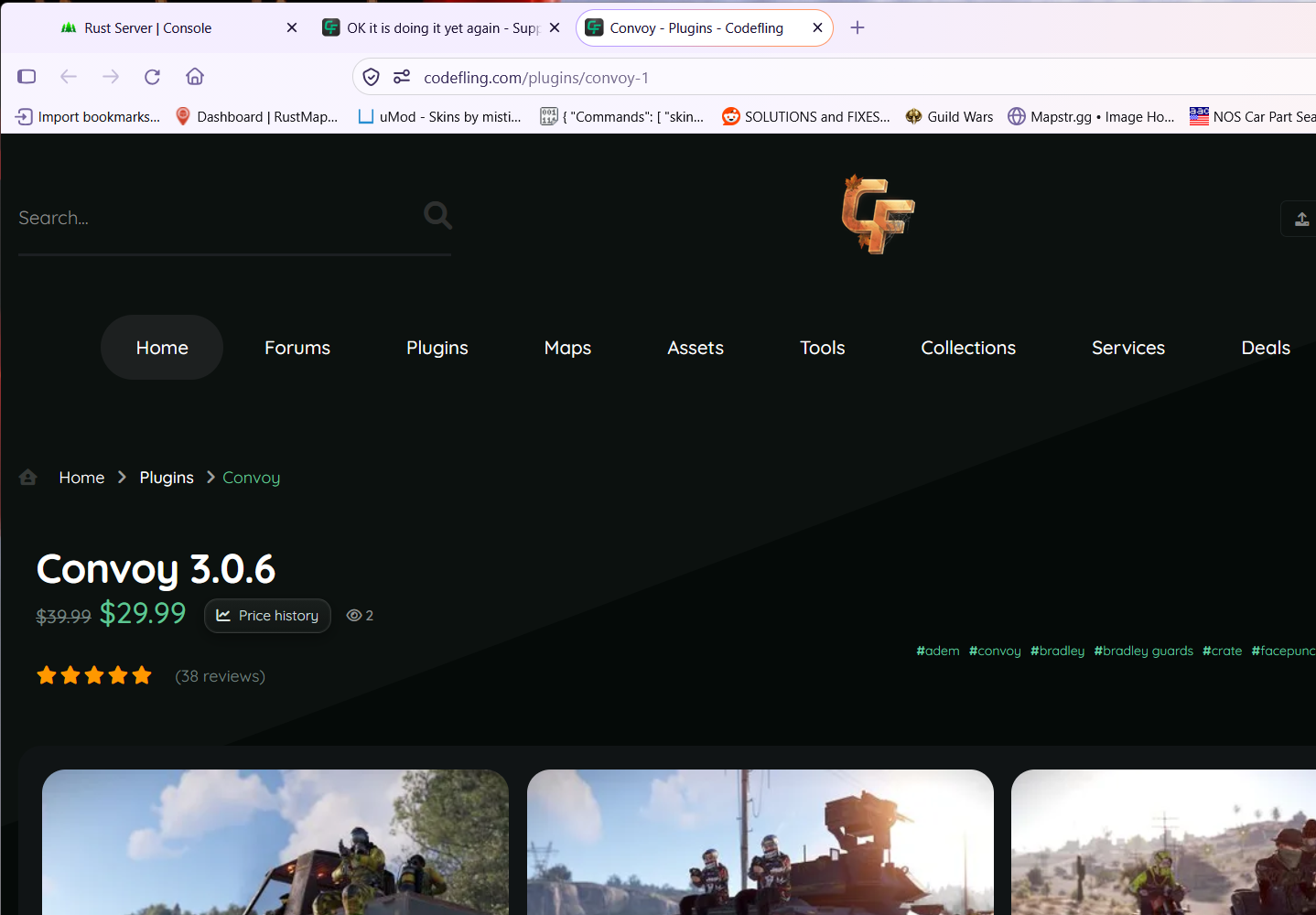
First;y, I did not add that URL Secondly, that URL does work I tried it myself... did you not see at the very beginning of this thread i added it and your system, resolved it perfectly; meaning it works. See below... NOW WHY Convoy has two URLS I do not know and furthermore HOW DID YOUR UCSETUP resolve to convoy-1 I have no clue.

-
UpdateChecker.json
-
Yes it is still EXACTLY the same for me
-
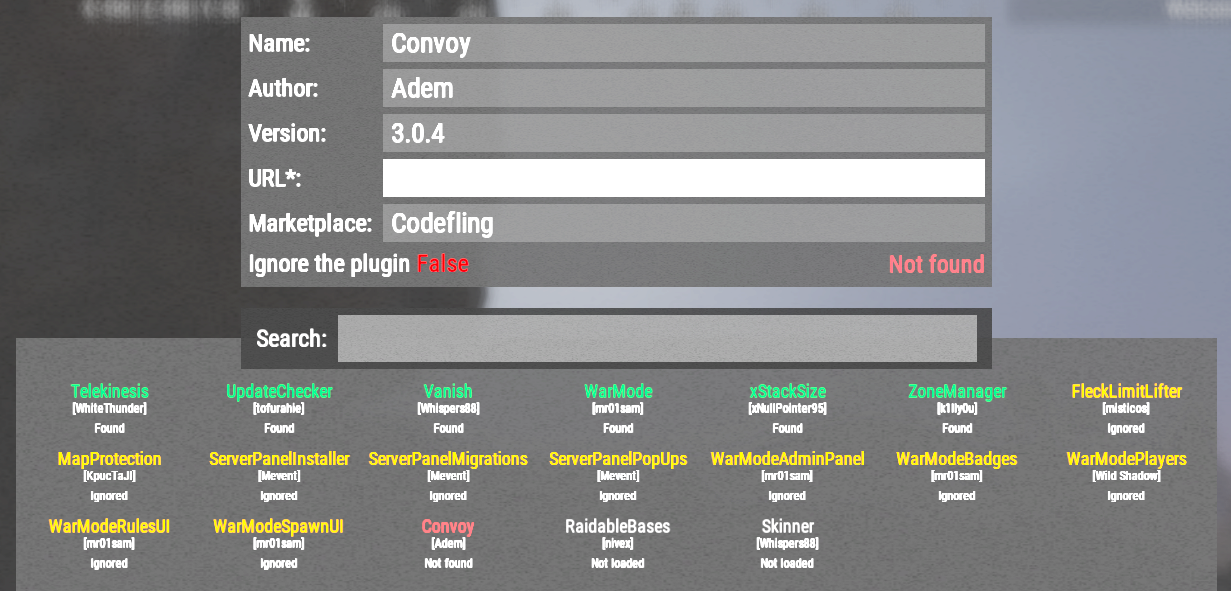
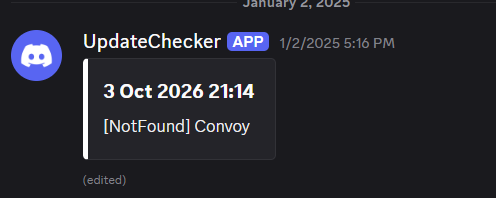
That URL works perfectly but the Update Checker says it is not found.... SORRY my screen capture seems to be blanking out the URL but here it is directly from /ucsetup: ALSO I updated Convoy (3.0.4 => 3.0.6) and the the updatechecker still shows the same as below; Convoy is NOT found.
-
Failed to call internal hook 'OnTeamMemberInvite' on plugin 'WarMode v1.3.14' [844539354] (Object reference not set to an instance of an object) at ModeConfig Oxide.Plugins.WarModeMethods.ExtensionMethods.GetMode(IPlayer player) in /home/container/carbon/plugins/WarMode.cs:line 1646 at ModeConfig Oxide.Plugins.WarMode.GetProjectedMode(IEnumerable<IPlayer> projectedTeam)+(IPlayer x) => { } [0] in /home/container/carbon/plugins/WarMode.cs:line 3293 at bool System.Linq.Enumerable+SelectEnumerableIterator<Oxide.Core.Libraries.Covalence.IPlayer, Oxide.Plugins.WarMode+ModeConfig>.MoveNext() at ModeConfig System.Linq.OrderedEnumerable<Oxide.Plugins.WarMode+ModeConfig>.TryGetFirst(out bool found) at ModeConfig System.Linq.Enumerable.TryGetFirst<ModeConfig>(IEnumerable<ModeConfig> source, out bool found) at ModeConfig System.Linq.Enumerable.First<ModeConfig>(IEnumerable<ModeConfig> source) at ModeConfig Oxide.Plugins.WarMode.GetProjectedMode(IEnumerable<IPlayer> projectedTeam) in /home/container/carbon/plugins/WarMode.cs:line 3293 at void Oxide.Plugins.WarMode.OnTeamMemberInvite(PlayerTeam playerTeam, BasePlayer inviter, ulong targetUserId) in /home/container/carbon/plugins/WarMode.cs:line 3282 at object Oxide.Plugins.WarMode.InternalCallHook(uint hook, object[] args) in WarMode.cs/Internal:line 818
-
THANK YOU!!!
-
OK I think I understand how to fix it BUT I cannot understand how it became red in the first place... If I do /ucsetup select ignore = true allow it to save select ignore = false allow it to save later it returns to GREEN But again I have no clue why it turned red in the first place. I say this because Convoy is green now too. Items that are RED when the update check occurs should show in results so one can try and go fix it.
-
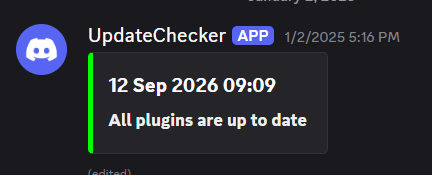
I am not sure what you mean exactly... but the message in Discord looks like this EVEN with Convoy as red... I would think RED items would show as a warning in this message:
-
I would but oddly it no longer shows RED; I wonder why but still Convoy shows red UpdateChecker.json
-
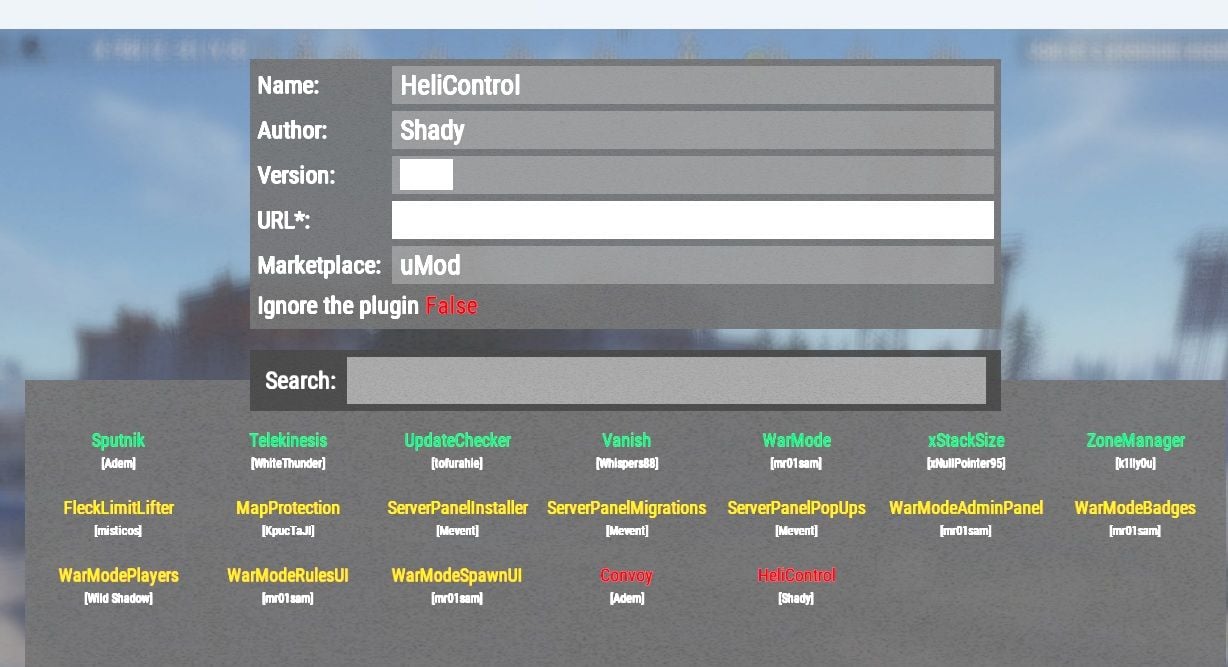
When I do UCSETUP I show HELICONTROL as RED yet the page is good
-
 SUGGESTION: A tab that can be added that shows all of the installed mods where in admin mode you can disable the ones you do not want all to see AND the displayed list is also a link to the location of that mod so people can read about it at the source site. You might partner with UpdateChecker to get this information.
 -
That is very odd because I do NOT recall setting that, but thanks!
-
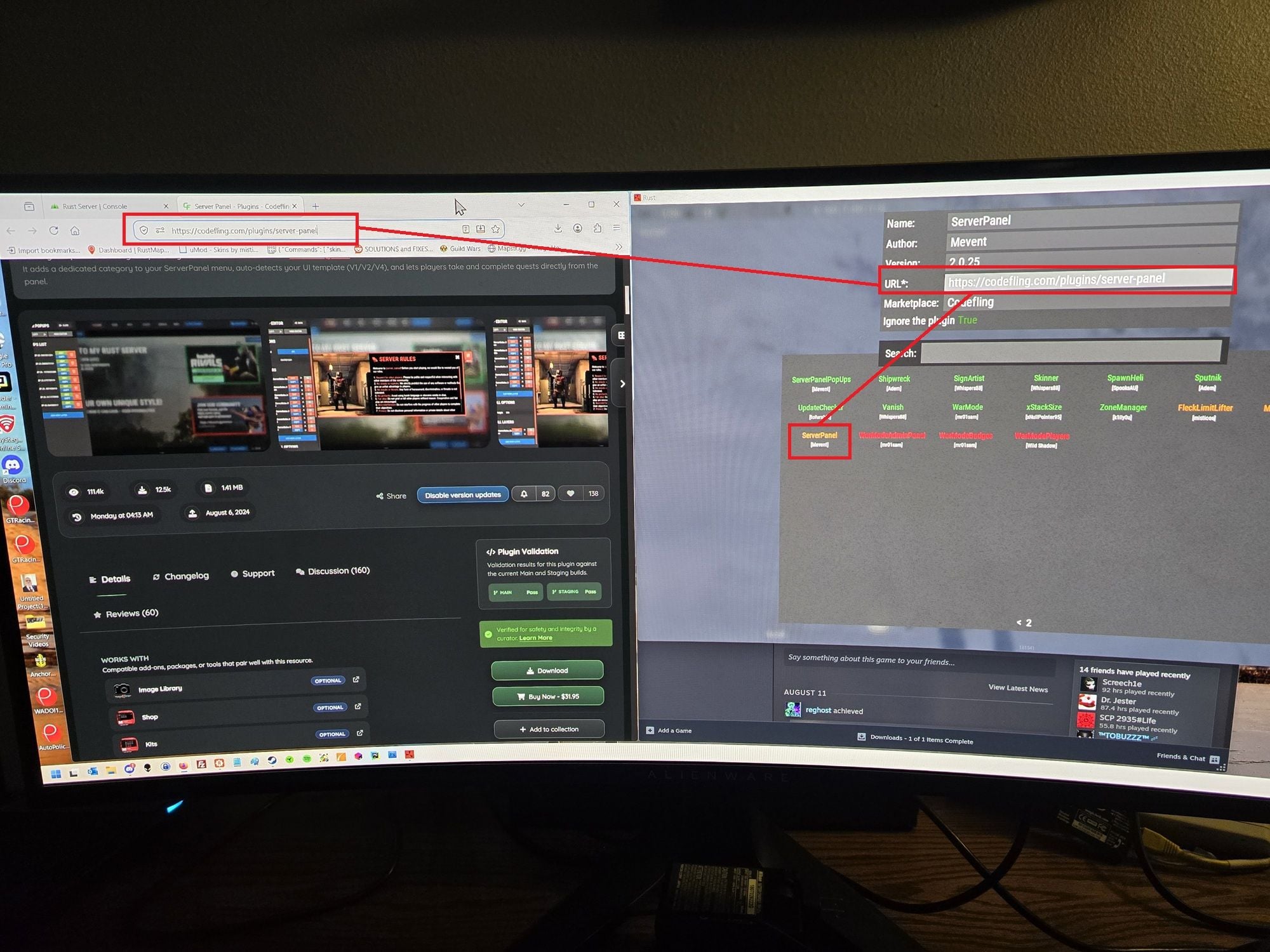
I still am having issues with this mod... I am not sure why but (for example as there may be more) with ServerPanel the mod shows YELLOW but the URL seems correct so it should be GREEN. Config { "Name": "ServerPanel", "Author": "Mevent", "Plugin version": "2.0.25", "Link to plugin": "https://codefling.com/plugins/server-panel", "Marketplace": "Codefling", "Ignore": true }, Mod: namespace Oxide.Plugins { [Info("ServerPanel", "Mevent", "2.0.25")] public class ServerPanel : RustPlugin { #region Fields
-
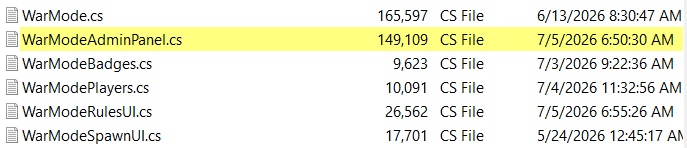
I did do that.... like I said they are marked NOT FOUND but I can use the URL manually and find them JUST FINE... And just today I noted CONVOY was not marked as needing an update but one was required. Also I get this following indicators: WarModeRulesUI 1.1.0 -> 1.2.2 [Codefling] WarModeSpawnUI 1.0.3 -> 1.2.2 [Codefling] [NotFound] WarModeAdminPanel, WarModeBadges, WarModePlayers AND yet all of these mods are in a location where the URL should not find them... they are ALL subs to WarMode AND the indications above are NOT accurate... Obviously I should disable them, and I will but I wonder why they are treated differently e.g WarModeAdminPanel not found - which is correct AND WarModeRulesUI 1.1.0 -> 1.2.2 which is not even accurate as (I would think) they BOTH should be not found. This mod has been flaky for a while now. In essence I have to check all the mods manually becausethis mod cant be trusted.
-
I found a bunch of mods that are showing RED but needed updates AND they should have shown in the update checker response and did not.
-
I have a mod called Backpacks from UMOD and there is a valid page for it and yet my UpdateChecker GUI shows it as RED... I have not checked the others because I have many that are red that are suspicious.
-
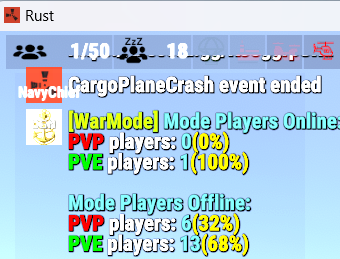
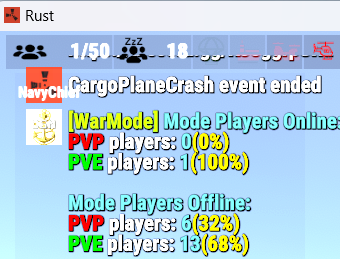
I do not know actually but can verify that if you like... I think I had been online for a while when I took the screen shot I just did a test by logging off and even shutting RUST down and as soon as I come back I run /pmode and it shows like the above (shows accurately): InfoPanel.cs 1/50 14 offline WarModePlayers.cs Online PVP = 0 PVE = 1 (me) Offline PVP = 4 PVE = 10 Maybe I need to pay more attention to the conditions if it ever happens again...
-
Yes it shows ADMINs but as I said before it is intermittent... for example the condition above shows 20 and infopanel shows 19 YET right now it shows the following (my screen capture acts funny) Do you see what I am saying? It shows the condition in the screen capture above sometimes and the condition below sometimes. InfoPanel.cs 1/50 14 offline WarModePlayers.cs Online PVP = 0 PVE = 1 (me) Offline PVP = 4 PVE = 10
-
I get odd counts sometimes; see below: the InfoPanel reports 19 total players and Rust itself reported 19 players and YET WarModePLayers reports 20. This is an inconsistent situation; meaning it is intermittent. I have only seen it happen this bad ONCE.
-
I am not sure what is going on but now it is showing correctly... I am confused...
-
On my server I just noticed the counts seem to be wrong. My InfoPanel counter shows 19 people BUT the WarMode plugin shows 20 total??
-
Are you serious.... for some reason I had outdated mods like WarMode.cs was 1.3.13... I totally thought I updated those
-
I have all but WarModeAdminPanel installed due to a different issue where it will not compile.
-
Can you move the hardcoded /rules from the .cs to the config file? In the config we have /wmr but HARDCODED in the .cs we have [Command("rules")] and I have another mod using /rules All the commands should be int he config to be changed.