
Mevent
-
Posts
2,925 -
Joined
-
Last visited
-
Days Won
39
Content Type
Profiles
Warranty Claims
Downloads
Forums
Store
Support
DOWNLOADS EXTRA
Services
Everything posted by Mevent
-
Version 1.1.1
122 downloads
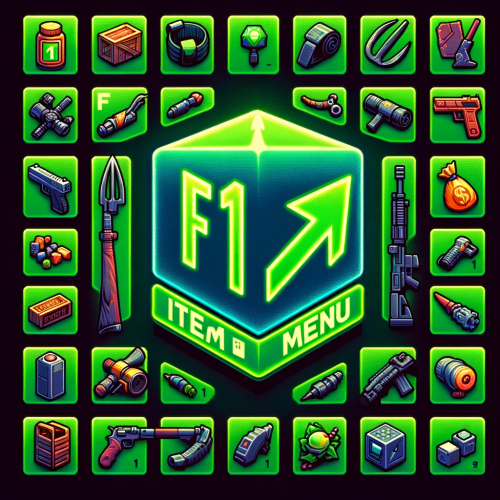
The "F1 Item Menu" plugin allows players to open an interactive menu to select items in Rust and add them to their inventory using a simple command. The plugin provides a user-friendly interface with a search function and page navigation for convenient browsing of available items. Command: /f1menu - Opens the F1 item menu, allowing the player to select items and add them to their inventory. Permissions: f1itemmenu.f1 - This permission is required to use the /f1menu command. How to Use the Plugin: 1. To open the menu, the player enters the /f1menu command, provided they have the f1itemmenu.f1 permission. 2. In the menu, the player can search for items by entering a search term and clicking "Search." 3. The player can navigate through the available items by clicking the arrow buttons (< and >) to go to the previous or next page. 4. After selecting an item, the player is presented with another menu to specify the quantity of the chosen item. 5. The player can then choose the desired quantity (1, 10, 100, 1000, 10000) and click "Close" to exit the menu. 6. The selected item is automatically added to the player's inventory. { "Enable Discord Webhook": true, "Webhook URL": "", "Username": "Rust Server", "Avatar URL": "", "Discord Message Format": "Player **{playerName}** has taken **{quantity}** of **{itemName}**." }$15.95 -

Suggestion and [Error] Newtonsoft.Json.JsonReaderException:
Mevent replied to DeutscherRitterPlatz's Support Request in Support
Changed Status from Pending to Work in Progress -
@m3dus4 If you have any questions or concerns, please feel free to contact me. I am always ready to help. If you have a moment, I would really appreciate it if you could leave feedback on the plugin. Your feedback helps me improve and grow, and helps other customers make informed decisions about the plugin. Best regards, Mevent
-
Changed Status from Pending to Closed
-
Changed Status from Pending to Closed Changed Fixed In to 1.2.16
-
The only thing is that I would not make the frequency too frequent, because it loads the server, especially if there are many players on the server
-
Changed Status from Pending to Closed
-
Changed Status from Pending to Closed
-
 Hi! You can customize the Events position in the config
 -
Changed Status from Pending to Work in Progress
-
Hi, I've added this to my ToDo list and will try to get to it soon. However, I would like to warn you that due to the large number of requests, the response time to a ticket may increase.
-
Hi! What kind of problems are you experiencing? It is important to remember that Top Players are refreshed once every N seconds ("Top Refresh Rate" from the config)
-
Support for DynamicCupShare or AutomaticAuthorization?
Mevent replied to Shark-A-Holic's Support Request in Support
kk, i'll check it -
@VeebS Try to pay attention to my Clans plugin, maybe it will work for you
-
Changed Status from Pending to Work in Progress
-
Changed Status from Work in Progress to Closed
-
@Kobani Yes, of course. I'll add this to the ToDo list and release it with one of the updates
-
Changed Fixed In to 1.5.27
-
Changed Status from Pending to Work in Progress
-
Changed Status from Pending to Closed Changed Fixed In to 1.1.26
-
Cannot withdraw ally invite and missing button for leaving
Mevent replied to GeekGarage's Support Request in Support
Changed Fixed In to 1.1.28 -

Version 1.0.0
101 downloads
Plugin Description: Our Rust Whitelist Plugin is the ultimate solution for maintaining control over your server. This plugin offers a user-friendly graphical user interface (GUI) that allows you to easily add or remove players from the whitelist, provided they've been on your server before. In addition, you can configure the plugin to send notifications to your Discord server when players are added to or removed from the whitelist. Key Features: - Intuitive GUI: Our plugin features a clear and visually appealing user interface. Here, you can add or remove players with a simple button press. - Whitelist by SteamID: You have the ability to directly add users to the whitelist via the GUI. - Toggle On/Off: With a straightforward click, you can enable or disable the whitelist. The user interface makes it exceptionally easy. - Automatic Activation/Deactivation: You can configure the whitelist to automatically activate or deactivate at specific times, based on your defined time intervals. - Discord Notifications: You can opt to receive notifications on your Discord server whenever a player is added to or removed from the whitelist. This feature can be easily enabled or disabled in the plugin's configuration. - Configurable Whitelist Messages: You can customize the whitelist messages in the plugin's configuration to provide your players with a personalized experience. Permissions: whitelist.add: Grants the ability to add players to the whitelist. whitelist.remove: Allows for the removal of players from the whitelist. whitelist.admin: Provides full access to whitelist management. whitelist.enable: Activates the whitelist. whitelist.disable: Deactivates the whitelist. whitelist.ui: Permits the use of the graphical user interface (UI). Commands: Chat Commands: /whitelist: Opens the graphical user interface (GUI). The whitelist.ui permission is required. With our Rust Whitelist Plugin, you'll maintain full control over your server and simplify whitelist management. Manage your player list, enable or disable the whitelist as needed, enjoy the user-friendly GUI, and opt for Discord notifications if you desire. Get our plugin now to enhance the security and manageability of your Rust server. { "Enable 'add' discord message?": true, "Enable 'remove' discord message?": true, "Discord webhook (for added to whitelist players)": "webhook", "Discord webhook (for removed from whitelist players)": "webhook", "Kick message": "You are not on this server's whitelist" }$21.95- 6 comments
- 3 reviews
-
- 1
-

-
- #whitelist
- #gui
- (and 1 more)
-
Changed Status from Pending to Closed Changed Fixed In to 1.5.19