

BlackLightning
-
Posts
220 -
Joined
-
Last visited
-
Days Won
3
Content Type
Profiles
Warranty Claims
Downloads
Forums
Store
Services
Downloads Plus Support
DOWNLOADS EXTRA
Reels
Support Center
Everything posted by BlackLightning
-
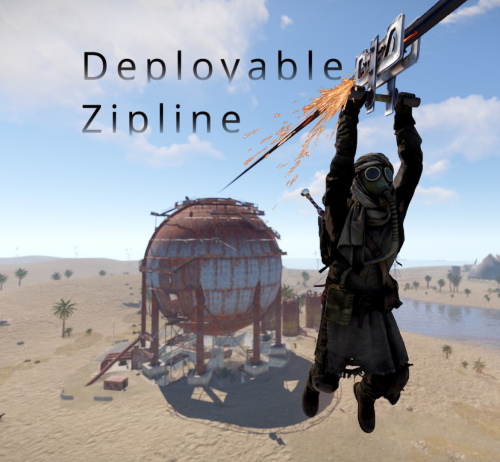
Version 1.6.3
354 downloads
Features Allows players to deploy ziplines from a distance using a crossbow Allows bidirectional ziplines Allows adjusting zipline movement speed, optionally based on incline Optionally requires cable to deploy ziplines Extensive configuration options to restrict zipline deployment Integrates with Economics and Server Rewards to allow buying the Zipline Tool Integrates with No Escape to prevent deploying ziplines while Raid blocked or Combat blocked Integrates with Remover Tool to provide an alternate way to pick up ziplines How it works To deploy a zipline, a player must first obtain a Zipline Tool and some Zipline Cable. By default, the Zipline Tool is a crossbow with a custom skin, and Zipline Cable is rope with a custom skin. Once acquired, the player must shoot the crossbow where they want to start the zipline, then shoot again where they want to end the zipline (no arrows needed). Once the zipline has been deployed, players can ride it just like the vanilla ziplines, by looking up at the top of the start point and interacting with the "Use Zipline" prompt. Since both the Zipline Tool and Zipline Cable are items, there are many ways you can provide them to players, including via kits, vending machines, and loot tables. The plugin also allows players to purchase them directly with chat commands. Permissions This plugin uses the permission system. To assign a permission, use oxide.grant <user or group> <name or steam id> <permission>. To remove a permission, use oxide.revoke <user or group> <name or steam id> <permission>. Admin permissions deployablezipline.protect -- Allows the player to run the zipline protect command to toggle protection for any ziplines they deploy. Protected ziplines do not decay, and can only be picked up by players with this permission. Purchase permissions deployablezipline.buy.tool - Allows buying the Zipline Tool with the zipline buy command. deployablezipline.buy.cable - Allows buying Zipline Cable with the zipline buycable <amount> command. Tool usage permissions Depending on how you have configured the plugin, there will be additional permissions like deployablezipline.profile.<suffix>, one for each profile. The plugin comes with the following profiles by default. Note: Players must have permission to a profile in order to use the Zipline Tool. deployablezipline.profile.balanced 4 ziplines max 100m max zipline length 10 uses per Zipline Tool, but can be repaired Allows up to 45 ° decline and 15 ° incline Disallows monuments deployablezipline.profile.fun 6 ziplines max 200m max zipline length Unlimited uses per Zipline Tool Allows up to 45 ° decline and 45 ° incline Allows monuments deployablezipline.profile.unrestricted Unlimited ziplines 10000m max zipline length Unlimited uses per Zipline Tool No angle or location restrictions Speed permissions The speed that players move along a deployed zipline can be configured according to the permissions of the player riding the zipline (not the player who deployed it). Each speed profile will have a permission like deployablezipline.speed.<suffix>. You can make as many speed profiles as you want in the configuration. The plugin comes with the following speed profiles by default. deployablezipline.speed.slow 0.25x min uphill speed 0.5x max horizontal speed 0.75x max downhill speed deployablezipline.speed.balanced 0.5x min uphill speed 1x max horizontal speed 1.5x max downhill speed deployablezipline.speed.fast 0.75x min uphill speed 1.5x max horizontal speed 2.25x max downhill speed deployablezipline.speed.ridiculous 5x max speed deployablezipline.speed.ludicrous 10x max speed Commands This plugin provides both chat and console commands using the same syntax. When using a command in chat, prefix it with a forward slash: /. zipline buy -- Purchases a Zipline Tool. Requires the deployablezipline.buy.tool permission. By default, it costs 100 scrap. zipline buycable <amount> -- Purchases Zipline Cable. Requires the deployablezipline.buy.cable permission. By default, it costs 1 scrap. zipline toggle -- Enables or disables bidirectional mode for ziplines you deploy after running this command. Alternatively, you can press MMB (middle mouse button) while wielding a Zipline Tool. To use this command, you must have permission to a Zipline Tool profile that allows bidirectional ziplines. zipline protect -- Enables or disables protection of ziplines you deploy after running this command. Requires the deployablezipline.protect permission. A protected zipline does not decay, and can only be picked up by players who have the deployablezipline.protect permission. Configuration The settings and options can be configured in the DeployableZipline file under the config directory. The use of an editor and validator is recommended to avoid formatting issues and syntax errors. Zipline tool Zipline Tool -- Determines which item is considered the Zipline Tool. This item can also be used to pick up ziplines when Pickup restrictions > Require hammer or zipline tool to pick up zipline is set to true. Players may purchase this tool with the zipline buy command if they have the deployablezipline.buy.tool permission. Item short name -- The short name of the Zipline Tool item. Must be an equippable item. Default: "crossbow". Item skin ID -- The skin ID of the Zipline Tool item. Default: 2793006815. Purchase info Cost -- Determines the cost to purchase the Zipline Tool. Item short name -- The short name of the currency item. Default: "scrap". Item skin ID -- The skin ID of the currency item. Set to 0 to require an unskinned currency item. Default: 0. Amount -- The amount of currency required to purchase the Zipline Tool. Default: 100. Use Economics (true or false) -- Set to true to require Economics currency instead of item currency. Default: false. Use Server Rewards (true or false) -- Set to true to require Server Rewards currency instead of item currency. Default: false. Attachment item short names -- Determines which attachments will be added to the Zipline Tool when purchased. Only applies to weapons that can have attachments. Default: ["weapon.mod.holosight", "weapon.mod.lasersight"]. Zipline cable Zipline Cable -- Determines which item is considered Zipline Cable. Note: You can independently configure the condition loss of the Zipline Tool if you want to consume the tool itself. Item short name -- The short name of the item. Default: "rope". Item skin ID -- The skin ID of the cable item. Default: 2793158547. Cost -- Determines the cost to purchase Zipline Cable. Item short name -- The short name of the currency item. Default: "scrap". Item skin ID -- The skin ID of the currency item. Set to 0 to require an unskinned currency item. Default: 0. Amount -- The amount of currency required to purchase Zipline Cable. Default: 1. Use Economics (true or false) -- Set to true to require Economics currency instead of item currency. Default: false. Use Server Rewards (true or false) -- Set to true to require Server Rewards currency instead of item currency. Default: false. Pickup restrictions Pickup restrictions -- Determines under which circumstances players may pick up ziplines. Require hammer or zipline tool to pick up zipline (true or false) -- Set to true to require the player to be holding a hammer or the Zipline Tool to pick up a zipline. This only applies to ends of the zipline that use the spear item, since the Tesla Coil end already requires a hammer to pick up. Default: true. Allow pickup while building blocked at other end (true or false) -- Set to true to allow players to pick up a zipline from one end, while they are building blocked at the other end of the zipline. Default: true. Note: Regardless of this option, players may not pick up a zipline from an end where they are building blocked. Effects Effects -- Determines the effects that are played when using the Zipline Tool, or when trying to pick up a zipline. Tool impact (player only) -- Plays when the player hits a surface with the Zipline Tool. Only the Zipline Tool wielder will witness the effect. This provides feedback to the player so they can see where they hit. Tool failed (player only) -- Plays when the player tries to use the Zipline Tool but experiences an error. Only the Zipline Tool wielder will witness the effect. The wielder may experience an error for many reasons, such as being Building Blocked, or due to having insufficient Zipline Cable. Tool used -- Plays when the player successfully places either end of zipline using the Zipline Tool. Other players will witness the effect. Deploy succeeded -- Plays when the player successfully deploys a zipline using the Zipline Tool. Plays on both ends of the zipline. Other players will witness the effect. Pickup failed (player only) -- Plays when the player fails to pick up a zipline due to being Building Blocked. Only the Zipline Tool wielder will witness the effect. Zipline Tool permission profiles Zipline Tool permission profiles - Zipline Tool profiles allow you to define complex rulesets depending on a user's Oxide permissions. You may define unlimited profiles, but at most one will be assigned to each player. Profiles toward the end of the list have highest priority. Permission suffix -- Determines the permission that you must grant to assign the profile to a player or group. For example, set this to "fun" to produce the permission deployablezipline.profile.fun. Allow tool while building blocked (true or false) -- Determines whether the player may use the Zipline Tool while they are standing in a location where they are Building Blocked. Allow bidirectional ziplines (true or false) -- Determines whether the player is allowed to place bidirectional ziplines. A bidirectional zipline can be mounted from either end. The player can press MMB (Mouse3) to enable/disable bidirectional mode. Zipline min length -- Determines the minimum zipline length that the player can deploy. Zipline max length -- Determines the maximum zipline length that the player can deploy. Zipline max decline angle -- Determines the maximum downward angle of ziplines that the player can deploy. Set to 90.0 to allow the player to deploy ziplines that go straight downward. Set to 0 to only allow ziplines to go across or upward. Zipline max incline angle -- Determines the maximum upward angle of ziplines that the player can deploy. Set to 90.0 to allow the player to deploy ziplines that go straight upward. Set to 0 to only allow ziplines to go across or downward. Zipline max elevation increase -- Determines the maximum delta between the zipline start position and end position. Set to 0 to only allow ziplines to go across or downward. Tool condition loss percent per zipline deployed -- Determines how much condition the Zipline Tool will lose when the player deploys a zipline. Set to 0 to allow unlimited uses. Set to 100 to allow only one use per Zipline Tool. The Zipline Tool will be destroyed when reaching 0 condition. Tool cooldown seconds -- Determines how long the player must wait after deploying a zipline with the Zipline Tool before they can deploy another one. Max ziplines at once -- Determines the maximum number of ziplines that the player may have in the map at once. Cable cost -- Determines how much Zipline Cable will be consumed when deploying a zipline. Cost per meter -- Determines how much Zipline Cable is required per meter. Set to 0 to not require any Zipline Cable. Set to a fraction such as 0.5 to allow each unit of Cable to cover multiple meters. Refund amount per meter on pickup -- Determines how much Zipline Cable is refunded when the player's ziplines are picked up. Set this to the same value as Cost per meter to allow players to recover all their Zipline Cable when picking up a zipline. Set to less than Cost per meter to effectively impose a penalty by refunding less than what was spent. Start point ruleset -- Determines the locations at which the player can place a zipline start point. Allow while building blocked (true or false) -- Determines whether the player can remotely place this end of the zipline at a location where they are Building Blocked, regardless of whether they are standing in a Building Blocked location. Min height above terrain -- Determines how close to terrain the player can deploy this end of the zipline. Set to 0 to allow placing a zipline at terrain level. Max deploy distance -- Determines the maximum distance away from the player that they can place this end of the zipline. Allowed layers -- (Advanced) Determines the Rust object layers to which the player can attach this end of the zipline. The player will not be able to attach a zipline to objects on other layers. Allowed values: Default, TransparentFX, Ignore_Raycast, Reserved1, Water, UI, Reserved2, Reserved3, Deployed, Ragdoll, Invisible, AI, Player_Movement, Vehicle_Detailed, Game_Trace, Vehicle_World, World, Player_Server, Trigger, Player_Model_Rendering, Physics_Projectile, Construction, Construction_Socket, Terrain, Transparent, Clutter, Debris, Vehicle_Large, Prevent_Movement, Prevent_Building, Tree, Unused2. Disallowed topology -- (Advanced) Determines the types of Terrain Topology to which the player cannot attach this end of the zipline. Set to [] to allow all types of Terrain Topology. Allowed values: Field, Cliff, Summit, Beachside, Beach, Forest, Forestside, Ocean, Oceanside, Decor, Monument, Road, Roadside, Swamp, River, Riverside, Lake, Lakeside, Offshore, Rail, Railside, Building, Cliffside, Mountain, Clutter, Alt, Tier0, Tier1, Tier2, Mainland, Hilltop. End point ruleset -- Determines the locations at which the player can place the zipline end point. Same options as Start point ruleset. Zipline decay settings -- Determines how quickly deployed ziplines decay while outside of Tool Cupboard range. Note: Only one end of the zipline must be within Tool Cupboard range to protect it from decay. Also, instead of taking damage, the zipline will simply disappear when the decay time has elapsed. Enabled (true or false) -- Determines whether decay is enabled. Default: true. Decay minutes -- Determines how long a zipline is protected from decay after being deployed, or after nearby Tool Cupboards are removed. Default: 60. No Escape integration -- Determines whether the player can use the Zipline Tool while Raid Blocked or Combat Blocked, as determined by the No Escape plugin. Allow tool while raid blocked (true or false) -- Set to false to prevent the player from using the Zipline Tool while they are Raid Blocked. Allow tool while combat blocked (true or false) -- Set to false to prevent the player from using the Zipline Tool while they are Combat Blocked. Speed permission profiles Speed permission profiles -- Speed profiles allow you to configure how quickly players move along ziplines, depending on the Oxide permissions of the player riding it. You may define unlimited speed profiles, but at most one will be assigned to each player. Speed profiles toward the end of the list have highest priority. Permission suffix -- Determines the permission that you must grant to assign the speed profile to a player or group. For example, set this to "balanced" to produce the permission deployablezipline.speed.balanced. Move speed -- Determines the max speed that applies when the player is not holding the forward key. Bonus move speed -- Determines the additional max speed that applies when the player is holding the forward key. This value is added on top of Move speed to determine the total max speed. Acceleration time (seconds) -- Determines how many seconds it will take the player to reach max speed after mounting the zipline. Downhill speed bonus -- Determines how much to increase speed while going downhill. Percent increase per angle degree -- Example: While this is set to 1.0, going downhill at a 45 ° angle will increase max speed to 145%. Max speed percent -- Example: while Percent increase per angle degree is set to 1.0, and while this is set to 130.0, going downhill at a 45 ° angle would increase speed to only 130% instead of to 145%. Uphill speed penalty -- Determines how much to decrease speed while going uphill. Percent decrease per angle degree -- Example: While this is set to 1.0, going uphill at a 45 ° angle will decrease max speed to 55%. Min speed percent -- Example: While Percent decrease per angle degree is set to 1.0, and while this is set to 70.0, going uphill at a 45 ° angle would decrease speed to only 70% instead of 55%. Localization The default messages are in the DeployableZipline file under the lang/en directory. To add support for another language, create a new language folder (e.g. de for German) if not already created, copy the default language file to the new folder and then customize the messages.$9.99 -

Gather Mode turns off after short amount of time
BlackLightning replied to The Large Car Trucker's Support Report in Support
Changed Status from Pending to Not a Bug -
Gather Mode turns off after short amount of time
BlackLightning replied to The Large Car Trucker's Support Report in Support
Are you using the Backpacks config option "Only Save Backpacks on Server-Save (true/false)": true? If so, try setting that to false. When that config option is true, it causes Backpacks to basically unload each player's backpack from memory every time the server saves. After a Backpack has been unloaded from memory, when the backpack is opened, the plugin has to recreate the container and items. That affects gather mode because Backpacks doesn't currently remember item flags (which gather mode uses), so it recreates the bags with gather mode disabled. An upcoming update to Backpacks will resolve this compatibility issue. -
Gather Mode turns off after short amount of time
BlackLightning replied to The Large Car Trucker's Support Report in Support
Hi, sorry for the delay. For some reason I did not receive any notifications when this support ticket was created. When gather mode shuts off: Does the UI button still indicate that gather mode is on? (Gather: On) Does anything happen before gather mode turns off? For example, does it turn off only after you die? If you are using the Restore Upon Death plugin, there is a known issue where that plugin will recreate the bag with gather mode disabled when you respawn. A patch has been submitted to that plugin to fix that issue, but its maintainer has been unresponsive. -
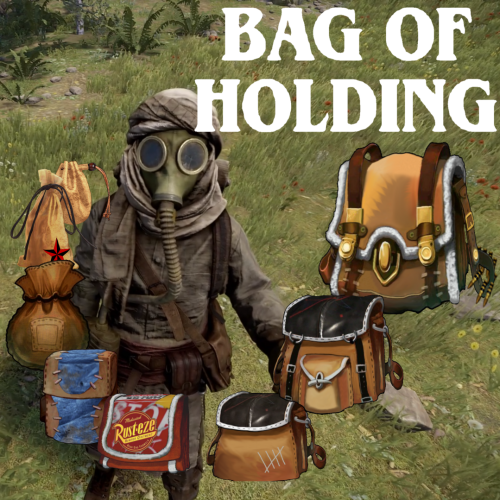 That's the first I've heard of bags unexpectedly changing category. I'm not aware of any reason that could happen. My guess is that another plugin caused it somehow. If that issue repeats, I can take a look at your config and plugin list to see if I have any ideas. When multiple bags are in gather mode, the priority order is the same as the bag order itself. This allows players full control of the priority by simply rearranging the bags. I could make the plugin designate a different order, but given that the bags are so configurable, as the developer I can't easily decide for you which bags should take priority over others (I can only provide a default order according to the default configuration), so if that were implemented, the order would have to be made configurable by the server owner. I caution against this because using an explicit priority order at the server level would mean individual players no longer have the ability to determine the priority order by rearranging the bags.
 -
Correct. Bank doesn't have any config options to block adding certain items to the bank, nor does it have hooks that would allow other plugins to block items.
-
That appears to happen because Bank is attempting to add items to the bag's inventory, before the bag's inventory has been created. If Bank is updated to create the bag with its skin, rather than set the skin after creating the bag item, this issue will probably resolve. There are bound to be other issues with Bank. I suggest using Backpacks instead, since it has both keep-on-death and keep-on-wipe functionality that should be more than sufficient for whatever use case for which you are using Bank.
-
Lightning Icon since Oct 6th Game Update
BlackLightning replied to Zoreeno's Support Report in Support
Changed Status from Pending to Not a Bug -
Lightning Icon since Oct 6th Game Update
BlackLightning replied to Zoreeno's Support Report in Support
Unfortunately, this is not fixable. The way this used to work is that setting the Cooking flag on an item would display the lightning bolt, and setting the OnFire flag on an item would display fire icon. As of the recent furnace changes, both flags now display the same icon, meaning there is no longer a way to influence the game to draw the lightning bolt on an item. The bag selector UI is still able to draw the lightning bolt because it's a custom UI so it can instruct the client to display arbitrary assets (the cooking icon asset is still in the game). I spent a lot of time experimenting with various item/container flags to see if the client could be influenced to draw other item indicators, but it seems the only possible options now are the locked indicator and the burning indicator, both of which the plugin already uses. The only workaround I can think of would be to allow multiple skins. One skin to represent an empty bag, and another to represent a non-empty bag. I suppose we could also allow a skin to represent gather mode. The plugin internals would need to be redesigned a significant amount to accommodate this feature, but we could do it. Designing and creating all the icons would also be a significant amount of work for our team since we have hundreds of icons, but if I remember correctly, you created your own icon set, so it is probably more feasible for you to update your icon set. If you are open to creating alternate bag icons for your server to represent non-empty bags, I can plan to implement the logic probably by end of this month. -
Ah, I misunderstood what was happening. It was the act of clicking the open button (using the OnItemAction hook) that was triggering the reward, not the act of technically opening/looting the bag container. Thanks @Zoreeno for helping out. If @Steenamaroo wants to provide better out-of-the-box compatibility in the Rust Rewards plugin, my suggestion is to ignore the loot bag item if it has a skin. This approach will also work for several other plugins that use skinned halloween loot bags and presents for special purposes (such as to run arbitrary commands when opened).
-
Bag of Holding has many API methods and hooks, but the documentation I originally wrote for them becomes stripped of all formatting when I try to paste it into this website's editor, and I haven't had the time to manually reformat it all (it's a lot). Steenamaroo has my permission to download the plugin from this website to browse the API/hooks in code, as well as my permission to test the integration on a test server. There are multiple ways to identify whether a player is looting a bag. The best way depends on the context and which information is available to the other plugin. I'm guessing the issue is happening in the OnEntityLootEnd hook which I see in the Rust Rewards code, but I'm surprised this is an issue in the first place. I imagine that plugins which rewards players for looting should only do so for containers which are clearly loot containers (as identified by the LootContainer class or by prefab). Bag of Holding does not use loot containers, so I'm not sure why this would be an issue in the first place, unless you are also seeing this issue for player deployed containers. I wonder if the Rust Rewards plugin has been incorrectly configured on your server, or if there is a broader issue with that plugin which has gone unreported. Rather than making other plugins specifically detect bags from this plugin, I suggest they instead detect when the player is looting an item (a container that resides inside an item). This approach can be done only while the player's loot container list (basePlayer.inventory.loot.containers) is populated (i.e., one frame after OnLootEntity is called, and before the player stops looting). If that container list has only one container, and that container has a parentItem, then that means the player is looting an item's container. This approach allows other plugins to be sufficiently generic so as to not rely on specific plugin APIs. Any time plugins can rely on generic approaches rather than plugin APIs, it generally increases compatibility and allows plugins to be swapped out (e.g., you could replace Bag of Holding with another plugin that works similar, or install multiple plugins that work like Bag of Holding).
-
I haven't heard back from the author of that plugin yet, so for now, here is a simple update you can make to the InstancedContainers.cs plugin file. Look for code like "OnGlobalStorageOpened" and "OnRunePouchOpened", then insert the following code after them. The pattern will become clear when you find those examples. void OnBagOpened(Item item, BasePlayer player) { CuiHelper.DestroyUi(player, "InstancedStoragePanel"); }
-
I have purchased the Instanced Containers plugin and reached out to the author to suggest multiple compatibility options. It will require an update to their plugin.
-
This is covered in the plugin documentation on the other website. The plugin documentation on this website is unfortunately lacking since it's a completely separate system so I basically have to rewrite all the documentation for it. To enable the tactical skins, grant yourself the bagofholding.config permission, then run the following 7 commands. boh.setskins bagofholding 2828612528 boh.setskins generic 2828559961 2828562701 2828573095 2828576548 2828579661 2828582369 2828585532 boh.setskins armor_clothing 2828558763 2828562098 2828571752 2828575986 2828579117 2828581616 2828584535 boh.setskins food_medical 2828559062 2828562247 2828572006 2828576133 2828579288 2828581907 2828584822 boh.setskins items_construction 2828557975 2828561492 2828570571 2828574809 2828578159 2828580887 2828583748 boh.setskins resources_components 2828558453 2828561930 2828571212 2828575734 2828578707 2828581409 2828584212 boh.setskins weapons_tools 2828559313 2828562454 2828572778 2828576369 2828579499 2828582142 2828585357 If you are using the belt icon, you'll also want to change that icon to one of the above skin ids.
-
Changed Status from Pending to Closed
-
No, thank YOU for creating such a detailed report. You investigated the issue your players reported, you determined the exact steps to recreate the issue, you verified it wasn't a plugin conflict, and you recorded a video showing when it does and doesn't happen. That is AMAZING!!
-
Changed Fixed In to 1.0.6
-
That's an interesting idea. One issue with that approach is that "bag is full" depends on the stack size of every item in the bag. Every time the contents of the bag change, the plugin would have to recalculate whether the bag is full, which could add some performance cost. I now remember the other reason that I didn't ship the feature for preventing gathering of the last removed item. It didn't work when splitting a stack, since the way splitting works is that it creates a new item with a partial amount and moves that into the container target container (to the inventory). The plugin can't easily determine that the newly created item came from the bag, without more hooks, more overhead, and significantly more potential for conflicting with other plugins. I just now released v1.0.6 which should fix this issue. Thanks again for reporting!
-
Okay, I think I see what's going on here. When you drag an item directly onto an item in a bag, the game tries to perform a swap. Let's say you dragged a snowball gun on to a muzzle brake. The first step in the swap is to remove the snowball gun from your inventory, placing it in temporary limbo. The second step is moving the muzzle brake from the bag to your inventory where the snowball gun was previously. Due to gather mode, that instantly moves the muzzle brake back into the bag. The third step is to move the snowball gun into what the game expects to be an empty slot in the bag. Unfortunately, that slot is occupied by the muzzle brake, so the item goes into permanent limbo. Ideally the Rust logic for item swaps would handle that case, but it does not. In the case that the item that was originally in the bag (the muzzle brake) can stack with another item in the bag, then it would get added to one of those stacks, successfully freeing a slot for the item being moved (the snowball gun), but that doesn't happen in your video because none of those items can be stacked. Even if you did configure those items to stack, this issue would still happen if the stack limit had been reached for all stacks of that item. This is similar to an issue with kit bags which I mitigated a few weeks ago, where if you dragged an item onto the last item in the kit bag to perform a swap (which ideally shouldn't be allowed, bust Rust tries to do anyway), when the item in the kit bag was removed from the bag, the bag would be deleted, and the original item would go into permanent limbo. That issue was resolved by delaying deletion of the kit bag, and at the time, I also fixed the issue where players could swap items, by detecting the unexpected item being added to the kit bag and auto removing (moving it to the parent container). As for how I can fix this specific bug, one approach would be to have the bag remember the last item that was in it, and to reject gathering that specific item in the same server frame. Doing so will ensure that the slot the item came from is free when Rust tries to move an item there during a swap. I actually experimented with this approach previously, as a Quality of Life feature to make it so you could remove an item from a bag that is in gather mode without it getting pulled back into the bag. I didn't complete that feature because its initial implementation was inconsistent. By that, I mean if the item was moved from a bag to the bag's parent container, it would avoid being pulled back in, as expected, but other bags could still gather it, which generally wasn't desired. I wanted to avoid a potentially inconsistent/confusing experience. Given this item loss bug, I will see if I can add back the partially working implementation of that feature, since it should mitigate this issue.
-
Thanks for reporting. I appreciate you taking the time to record it and test it with no other plugins installed. I'll take a look right now.
-
Once items are placed into one of the bags, the other should become instantly locked. If it does not appear locked, that may be simply a display issue (the bag is locked, but appears unlocked due to the client being out of sync). Did you confirm the other bag could be used, by placing an item inside? Update: I recreated the issue. When a bag is upgraded, it's not fully registered as the new type of bag, with respect to limits, so it's still usable. I'll release a fix after I get off work.
-
To limit each type of bag to 1, you will have to list each type of bag. There are only 7 categories by default: "bagofholding", "generic", "armor_clothing", "food_medical", "items_construction", "resources_components", "weapons_tools". The reason that you can have 2 "bagofholding" bags in your inventory in that screenshot is that they are empty. Empty bags do not count toward the bag limit. Place items in one and you should see the other become locked.
-
I originally wasn't planning to release on here, but some folks said they prefer to use a single platform (CF) for all their paid content. DM me your order ID from the other website and I'll generate a purchase for you on here.
-
Yes, I created the same coupon on this site, but it wasn't working correctly when setting an expiration date. I have changed it to not expire to work around that issue for now.
-
Thank you for sharing your perspective. It's important that folks continue to share their perspectives with each other, so that as a community, we can collaborate to build a better future. I am absolutely sympathetic to low income servers and low income individuals. That is why there will be sales and coupons. In fact, there is currently a $20.00 off coupon code available if you follow a particular YouTube channel, which brings the price down to $29.95. One server owner also contacted me asking for a discount, because they contribute work to the community for free, and their server is low income. I happily provided them a 60% off discount code, bringing the price down to $19.95. To be "fair", the price I set is in fact nowhere even close to what I invested. I will under no feasible circumstances receive even half of what I spent on this plugin. Anyone who thinks I going to profit off this plugin is mistaken. If I wanted a full return, I would make small easy plugins that have flashy UIs like other developers do, and I would do it as fast as possible, with low regard for quality. That wasn't my goal, and will probably never be my goal. I don't expect every server to consider this plugin a worthy investment, especially at full price. Not every product has to be affordable to every server. If that disadvantages your server with respect to other servers that can afford the plugin, then consider re-evaluating your server's long term income strategy, and/or just explain your situation to me and ask for a discount. I also understand that many people, even some other developers in the community, will not be able to understand or appreciate the time investment and the technical challenge undertaken to create and optimize this plugin. I can live with that. Part of the reason for the current price is that I knew there would still be issues and plugin conflicts, which can take a lot of time to troubleshoot and resolve. I didn't want to be in a situation where I had too many customers and was unable to resolve their issues in a timely manner. Setting a high initial price allowed me to throttle purchases so that I can give proper attention to a smaller set of customers. I realize that there are probably other ways of throttling purchases, but I figured setting a high price is fine because I'm not forcing anybody to buy the plugin at $50; people can wait for a sale if that price isn't right for them, or they can ask for a discount. Long term, I would like the plugin to eventually become a mainstream staple like Backpacks, and I understand that that will probably only happen with a much lower price, but I'm in no rush to get there.

