
Jump to content

Raul-Sorin Sorban

Administrator
  • Posts

    1,083
  • Joined

  • Days Won

    19

Everything posted by Raul-Sorin Sorban

  1. Hello there! Thank you for your question. The modes and Grimston configurations are within the main configuration file of the plugin. When you first load up the plugin and the config is generated, you'll notice that by the way the config file is structured. In the documentation they're split apart in chunks so they're better explained.
  2. The video's up! Please check the description of the plugin!
  3. Yeah, the groups aren't created by default. Pasting my config then reloading the plugin should fix everything. I'll fix that soon.
  4. The configuration settings must be not correctly set up by default. This is an example of how the config should look like: { "HarvestDyingPlants": true, "Settings": { "admin": { "MaximumHarvesters": -1, "PlantersPerHarvester": -1, "FuelPerSecond": -1.0, "PlanterDistance": 50.0, "EditorTimeout": 20.0 }, "vip": { "MaximumHarvesters": 5, "PlantersPerHarvester": 4, "FuelPerSecond": 0.01, "PlanterDistance": 35.0, "EditorTimeout": 20.0 }, "default": { "MaximumHarvesters": 1, "PlantersPerHarvester": 3, "FuelPerSecond": 0.02, "PlanterDistance": 15.0, "EditorTimeout": 20.0 } }, "GeneratorOnSkin": { "WoodStorageBox": 2101522859, "LargeWoodBox": 1262018145 }, "GeneratorOffSkin": { "WoodStorageBox": 1312998395, "LargeWoodBox": 826323166 }, "Harvesters": [] } I'll patch the plugin soon which will fix all these issues.
  5. Hello there! Looking at a Small Generator then running /setharvester should turn it into a functional Harvester. Once done that, it'll automatically put you in edit-mode, which allows you to hit planters with your hammer. When that's done, you must set the output of the container, by looking at a storage box (small or large preferrably) and running /setoutput. The skin of the box should change. When that does, turn on the Harvester and you're good to plant some clones! When the clones reach 100% Ripe, they'll be harvested & will automatically be cleared (fibers). I'm sorry for the lack of information in the description of the plugin, will write a better insight! Thank you for your purchase, will make sure it suits you well! Soon!
  6. Version 1.4.3

    208 downloads

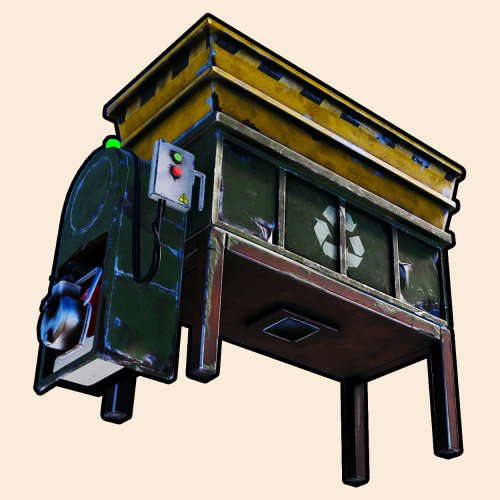
    If you're a farmer, you can forget about Bobby, because the Harvester is your new best friend! All you need to do is: Place her down — a Small Generator Put on some beard oil — Low Grade Fuel Whip it out — the Hammer Make sure you turn her on first — the Harvester Aim where you want it to go — output storage box Hit her good — link the planters with the hammer, and you're good to go! Instructions Looking at a Small Generator then executing the /setharvester command should turn it into a functional Harvester. Hit planters with your hammer to link them with the Harvester. Set the output of the container by looking at a storage box (small or large preferably) and executing the /setoutput command. The skin of the box will change based on the Harvester status, when the box has a colorful skin, the Harvester's online. When clones planted in linked planters reach 100% Ripe, will be slowly automatically collected. It will also clean-up the planters by harvesting the planters with dead clones. Upcoming A list of planned, upcoming features: Separate output container designed for collecting fibers from dead clones. Permissions Here are all the permissions you can use: harvester.admin: Allows players to run admin commands — none yet. harvester.use: Allows anyone to set new Harvesters. Commands Here are all the commands you can use: Create: /setharvester will register a new Harvester when looking at a Small Generator. Remove: /unsetharvester will unregister an existent Harvester that you own. Container Set: /setoutput will set a container you want the harvested clones to go in. Container Unset: /unsetoutput will unset a container if you're the owner of the Harvester. Seed Container Set: /setseed will set a container you want the seed to be taken from and be auto-placed in your planters. Seed Container Unset: /unsetseed will unset a container if you're the owner of the Harvester. Team Access: /allowteamaccess allows other people in your team to register and unregister their own planters. Friends Access: /allowfriendsaccess will allow Friends (by Wulf) to register and unregister their own planters. Clan Access: /allowclanaccess will allow Clans (by k1lly0u) to register or unregister their own planters. Dependencies The following are optional but highly recommended plugin dependencies: Friends by Wulf Clans by k1lly0u Feedback If you have any ideas or feedback you wanna give me, please comment down below.
    $9.10
  7. Love your service and you for considering this! So fucking stoked!
  8. Version 2.4.3

    2,041 downloads

    Punch players and other things because it's fun. A very default melee weapon to protect yourself with - your goddamned fists. Punchables Players: Hurt players and make them bleed to death. Murderers: Hurt Scarecrows or any other humanoid and player-like / Non-Playable-Characters with your punchies. Animals: Some animals want you dead. I don't support animal cruelty though. Horses: I mean, why not... Loot Containers: Break barrels with your fists. Your fists might start bleeding though. Bradley: Bradley go brr. Building Blocks: Can give damage to building blocks, and destroy twig blocks with your fists. Terrain: Hit the ground or rocks. Doesn't do much, just makes your fists bleed for hitting the ground for nothing. Resources: Hit trees, nodes and other gatherable stuff. Water: Hit the salty ocean to heal your wounds and yourself. Punching into the salty water will give you a chance for catching Small Trout fish. Keycard Slicing Slice up players when holding a Keycard. Hammer Hitting Break ribs with the hammer. Hit any of the Punchables above to get your point across. FOR BEST ENTERTAINMENT, USE THE DEFAULT SETTINGS OF THE PLUGIN.
    Free
  9. Ok, will do my best to try to replicate that specific issue if I can. There might be other inventory management plugins that might interfere in some way that I did not test with yet, hence why only having Restore Upon Death by k1lly0u tested and having the correct result might not or doesn't seem to be enough.
  10. Do they lose their inventory if they die in different ways than when playing a game in aMAZEingPro? Being shot at by someone or falling.
  11. Hello there, @TwoShoes! The mazes are fully auto-generated, but you can use the API to create temporary buildings (which doesn't start a game) and just creates the building. Beware though: Upon reloading the plugin, the maze generated with the API will be wiped & it is not saved within the server data (which means when you restart the server, any of the maze generated objects won't be reloaded). I might add the possibility of allowing consistent existence of generated mazes through the API if anyone's interested in that. To add multiple floors, you can follow this example: "test":{ "DisplayName":"Test", "DisplayDescription":"A test ran my administrators or developers for specific reasons.", "Size":5, "Disabled":false, "Group":"default", "EnableInvites":true, "RespawnOnFloorWherePlayerDied":true, "HostMaximumLives":5, "HelperMaximumLives":3, "Rewards":{ "Currency (0 = Economics, 1 = ServerRewards - balance is divided by 100)":0, "Completion Depositing Balance":100, "Door Unlocking Depositing Balance":5, "Losing Withdrawal Balance":50, "Leaving Withdrawal Balance":10 }, "Floors":[ { "EnableLanterns":true, "Posters":{ "Urls (Must be an accessible direct download link to an image - PNG or JP[E]G)":[ ], "PosterSpawnChanceAmount":5, "PosterSpawnChanceTimes":2 }, "Doors":{ "DoorChanceAmount":5, "DoorChanceTimes":2, "DoorMaximumAmount":5, "GiftStorageChanceAmount":5, "GiftStorageChanceTimes":2, "GiftStorageSkinId":1222289196, "WrapGifts":true, "GiftLoot":[ { "ShortName":"scrap", "MinAmount":100, "MaxAmount":500 } ] }, "Traps":{ "EnableLandMines":true, "EnableGunTraps":true, "EnableBearTraps":true, "EnableFog (Works only if Halloween mode is enabled)":false, "GunTrapAmmoChanceAmount":5, "GunTrapAmmoChanceTimes":2, "GunTrapAmmoAmount":64, "LandMineChanceAmount":5, "LandMineChanceTimes":2, "BearTrapChanceAmount":5, "BearTrapChanceTimes":2 }, "Blocks":{ "RugSkinId":0, "EntranceWallTier":2, "ExitWallTier":2, "WallTier":1, "WallFrameTier":1, "FoundationTier":1, "FloorTier":1 }, "Loot":{ "EntranceSignFormat":"START", "EntranceStorageLoot":[ { "ShortName":"wood", "MinAmount":1, "MaxAmount":0 } ], "EntranceStorageSkinId":0, "ExitSignFormat":"FINISH\nGood job, {0}!", "ExitStorageLoot":[ { "ShortName":"wood", "MinAmount":1, "MaxAmount":0 } ], "ExitStorageSkinId":0 } }, { "EnableLanterns":false, "Posters":{ "Urls (Must be an accessible direct download link to an image - PNG or JP[E]G)":[ "https://i.redd.it/cbcz02c3wlv51.jpg", "https://i.redd.it/xhyxowes0gv51.jpg", "https://i.redd.it/y30leeu81lv51.jpg", "https://i.redd.it/qbo7ot73ojv51.jpg", "https://i.redd.it/78v3jj30hjv51.jpg" ], "PosterSpawnChanceAmount":5, "PosterSpawnChanceTimes":2 }, "Doors":{ "DoorChanceAmount":5, "DoorChanceTimes":2, "DoorMaximumAmount":5, "GiftStorageChanceAmount":5, "GiftStorageChanceTimes":2, "GiftStorageSkinId":787732534, "WrapGifts":true, "GiftLoot":[ { "ShortName":"scrap", "MinAmount":100, "MaxAmount":500 } ] }, "Traps":{ "EnableLandMines":true, "EnableGunTraps":true, "EnableBearTraps":true, "EnableFog (Works only if Halloween mode is enabled)":false, "GunTrapAmmoChanceAmount":5, "GunTrapAmmoChanceTimes":2, "GunTrapAmmoAmount":64, "LandMineChanceAmount":5, "LandMineChanceTimes":2, "BearTrapChanceAmount":5, "BearTrapChanceTimes":2 }, "Blocks":{ "RugSkinId":0, "EntranceWallTier":4, "ExitWallTier":4, "WallTier":3, "WallFrameTier":3, "FoundationTier":3, "FloorTier":4 }, "Loot":{ "EntranceSignFormat":"START", "EntranceStorageLoot":[ { "ShortName":"wood", "MinAmount":1, "MaxAmount":0 } ], "EntranceStorageSkinId":0, "ExitSignFormat":"FINISH\nGood job, {0}!", "ExitStorageLoot":[ { "ShortName":"wood", "MinAmount":1, "MaxAmount":0 } ], "ExitStorageSkinId":0 } } ] } The Floors: [ part is an array, meaning you can add more than one configuration per floor. You can just copy and paste the first configuration then configure it accordingly. The forced respawning and inventory wipe will be fixed in the next update which will happen soon, sorry about that. I have tested this just now in my testing server (using Restore Upon Death by k1lly0u plugin) and with the restoreupondeath.admin permission, I am not losing any percentage of the loot when dying to gun-traps, landmines and/or bear traps. I hope this helped. Thank you for checking my plugin out!
  12. Hey there, @2ic! You can define any type of reward (item list) for players to receive in the Exit Storage loot container. "Loot": { "EntranceSignFormat": "START", "EntranceStorageLoot": [], "EntranceStorageSkinId": 0, "ExitSignFormat": "FINISH\nGood job, {0}!", "ExitStorageLoot": [ { "ShortName": "scrap", "MinAmount": 500, "MaxAmount": 1000 } ], "ExitStorageSkinId": 0 } The MinAmount and MaxAmount is the range of the random amount (of Scrap in this instance) which will be inserted in the Exit Storage container. If you set the MaxAmount to 0, it will only take MinAmount (the exact number). FYI: If you want to search a specific item to add to the loot table, please go to this website, search it and copy the exact text of the "Short Name" column, then paste it in the ShortName section in the JSON configuration. You can add multiple items in the loot table as well. "Loot": { "EntranceSignFormat": "START", "EntranceStorageLoot": [], "EntranceStorageSkinId": 0, "ExitSignFormat": "FINISH\nGood job, {0}!", "ExitStorageLoot": [ { "ShortName": "scrap", "MinAmount": 500, "MaxAmount": 1000 }, { "ShortName": "bleach", "MinAmount": 10, "MaxAmount": 0 } ], "ExitStorageSkinId": 0 } The loot containers are configurable per floor. So every floor can have completely different loot tables. Please check out the configuration example in the description tab of the plugin for more insight. Thank you for the question! If you have any other, I'm more than happy to respond. I hope this helped.
  13. Hey there, @thepiercedweirdo! They always spawn at the player's location, with a vertical offset of 250 meters high (by default, it's configurable), it's up in the sky. Multiple games can take place as they are stacked on top of eachother, relative to the floor count. The traps are all functional and very much deadly due to ZoneManager zone and TruePVE exclusion that aMAZEing's temporarily creating. Everything's automatic as it should be. If you encounter any odd occurances, please let me know.
  14. Hello there! ServerRewards is not supported just yet, though it is on my to-do list for future updates. And to answer your first question, it is currently running on a community server named Dickaroo, as well as my server, LRB. In the near future I'll be releasing a whole new feature to the plugin, which also includes fixes for minor issues discovered by users. Stay tuned.
  15. Version 3.0.1

    385 downloads

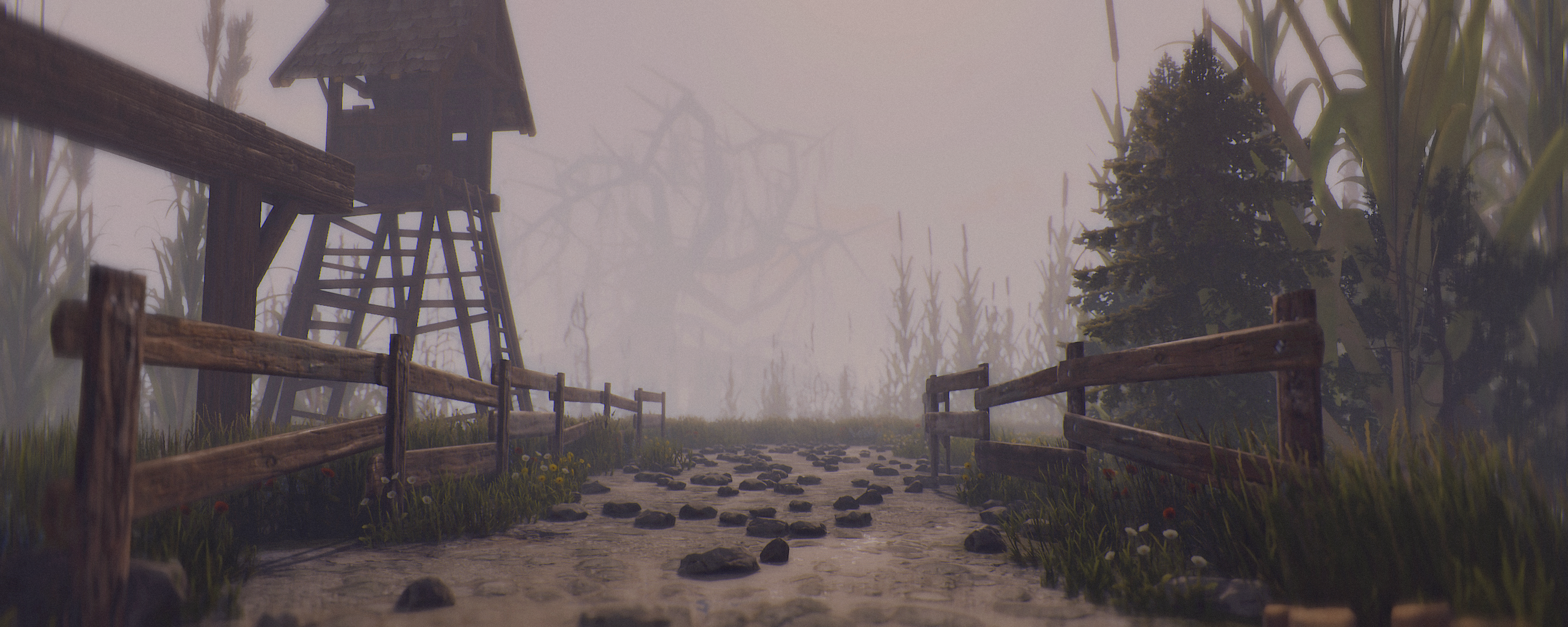
    aMAZEingPro is a Rust mini-game which allows you and your friends to enjoy amazeingly fun but confusing mazes. Features The plugin currently features the following: Extremely customizable. Asynchronous maze creation. Batch maze creation & destruction. Configurable maze sizes. Maze modes. Multiple floors. Multiplayer. Spectating mode. Host & helper player lives & respawning on trap death. Rewards: Economics and / or ServerRewards Events: Christmas, Halloween, Valentine's Day & Easter modes. Configurable per floor: Posters. Traps (landmines, gun traps & bear traps). Block tier configurations (twigs, wood, stone, metal, top tier). Entrance / exit (reward box) loot configurations. Skins for entrance (small) / exit (large) storage boxes and rugs. Trap spawn chance amounts. Locked doors & gifts. API The plugin currently features the following: (string) CreateBuilding(ulong playerId, string modeJson, Vector3 rootPosition, int seed) // Generates a maze building with the mode configuration and returns the id which can be used to destroy it. (string) CreateBuilding (ulong playerId, Mode mode, Vector3 rootPosition, int seed, bool persistent) // Generates a maze building with the mode configuration and returns the id which can be used to destroy it. (void) DestroyBuilding(ulong playerId, string buildingId) // Destroys a building with the id. (bool) IsHosting(ulong playerId) // Returns true if the player with the ID is currently hosting / playing a game. (bool) IsHelping(ulong playerId) // Returns true if the player with the ID is currently playing or is participating in someone's game. (bool) IsHelpingPlayer (ulong playerId, ulong helpedPlayer) // Returns true if a player is playing in someones' maze game. (bool) IsCooledDown(ulong playerId) // Returns true if the player with the ID is currently cooled down. (int) GetCooldown(ulong playerId) // Returns the amount in seconds of someone's cooldown. Warning: On plugin reload, the buildings created with the API (along with the running games) are going to be destroyed. Configuration The config comes with a few handy links, quick to access when you wanna make changes, like change the skins of small / large storage box, or need the item short-names and block tier indicators. { "ItemsListWebsite": "https://www.corrosionhour.com/rust-item-list/", "LargeWoodenStorageBoxWorkshopWebsite": "https://steamcommunity.com/workshop/browse/?appid=252490&searchtext=&childpublishedfileid=0&browsesort=trend&section=mtxitems&requiredtags%5B%5D=Large+Wood+Box", "SmallWoodenStorageBoxWorkshopWebsite": "https://steamcommunity.com/workshop/browse/?appid=252490&searchtext=&childpublishedfileid=0&browsesort=trend&section=mtxitems&requiredtags%5B%5D=Wood+Storage+Box", "RugWorkshopWebsite": "https://steamcommunity.com/workshop/browse/?appid=252490&searchtext=&childpublishedfileid=0&browsesort=trend&section=mtxitems&requiredtags%5B%5D=Rug", "BlockTiers": "0 = Twigs, 1 = Wood, 2 = Stone, 3 = Metal, 4 = Top Tier", "GrimstonMoods": "0 = Angry, 1 = Helpful, 2 = Annoying", "WelcomeCommand": "maze", "InfoCommand": "maze.info", "PlayCommand": "maze.play", "LeaveCommand": "maze.leave", "KickCommand": "maze.kick", "InviteCommand": "maze.invite", "InviteAcceptCommand": "maze.accept", "InviteDeclineCommand": "maze.decline", "ModesCommand": "maze.modes", "LeaderboardCommand": "maze.lead", "ResetModesCommand": "maze.resetmodes", "MaximumInvites": 5, "DefaultHeight": 250.0, "BatchKillCount": 15, "BatchCreationRowCount": 5, "EnableLogging": true, "UseNPipesSignText": false, "EnablePlayerNoclip": false, "EnablePlayerNoclipLerp": true, "PlayerNoclipLerp": 4.0, "PlayerNoclipSprintMultiply": 3.0, "Themes": { "Auto": true, "Theme (0 = None, 1 = Valentine's Day, 2 = Easter, 3 = Halloween, 4 = Christmas)": 4, "Settings": { "StockingChanceAmount": 5, "StockingChanceTimes": 2, "ScarecrowChanceAmount": 5, "ScarecrowChanceTimes": 2, "RustigeChanceAmount": 5, "RustigeChanceTimes": 2 } }, "GroupCooldowns": { "admin": 0, "vip": 25, "default": 120 }, "Modes": {} } Modes To set up a mode with one or more floors, it must look something like this: { "DisplayName": "Easy Run", "DisplayDescription": "Fun but complicated. Don't give up too easily. There're memes for your enjoyment.", "Size": 15, "Disabled": false, "Group": "default", "EnableInvites": false, "RespawnOnFloorWherePlayerDied": true, "HostMaximumLives": 1, "HelperMaximumLives": 1, "Rewards": { "Currency (0 = Economics, 1 = ServerRewards - balance is divided by 100)": 0, "Completion Depositing Balance": 100, "Door Unlocking Depositing Balance": 5, "Losing Withdrawal Balance": 50, "Leaving Withdrawal Balance": 10 }, "Floors": [ { "EnableLanterns": true, "Posters": { "Urls (Must be an accessible direct download link to an image - PNG or JP[E]G)": [ "https://i.redd.it/cbcz02c3wlv51.jpg", "https://i.redd.it/xhyxowes0gv51.jpg", "https://i.redd.it/y30leeu81lv51.jpg", "https://i.redd.it/qbo7ot73ojv51.jpg", "https://i.redd.it/78v3jj30hjv51.jpg" ], "PosterSpawnChanceAmount": 5, "PosterSpawnChanceTimes": 2 }, "Doors": { "DoorChanceAmount": 10, "DoorChanceTimes": 6, "DoorMaximumAmount": 7, "GiftStorageChanceAmount": 5, "GiftStorageChanceTimes": 2, "GiftStorageSkinId": 0, "WrapGifts": true, "GiftLoot": [] }, "Traps": { "EnableLandMines": false, "EnableGunTraps": true, "EnableBearTraps": false, "EnableFog (Works only if Halloween mode is enabled)": true, "GunTrapAmmoChanceAmount": 5, "GunTrapAmmoChanceTimes": 2, "GunTrapAmmoAmount": 64, "LandMineChanceAmount": 5, "LandMineChanceTimes": 2, "BearTrapChanceAmount": 5, "BearTrapChanceTimes": 2 }, "Blocks": { "RugSkinId": 0, "EntranceWallTier": 2, "ExitWallTier": 2, "WallTier": 1, "WallFrameTier": 1, "FoundationTier": 1, "FloorTier": 2 }, "Loot": { "EntranceSignFormat": "START", "EntranceStorageLoot": [], "EntranceStorageSkinId": 0, "ExitSignFormat": "FINISH\nGood job, {0}!", "ExitStorageLoot": [ { "ShortName": "scrap", "MinAmount": 500, "MaxAmount": 1000 } ], "ExitStorageSkinId": 0 } } ] } Permissions Here are all the permissions you can use: aMAZEingPro.play: Allows anyone to start a new maze. Invited players do not require this permission. aMAZEingPro.admin: Allows anyone to execute [admin command]s. Commands Here are all the commands you can use: Welcome: /maze by default, will print some information about this plugin, including the commands. It'll open the HUD for aMAZEingCUI if you have it installed. Info: /maze.info by default, will print some information the current game the player's playing, including mode information. Play: /maze.play by default, [1/2/3 or mazeId (easy, hard, etc.)] will start a game with the specified maze id or index. Leave: /maze.leave by default, will make a player or a helper teleport back to where they were. If the same player started the maze, the maze will be destroyed. Invite: /maze.invite by default, will invite another player if you're already in a maze. They'll be secretly notified about it, where they can: Accept: /maze.accept by default, [none or playerName] will accept a request to help a player to the maze. Accepting without having any input, will accept any games that the player's been requested to. Decline: /maze.decline by default, [none or playerName] will decline a request to help a player to the maze. Declining without having any input, will decline any games that the player's been requested to. Kick: /maze.kick by default, [playerName] will kick a helper player from a player's game. Modes: /maze.modes by default, will print a list of all the maze modes a player can play in. Leaderboard: /maze.lead by default, will print a list of all the maze modes with top 5 players best completion times. Reset Modes: /maze.resetmodes by default [admin command], will reset the configuration. Dependencies The plugin currently depends on the following plugins: SignArtist by Whispers88 The following are optional but highly recommended plugin dependencies: TruePVE by nivex HelpText by Calytic ServerRewards by k1lly0u Economics by Wulf Rust Kits by Whispers88 Feedback If you have any ideas or feedback you wanna give me, please comment down below.
    $6.49
2.3m

Downloads

Total number of downloads.

10.6k

Customers

Total customers served.

152.6k

Files Sold

Total number of files sold.

3.3m

Payments Processed

Total payments processed.

×
×
  • Create New...

Important Information

We have placed cookies on your device to help make this website better. You can adjust your cookie settings, otherwise we'll assume you're okay to continue.