Jump to content

P1S4G0R

Creator
  • Posts

    182
  • Joined

  • Last visited

Everything posted by P1S4G0R

  1. P1S4G0R

    Smart Base

    i think u used old version can u download and try with last version?
  2. P1S4G0R

    Smart Base

    Can u check it again with new version
  3. P1S4G0R

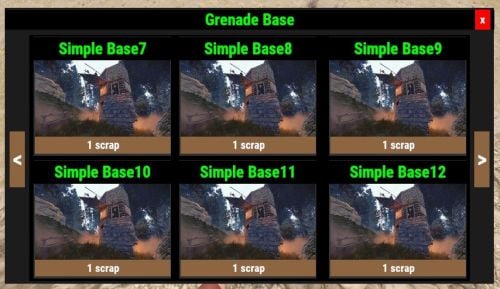
    Smart Base

    Can u send me an image from your Perm page for your player
  4. P1S4G0R

    Smart Base

    hello, added a config setting about that, if you change it with true , player con open container if playet not in building blocked.
  5. P1S4G0R

    Smart Base

    sorry i was a little busy in last days, i fixed move item problem after reload plugin and added perms for every box i wait your reply
  6. P1S4G0R

    Smart Base

    Currently, only the player with the permission can access the boxes in the menu without limit. But I will consider it with the update on the extra limit permission.
  7. P1S4G0R

    Smart Base

    I thought at first but the game didn't allow to run them so I didn't add them. If I find a solution, I will add them.
  8. P1S4G0R

    Smart Base

    Version 2.1.3

    153 downloads

    This plugin give access to remote storage Box ( Large Wooden Box, Small Wooden Box, Coffin, Electric Furnace And Cupboard) then player can take and send item from storage boxes. Perms smartbase.use smartbase.limit.1 smartbase.limit.2 smartbase.limit.3 smartbase.limit.4 smartbase.limit.5 smartbase.limit.6 smartbase.limit.7 smartbase.limit.8 if player has "smartbase.use" permission so player can use this plugin features. All Plugin Settings { "Plugin Icon Id": 0, "Small Wooden Box Image": "https://rustlabs.com/img/items180/box.wooden.png", "Large Wooden Box Image": "https://rustlabs.com/img/items180/box.wooden.large.png", "Coffin Image": "https://rustlabs.com/img/items180/coffin.storage.png", "TC Image": "https://rustlabs.com/img/items180/cupboard.tool.png", "Gui Button Enabled": true, "Gui Button Image": "https://cdn-icons-png.flaticon.com/512/1507/1507052.png", "Button Cordinate AnchorMin": "0.5 0.0", "Button Cordinate AnchorMax": "0.5 0.0", "Button Cordinate OffsetMin": "250 18", "Button Cordinate OffsetMax": "310 78", "Dont Open Container If Player In Building Blocked": false, "Dont Open container If Player has not Building Privilege": false, "Check Player in Raid Block": true, "Check Player in Combat Block": true } Player Commands /smartbase ->show smartbase menu /markbox -> while looking box /removemarkbox -> while looking box Language Settings: You can modify the notification messages in different languages under the 'Language' folder. Discord: If you find any bugs, need assistance, or have suggestions related to the plugin, you can reach out on Discord. Discord pisagor0104 https://discord.gg/JnQftZeSXD
    $14.99
  9. P1S4G0R

    Wipe Protect

    it works with no problem , i use my own server
  10. Version 1.0.1

    18 downloads

    This Plugin give player to vip permission for specific time with Time Permission Plugin. A player can use this command one time but if admin will wipe vipdata player can use this command again. Configs { "Test Vip Enabled": true, "Oxide Vip Group": [ "diamond", "gold", "platinium" ], "Plugin Icon Id": 0, "Test Vip Time(as like hours)": "12h", "Player Adding All Group?": false } You must change oxide Vip Group with your own oxide group names. Language Settings: You can modify the notification messages in different languages under the 'Language' folder. { "plugin_pre_tag": "<color=#FF0000>[Test Vip] :</color>", "used_test_vip": "You used the /testvip command before.", "test": "test", "vip_data_clear": "Test vip data wiped.", "dont_have_permission": "You don't have permission to use this command", "added_vip": "{0} Vip added to your account for {1} hour(s)" } Commands /testvip -> Giving Vip Perms To Player /vipcleardata -> Clear Data ( for admin ) Discord: If you find any bugs, need assistance, or have suggestions related to the plugin, you can reach out on Discord. Discord pisagor0104 https://discord.gg/JnQftZeSXD
    $9.99
  11. P1S4G0R

    Social Links

    Version 1.1.0

    24 downloads

    This plugin helps your players to easily reach discord and steam addresses. When players enter the game for the first time, a menu will appear and they can click on their discord and steam addresses and copy them. At the same time, players are given two papers with discord and steam arrows. In the content of these papers, you can send the steam and discord addresses together with the note you wrote to the user. Plugin Settings "Social Menu Enabled": true, if Social Menu Enabled is true player can see Social Menu Screen in first connect to server. "Give Note For Every Resapwn (if false, just giving paper first connect server)": true if this settings is true player get papers for every respawn. "Steam Oxide Group Name (Oxide Steam Auth Group Name": "auth", "Discord Oxide Group Name (Oxide Discord Auth Group Name": "authenticated", This settings can help players groups checking by plugin So if player in that group then player doesn't take note papers. "Discord Note Enabled": true, "Social Menu Enabled": true, This settings can help to set papers settings active or not active. This settings can help to set papers settings active or not active. if they are true and player doesnt in group then plugin give papers to players "Steam Icon Id": 3013596370, "Discord Icon Id": 2993752179, Note Paper icon id All Plugin Settings { "Discord Note Enabled": true, "Plugin Icon Id": 0, "Discord Oxide Group Name (Oxide Discord Auth Group Name": "authenticated", "Discord Link": "https://discord.gg/82EpFsnumd", "Steam Link": "https://steamgroup...", "Discord Logo Link": "https://www.freepnglogos.com/uploads/discord-logo-png/discord-logo-logodownload-download-logotipos-1.png", "Steam Logo Link": "https://upload.wikimedia.org/wikipedia/commons/thumb/8/83/Steam_icon_logo.svg/2048px-Steam_icon_logo.svg.png", "Discord Icon Id": 2993752179, "Steam Note": true, "Social Menu Enabled": true, "Steam Oxide Group Name (Oxide Steam Auth Group Name": "auth", "Steam Icon Id": 3013596370, "Give Note For Every Resapwn (if false, just giving paper first connect server)": true } Player Commands /socialmenu -> showing menu /discord -> give discord note paper to player /steam -> give steam note paper to player Language Settings: You can modify the notification messages in different languages under the 'Language' folder. { "discordnote": "Dc :{0}\nYou can copy it by selecting the link above and then press ctrl + c.", "steamnote": "Steam: {0}\nYou can copy it by selecting the link above and then press ctrl + c.", "socialmenutitle": "Social Menu", "socialmenudescription": "<size=22><color=#FF0000>Title</color></size>\n Lorem dummy text of the printing and typesetting industry. Lorem Ipsum has been the industry's standard dummy text ever since the 1500s, when an unknown printer took a galley of type and scrambled it to make a type specimen book. It has survived not only five centuries, but also the leap into electronic typesetting, remaining essentially unchanged. It was popularised in the 1960s with the release of Letraset sheets containing Lorem Ipsum passages, and containing Lorem Ipsum passages, and containing Lorem Ipsum passages, and containing Lorem Ipsum passages, and containing Lorem Ipsum passages, and containing Lorem Ipsum passages, and containing Lorem Ipsum passages, and containing Lorem Ipsum passages, and containing Lorem Ipsum passages, and ", "socialmenucopybutton": "You Can Click Link Then Press CTRL + C", "discordgivepaper": "Discord Link Paper in Your Inventory", "steamgivepaper": "Steam Link Paper in Your Inventory", "plugin_pre_tag": "<color=#FF0000>[Social Links] :</color>" } Discord: If you find any bugs, need assistance, or have suggestions related to the plugin, you can reach out on Discord. Discord pisagor0104 https://discord.gg/JnQftZeSXD Youtube
    $9.99
  12. P1S4G0R

    Pvp Marker

    { "Pvp Map Marker Enabled": true, "Pvp Chat Message Enabled": true, "Npc Fight All Notification Enabled": true, "Npc Pvp Map Marker Enabled": true, "Npc Pvp Chat Message Enabled": true, "Show Message If player in pvp area": false, "Marker Color": "00FF00", "Marker Outline Color": "00FFFFFF", "Marker Duration (Second)": 60, "Marker Radius (float)": 0.3, "Show Special Bot Name for TrafficDrivers Plugin": false } i add that settings to plugin for example ffffff is white color code, ffffffAB is %67 transparent white color code but while try that its not working. Because of this i told you its not working. But i will write to plugin developer. "Marker Color": "00FF00", "Marker Outline Color": "00FFFFFF",
  13. P1S4G0R

    Pvp Marker

    Added color replacement and language files, but MapMarkerApi Plugin does not accept Transparent color codes.
  14. P1S4G0R

    Wipe Protect

    I'm trying to create rules about that are useful for the team. But for now, while someone in the same clan has protection, it may not be someone else's protection. If you have any suggestions about this, I would be glad if you write.
  15. P1S4G0R

    F1 Grenade Base

    plugin working with copy paste plugin , if your base json file has loot so base created with loot.
  16. @Liquid Bucket i udpdated for Economics works both of them
  17. P1S4G0R

    Pvp Marker

    Version 1.2.0

    148 downloads

    This plugin can help top showing all pvp activities (player vs player, player vs bot). if players kill each other or kill bots their coordinate marked on map and giving chat notification message. You can change the marker settings from the config file. You can change chat messages from the language folder. All Config Settings { "Pvp Map Marker Enabled": true, "Pvp Chat Message Enabled": true, "Npc Fight All Notification Enabled": true, "Npc Pvp Map Marker Enabled": true, "Npc Pvp Chat Message Enabled": true, "Show Message If player in pvp area": false, "Marker Color": "00FF00", "Marker Outline Color": "00FFFFFF", "Marker Duration (Second)": 60, "Marker Radius (float)": 0.3, "Show Special Bot Name for TrafficDrivers Plugin": false "Iconid": 76561198283261741, "Color Opacity Percent example (%25 =0.25, %50 = 0.5 ...": 0.5, "Use Map Marker Plugin (true or false)": false } Language Settings: You can modify the notification messages in different languages under the 'Language' folder. Discord: If you find any bugs, need assistance, or have suggestions related to the plugin, you can reach out on Discord. Discord pisagor0104 https://discord.gg/JnQftZeSXD
    $9.99
  18. Version 1.1.2

    16 downloads

    Players can send Rp and Economics points with each other with simple transfer command. if you want show gui notification you have to install ImageLibrary and CustomStatusFrameWork Plugins Transfer Command for rp /transfer player_nick_part amaount Transfer Command for economic /etransfer player_nick_part amaount "amount" must be integer Plugin Settings { "Gui Notification Enabled": true, "Chat Notification Enabled": true, "Rp Icon Url": "https://cdn.onlinewebfonts.com/svg/img_455828.png", "Rp Send Notification Background Color": "0.46275 0.22745 0.18431 1", "Rp Recieve Notification Background Color": "0.46275 0.22745 0.18431 1", "Rp Not Enough Balance Notification Background Color": "0.46275 0.22745 0.18431 1", "Economics Icon Url": "https://icon-library.com/images/economy-icon/economy-icon-12.jpg", "Economics Send Notification Background Color": "0.46275 0.22745 0.18431 1", "Economics Recieve Notification Background Color": "0.46275 0.22745 0.18431 1", "Economics Not Enough Balance Notification Background Color": "0.46275 0.22745 0.18431 1", "Gui Notification Showing Time": 10.0 } Discord: If you find any bugs, need assistance, or have suggestions related to the plugin, you can reach out on Discord. Discord pisagor0104 https://discord.gg/JnQftZeSXD
    $9.99
  19. P1S4G0R

    Wipe Protect

    @sar @Robis if player has cupboard auth, player can give damage every entity in cupboard range. (For griefing new update)
  20. P1S4G0R

    Wipe Protect

    @RobisNot damage for buildings. This plugin can help to player improve yourself without raid in "x" time . some player can put turret thats true that is the game nature. i think if any player wants to making toxic, the player cant blocked by any plugin. player can find a lot of way.
  21. P1S4G0R

    Wipe Protect

    do u use different plugin for patrol or etc spawn?
  22. P1S4G0R

    Wipe Protect

    Players are able to damage Helis from Heli Signals & Bradleys from Bradley Drops with Wipe Protect active. it is running no problem about it. other situation player can use hamme or remove command.
  23. P1S4G0R

    Wipe Protect

    @Robis https://umod.org/plugins/raid-limit you can use this plugin for that
2.3m

Downloads

Total number of downloads.

10.5k

Customers

Total customers served.

152.3k

Files Sold

Total number of files sold.

3.2m

Payments Processed

Total payments processed.

×
×
  • Create New...

Important Information

We have placed cookies on your device to help make this website better. You can adjust your cookie settings, otherwise we'll assume you're okay to continue.