
P1S4G0R
-
Posts
193 -
Joined
-
Last visited
Content Type
Profiles
Warranty Claims
Downloads
Forums
Store
Services
Downloads Plus Support
DOWNLOADS EXTRA
Reels
Everything posted by P1S4G0R
-
 o.unload ApartmentMasterKeyBlocker -> Unloading the plugin makes the game work normally.
 -
Version 1.0.0
264 downloads
Apartment Master Key Blocker is a simple yet essential plugin tailored for Rust RP (Roleplay) and PvE servers. It completely disables the purchase of the Master Key from Bandit Camp (and other vendors), ensuring players cannot bypass base building rules or easily access restricted apartment areas. If you are running an RP or strict PvE server where apartments are regulated, this plugin is a must-have! Features * Blocks Purchases Instantly: Immediately cancels the transaction when a player attempts to buy the key. * Multi-Language Support: Sends a customizable UI warning message (Toast) in the player's native language. * Lightweight & Efficient: Does its job perfectly without causing any performance overhead on your server. * Plug & Play: No complicated permissions or configurations needed. Just drop it in and it works. Localization (Multi-Language) The plugin comes with English, Turkish, and Russian support out of the box. The plugin automatically detects the player's game language and sends the appropriate warning message. Server owners can easily change the existing messages or add new languages in the oxide/lang/en/ApartmentMasterKeyBlocker.json file. English (Default): "PurchaseBlocked": "Apartment Master Key purchase is disabled on this server!" Turkish: "PurchaseBlocked": "Apartment Master Key satın alımı bu sunucuda devre dışıdır!" Russian: "PurchaseBlocked": "Покупка Apartment Master Key отключена на этом сервере!" Installation 1. Download the ApartmentMasterKeyBlocker.cs file. 2. Place it in your server's oxide/plugins folder. 3. The plugin will automatically compile and generate the necessary language files.Free -
Changed Status from Pending to Closed
-
Hi there! I apologize for not getting back to you sooner. Regarding the 'you don't have the permission' error, this usually happens after an update when the permission nodes need to be re-applied or assigned to the players/groups. Please make sure you have granted the correct permission to your players (e.g., f1grenadebase.use). You can do this via your server console or admin tool (e.g., o.grant group player f1grenadebase.use). If you are still seeing this issue after applying the permission, please reach out to me on Discord, and I’ll take a closer look to ensure everything is configured correctly for your server.
-
Changed Status from Pending to Closed
-
Hi there! First of all, I sincerely apologize for the delay in responding to your message; I missed this notification, and I'm sorry for any inconvenience it caused. Regarding the spawning time: As of now, this specific feature is not available in the current version of the plugin. However, I appreciate you bringing this up! I will check the API requirements in the next update, and if the base plugin allows for it, I will definitely add a configuration option to adjust the spawn delay. Please stay tuned for future updates. If you have any other questions or need further assistance, feel free to add me on Discord and reach out!
-
Changed Status from Fixed to Closed
-
Changed Status from Pending to Fixed Changed Fixed In to 1.4.4
-
I'm sorry to hear that you're having trouble, but I would like to clarify that the plugin is fully functional and has been tested with the current Rust version. Regarding your mention of lack of support on Discord: I have checked my messages, and I have not received any requests from your account. I am always here to help my users, but I need you to reach out so we can look into your specific server logs. If you are experiencing an issue, please send me your server logs (especially any errors shown during plugin loading) via Discord, and I will be happy to assist you in getting it resolved immediately.
-
The external hosting service for the previous icon went offline, causing a 404 error and preventing the image from loading. I have updated the plugin with a new, stable default icon URL to resolve this issue permanently. Please update your plugin to the latest version, and it should work correctly.
-
 The player can see the switch but cannot turn it on or off; it will give a warning that they do not have permission.
 -
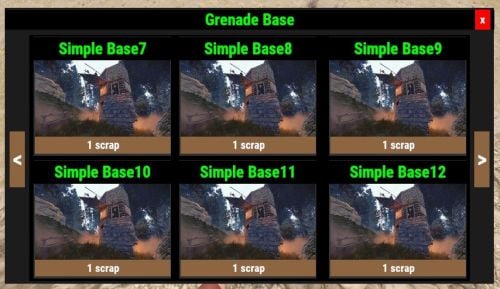 Yes, there is a console command that works now, you can use it that way.
 -
 if you set true "Npc Fight All Notification Enabled": true, " it works geerally
 -
Changed Status from Fixed to Closed
-
Changed Status from Work in Progress to Fixed
-
Changed Status from Pending to Work in Progress Changed Fixed In to Next Version
-
Changed Status from Pending to Fixed
-
Changed Status from Pending to Closed
-
update simplestatus please
-
Changed Status from Pending to Closed
-
You can reach me via discord whenever you want.
-
if its possible i want to test it together with you, everything look like normal i didnt see any mistake , please contact with me on discord
-
did u change default color code?, someone wrote wrong color code ol time while change default colour code everything was be okey, can u try with default color code and send me yor config file, if u send your config file, i will check it on my test server. i use same plugin on my own server everyting working great, i must test it
-
i will check it with new update
-
Changed Status from Pending to Closed