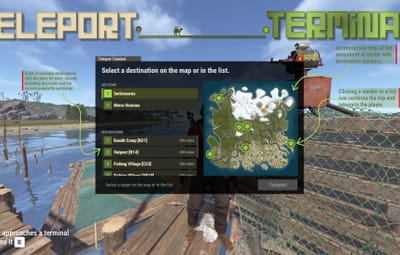
TeleportTerminal turns monuments into paid travel hubs.
Players walk up, see a map, pay and travel. Each destination price scales with distance and with how popular that route is right now.
READY ON DAY ONE
Preset destinations and preconfigured NPC terminals are already placed on monuments. Turn it on, then customize or add your own.
|
|
A route board, not a blind teleport.
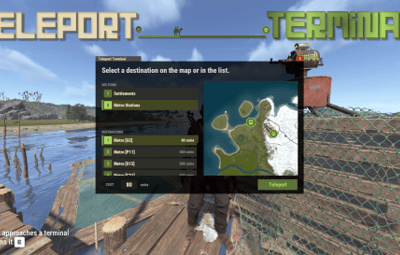
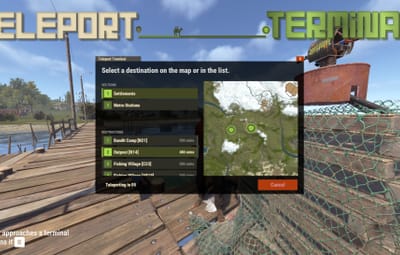
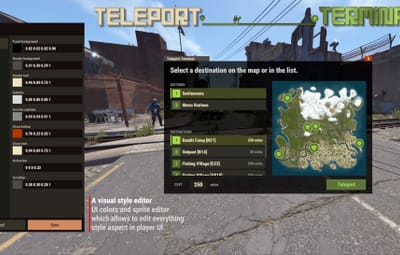
Players approach a terminal and press E, or talk to its NPC. The panel makes each available route, its final price and its destination clear before they commit.
|
At the terminal
|
What it means
|
|
DESTINATION LIST
|
Available destinations show their final price, including discounts and the current popularity surcharge.
|
|
MAP VIEW
|
An interactive monument or server map shows all destination markers, prices and zoom.
|
|
CONFIRM ROUTE
|
Click a marker or a row, confirm the trip and travel.
|
|
|
Choose the presence that fits the monument.
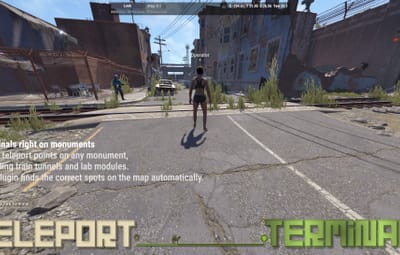
Teleport points can be placed on any monument, including train tunnels and lab modules. The plugin locates the correct spots on the map automatically.
|
Type
|
Use at the location
|
|
NPC GUARD
|
Configure its name, kit, clothing and belt.
|
|
DECORATIVE PROP
|
Use a terminal model that suits the setting.
|
|
INVISIBLE POINT
|
Keep the interaction with no model at all.
|
|
|
Prices react to traffic, then settle back down.
A route begins with its distance, then becomes more expensive when everybody keeps using it. The result is a money sink players can read and respond to.
|
Order
|
Price signal
|
|
01
|
Distance base. The base price comes from the distance to the destination.
|
|
02
|
Popularity surcharge. Every trip raises a temporary surcharge, so popular routes cost more and traffic spreads out.
|
|
03
|
Gradual decay. The surcharge declines over time, so routes that fall out of favour become cheaper again without a config change.
|
|
04
|
Permission discounts. Discounts are applied last.
|
|
|
One config line selects how players pay.
Switch providers without changing the terminal flow. If the selected economy plugin is missing, the terminal automatically falls back to Scrap instead of breaking.
|
Provider
|
Availability
|
|
SERVERREWARDS
|
Optional economy provider
|
|
ECONOMICS
|
Optional economy provider
|
|
IQECONOMIC
|
Optional economy provider
|
|
SCRAP
|
Built in, and the automatic fallback
|
|
|
Monument-ready by default, with room to make it yours.
The preset network is usable immediately. When your server needs a different arrangement, the in-game tools take over without turning setup into a config-file task.
Full in-game editor
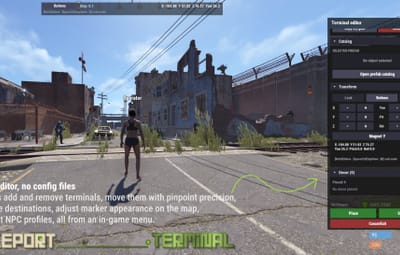
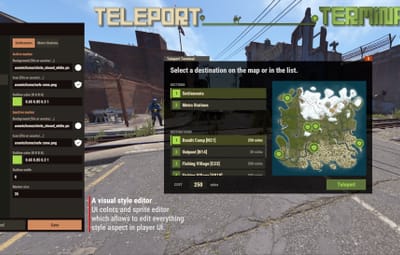
Create and move terminals, snap to the nearest monument, fine-tune position and rotation, manage destinations, set marker colour, size and icon, and edit NPC profiles. Changes save immediately.
|
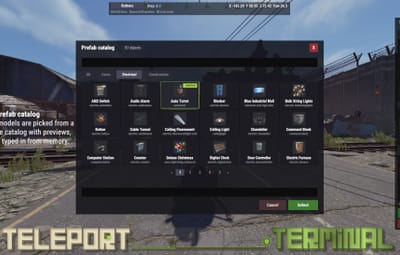
Visual prefab catalog
Pick terminal models from a searchable catalog with previews instead of typing prefab names from memory.
|
Destination permissions
Gate any single destination behind a permission when certain routes should be reserved.
|
Language files included
English and Russian ship with the plugin. Every message lives in the language files.
|
|
|
A separate edit mode for running the network.
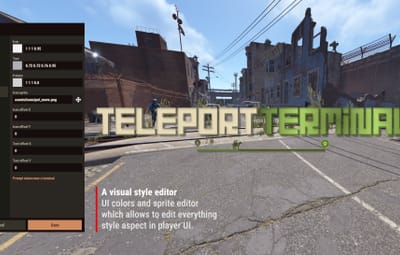
The same interface switches into a technical editing surface when an admin needs to place, tune or maintain terminals.
|
EDITOR MODE / TERMINAL NETWORK
|
|
PLACEMENT
|
Snap to the nearest monument, then use precise movement, rotation and grid snapping.
|
|
ROUTES
|
Add and remove terminals and destinations, including single-destination permission gates.
|
|
MARKERS
|
Set marker colour, size and icon to match the server.
|
|
NPC PROFILE
|
Edit the NPC's name, kit, clothing and gear.
|
|
|
Install the requirements before you place the first terminal.
HumanNPC and MonumentFinder are hard requirements. TeleportTerminal will not work without them.
|
Required - plugin will not work without these
|
|
HUMANNPC
|
Required for NPC-type terminals.
|
|
MONUMENTFINDER
|
Required to detect monument locations, including train tunnels and lab modules.
|
|
Optional economy plugins
|
SERVERREWARDS / ECONOMICS / IQECONOMIC
Install one only when you want payment through that provider instead of Scrap.
|
|
|
|





 3
3
 1
1