Depends on
Required for this file to work correctly.


Works with
Optional integrations and compatible files.
About TC Upgrades
TC Upgrades
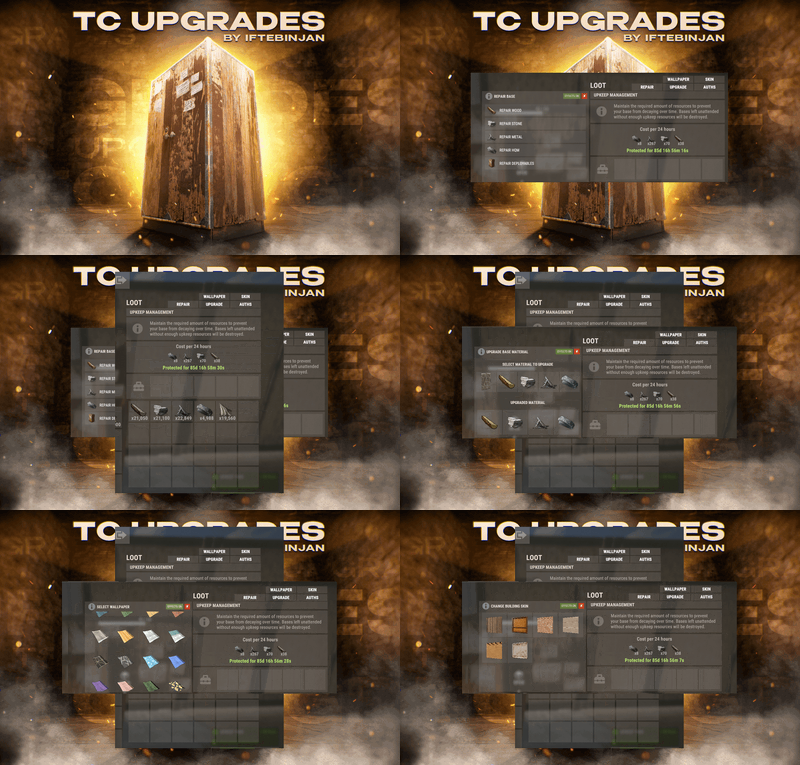
Manage your whole base from the Tool Cupboard. Upgrade every block, repair the base, change building skins, put up wallpapers, skin every door and manage who's authorized. It all runs from buttons right on the TC, with costs shown before you pay.
No more running around with a hammer for 20 minutes. Open the cupboard, click once, done.
Warning
Requires ImageLibrary. TC Upgrades unloads itself if ImageLibrary isn't installed.
Video Showcase
Features
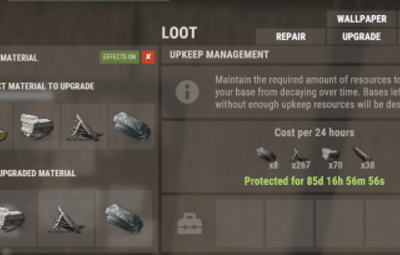
 Upgrade
- Upgrade the whole base to Wood, Stone, Metal or HQM in one click.
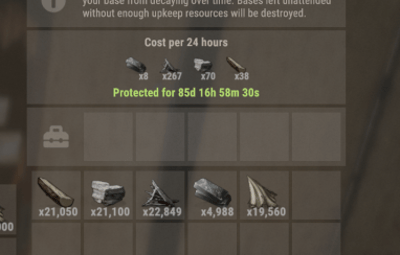
- Paid from the TC. Resources come from the cupboard's inventory. You see the full cost before starting.
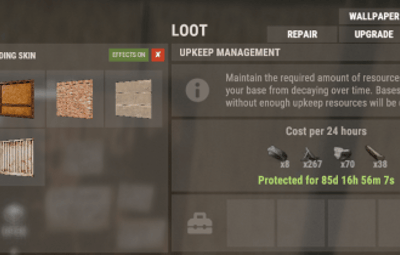
- Remembers your skin. With auto-upgrade on, hammer upgrades automatically use the building skin you picked in the TC.
 Repair
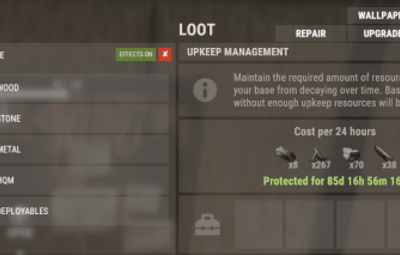
- Repair by material. Wood, Stone, Metal, HQM, or all deployables (doors, boxes, turrets…).
- Cost shown up front for each repair.
- Fair. Blocks damaged in the last 30 seconds can't be repaired, the same as in vanilla.
 Skins
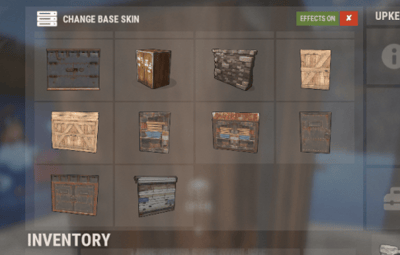
- Building skins. Reskin every block in the base at once, including the newest skins (Crypt stone, Jungle and more). Metal gets random colours.
- Tool Cupboard skins. Change the look of the TC itself.
- External wall and gate skins. Legacy wood and adobe high walls and gates.
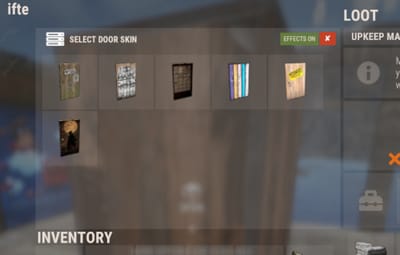
- Door skins. Pick a skin once and it goes on every matching door in the building: wood, metal, armored (single and double) and garage doors.
 Wallpapers
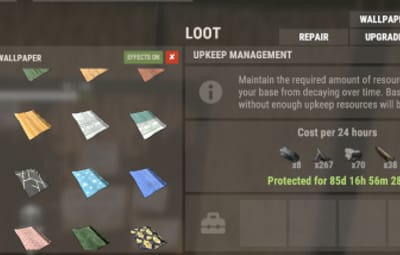
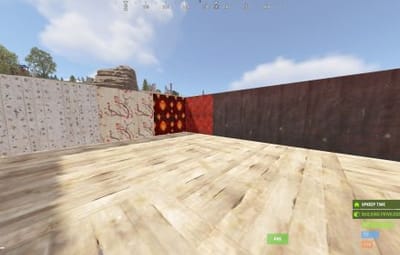
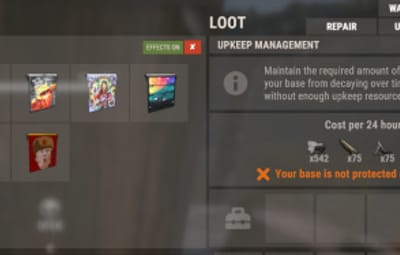
- Walls, floors and ceilings.
- Both sides at once (permission). Wallpaper the inside and outside of a wall in one go.
- Custom wallpapers. Add any Workshop wallpaper ID in the config. A big set comes ready.
- Costs cloth, shown before you apply it.
 Auth list
- See everyone authorized on the cupboard.
- Remove players with one click (optionally owner only).
 For server owners
- Multi-TC support. Bases with several cupboards work correctly.
- Permission for every feature, grade and skin type. Sell them as VIP perks.
- VIP speed and discounts. Each permission can get a faster process and lower costs.
- Free-use permissions for upgrades, repairs, reskins and wallpapers.
- DLC respected. Players only see the DLC skins and wallpapers they own (with PlayerDLCAPI support for newer packs).
- Raid and combat block. NoEscape and BetterNoEscape support.
- Cancel anytime. A cancel button stops a running process.
- Effects and sides toggles on the TC.
-
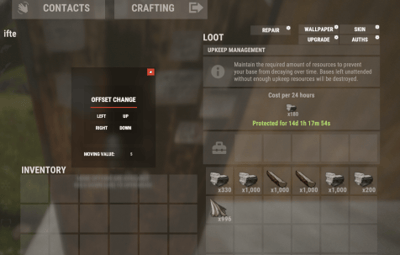
Move the buttons in game with
/tcuadmin. No guessing offsets in the config. - Notifications by chat, GameTip, Toastify or Notify.
- Every UI text is in the lang file.
How it works
- Open your Tool Cupboard. New buttons appear: AUTHS · UPGRADE · REPAIR · SKIN · WALLPAPER.
- Pick what you want, for example UPGRADE → Stone.
- Check the required materials, then confirm.
- The base updates block by block, paid from the TC. Press CANCEL at any time to stop.
Tip
Players only see the buttons they have permission for, so you can give everyone Repair and keep Skins and Wallpapers for VIPs.
Permissions
Feature buttons
| Permission | Shows |
|---|---|
tcupgrades.authlist
|
AUTHS button (authorization list) |
tcupgrades.upgrade
|
UPGRADE button |
tcupgrades.repair
|
REPAIR button |
tcupgrades.skin
|
SKIN button |
tcupgrades.wallpaper
|
WALLPAPER button |
Grades
| Permission | Allows |
|---|---|
tcupgrades.default
|
All of the below at once (Wood, Stone, Metal, HQM and deployables) |
tcupgrades.wood
|
Wood |
tcupgrades.stone
|
Stone |
tcupgrades.metal
|
Metal |
tcupgrades.hqm
|
High Quality Metal |
tcupgrades.deploy
|
Repairing deployables |
Skins and wallpapers
| Permission | Allows |
|---|---|
tcupgrades.tcskin
|
Tool Cupboard skins |
tcupgrades.wallandgates
|
External high wall and gate skins |
tcupgrades.doorskins
|
Door skins |
tcupgrades.wallpaper_bothsides
|
Wallpapering both sides of a wall at once |
Free use
| Permission | No resources needed for |
|---|---|
tcupgrades.upgrade.nocost
|
Upgrading |
tcupgrades.repair.nocost
|
Repairing |
tcupgrades.reskin.nocost
|
Reskinning |
tcupgrades.wallpaper.nocost
|
Wallpapers |
VIP and admin
| Permission | Allows |
|---|---|
tcupgrades.vip / tcupgrades.mvp
|
Faster processing and cheaper costs (set in the config, and you can add your own) |
tcupgrades.admin
|
/tcuadmin button editor and /tcaddskin
|
Note
"Give default permission to all default user on Load" is on by default. On every load it gives the default group every button, every grade, and Tool Cupboard, wall and door skins. That's great for a quick start, but turn it off before setting up your own permissions, or permissions you revoke come back on the next reload.
Commands
| Command | Permission | Description |
|---|---|---|
/tcuadmin
|
tcupgrades.admin
|
Turn the button editor on or off. Open a TC to move the buttons, and positions save to the config |
/tcaddskin <door shortname> <skin id>
|
tcupgrades.admin
|
Add a Workshop skin to a door type's list, for example /tcaddskin door.hinged.metal 3741220976
|
VIP speed and discounts
Every feature (upgrade, skin, wallpaper, repair) has its own speed and cost settings:
| Setting | Default | Example VIP | Example MVP |
|---|---|---|---|
| Seconds per block |
1.5
|
1.0
|
0.5
|
| Cost modifier |
1.0 (full price)
|
0.5 (half price)
|
0.2 (80% off)
|
A cost modifier of 1.5 means 50% more expensive. Add as many permission tiers as you like. Each one is registered automatically.
Hosting partner
Game hosting perfected, that's Physgun.
Join the thousands of server owners using Physgun to take their game server communities to the top.

Installation
- Install ImageLibrary.
-
Upload
TCUpgrades.cstooxide/plugins. -
Choose how to hand out permissions:
- Quick start: leave "Give default permission…" on, and everyone gets every feature.
- Custom: turn that option off, reload, and grant per group, for example:
oxide.grant group default tcupgrades.repair
oxide.grant group default tcupgrades.default
oxide.grant group vip tcupgrades.skin
oxide.grant group vip tcupgrades.wallpaper
- Open a Tool Cupboard. The new buttons are on the TC screen.
-
(Optional) Type
/tcuadminto move the buttons where you like.
Warning
Keep "USE DLC SKINS AND WALLPAPERS" set to false on live servers. With it true, every DLC skin is unlocked for everyone, which is only meant for testing.
Configuration
Config (oxide/config/TCUpgrades.json), with the UI section and wallpaper lists shortened
{
  "General Options": {
    "USE DLC SKINS AND WALLPAPERS(Only enable for testing servers)": false,
    "Only owner can use features of TC": false,
    "Support for NoEscape plugin": true,
    "Support for CombatBlock plugin": false,
    "Use Automatic Upgrades on build": true,
    "Give default permission to all default user on Load(For Noobs)": true
  },
  "Features": {
    "Enable Auth List": {
      "Enable Auth List": true,
      "Only owner can see the Remove BTN?": false
    },
    "Enable auto upgrade base": {
      "Enable Use": true,
      "Default use frequency time in sec": 1.5,
      "Permissions use frequency time in sec": {
        "tcupgrades.vip": 1.0,
        "tcupgrades.mvp": 0.5
      },
      "Default cost modifers (1 = default, 0.5 = half decrease, 1.5 half increase)": 1.0,
      "Permissions costs modifers": {
        "tcupgrades.vip": 0.5,
        "tcupgrades.mvp": 0.2
      }
    },
    "Enable base skin upgrade": {
      "Enable Use": true,
      "Default use frequency time in sec": 1.5,
      "Permissions use frequency time in sec": { "tcupgrades.vip": 1.0, "tcupgrades.mvp": 0.5 },
      "Default cost modifers (1 = default, 0.5 = half decrease, 1.5 half increase)": 1.0,
      "Permissions costs modifers": { "tcupgrades.vip": 0.5, "tcupgrades.mvp": 0.2 }
    },
    "Enable base wallpaper upgrade": {
      "Enable Use": true,
      "Default use frequency time in sec": 1.5,
      "Permissions use frequency time in sec": { "tcupgrades.vip": 1.0, "tcupgrades.mvp": 0.5 },
      "Default cost modifers (1 = default, 0.5 = half decrease, 1.5 half increase)": 1.0,
      "Permissions costs modifers": { "tcupgrades.vip": 0.5, "tcupgrades.mvp": 0.2 }
    },
    "Enable base repair upgrade": {
      "Enable Use": true,
      "Default use frequency time in sec": 1.5,
      "Permissions use frequency time in sec": { "tcupgrades.vip": 1.0, "tcupgrades.mvp": 0.5 },
      "Default cost modifers (1 = default, 0.5 = half decrease, 1.5 half increase)": 1.0,
      "Permissions costs modifers": { "tcupgrades.vip": 0.5, "tcupgrades.mvp": 0.2 }
    }
  },
  "UI Options": {
    "UI Buttons": {
      "Auth Button": { "ButtonColor": "0.969 0.922 0.882 0.035", "ButtonOffset": "486 618 572 638" },
      "Upgrade Button": { "ButtonColor": "0.969 0.922 0.882 0.035", "ButtonOffset": "398 618 484 638" },
      "Repair Button": { "ButtonColor": "0.969 0.922 0.882 0.035", "ButtonOffset": "310 618 396 638" },
      "Skin Button": { "ButtonColor": "0.969 0.922 0.882 0.035", "ButtonOffset": "486 640 572 660" },
      "Wallpaper Button": { "ButtonColor": "0.969 0.922 0.882 0.035", "ButtonOffset": "398 640 484 660" },
      "Cancel Button": { "ButtonColor": "0.81 0.26 0.17 1", "ButtonOffset": "486 618 572 638" },
      "Both Sides Button": { "Active Color": "0.3921569 0.482353 0.2352941 1", "Inactive Color": "0.7764707 0.2470588 0.1568628 1" },
      "Effects Button": { "Active Color": "0.3921569 0.482353 0.2352941 1", "Inactive Color": "0.7764707 0.2470588 0.1568628 1" }
    },
    "Upgrade UI Options": {
      "UI Anchor": "0.5 0 0.5 0",
      "UI Offset": "-199.89 359.91 188.49 616.81",
      "UI Background Color": "0.969 0.922 0.882 0.035",
      "UI Materal": "assets/content/ui/uibackgroundblur-ingamemenu.mat",
      "UI Icon Url or Assets": "assets/icons/community_servers.png",
      "UI Icon Color": "1 1 1 1"
    }
  },
  "Notifications": {
    "Enable chat notifications": true,
    "Chat notify prefix": "<color=orange>TC UPGRADES:</color>",
    "Chat notify avatarID": 0,
    "Enable GameTip notify": true,
    "Notifications plugin (0 = disabled | 1 = Toastify | 2 = Notify)": 0,
    "Sync your notifications ID with below keywords": {
      "Error": "error",
      "Success": "success",
      "Info": "info"
    }
  },
  "Custom Setting": {
    "Custom Wall wallpapers": [ 0, 10246, 10243, 10242, 3414494938, 3354221031 ],
    "Custom Floor wallpapers": [ 0, 10386, 10372, 3490884961 ],
    "Custom Ceiling wallpapers": [ 0, 10401, 10406, 3491842568 ],
    "Custom Door Skins": {
      "door.hinged.wood": [ 3742091122, 2910619684, 3002590543, 3738479675 ],
      "door.double.hinged.wood": [ 3743833446, 3741996821, 3151811013 ],
      "door.hinged.metal": [ 3741220976, 3740638193, 3717728077, 3739627138 ],
      "door.double.hinged.metal": [ 3731881156, 3599050923, 3724435974, 2785527911 ],
      "door.hinged.toptier": [ 2964688450, 3015132527, 950116446, 3005116195, 1523930117 ],
      "door.double.hinged.toptier": [ 3623251977, 3420681343, 3380502461, 3488377689 ],
      "wall.frame.garagedoor": [ 3744487709, 3739875255, 2986720502 ]
    }
  },
  "Version": {
    "Major": 1,
    "Minor": 2,
    "Patch": 4
  }
}
Key settings explained
| Setting | What it does |
|---|---|
USE DLC SKINS AND WALLPAPERS
|
true unlocks all DLC for everyone (testing only). Keep false live
|
Only owner can use features of TC
|
Only the TC's owner can use the buttons, not everyone authorized |
Use Automatic Upgrades on build
|
Hammer upgrades use the skin each player picked in the TC |
Give default permission…
|
On every load, gives the default group every feature button, grade and skin type. Turn it off to manage permissions yourself
|
Only owner can see the Remove BTN?
|
Only the owner can remove players from the auth list |
Custom … wallpapers
|
Workshop wallpaper IDs offered in the wallpaper menu (0 = no wallpaper)
|
Custom Door Skins
|
Workshop skin IDs per door type (or add them in game with /tcaddskin)
|
Lang file (oxide/lang/en/TCUpgrades.json)
{
  "NoRepairableStructures": "No repairable structures found.",
  "NoRepairableDeployables": "No repairable deployables found.",
  "NoUpgradeGrade": "No upgradable structures found.",
  "NoWallpaper": "No changeable wallpaper found.",
  "NoSkining": "No skin changeable block found.",
  "AlreadyUpgrading": "An upgrade is already in progress. Please wait for it to finish.",
  "AlreadyRepairing": "A repair process is already running. Please wait for it to complete.",
  "AlreadySkining": "A base skinning process is already in progress. Please wait.",
  "AlreadyWallpaper": "A wallpaper application is already in progress. Please wait.",
  "NoResources": "Not enough resources in the tool cupboard to proceed with the upgrade.",
  "NoResourcesReskin": "Not enough resources in the tool cupboard to proceed with the skin upgrade.",
  "UpgradeComplete": "Material upgrade successfully completed.",
  "RepairComplete": "Material repair successfully completed.",
  "SkiningComplete": "Base skinning successfully completed.",
  "WallpaperComplete": "Base wallpaper application successfully completed.",
  "ProgressStatus": "Successfully updated {0} items.",
  "RaidBlocked": "You cannot use this feature while under Raid Block.",
  "CombatBlocked": "You cannot use this feature while under Combat Block.",
  "StopCoro": "The process has been successfully stopped.",
  "NoPerm": "You don't have permission to use this.",
  "AUTHBTN": "AUTHS",
  "UPGRADEBTN": "UPGRADE",
  "REPAIRBTN": "REPAIR",
  "SKINBTN": "SKIN",
  "WALLPAPERBTN": "WALLPAPER",
  "EFFECTSON": "EFFECTS ON",
  "EFFECTSOFF": "EFFECTS OFF",
  "BOTHSIDESON": "SIDES ON",
  "BOTHSIDESOFF": "SIDES OFF",
  "TCSKINCHANGE": "New skin applied to your Tool Cupboard.",
  "NODLCFOUND": "You don't own this dlc.",
  "REPAIRBLOCKED": "Some blocks were recently damaged. Wait 30 seconds before repairing them.",
  "AUTH_TEXT": "PLAYERS AUTHORIZED TO THIS TOOL CUPBOARD!",
  "AUTH_TEXT_REMOVE": "REMOVE",
  "UPGRADE_TEXT": "UPGRADE BASE MATERIAL",
  "UPGRADE_TEXT2": "SELECT THE MATERIAL TO UPGRADE",
  "UPGRADE_TEXT3": "UPGRADED MATERIAL",
  "REPAIR_TEXT": "REPAIR BASE",
  "REPAIR_WOOD": "REPAIR WOOD",
  "REPAIR_STONE": "REPAIR STONE",
  "REPAIR_METAL": "REPAIR METAL",
  "REPAIR_HQM": "REPAIR HQM",
  "REPAIR_DEPLOY": "REPAIR DEPLOYABLES",
  "REPAIR_REQ": "REQ:",
  "SKIN_TEXT": "CHANGE BASE SKIN",
  "WALLPAPER_TEXT": "CHANGE BASE WALLPAPER",
  "WALLPAPER_TEXT2": "SELECT WALLPAPER TYPE",
  "WALLPAPER_TEXT3": "SELECT WALLPAPER",
  "WALLPAPER_WALL": "WALL",
  "WALLPAPER_FLOOR": "FLOOR",
  "WALLPAPER_CEILING": "CEILING",
  "WALLPAPER_REQ": "WALLPAPERS - REQ: {0} CLOTH",
  "DOOR_SKIN_TEXT": "SELECT DOOR SKIN",
  "DoorSkinComplete": "Door skin applied to {0} door(s).",
  "NoDoors": "No matching doors found near this cupboard.",
  "NoDoorSkins": "No skins are available for this door yet."
}
Plugins
| Plugin | Required? | Used for |
|---|---|---|
| ImageLibrary | Yes | Icons and skin previews in the UI |
| PlayerDLCAPI | Optional | DLC ownership checks for newer skin and wallpaper packs |
| NoEscape / BetterNoEscape | Optional | Blocks the features during raid block or combat block |
| Toastify / Notify | Optional | Pop-up notifications instead of chat |
FAQ
Where do the resources come from?
From the Tool Cupboard's inventory. The cost is shown before you start. If the TC doesn't have enough, nothing happens.
Can players use DLC skins they don't own?
No. Players only see DLC skins and wallpapers they own. "USE DLC SKINS AND WALLPAPERS" unlocks everything, so only turn it on for testing.
How do I add my own wallpapers?
Add the Workshop wallpaper IDs to Custom Wall wallpapers, Custom Floor wallpapers or Custom Ceiling wallpapers in the config, then reload.
How do I add more door skins?
Use /tcaddskin <door shortname> <skin id> in game, or add the IDs under Custom Door Skins in the config.
Why can't some blocks be repaired?
Blocks damaged in the last 30 seconds can't be repaired, the same as in vanilla. Wait a moment and try again.
Can I stop an upgrade halfway?
Yes. Press CANCEL on the TC.
The buttons overlap another plugin's UI.
Type /tcuadmin, open a TC and move the buttons. Their positions save to the config.
Can raided players use it to repair mid-raid?
Not if you use NoEscape or BetterNoEscape. The features are blocked during raid or combat block.
Does it work with several TCs in one base?
Yes. Multi-TC bases are supported.
Support
Need help or found a bug? Open a support ticket on this page.