

About Relay - Discord Integration
Relay: a free Discord bot for your Rust server, in one file
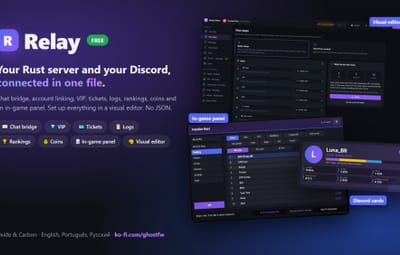
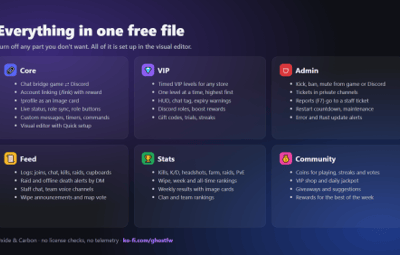
Relay connects your Rust server to your Discord and gives your players a real in-game panel. Drop one .cs file in your plugins folder, give it a bot token, and you get the chat bridge, account linking, VIP, moderation, logs, stats, coins and community tools. Turn off any part you don't want in the config.
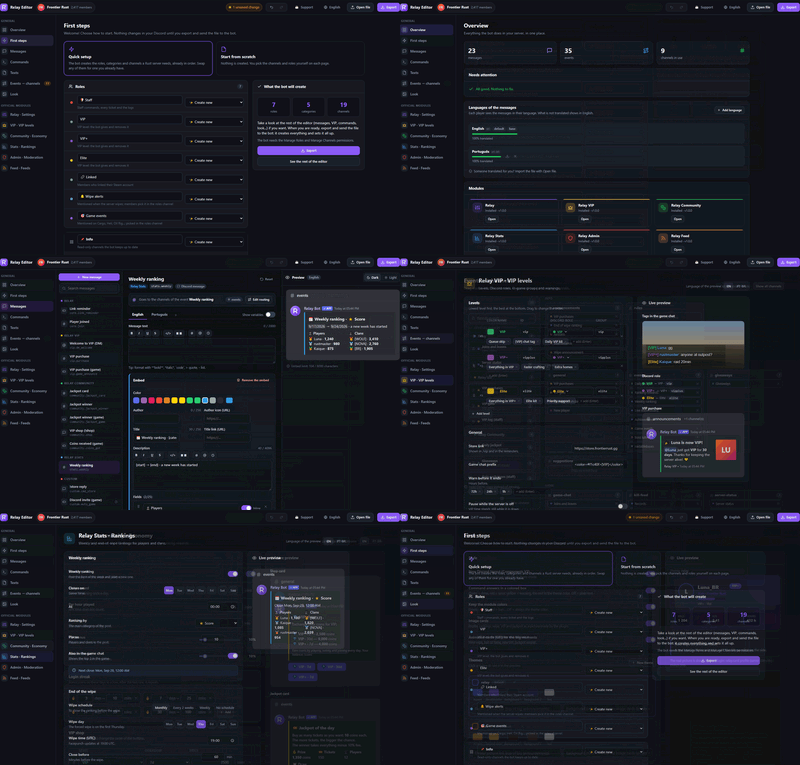
Everything is set up from a visual editor (type !setup in Discord the first time, !editor after that), so you don't have to edit JSON by hand.
=== WHAT YOU GET ===
CORE (always on)
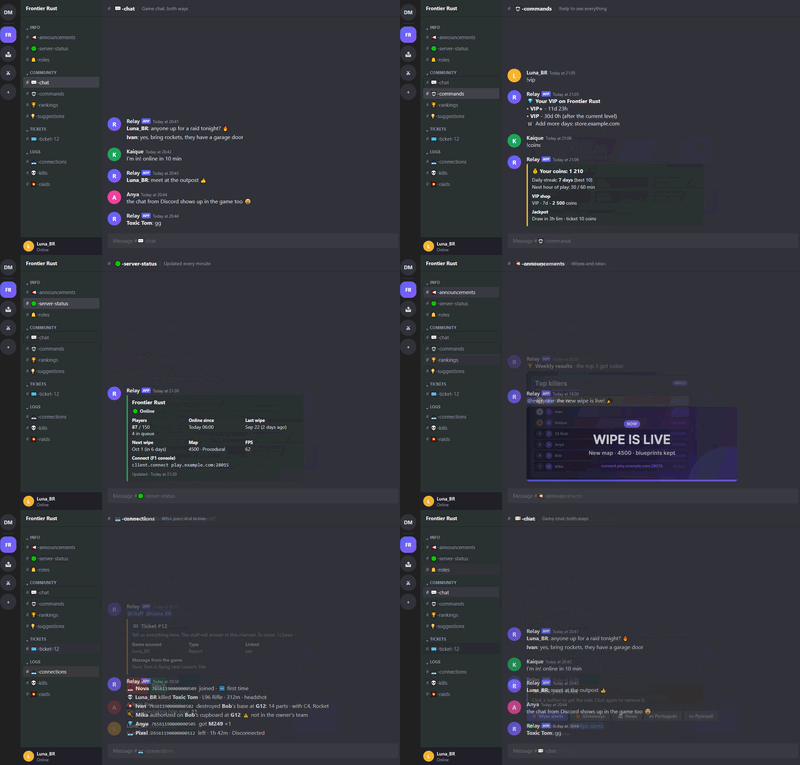
- Chat bridge between the game and a Discord channel (both ways; players can hide the Discord chat)
- Account linking (/link in game, code by private message) with an optional first-link reward
- Player profile in Discord (!profile) as one picture: VIP bar (the highest level first, one color per level, full at 30 days), in game or not, score, kills and time played (all time), coins
- Live status message (players, FPS, next wipe), join/leave feed
- Discord roles synced with game groups, role panel with buttons
- Custom messages: timers, daily messages, "when something happens" and custom commands
- Slash commands, command aliases, prefix of your choice
- Visual editor (!editor): every option, message and color, with preview. Also changes the bot's name and photo
- Quick setup: on the first-steps page the editor lists every role, category and channel the bot can make, already in order (for example a private staff category and a log category). Keep a suggestion, rename it, pick one you already have, or leave it out. Then export: the bot creates everything and connects it for you
- Every text the bot writes can be changed or hidden in the editor (Texts page): for example remove a line from !coins or change the !vip text
- !help in tabs: player commands (one section per module), your own commands, staff commands
- English, Portuguese and Russian included; add any language with the lang files
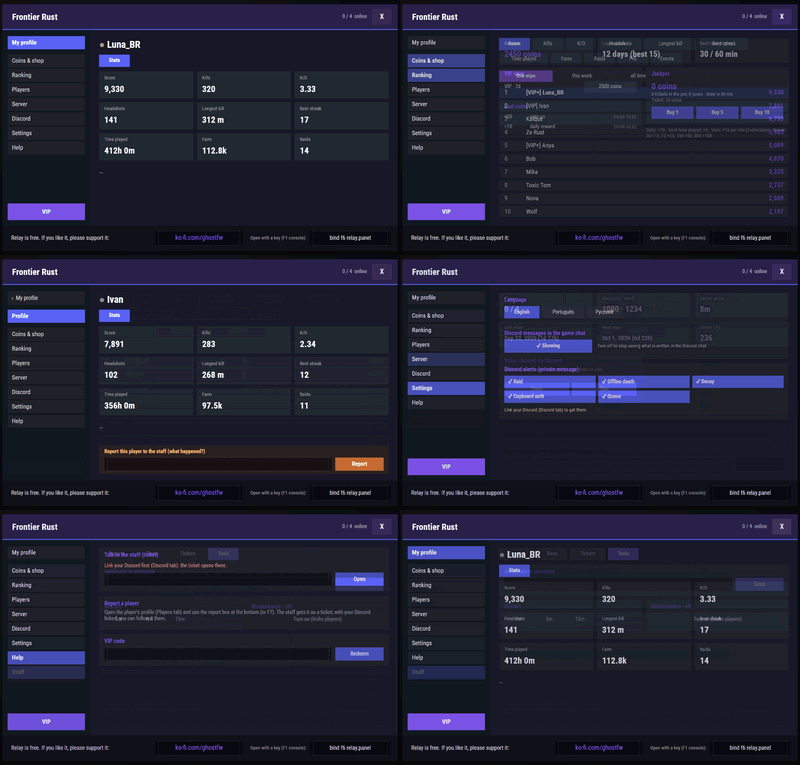
IN-GAME PANEL (/panel or a key bind)
- My profile (stats), Notices (ticket answers, reviewed reports, prizes, with an unread counter), Coins and shop, Community, Ranking (players and clans), Players, Server info, Discord link, Settings (language, Discord chat on/off, Discord alerts), Help, Staff tools
- Title and colors are configurable (Look page of the editor)
- Command answers come in a small colored box: green = done, red = error, yellow = warning (can be turned off on the Look page)
VIP
- Timed VIP levels for any store or command: /vip window, HUD, chat tag, expiry warnings
- One VIP level runs at a time, the highest first: buy VIP+ while you have VIP and your VIP days wait (paused) until VIP+ ends
- !vip (or !shop) in Discord: your VIP days per level and your store link (set in the editor)
- Discord roles and private messages, boost rewards, gifts, streaks, free trial
- VIP codes for giveaways, partners and streamers (/redeem)
ADMIN
- Kick, ban, mute (also in Discord), warnings and staff notes, from the game, the console and Discord
- Tickets in private Discord channels; reports (/report, F7) open a ticket for the staff (several reports about the same player go to the same ticket)
- Restart with countdown, maintenance mode, announcements
- Error alerts and plugin control from Discord, Rust update alert, new account checks
FEED
- Logs to Discord channels: connections, chat, kills, raids, building, admin commands, teams, rare items
- Personal Discord alerts by private message (raid, offline death, decay, cupboard, queue), chosen with !alerts or in the panel
- Staff chat between game and Discord, private voice channels for team or clan
- Wipe announcements and an automatic map vote X days before the wipe (fixed or random seeds; !mapvote.force starts it now), with the chosen map announced when it ends
- Log channels can be created for you (one option in the editor)
STATS
- Kills, K/D, headshots, longest kill, streaks, time played, farm, raids, PvE, events
- Rankings for the wipe, the week and all time; clan and team rankings
- Weekly and end-of-wipe results posted to Discord, with image cards
- Teams from Discord: !team.create, !team.invite, !team.leave
COMMUNITY
- Coins for playing, daily streaks and voting; VIP shop (!coins shows your balance and the shop); daily jackpot
- Giveaways, suggestions (posted to a Discord channel, staff answers with buttons)
- Coin rewards for the best players and clans of the week and the wipe
=== SETUP ===
About 10 minutes, no JSON editing.
1. Put Relay.cs in oxide/plugins (or carbon/plugins). The console says "No bot token yet".
2. Create the bot: discord.com/developers/applications > New Application > Bot > Reset Token > copy the token. Never share it.
3. In the server console: relay.token <your token>
Relay turns on the "Server Members" and "Message Content" intents by itself. If the console says it couldn't, turn them on in the same Bot page.
4. The console shows an invite link (relay.invite shows it again). Open it and add the bot to your Discord server.
5. In any channel of your Discord, type !setup (owner, Administrator or Manage Server). The bot sends you the editor file by private message.
No message? Turn on Direct Messages for your Discord server (server name > Privacy Settings) and type !setup again.
6. Open the file, choose Quick setup and look at the list of roles, categories and channels (keep, rename, pick one you already have, or leave out). Change anything else you want, then Export.
7. Send the exported file back to the bot in the same private chat. It creates what you chose and connects everything.
8. Link your own account: type /link in game, then !link in Discord; the bot messages you privately, send it the code. /panel opens the in-game panel.
Later: !editor opens the editor again with your current settings, !editor undo goes back to before the last change, relay.status shows if everything is working.
Main console commands: relay.token, relay.status, relay.invite, relay.reconnect, relay.find, relay.unlink, vip.add / vip.info / vip.list, coins.give / coins.info, jackpot.info.
Main game commands: /panel, /link, /vip, /redeem, /report, /ticket, /stats, /top, /coins, /vipshop, /jackpot, /voteclaim, /suggest, /alerts.
All commands can be renamed in the editor.
=== PERMISSIONS ===
relay.admin.kick, relay.admin.ban, relay.admin.mute, relay.admin.warn, relay.admin.note, relay.admin.info, relay.admin.players, relay.admin.reports, relay.admin.say, relay.admin.restart, relay.admin.maintenance, relay.admin.maintenance.join, relay.admin.immune, relay.admin.bypass: staff tools
relay.vip.admin: manage VIP from the game
relay.feed.staffchat: staff chat
relay.panel.teleport: teleport buttons in the panel
Discord staff is set by Discord roles in the editor.
=== EXTERNAL SERVICES ===
Relay contacts these services only for the features that use them:
- Discord API (always): the bot connection, messages, roles, channels and images.
- Steam (steamcommunity.com): player avatars for the image cards. Steam Web API only if you enter your own key (new account and ban checks).
- api.steamcmd.net: the "Rust update released" alert (can be turned off).
- ip-api.com: only if you turn on "show the country" in the connection log (off by default). It sends the player's IP.
- rustmaps.com: only if you enter a RustMaps API key (map image in the wipe announcement).
- Vote sites (such as rust-servers.net): only if you set them up for vote rewards.
No data is sent anywhere else. No license checks, no telemetry.
=== COMPATIBILITY ===
Oxide and Carbon (tested on both). Optional: Clans (for clan rankings; teams are used without it), BetterChat (VIP chat tag).
For developers: an API and hooks (OnRelay...) to add Discord commands, profile pages and events from your own plugins.
=== SUPPORT ===
Ask on this page. Relay is free. If it helps your server, you can support it at https://ko-fi.com/ghostfw
Made with AI assistance, then tested in-game and with automated tests on both Oxide and Carbon.