Jump to content
Message added by beee,

If you're facing any issues or have feature suggestions, please open a support ticket and I will get back to you as soon as possible.

Consider leaving a review, your feedback is valuable.

6 Screenshots

  • 16.9k
  • 571
  • 161.59 kB
  • Update details
    v1.1.3
    Released
    Download size161.59 kB
    Total versions12
    Time between versions 1 day
    Typical update pace About every 69 days
    Freshness 22 days ago

About This File

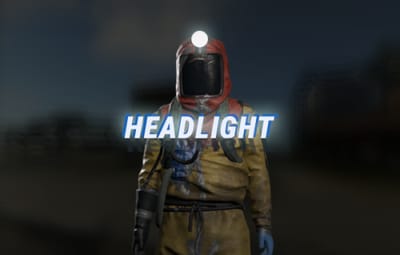
Allows players to activate Headlight (Miner's Hat) without taking up any wearable slots, and does not conflict with any headwear.

This is useful for having better vision at night without compromising armor or taking off hazmat suit, especially when farming ore/wood.


Auto Equip

  • You can define whether you would the headlight to auto equip at Sunset and unequip at Sunrise by setting default state to NightOnly, and define game times in config.
  • If set to Always instead, it will always equip a headlight to  players with permission (light will be turned off, they can turn it on/off like any other worn miner's hat while equipped).


Permissions

headlight.use

Chat Commands

/headlight - Shows available commands (can be changed in config)

Console Commands

giveheadlight %steamid% - Equips a headlight on a target player
headlight toggle - For easier key binding (e.g. bind p headlight toggle)


Config

{
  "Command": "headlight",
  "Headlight Skin ID": 0,
  "Auto Equip Settings": {
    "Default State (Always|NightOnly|Off)": "NightOnly"
  },
  "Night Time Settings": {
    "Automatically determine night time (via in-game sky)": true,
    "Sunset InGame Time (00:00)": "22:00",
    "Sunrise InGame Time (00:00)": "07:00"
  },
  "Alert Settings": {
    "Send in Chat": false,
    "Send as Game Tip": true
  },
  "Version": {
    "Major": 1,
    "Minor": 1,
    "Patch": 3
  }
}

Edited by beee


What's New in Version 1.1.3   See changelog

Released

  • Fix for conflict with corpse restore plugins by adding a 2 second delay
  • Added auto restore for altered headlight occupying the custom headlight slot

v1.1.2

  • Removed reliance on item skin to avoid interference with skin plugins
  • Added "Headlight Skin ID" to config, default 0
  • Added "Automatically determine night time (via in-game sky)" to config, enabled by default
  • Code optimizations and cleanup

License

© Copyright 2024-2025 beee

THE SOFTWARE IS PROVIDED "AS IS", WITHOUT WARRANTY OF ANY KIND, EXPRESS OR IMPLIED, INCLUDING BUT NOT LIMITED TO THE WARRANTIES OF MERCHANTABILITY, FITNESS FOR A PARTICULAR PURPOSE AND NONINFRINGEMENT. IN NO EVENT SHALL THE AUTHORS OR COPYRIGHT HOLDERS BE LIABLE FOR ANY CLAIM, DAMAGES OR OTHER LIABILITY, WHETHER IN AN ACTION OF CONTRACT, TORT OR OTHERWISE, ARISING FROM, OUT OF OR IN CONNECTION WITH THE SOFTWARE OR THE USE OR OTHER DEALINGS IN THE SOFTWARE.


Carbon Compatible

Yes

Hide About Header

No

Featured Video

  • Like 3
  • Haha 1
  • Love 3

User Feedback

This area is for discussion and questions. Please use the support area for reporting issues or getting help.

Recommended Comments


jayinwww

Posted (edited)

Found another bug, other players who don't have permissions can stack miners hats on top of each other with a metal face mask. Ultimately giving someone is very high armor protection. So I have to remove the plugin for now.

Edited by jayinwww
  • Like 1
beee

Posted

1 hour ago, jayinwww said:

Found another bug, other players who don't have permissions can stack miners hats on top of each other with a metal face mask. Ultimately giving someone is very high armor protection. So I have to remove the plugin for now.

Posting a fix for it soon

beee

Posted

6 hours ago, jayinwww said:

Found another bug, other players who don't have permissions can stack miners hats on top of each other with a metal face mask. Ultimately giving someone is very high armor protection. So I have to remove the plugin for now.

Posted fix.

  • Like 1
Scalbox

Posted (edited)

Hi, I found and fixed a very serious bug.
If you wear miner hat together with the Eavy Plate Helmet, the head protection reaches 110%.
So I created this code that solves the problem.
Basically it checks that you have the light on your head and if you receive blows to the head, it decreases the damage by 20% (miner hat protects 20% from head damage).
It also simulates the effect of the heatshot, since being 110% protection, you don't even feel the effect of the heatshot.

Here is the code I added to the plugin.
 

private void OnEntityTakeDamage(BasePlayer player, HitInfo info)
{
  if (player == null || player.IsDead() || player.IsNpc || info.Initiator == null) return;
  if (player.inventory.containerWear.capacity <= 8) return;

  //Remove miner hat head protection
  var item = player.inventory.containerWear.GetSlot(8);
  if (info.boneArea == HitArea.Head && item.skin == SKINID)
  {
    var healthToRemove = info.damageTypes.Total() * 1.20f - info.damageTypes.Total();
    player.Hurt(healthToRemove);
    Effect.server.Run("assets/bundled/prefabs/fx/headshot.prefab", player.transform.position);
  }
}

image.png.2b5207fa5f4fd37c42548cf2a715587e.png
You could add it directly yourself, doing other more in-depth tests.

Thanks

Edited by Scalbox
  • Like 1
beee

Posted

1 hour ago, Scalbox said:

Hi, I found and fixed a very serious bug.
If you wear miner hat together with the Eavy Plate Helmet, the head protection reaches 110%.
So I created this code that solves the problem.
Basically it checks that you have the light on your head and if you receive blows to the head, it decreases the damage by 20% (miner hat protects 20% from head damage).
It also simulates the effect of the heatshot, since being 110% protection, you don't even feel the effect of the heatshot.

That's not ideal as it would not work well with other plugins scaling damage or nullifying it, might be better if you will use that hook to use info.damageTypes.ScaleAll instead. When i have time will check if I can remove that wearable's protection properties instead of using OnEntityTakeDamage.

  • Like 1
Scalbox

Posted

34 minutes ago, beee said:

That's not ideal as it would not work well with other plugins scaling damage or nullifying it, might be better if you will use that hook to use info.damageTypes.ScaleAll instead. When i have time will check if I can remove that wearable's protection properties instead of using OnEntityTakeDamage.

I can't scaleall, I have to remove the protection only from the head and not from the whole body.

The other possibility is to use baseprotection and decrease the damageType for Arrow and Bullet


 player.baseProtection.amounts[(int)DamageType.Arrow] = NEW VALUE;
player.baseProtection.amounts[(int)DamageType.Bullet] = NEW VALUE;


beee

Posted

@Scalboxis that a plugin you're using that shows protection? Miners hat does not have bullet protection, it has 13% protection against animals, 10% radiation, and 20% cold

Scalbox

Posted

I tried to remove the miner hat protection, but I didn't find a solution

Scalbox

Posted

Just now, beee said:

@Scalboxis that a plugin you're using that shows protection? Miners hat does not have bullet protection, it has 13% protection against animals, 10% radiation, and 20% cold

20% from bullet and arrow
image.png.df3f54655c1c36d091af3740d94ba8ec.png

beee

Posted

2 minutes ago, Scalbox said:

20% from bullet and arrow
image.png.df3f54655c1c36d091af3740d94ba8ec.png

yeah you're right, can use damageTypes.Scale(DamageType.Bullet and damageTypes.Scale(DamageType.Arrow then, will look into it thanks.

  • Like 1
Hero1220

Posted

is there a way to set this to a keybind?


beee

Posted

17 minutes ago, Hero1220 said:

is there a way to set this to a keybind?


bind key headlight on


There is no toggle though atm, will include it in next update.

  • Love 1
Scalbox

Posted

56 minutes ago, beee said:
bind key headlight on


There is no toggle though atm, will include it in next update.

My key bind

bind KEY ~meta.exec "headlight off" "headlight on"; meta.exec "headlight off"

  • Like 1
  • Love 1
Hero1220

Posted

1 hour ago, Scalbox said:

My key bind

bind KEY ~meta.exec "headlight off" "headlight on"; meta.exec "headlight off"

can i make it the same typical F key as normal miners helms? or will that cause issues with the vanilla keybind

DarkSilver

Posted

Hi,

Still having the issue where the lamp goes into inventory 

  • Like 1
beee

Posted

5 hours ago, Yaan said:

Hi,

Still having the issue where the lamp goes into inventory 

Can you share steps or video in a support ticket to help me replicate?

SLATE

Posted

On 1/19/2025 at 8:35 PM, beee said:

Can you share steps or video in a support ticket to help me replicate?

I also have that issue. It seems to occur after log out and log back in.

  • Like 1
SLATE

Posted

19 hours ago, SLATE said:

I also have that issue. It seems to occur after log out and log back in.

I tried to repro it, but I can't reliably do so. It just happens on occasion

beee

Posted

3 hours ago, SLATE said:

I tried to repro it, but I can't reliably do so. It just happens on occasion

I would suspect maybe an auto kit plugin, or something of that sorts. Another possibility a plugin is using UnpatchAll which messes with other plugins using Harmony patching like this one.

SLATE

Posted

11 hours ago, beee said:

I would suspect maybe an auto kit plugin, or something of that sorts. Another possibility a plugin is using UnpatchAll which messes with other plugins using Harmony patching like this one.

(10:30:17) | Failed to call internal hook 'OnPlayerSleepEnded' on plugin 'HeadLight v1.0.8' [3025469128] (Object reference not set to an instance of an object)
   at void Oxide.Plugins.HeadLight.OnPlayerSleepEnded(BasePlayer player) in C:/AMPDatastore/Instances/rustserver01/rust/258550/carbon/plugins/HeadLight.cs:line 286
   at object Oxide.Plugins.HeadLight.InternalCallHook(uint hook, object[] args) in HeadLight.cs/Internal:line 167
(10:30:17) | Failed to call internal hook 'OnPlayerSleepEnded' on plugin 'LootDefender v2.2.4' [3025469128] (Object reference not set to an instance of an object)
   at bool Oxide.Plugins.LootDefender.HasPermission(BasePlayer player, string perm) in C:/AMPDatastore/Instances/rustserver01/rust/258550/carbon/plugins/LootDefender.cs:line 3500
   at void Oxide.Plugins.LootDefender+UI.ShowLockouts(BasePlayer player) in C:/AMPDatastore/Instances/rustserver01/rust/258550/carbon/plugins/LootDefender.cs:line 2559
   at void Oxide.Plugins.LootDefender.OnPlayerSleepEnded(BasePlayer player) in C:/AMPDatastore/Instances/rustserver01/rust/258550/carbon/plugins/LootDefender.cs:line 883
   at object Oxide.Plugins.LootDefender.InternalCallHook(uint hook, object[] args) in LootDefender.cs/Internal:line 674
(10:30:17) | Failed to call internal hook 'OnPlayerSleepEnded' on plugin 'PlayerSpawnPoints v2.0.2' [3025469128] (Object reference not set to an instance of an object)
   at void Oxide.Plugins.PlayerSpawnPoints.OnPlayerSleepEnded(BasePlayer player) in C:/AMPDatastore/Instances/rustserver01/rust/258550/carbon/plugins/PlayerSpawnPoints.cs:line 271
   at object Oxide.Plugins.PlayerSpawnPoints.InternalCallHook(uint hook, object[] args) in PlayerSpawnPoints.cs/Internal:line 122
(10:30:17) | Failed to call internal hook 'OnPlayerSleepEnded' on plugin 'RaidableBases v3.0.1' [3025469128] (Object reference not set to an instance of an object)
   at void Oxide.Plugins.RaidableBases.OnPlayerSleepEnded(BasePlayer player) in C:/AMPDatastore/Instances/rustserver01/rust/258550/carbon/plugins/RaidableBases.cs:line 12828
   at object Oxide.Plugins.RaidableBases.InternalCallHook(uint hook, object[] args) in RaidableBases.cs/Internal:line 2205

I assume its probably one of those that throw the error alongside it?

beee

Posted

Not sure why OnPlayerSleepEnded would throw NREs like that, can you move that into a support ticket so i would remember to look into it?

@SLATE

  • Like 1
fullwiped

Posted (edited)

Hello, sometimes the UI warning appears to become permanent and does not disappear after a certain period of time. This issue occurred when I initially joined the server.

image.png.dcdf10749192a64871a9290934598124.png

Edited by fullwiped
beee

Posted

1 hour ago, fullwiped said:

Hello, sometimes the UI warning appears to become permanent and does not disappear after a certain period of time. This issue occurred when I initially joined the server.

Hey, will check what could be causing it soon. If you can open a ticket so I won't forget.

  • Love 1
fullwiped

Posted

19 minutes ago, beee said:

Hey, will check what could be causing it soon. If you can open a ticket so I won't forget.

I’ve created a ticket. Thank you!

  • Love 1
AltoSaxZeroCubicMetersBruh

Posted (edited)

Error while compiling HeadLight: A local variable or function named 'player' is already defined in this scope | Line: 111, Pos: 8


Changing line 111 to 

			var target = BasePlayer.Find(arg.GetString(0)) ?? BasePlayer.FindSleeping(arg.GetString(0)); 

Worked to fix it. 

Edited by AltoSaxZeroCubicMetersBruh

Create an account or sign in to comment

You need to be a member in order to leave a comment

Create an account

Sign up for a new account in our community. It's easy!

Register a new account

Sign in

Already have an account? Sign in here.

Sign In Now

About Us

Codefling is the largest marketplace for plugins, maps, tools, and more, making it easy for customers to discover new content and for creators to monetize their work.

Downloads
2.9m
Total downloads
Customers
11.9k
Customers served
Files Sold
168.6k
Total sales
Payments
3.7m
Processed total
×
×
  • Create New...

Important Information

We have placed cookies on your device to help make this website better. You can adjust your cookie settings, otherwise we'll assume you're okay to continue.