
.thumb.png.bcb832e22f0a48b6833fee517e444bff.png)
.thumb.png.fe4bc12fbacdc606fbd58215acabe3fd.png)
.thumb.png.38adc2498eceb1cb50dc9522122404f3.png)
.thumb.png.ce3d57a6afa63cee05409e3d1a80c04c.png)
.thumb.png.52b2277c25b0f6234ab5367d536bd61b.png)
.thumb.png.f85ebd90f8792cd0046337a00f7e17dd.png)
.thumb.png.cd41fb859d85a7c16ac6243a494947b4.png)
.thumb.png.293cac7ffb4286c4cf9cef076ac23144.png)

Works with
Compatible add-ons, packages, or tools that pair well with this resource.
-
 Image Library Optional
 -
 GUIAnnouncements Optional
 -
 Wipe Schedule Optional
 -
 Multi Events Optional
 -
 OPERATION FORTRESS Optional
About Events Manager
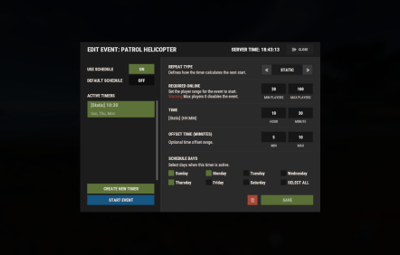
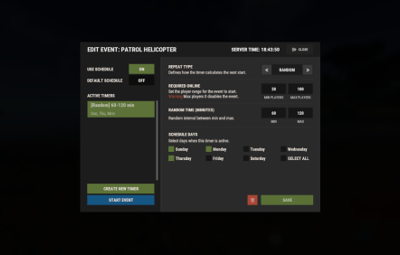
Meet EventsManager: the unified command center for your Rust server. Seamlessly orchestrate both official Facepunch events and custom plugin activities through a single, pixel-perfect in-game interface. Ditch the clunky, scattered timers—build dynamic event rotations and fine-tune your wipe schedules with a fluid, human-centric design that keeps your players consistently engaged.

 Features of Events Manager
- Multi-Event Support: Seamlessly manage multiple events, each with customizable settings.
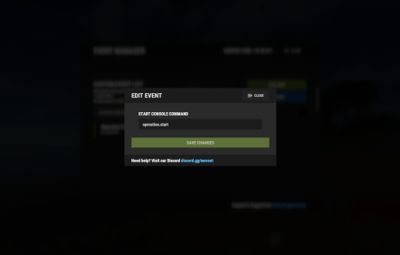
- Customizable Display: Assign distinct names, commands, and colors for UI buttons to each event.
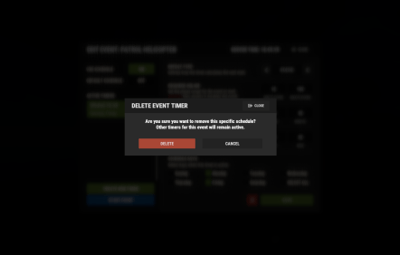
- Scheduling Flexibility: Schedule events to run on specific days and at designated hours.
- Administrative Control: Utilize commands to launch events, providing server admins with ultimate flexibility.
- Enhanced Player Experience: Introduce regular events to boost player engagement within the Rust environment.
- Random Event Start: Introduce surprise elements by allowing the plugin to randomly select events from a pool.
- Integration of Facepunch Events: Enjoy a dynamic gameplay experience with popular Facepunch events now included in the plugin.
 Commands
- /em: Set up events, including start time and day.
- eventmanager.convert.v2: Migrates V2 data to V3 (console only)
 Permissions
- eventsmanager.use: This permission allows users to access the event management features and open the menu.
 Video Overview
 Web Config Editor
Easily manage your EventsManager settings with our web-based configuration editor. This tool allows you to adjust plugin configurations through a user-friendly interface, eliminating the need to manually edit files on your server.

P.S. To access the web config editor, you must be part of the "EventsManager" group in our Discord server. Join us at https://discord.gg/mevent and request the group to get started.
 FAQ
FAQ
Q: Where can I see an example of a config?
A: Config
Q: Do I need to configure anything special for events?
A: Yes, it's important to disable autostart in your events when using EventsManager. The plugin handles the scheduling and starting of events, so having autostart enabled could cause conflicts or unexpected behavior.




.thumb.gif.30bb4fb1ad6b9cbba98fad72b9533086.gif)
.thumb.gif.4707aef13cba7c3b9ad410f5f982b71c.gif)