




.thumb.gif.5b7a21f32bdf3a3f4a2215e39136d274.gif)
About DynamicData
DynamicData — Wipe Progression Automation
 Automate your wipe. Evolve your server.
Stop replacing plugin data files by hand every few hours or days.
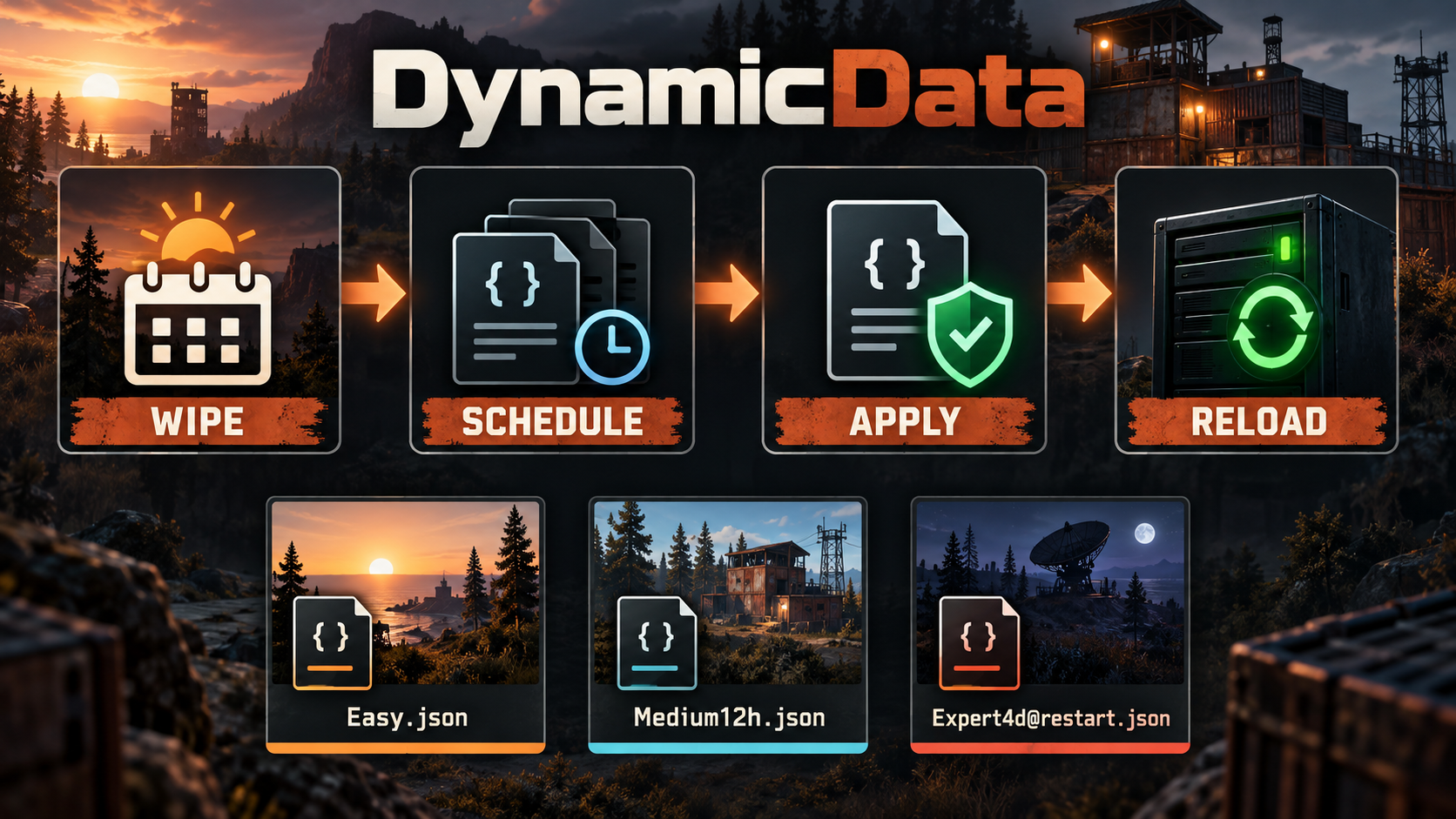
DynamicData automatically deploys prepared JSON data profiles as your Rust wipe progresses. You decide what should change and when; DynamicData follows the timeline, copies the correct file and reloads the target plugin when needed.
Start the wipe with accessible settings. Increase difficulty and rewards after 12 hours. Unlock advanced content on day two. Save heavier changes for the next restart. Once the profiles are prepared, every wipe follows the same progression without an administrator watching the clock.
Simple filename-based scheduling
There is no complicated calendar to configure. The schedule is written directly into each filename:
```text
Settings.json
Settings12h.json
Settings2d.json
[email protected]
[email protected]
```
These files all update the same destination, `Settings.json`:
- `Settings.json` — applied at the beginning of the wipe
- `Settings12h.json` — applied 12 hours after the wipe
- `Settings2d.json` — applied two days after the wipe
- `[email protected]` — ready after four days, then applied on the next restart
- `[email protected]` — applied on the next cold server start
Days, hours, minutes and seconds can be combined, for example `1d12h30m`.
Keep your existing folder structure
DynamicData mirrors nested folders into `oxide/data`.
```text
oxide/data/DynamicData/RaidableBases/Profiles/Settings12h.json
```
is deployed as:
```text
oxide/data/RaidableBases/Profiles/Settings.json
```
Use the same base filename for stages that must replace one another. Use different filenames when the target plugin needs several separate data files.
What can you automate?
DynamicData is not tied to one specific plugin. It is ideal for any data-driven plugin whose JSON files can be updated and reloaded during a wipe, including:
- raid profiles and difficulty progression
- loot tables and reward pools
- kit rotations and tier unlocks
- NPC and event profiles
- economy or shop data
- custom server plugins
Build an early-, mid- and late-wipe experience using the plugins you already own.
Reliable unattended operation
- Automatically detects the current wipe timeline
- Supports live stages and restart-only stages
- Handles several files and destinations due at the same time
- Reloads a target plugin only when it is already loaded
- Remembers completed stages after reloads and rescans
- Tracks applied content per wipe and source file
- Validates JSON before replacing live data
- Restores the previous file if the target plugin fails to return after reload
- Rate-limits deployments to avoid a burst of plugin reloads
- Uses deterministic jitter to spread scheduled work
- Detects newly added or edited profiles automatically
- Preserves nested data folders
- Requires no third-party plugin
Preview before you launch
Administrators can inspect the timeline from the server console or RCON:
```text
dyndata.list
dyndata.simulate 2d
dyndata.simulate all
dyndata.rescan
dyndata.pause RaidableBases
dyndata.resume RaidableBases
```
`dyndata.simulate all` shows the full planned wipe without applying future stages. Individual target plugins can be paused while files are edited or tested.
Access is available to server console, RCON, auth level 1+ administrators, or users granted:
```text
dynamicdata.admin
```
Quick installation
1. Copy `DynamicData.cs` into `oxide/plugins/`.
2. Let Oxide compile and load the plugin.
3. Create `oxide/data/DynamicData/<TargetPlugin>/`.
4. Add your valid JSON profiles with their time suffixes.
5. Run `dyndata.simulate all` to verify the timeline.
The target folder name must match the target plugin's runtime name and root data folder. For example, the `RaidableBases` folder targets the loaded `RaidableBases` plugin and `oxide/data/RaidableBases/`.
Requirements
- Rust dedicated server
- Oxide/uMod
- No mandatory third-party dependencies
DynamicData validates JSON syntax, but every plugin has its own data structure. Test new profiles on a development server before using them in production.
Why server owners use DynamicData
Your server no longer has to feel identical from wipe day to the final evening. Create a controlled progression, give players new reasons to return and remove repetitive file management from your weekly routine.
Prepare the timeline once. Let every wipe evolve automatically.

