About Contracts
Quote
Contracts allows you to create versatile quests/missions that rotate periodically.
Each contract can have one or more objectives, with multiple objective types to choose from. It doesn't stop there: each objective can be augmented with objective conditions, which add additional requirements in order to progress it. This allows you to define versatile and unique quests:
- You could have quests as simple as "Kill 5 scientists"...
- or a little bit more challenging quests like "Kill 5 scientists with an assault rifle"
- or have crazy requirements like "Kill 5 scientists, with an assault rifle OR an MP5, between 25-50m away, while being below 20 HP, while wearing a bandana and riding a horse". The possibilities are endless!
Features
- Highly customizable quests/missions to help you build your unique set of goals and control difficulty beyond just progression amounts required.
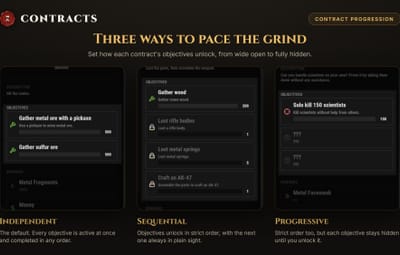
- Control the flow and order of how contract objectives can be completed.
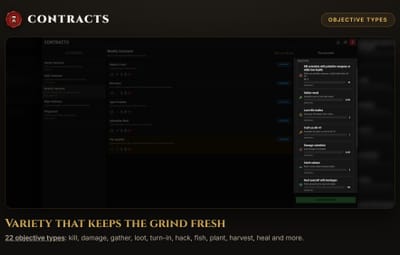
- 10+ objective types to vary gameplay across your server
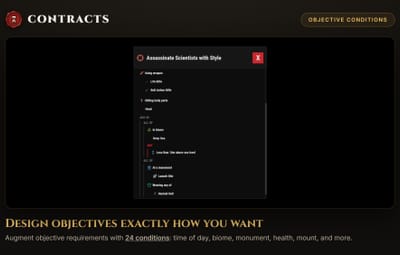
- 10+ objective condition types to add as many layers of challenge that you want to your objectives
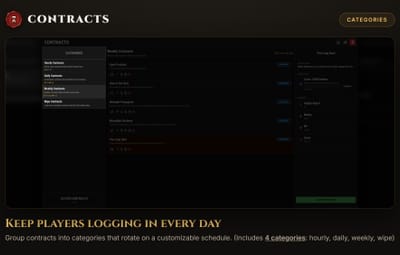
- Customizable categories and their rotation period, with the possibility to disable rotations altogether and manually control when contracts rotate.
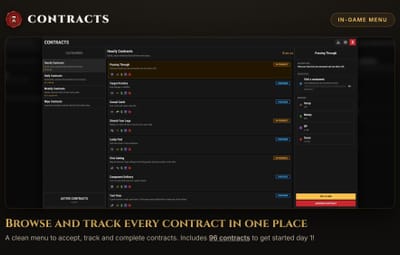
- Clean UI for browsing and tracking contracts.
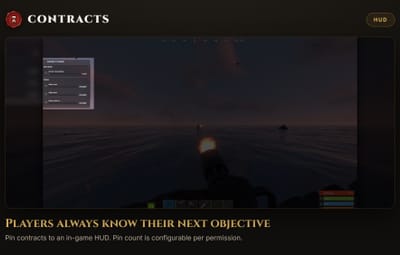
- HUD to track contracts while playing.
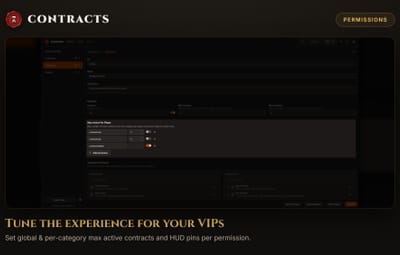
- Permission based features for your VIP members: Max active contracts globally, Max active contracts per category and Max HUD pins.
- Event logging with JSONL format support
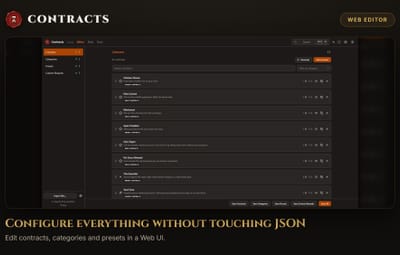
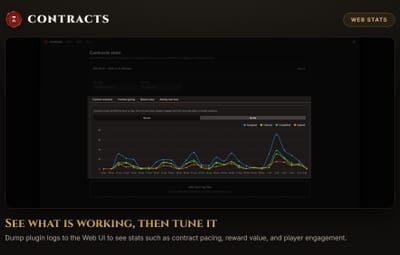
- Powerful Web editor to make editing your configs a breeze and viewing insightful charts on your JSONL logs
Motivation
The motivation behind the plugin is to give players an evolving gameplay experience on your server with an urgency aspect, with the goal of improving player engagement. Instead of making hundreds of quests available from day 1 and achievable anytime during the wipe, I wanted players to have a sense of urgency and achievement when completing quests. I also didn't want to overwhelm players with hundreds of quests to choose from. Contracts solves this by letting you define any number of contracts and assign them to timed categories that will rotate through a portion of contracts on the period you set them to. The more contracts you have, the more variety you add, without adding the mental burden of choice.
Included
While you can discard and customize the contracts, categories and presets yourself, the plugin comes with:
- 4 categories: Hourly (11 contracts), Daily (13 contracts), Weekly (11 contracts) and Wipe (6)
- 41 contracts designed to touch just about every objective types and objective conditions available. These contracts' difficulty were designed for the category they were assigned to.
Permissions
All permissions listed here are the default ones. You can configure them in the config file of the plugin.
- contracts.use - allows the player to use Contracts (open the menu, accept/complete contracts, etc.)
- contracts.admin - allows the player to run admin commands (manually rotate categories, reset data, view cache debug info, etc.)
-
Max Active Contracts - Maximum amount of contracts the player can have at a time. Largest amount is used. (-1 for unlimited)
- contracts.use - 3
- contracts.vip - 5
- contracts.admin - -1
-
Max Tracked Contracts - Maximum amount of contracts the player can pin in the HUD. Largest amount is used. (-1 for unlimited. 0 disables the HUD)
- contracts.use - 2
- contracts.vip - 5
- contracts.admin - -1
Chat Commands
Note: While the "contracts" command is the default, it can be configured to be different name(s) in the config file!
- /contracts - opens the contracts menu
- /contracts hud - toggles the HUD
-
/contracts scale <0.5 - 1.0> - adjusts the plugin's UI element's scale. (default: 1.0)
- This option is designed to be set to the same as the player's Rust UI scale, configurable under the Settings > User Interface menu. No action is required for players who left Rust default UI scale (1.0), but players with a smaller scale will have their initial UI much smaller than intended. Unfortunately, the plugin cannot read the player's Rust UI scale, so it will need to be set manually. You should inform your players about this so they get the best UI!
Console Commands
- contracts.rotate_category <category_id> - trigger rotation for the specified category ID.
- contracts.reset_all_progress - clears all player progress data
-
Debugging commands
- contracts.debug.refresh.all - refresh all caches (clears and rebuilds them). This is normally only done on category rotation.
- contracts.debug.cache.all - Print all caches info. Replace "all" with individual cache names: attackers, card_swipe, craft, damage, kill, loot, gather, heal, fishing, crate_hack
- contracts.debug.hooks - Print the subscription status of hooks (enabled or disabled, depending on if any objective needs them)
- contracts.debug.tainted_items - Print information about item taints (for the Loot objectives)
- contracts.debug.clear_tainted_items - Clears all taints from the loot cache
- contracts.debug.transfers - Print information about item transfers (for the Loot objectives). Normally, there should be zero transfers printed most of the time. Transfers are only meant to track items movement between containers (where they start and where they end) and then automatically get cleaned up.
- contracts.debug.clear_transfers - Clears the transfers cache
Configuration
Contracts has 1 config file and 3 data files that you can edit for your needs, though the plugin comes with a generous amount of pre-defined contracts (generated when you first load the plugin).
oxide/config/Contracts.json
- Command - The commands that can be used to interact with the plugin
-
Permissions - Set the permissions for features
- Use Contracts Features - Permission required to use Contracts, open the menu, accept contracts and complete them.
- Admin - Permission required to use admin commands
- Max Active Contracts - Maximum amount of contracts the player can have at a time. Largest amount is used. (-1 for unlimited)
- Max Tracked Contracts (HUD) - Maximum amount of contracts the player can pin in the HUD. Largest amount is used. (-1 for unlimited. 0 disables the HUD)
-
Rewards
- Show Ineligible Rewards - When true, rewards that the player is not eligible to get upon completion are dimmed. When false, ineligible rewards are hidden from the menu.
-
Conditions
-
Condition Ordering - One of "Optimized" (default), "None" or "RootOptimized"
Optimized - The plugin will re-order conditions to execute from less computationally expensive to most
None - Condition ordering are kept as defined
RootOptimized - Only conditions at the first level are optimized, not the nested ones in AND and OR conditions
-
Condition Ordering - One of "Optimized" (default), "None" or "RootOptimized"
-
HUD
- Anchor Min - The HUD's bottom left anchor position (see Oxide UI position)
- Anchor Max - The HUD's top right anchor position (see Oxide UI position)
-
Collapse Direction - One of "TopLeft" (default), "TopRight", "BottomLeft" or "BottomRight"
TopLeft = Header is above tracked contracts. Toggle button is on the left.
TopRight = Header is above tracked contracts. Toggle button is on the right.
BottomLeft = Header is below tracked contracts. Toggle button is on the left.
BottomRight = Header is below tracked contracts. Toggle button is on the right.
-
Logging - collect logs on specified events (stored in oxide/logs/Contracts/<date> or carbon/logs/Contracts/<date>)
-
Mode - One of "None" (default), "JSONL" or "Text"
None = Disable logging
JSONL = Logs events in a structured format. JSONL is more efficient for large datasets than JSON because it doesn't require you to load the entire file into memory!
Text = Human readable text lines that you can configure with placeholders. Can also be used to create your own JSONL format, if the one provided is not preferred. - Retention Days - Log folders past this age will be deleted at plugin load time. Set to 0 to disable and never delete logs (not recommended).
-
Contract Accepted - occurs when the player accepts a contract
- Enabled - whether or not to collect logs for this event
- Format (Text Mode) - Log format to use when the logging mode is "Text". See Logging section below for {placeholders}.
- Contract Completed - occurs when the player completes a contract.
- Contract Claimed - occurs when the player claims the rewards on a contract.
- Contract Abandoned - occurs when the player abandons a contract.
- Reward Given - occurs once for each reward given when the player claims the contract
- Rotation Started - occurs when a category rotates its contracts
- Objective Completed - occurs when the player completes a contract objective
-
Mode - One of "None" (default), "JSONL" or "Text"
- Version - The version of the config. Matches the plugin's version.
Default Configuration
{ "Command": ["contracts"], "Permissions": { "Use Contracts Features": "contracts.use", "Admin": "contracts.admin", "Max Active Contracts": { "contracts.use": 3, "contracts.vip": 5, "contracts.admin": -1 }, "Max Tracked Contracts (HUD)": { "contracts.use": 2, "contracts.vip": 5, "contracts.admin": -1 } }, "Rewards": { "Show Ineligible Rewards": true }, "Conditions": { "Condition Ordering": "Optimized" }, "HUD": { "Anchor Min": "0.0 0.60", "Anchor Max": "0.135 0.87", "Collapse Direction": "TopLeft" }, "Logging": { "Mode": "None", "Retention Days": 30, "Contract Accepted": { "Enabled": false, "Format (Text Mode)": "[{timestamp_local}] {player_name} ({player_id}) accepted contract {contract_name} ({contract_id}) in {category_name} ({category_id})" }, "Contract Completed": { "Enabled": false, "Format (Text Mode)": "[{timestamp_local}] {player_name} ({player_id}) completed contract {contract_name} ({contract_id}) in {category_name} ({category_id}) in {duration}s" }, "Contract Claimed": { "Enabled": false, "Format (Text Mode)": "[{timestamp_local}] {player_name} ({player_id}) claimed contract {contract_name} ({contract_id}) in {category_name} ({category_id})" }, "Contract Abandoned": { "Enabled": false, "Format (Text Mode)": "[{timestamp_local}] {player_name} ({player_id}) abandoned contract {contract_name} ({contract_id}) in {category_name} ({category_id})" }, "Reward Given": { "Enabled": false, "Format (Text Mode)": "[{timestamp_local}] {player_name} ({player_id}) received {reward_type} reward: {reward_detail} from contract {contract_name} ({contract_id})" }, "Rotation Started": { "Enabled": false, "Format (Text Mode)": "[{timestamp_local}] Category {category_name} ({category_id}) rotated. Contracts: {contract_ids}." }, "Objective Completed": { "Enabled": false, "Format (Text Mode)": "[{timestamp_local}] {player_name} ({player_id}) completed objective {objective_name} (#{objective_id}) in contract {contract_name} ({contract_id})" } }, "Version": { "Major": 0, "Minor": 5, "Patch": 0 } }
Contracts Website
The data files that follow this section don't have to be manually edited! Head to the Web Editor at https://www.rustcontracts.com , drop your data configs and start editing your configs in a convenient UI. The quality of the editor and its extensive features are on par with the quality of the plugin!
Website Features
- Convenient UI: Edit all your contracts, categories and presets in a Web-based UI. No manual JSON editing required.
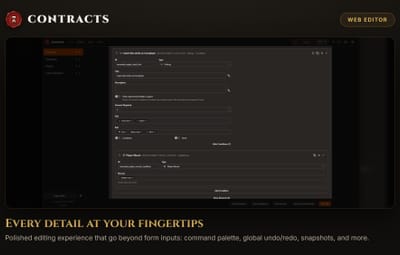
- Rich Editing Experience: Validation, undo/redo from anywhere, ID refactoring, autocomplete fields, optional raw JSON editing and more QoL features.
- Data Persistence: Save snapshots of your configs and restore or download them at a later time (data saved in your browser).
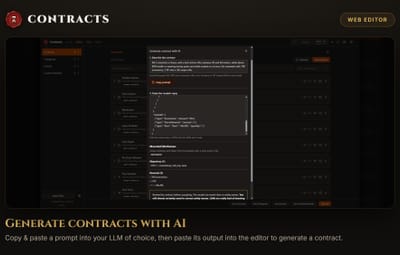
- AI Generated Contracts: (experimental) Use OpenAI, Google or Anthropic's models to generate entire contracts from a prompt. (BYOK)
- Command Palette: Easily navigate through contracts, categories, presets from anywhere in the editor through the command palette.
- Stats: View your JSONL logs in pre-made charts to gain insights into your contracts, such as pacing and reward balance.
Data Files
Contracts has 3 types of data files meant to be configured by you (other data files are generated by the plugin, such as player progress, but not meant to be edited): Presets, Contracts and Categories.
oxide/data/Contracts/preset_data.json
QuoteFor every data file, it's highly recommended that you use readable IDs. This will really help you read logs or debug issues. Although you can do what you want, I do not recommend you use UUIDs or GUIDs or any other form of random ID.
If you don't want to think too hard about it, you can follow the same pattern used for the included defaults: use the title of the thing you're ID-ing and any child entity is prefixed by it's predecessor's ID.
E.g: The contract Pest Control has ID "pest_control", with an objective "pest_control_kill_boars" that has a condition "pest_control_kill_wolves_at_night_time_condition". You could also have used "kill_boars_at_night" and "time_condition" for the last two. IDs don't need to be unique across your config, but it needs to be unique between its sibling properties (the JSON format will prevent you from duplicating IDs where you shouldn't anyway!)
Presets are lists of strings you can define to easily reference them in contracts. E.g: Instead of defining all the types of scientists for a kill contract, you can reference them with "@scientists"
- presets - key/value pair where the key is the name of the preset and the value is a list of strings that the preset resolves to. You can mention other presets in a preset, but they must not have a circular reference
- version - The version of the config. Matches the plugin's version.
Example presets:
{ "presets": { "scientists": [ "scientist2.heavy", "scientist2", "scientist2.shotgun", "scientistnpc_arena", "scientistnpc_bradley", "scientistnpc_bradley_heavy", "scientistnpc_cargo", "scientistnpc_cargo_turret_any", "scientistnpc_cargo_turret_lr300", "scientistnpc_ch47_gunner", "scientistnpc_excavator", "scientistnpc_full_any", "scientistnpc_full_lr300", "scientistnpc_full_mp5", "scientistnpc_full_pistol", "scientistnpc_full_shotgun", "scientistnpc_heavy", "scientistnpc_junkpile_pistol", "scientistnpc_oilrig", "scientistnpc_outbreak", "scientistnpc_patrol", "scientistnpc_patrol_arctic", "scientistnpc_peacekeeper", "scientistnpc_ptboat", "scientistnpc_rhib", "scientistnpc_roam", "scientistnpc_roam_nvg_variant", "scientistnpc_roamtethered" ], "ballista": [ "ballista.static", "ballista.mounted" ], }, "version": { "Major": 0, "Minor": 2, "Patch": 0 } }
oxide/data/Contracts/contracts_data.json
This file holds all your contract definitions.
-
contracts - key/value pair where the key is the contract ID and the value is the contract definition
- title - The title of the contract
- description - Optional description for the contract
-
progressionType - One of "Independant" (default), "Sequential" or "Progressive"
Independant - objectives can be completed in any order simultaneously
Sequential - objectives must be completed in order from first to last. The locked objectives are visible.
Progressive - objectives must be completed in order from first to last. The locked objectives are hidden. -
objectives - key/value pair where the key is the objective ID and the value is the objective definition
- title - The objective title
- description - Optional objective description
-
conditions - key/value pair where the key is the condition ID and the value is the condition definition
- type - The type of the condition (see Objective Conditions below)
- ... more fields depending on the objective condition type (see Objective Conditions below)
- type - Type of the objective (see Objective Types below)
- ... more fields depending on the objective type (see Objective Types below)
-
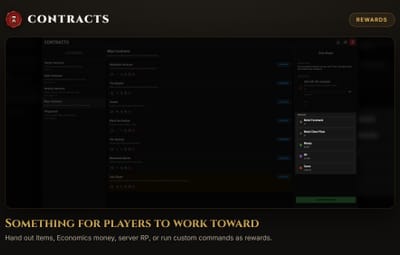
rewards - key/value pair where the key is the reward ID and the value is the reward defintion
- title - Optional title for the reward (empty titles will use default names)
- description - Optional description for the reward
- eligiblePermissions - list of strings of permissions allowed to claim this reward
- type - Type of the reward (see Contract Rewards below)
- ... more fields depending on the reward type (see Contract Rewards below)
- version - The version of the config. Matches the plugin's version.
oxide/data/Contracts/contract_category_data.json
This file holds all your contract categories definitions.
-
categories - key/value pair where the key is the category ID and the value is the category definition
- name - The category name
- description - Optional category description
- contractIds - List of all contract IDs defined earlier that are part of the category and will be rotated periodically
-
rotation
- duration - Time in seconds that the rotation lasts (-1 = never rotates)
- minContractsAmount - minimum number of contracts to include in the rotation
- maxContractsAmount - maximum number of contracts to include in the rotation
-
maxActiveContracts - key/value pair where the key is the permission name and the value is a number indicating the maximum amount of contracts that can be active in this category for a given player (-1 for unlimited. defaults to -1). This works in conjunction to the config Max Active Contracts parameter. e.g:
"contracts.use": 1 - only 1 contract in this category can be active at a time
- version - The version of the config. Matches the plugin's version.
Objective Types
Contracts currently support the following objective types, with additional types possible in the future! Objective types are intentionally kept simple with minimal configuration so that you can create more complex objectives with Objective Conditions. This section also details the additional fields to be added in the objectives definition of the contract (where it says "... more fields depending on the objective type").
Kill
Requires the player to kill one of the specified entities.
Configuration (excludes common objective fields):
- type - Always "Kill"
- amountRequired - An integer value greater than 0
- entities - list of entities targeted by the objective. Can include presets.
Example (excludes common objective fields):
{ "type": "Kill", "amountRequired": 50, "entities": ["wolf", "boar", "@scientists"] }
Damage
Requires the player to damage one of the specified entities.
Configuration (excludes common objective fields):
- type - Always "Damage"
- amountRequired - An integer value greater than 0
- entities - list of entities targeted by the objective. Can include presets.
Example (excludes common objective fields):
{ "type": "Damage", "amountRequired": 5000, "entities": ["wolf", "boar", "@scientists"] }
Craft
Requires the player to craft one of the specified items.
Configuration (excludes common objective fields):
- type - Always "Craft"
- amountRequired - An integer value greater than 0
- items - list of items that count toward the objective's progression. Can include presets.
Example (excludes common objective fields):
{ "type": "Craft", "amountRequired": 50, "items": ["bandage", "@firearms"] }
Gather
Requires the player to gather one of the specified items.
Configuration (excludes common objective fields):
- type - Always "Gather"
- amountRequired - An integer value greater than 0
- items - list of items received from a gathered dispenser that count towards the objective's progress. Can include presets.
Example (excludes common objective fields):
{ "type": "Gather", "amountRequired": 500, "entities": ["wood", "metal.ore", "@ores"] }
Card Swipe
Requires the player to swipe cards of specified access levels.
Configuration (excludes common objective fields):
- type - Always "CardSwipe"
- amountRequired - An integer value greater than 0
-
accessLevels - list of access levels that count towards the objective's progress. Valid access levels are 1, 2 or 3
1 = Green | 2 = Blue | 3 = Red
Example (excludes common objective fields):
{ "type": "CardSwipe", "amountRequired": 3, "accessLevels": [1, 3] }
Crate Hack
Requires the player to hack hackable crates.
Configuration (excludes common objective fields):
- type - Always "CrateHack"
- amountRequired - An integer value greater than 0
Example (excludes common objective fields):
{ "type": "CrateHack", "amountRequired": 50 }
Fishing
Requires the player to catch any or specified types of fish.
Configuration (excludes common objective fields):
- type - Always "Fishing"
- amountRequired - An integer value greater than 0
- fish - List of fishes that count towards the objective's progress. Leave empty for any. Can include presets.
- bait - List of baits used to fish that count towards the objective's progress. Leave empty for any. Can include presets.
Example (excludes common objective fields):
{ "type": "Fishing", "amountRequired": 50, "fish": ["fish.salmon", "@rarefish"], "bait": ["grub", "@rawmeat"] }
Heal
Requires the player to heal themselves and/or others by a specified amount of health
Configuration (excludes common objective fields):
- type - Always "Heal"
- amountRequired - An integer value greater than 0
- items - List of healing items that can be used to count towards the objective's progress. Leave empty for any. Can include presets.
-
target - One of Any, Self or Others
Any = Heal anyone | Self = Heal self | Others = Heal others
Example (excludes common objective fields):
{ "type": "Heal", "amountRequired": 100, "items": ["bandage", "@advancedheals"], "target": "Self" }
Turn In
Requires the player to give specified items to the plugin. Turned in items are removed from the inventory.
Configuration (excludes common objective fields):
- type - Always "TurnIn"
- amountRequired - An integer value greater than 0
- items - List of items that count towards the objective's progress. Can include presets.
Example (excludes common objective fields):
{ "type": "TurnIn", "amountRequired": 100, "items": ["scrap", "@components"] }
Loot
Requires the player to loot the specified items from the world. Looted items are not removed from the inventory, unlike turn in objectives.
QuoteIMPORTANT NOTE
It's highly recommended to use Turn In objectives instead of Loot when possible. The key distinction between the two is that Turn In consumes the items and loot does not. Looting will only count when the item moves from the world or a world container (entity owner = 0) to a player container (entity owner ≠ 0). This makes tracking items extremely complicated so that players can't simply put back items into the world container and loot it again. For that, the plugin maintains a list of "tainted items": whenever an item is moved from a player container to the world or a world container, the plugin will remember this specific item for the future so it isn't counted. Taints do not persist through plugin/server restarts! While many use-cases were tested to prevent abuse (including splitting and stacking), this is easily one of the more fragile objectives in the plugin. Consider using the Turn In objective instead or report any reproduction steps to exploit this objective type so they can be patched.
Configuration (excludes common objective fields):
- type - Always "Loot"
- amountRequired - An integer value greater than 0
- items - List of items that count towards the objective's progress. Can include presets.
Example (excludes common objective fields):
{ "type": "Loot", "amountRequired": 100, "items": ["scrap", "@components"] }
Objective Conditions
Objective types on their own do not provide much configuration for variety by design. Objective conditions are what makes your objectives so customizable with many combination of conditions that can be applied on top of objective types. They are what makes your objectives challenging and versatile. This section also details the additional fields to be added in the objective conditions definition of the contract (where it says "... more fields depending on the objective condition type").
QuoteThough any condition can be applied on any objective type, it's worth noting that some conditions obviously won't have any effect on certain objective types. For example, the Weapon condition makes no sense to have on a Craft objective, because crafting doesn't involve an attack.
Weapon
Requires the player to use a specific weapon during an attack on an entity.
Configuration (excludes common objective condition fields):
- type - Always "Weapon"
- weapon - List of weapons that satisfy the condition. Can include presets.
Example (excludes common objective condition fields):
{ "type": "Weapon", "items": ["grenade.molotov", "@primitiveweapons"] }
Time of Day
Requires the player to progress the objective between set times.
Note: the plugin supports day wrapping. If your start time is "20:00" and end time is "06:00", then the plugin will understand it's between 8PM - 6AM.
Configuration (excludes common objective condition fields):
- type - Always "TimeOfDay"
- startTime - The minimum time of day. 24h format. e.g: "21:32"
- endTime - The maximum time of day. 24h format. e.g: "06:00"
Example (excludes common objective condition fields):
{ "type": "TimeOfDay", "startTime": "20:00", "endTime": "06:00" }
Player Wear
Requires the player to wear specific clothing
Configuration (excludes common objective condition fields):
- type - Always "PlayerWear"
- items - List of wearable items that satisfy the condition. Can include presets.
- requireAll - true = requires all items to be worn. false = require some items to be worn.
- requireNaked - true = requires the player to wear nothing (items should be empty (i.e: [ ] ) ). false = use items list to determine the condition.
Example (excludes common objective condition fields):
{ "type": "PlayerWear", "items": ["bandana", "@woodarmor"], "requireAll": false, "requireNaked": false }
Player Mount
Requires the player to be mounted on specific entities (vehicles, horse, chairs, etc.)
Configuration (excludes common objective condition fields):
- type - Always "PlayerMount"
- mounts - List of mount entities that count satisfy the condition. Can include presets.
Example (excludes common objective condition fields):
{ "type": "PlayerMount", "mounts": ["ridablehorse", "@chairs"] }
Player Health
Requires the player to be between specific amount of HP.
Configuration (excludes common objective condition fields):
- type - Always "PlayerHealth"
- minHealth - Minimum amount of health required to satisfy the condition. -1.0 to ignore.
- maxHealth - Maximum amount of health required to satisfy the condition. -1.0 to ignore.
Example (excludes common objective condition fields):
{ "type": "PlayerHealth", "minHealth": -1.0, "maxHealth": 30.0 }
Min Damage Ratio
Requires the player to have done a minimum amount of damage when compared to the total damage done with others.
Currently, this is mostly only useful for the Kill objective, though it could be attached to a Damage objective if you have the need for it...
Configuration (excludes common objective condition fields):
- type - Always "MinDamageRatio"
- minDamageRatio - The minimum ratio of damage that the player needs to have on the victim to satisfy the condition. Between 0.0 and 1.0.
Example (excludes common objective condition fields):
{ "type": "MinDamageRatio", "minDamageRatio": 0.5 }
Attack Distance
Requires the player's attack to occur between specified distance in meters.
Configuration (excludes common objective condition fields):
- type - Always "AttackDistance"
- minDistance - Minimum distance required to satisfy the condition. -1.0 to ignore.
- maxDistance - Maximum distance required to satisfy the condition. -1.0 to ignore.
Example (excludes common objective condition fields):
{ "type": "AttackDistance", "minDistance": 50.0, "maxDistance": -1 }
&& And
Requires the player to satisfy all listed conditions inside the AND operator condition.
Note that this condition is useless when used at the top level of your conditions, because multiple conditions are already evaluated as an AND condition (i.e: all conditions within the objective's "conditions" list must be satisfied). It is only useful when placed inside a Not or an Or condition.
Configuration (excludes common objective condition fields):
- type - Always "And"
- conditions - key/value pair where the key is the condition ID and the value is a condition that needs to be satisfied. All conditions inside the And condition need to pass to satisfy this condition.
Example (excludes common objective condition fields):
{ "type": "And", "conditions" { "and_weapon_condition": { "type": "Weapon", "weapon": ["rifle.ak"] }, "and_attackdistance_condition": { "type": "AttackDistance", "minDistance": -1.0, "maxDistance": 10.0 } } }
|| Or
Requires the player to satisfy any of the listed conditions inside the OR operator condition.
Configuration (excludes common objective condition fields):
- type - Always "Or"
- conditions - key/value pair where the key is the condition ID and the value is a condition that needs to be satisfied. Any condition inside the Or condition need to pass to satisfy this condition.
Example (excludes common objective condition fields):
{ "type": "Or", "conditions" { "or_attackdistance1_condition": { "type": "AttackDistance", "minDistance": -1.0, "maxDistance": 10.0 }, "or_attackdistance2_condition": { "type": "AttackDistance", "minDistance": 100.0, "maxDistance": -1.0 } } }
Not
Requires the player to NOT satisfy the specified condition. (inverses the satisfaction requirement)
Configuration (excludes common objective condition fields):
- type - Always "Not"
- condition - The condition to NOT satisfy
Example (excludes common objective condition fields):
{ "type": "Not", "condition" { "type": "Weapon", "weapon": ["@firearms"] } }
Contract Rewards
The following rewards can be distributed by the plugin. This section also details the additional fields to be added in the reward definition of the contract (where it says "... more fields depending on the reward type").
Item
Grants the player a specified quantity of an item.
Configuration (excludes common reward fields):
- type - Always "Item"
- item - The item shortname
- quantity - An integer value greater than 0
Example (excludes common reward fields):
{ "type": "Item", "item": "scrap", "quantity": 50 }
Economics
Grants the player an amount of money. Requires the Economics plugin.
Configuration (excludes common reward fields):
- type - Always "Economics"
- amount - A decimal value greater than 0.0
Example (excludes common reward fields):
{ "type": "Economics", "amount": 50.50 }
Server RP
Grants the player an amount of server rewards points. Requires the Server Rewards plugin.
Configuration (excludes common reward fields):
- type - Always "ServerRewards"
- amount - An integer value greater than 0
Example (excludes common reward fields):
{ "type": "ServerRewards", "amount": 5 }
⌘ Command
Runs a parameterized command. Useful when the other rewards are not suitable and you need something custom. Technically, all above rewards can be achieved through a command reward.
Configuration (excludes common reward fields):
- type - Always "Command"
-
command - The command to run on reward claim. You can add the following {placeholders} and the plugin will fill them during distribution:
{playerId} - The player's Steam ID
{playerName} - The player's Steam name
{qPlayerName} - The player's Steam name wrapped in "quotes"
{playerX} - The player's current X position, rounded to the nearest integer
{playerY} - The player's current Y position, rounded to the nearest integer
{playerZ} - The player's current Z position, rounded to the nearest integer
Example (excludes common reward fields):
{ "type": "Command", "command": "say {playerName} is the top fisherman!" }
Logging
QuoteIt is strongly recommended that you use JSONL formatting if you wish to use your logs inside the Contracts Stats Viewer!
When using Text formatting for logging, you can use {placeholders} to inject data into your logs. Each event type has their own placeholders. The following placeholders are always available:
- timestamp_utc - yyyy-MM-dd HH:mm:ss timestamp using the UTC timezone
- timestamp_local - yyyy-MM-dd HH:mm:ss timestamp using your server's local timezone
- timestamp_iso - timestamp using the ISO format (same format used in JSONL)
- time_utc - HH:mm:ss timestamp using the UTC timezone
- time_local - HH:mm:ss timestamp using your server's local timezone
The following are additional fields per event type:
-
Contract Abandoned
- player_id
- category_id
- contract_id
- player_name
- category_name
- contract_name
-
Contract Accepted
- player_id
- category_id
- contract_id
- player_name
- category_name
- contract_name
-
Contract Claimed
- player_id
- category_id
- contract_id
- player_name
- category_name
- contract_name
-
Contract Completed
- player_id
- category_id
- contract_id
- player_name
- category_name
- contract_name
- duration - the amount of time (in seconds) that passed since the player accepted the contract
-
Contract Expired
- player_id
- category_id
- contract_id
- player_name
- category_name
- contract_name
- duration - the amount of time (in seconds) that passed since the player accepted the contract
-
Objective Completed
- objective_type
- player_id
- category_id
- contract_id
- objective_id
- player_name
- category_name
- contract_name
- objective_name
-
Reward Given
- reward_type
- player_id
- category_id
- contract_id
- reward_id
- player_name
- category_name
- contract_name
- reward_name
- reward_detail - e.g: scraps x50 ; command ; $1000 ; 10 RP
- amount - always 1 for commands
-
Rotation Started
- category_id
- contract_ids - comma separated list of contract IDs
- category_name
API
This plugin does not currently expose an API. Let me know what you'd like to see in a future implementation!
Discord
Join the official Discord server for support, announcements and more! https://discord.rustcontracts.com

Quick Links