Depends on
Required for this file to work correctly.

Works with
Optional integrations and compatible files.

About Base Upgrade
Overview
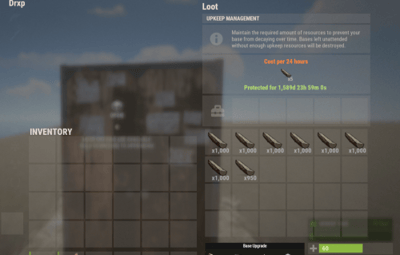
Open the tool cupboard. Click a grade. The whole base upgrades out of that cupboard.
Warning
Image Library is required. It is free. Without it, the icons do not load.
Oxide and Carbon are both supported.
No Escape and RaidBlock are optional. With either one installed, upgrade, repair, and remove are blocked while that player is raid blocked or combat blocked.
Features
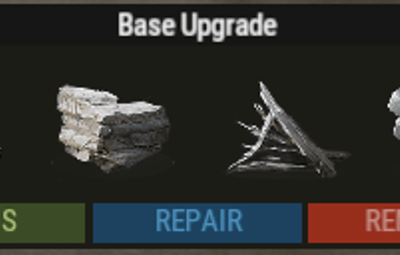
- One click grades. Wood, stone, metal, and HQM. Materials come out of the tool cupboard. The upgrade stops and tells the player when the cupboard runs out.
- Repair. Every damaged block, paid from the cupboard.
-
Downgrade. Puts the materials back. Higher tiers stay as they are unless the player has
baseupgrade.downgrade. -
Remove tool. Default duration is 5 minutes. Set
DefaultHammerSkinto0for the vanilla hammer. - Skins. Legacy Wood, Brutalist, Brick, Adobe, Shipping Container, Jungle, Space Station, and Crypt, plus 16 metal colors. The player has to own the skin.
-
Place as you build.
/bupupgrades new blocks for 60 seconds. Those materials come from the player's inventory. - Cooldown. The chat message shows how long is left.
- Lang file. Chat messages can be translated.
Commands
The grade buttons on the tool cupboard upgrade the base that is already built. /bup is for blocks the player places after that.
-
/bup 1sets wood for 60 seconds -
/bup 2sets stone for 60 seconds -
/bup 3sets metal for 60 seconds -
/bup 4sets HQM for 60 seconds
Permissions
Grant baseupgrade.show or the panel never opens. Grant each grade only to the groups that should have it.
Oxide uses o.grant. Carbon uses c.grant.
o.grant group default baseupgrade.show
o.grant group default baseupgrade.up_wood
o.grant group default baseupgrade.up_stone
o.grant group default baseupgrade.up_metal
o.grant group default baseupgrade.up_hqm
o.grant group default baseupgrade.up_repair
o.grant group default baseupgrade.downgrade
o.grant group default baseupgrade.remove
o.grant group default baseupgrade.bupUse
-
baseupgrade.showopens the panel when the tool cupboard is opened -
baseupgrade.up_woodallows wood -
baseupgrade.up_stoneallows stone -
baseupgrade.up_metalallows metal -
baseupgrade.up_hqmallows HQM -
baseupgrade.up_repairallows repair -
baseupgrade.downgradeallows downgrade and the refund -
baseupgrade.removeallows the remove tool -
baseupgrade.bupUseallows/bup
Costs
Per block, taken from the tool cupboard. Change either set in the config.
- Wood: 150 to upgrade, 50 to repair
- Stone: 300 to upgrade, 100 to repair
- Metal: 200 to upgrade, 70 to repair
- HQM: 25 to upgrade, 10 to repair
Configuration
Tip
UpgradeDelay at 0.0 upgrades instantly. CommandCooldown(in secs) is the wait between uses. Hammer Duration is in seconds.
{
"UpgradeDelay(0.0 = insta upgrade)": 0.5,
"CommandCooldown(in secs)": 60.0,
"Hammer Duration": 300.0,
"RepairDelay(seconds between each block repair)": 0.5,
"DefaultHammerSkin": 0,
"RefundOnDowngrade (true/fasle)": true,
"RepairCosts": {
"Wood": 50,
"Stone": 100,
"Metal": 70,
"TopTier": 10
},
"UpgradeCosts": {
"Wood": 150,
"Stone": 300,
"Metal": 200,
"TopTier": 25
},
"UISettings": {
"UpgradePanel": {
"OffsetMin": "-303.1 7.5",
"OffsetMax": "-73.37 106.795"
}
},
"BypassSkinOwnershipCheck (Only allowed on creative/test servers)": false
}
Warning
Leave BypassSkinOwnershipCheck set to false on a live server. That option is for creative and test servers only.