About Admin Troll Tool Z
AdminTrollToolZ: Revolutionize Your Rust Server Administration
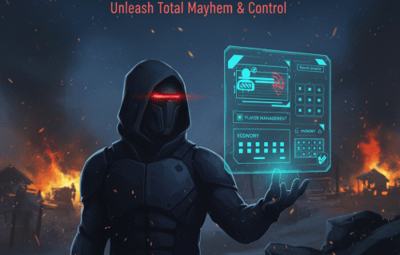
AdminTrollToolZ is the definitive, feature-rich Oxide plugin designed to give server administrators unprecedented control and flexibility over their Rust environment. Stop juggling multiple commands and plugins—get everything you need in one powerful, easy-to-use User Interface (UI).
Key Features & Functionality:
- Comprehensive Player Management:
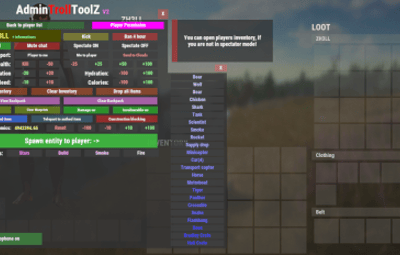
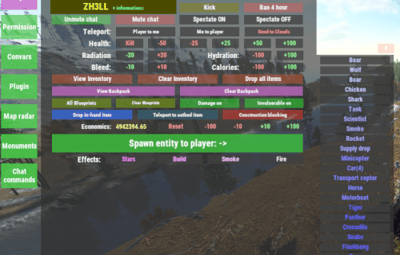
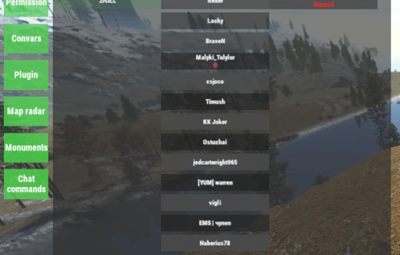
- Detailed Player Profiles: View all critical player info: Bans, last chat messages, recent commands, country, and past names.
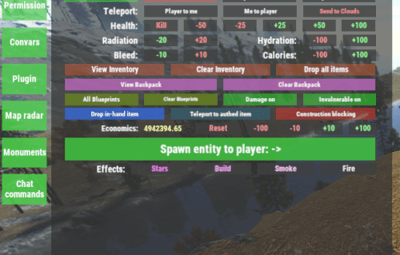
- Real-time Inventory Control: View, clear, or drop a player's inventory and backpack contents instantly (requires Backpacks plugin).
- Player Status Modification: Freeze/Unfreeze movement (requires Freeze plugin), grant God Mode (Invulnerable), modify Metabolism (health, hydration, calories), and instantly grant or clear all Blueprints.
- Rule Enforcement: Kick, Ban, Mute/Unmute players directly from the UI, with configurable ban durations. Implement a Warning System with in-game chat and Discord notifications.
Server & Plugin Control:
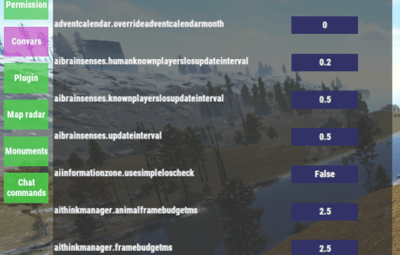
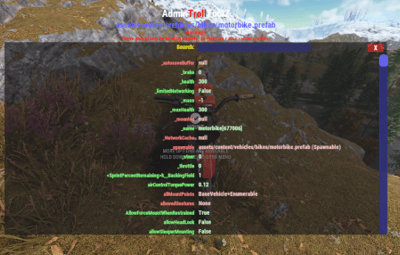
- Dynamic Convar Management: Search and modify virtually any server Convar setting on the fly.
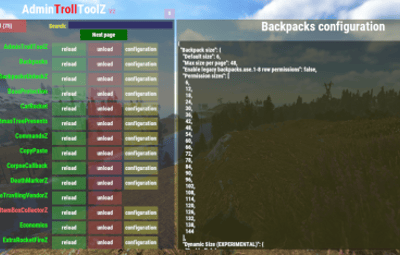
- Plugin Management: Easily Reload or Unload other Oxide plugins without console access.
- Team Control: Effortlessly manage player teams—add/remove members, change team leaders.
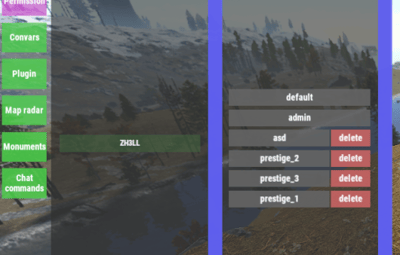
- Wipe Management: Includes integrated functionality for handling data wipes and timers (via WipeZ plugin).
Advanced Admin Tools:
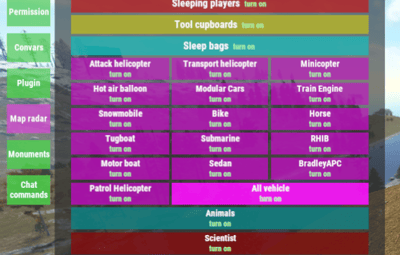
- Admin Radar: Toggle visibility for online/sleeper players, boxes, turrets, TCs, loot, NPCs, and more.
- Entity Spawning: Spawn specified entities near a target player.
- Troll/Fun Features: Drop the item a player is holding, apply various Effects, or change the server time (Turn Day/Night - requires NightVision plugin).
Economy & Rewards Integration:
- Full support for Economics, ServerRewards, and SkillTree (requires respective plugins) to easily add, subtract, or clear player currency/skill values.
- Kits Support: Quickly add configured kits to target players (requires Kits plugin).
AdminTrollToolZ is built for performance and reliability, ensuring that all features work seamlessly. It features automatic Player Data (PD) saving and a utility to clear old PD files, keeping your server clean.
Upgrade your administrative capabilities today and keep your community safe, managed, and engaged!
Config:
{
  "Kick player if have VAC BAN?": false,
  "Kick message (VAC BAN)": "You cannot enter if you have a VAC ban!",
  "Kick player if have GAME BAN?": false,
  "Kick message (GAME BAN)": "You cannot enter if you have a GAME ban!",
  "Your API KEY": "",
  "Time zone difference hours (+)": 0,
  "Log commands?": true,
  "Ban time in hour:": 4,
  "Contact: (BAN / KICK message)": "Discord link",
  "Enable Economic.cs plugin?": true,
  "Enable ServerRewards.cs plugin?": true,
  "Enable SkillTree.cs plugin?": true,
  "Enable Backpacks.cs plugin?": true,
  "Enable Freeze.cs plugin?": true,
  "Enable NightVision.cs plugin?": true,
  "Enable RaidableBases s plugin?": true,
  "RaidableBases banned permission name?": "raidablebases.banned",
  "Enable Kits.cs plugin?": true,
  "Kit chat command": "kit",
  "Kit names (list)": [],
  "Discord (logs) Hook (empty = disable)": "",
  "Discord (logs) embed hex color": "#ff00ff",
  "Discord (player connect) Hook (empty = disable)": "",
  "Discord (player connect) Show Vac/Game ban in message?": true,
  "Discord (player connect) embed hex color": "#00ff00",
  "Discord (player connect) text": "Connected",
  "Discord (player disconnect) Hook (empty = disable)": "",
  "Discord (player disconnect) embed hex color": "#ff0000",
  "Discord (player disconnect) text": "Disconnected",
  "Discord (player name change) Hook (empty = disable)": "",
  "Discord (player name change) embed hex color": "#ffff00",
  "Discord (player name change) text": "Disply name changed",
  "Discord (global chat) Hook (empty = disable)": "",
  "Discord (global chat) embed hex color": "#ffffff",
  "Discord (player team chat) Hook (empty = disable)": "",
  "Discord (player team chat) embed hex color": "#00ff00",
  "Discord (/pm chat) Hook (empty = disable)": "",
  "Discord (/pm) embed hex color": "#ffffff",
  "Discord (Server online) Hook (empty = disable)": "",
  "Discord (Server online) embed hex color": "#00ff00",
  "Discord (Server online) title": "Server online!",
  "Discord (Server online) text": "Come and join!\nIP: (your ip and port)",
  "Discord (Server offline) Hook (empty = disable)": "",
  "Discord (Server offline) embed hex color": "#ff0000",
  "Discord (Server offline) title": "Server offline!",
  "Discord (Server offline) text": "Please allow time for the system to start! Sorry for any inconvenience!",
  "Discord (Server online) image": "",
  "Discord (Server offline) image": "",
  "Player names blacklist": [
    "name 1",
    "name 2",
    "name 3"
  ],
  "Does the player get kicked out if the name is on the 'Player names blacklist'?": false,
  "(Chat word) blacklist": [
    "word 1",
    "word 2",
    "word 3"
  ],
  "Discord (Chat blacklist messages) Hook (empty = disable)": "",
  "Discord (Chat word) embed hex color": "#ff0000",
  "Discord (WIPE) Hook (empty = disable)": "",
  "Discord (WIPE) embed hex color": "#ff4488",
  "Discord (WIPE) text": "The map has been wiped!\nNew map size: {size}\nAvailable monuments:\n{list}",
  "Country auto-ban": false,
  "Country auto-ban LIST: ": [],
  "[WIPE Whitelist] Only those with IDs on the list can join until they are unlocked with the command after Wipe": false,
  "[WIPE Whitelist] unlock command": "canjoin",
  "[WIPE Whitelist] players id": [
    "900000000000",
    "900000000001",
    "900000000002"
  ],
  "[WIPE Whitelist] Discord hook, where you notify the players": "",
  "[WIPE Whitelist] Discord message embed color in hex": "#ffff00",
  "[WIPE Whitelist] Discord message to players (Can't join)": "The server has started and its preparation has begun! We will notify you when you can join! We ask for your patience, and you can join soon!",
  "[WIPE Whitelist] Discord message to players (Can join)": "The server has opened for connection! We wish you a good game!",
  "[WIPE Whitelist] Kick message": "You can join soon!",
  "[Player REPORT] Discord hook, where send player report": "",
  "[Player REPORT] Discord player report embed color in hex": "#ff0000",
  "[Player DATA] Delete player data file if older than (days)": 60
}
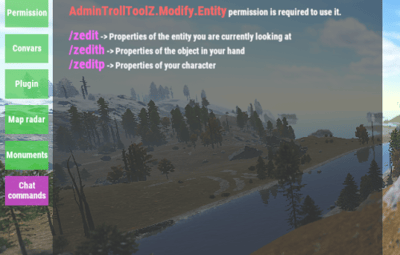
Chat command
/adminz
/zedit (change entity variables what you look)
/zedith (change entity variables what in your hand)
/zeditp (change entity variables your player character)
These should only be used by experts, as they can cause server crashes!
Language: 31 file
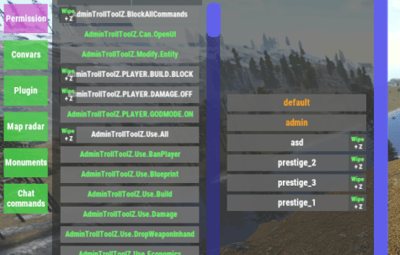
Permissions
- AdminTrollToolZ.Can.OpenUI
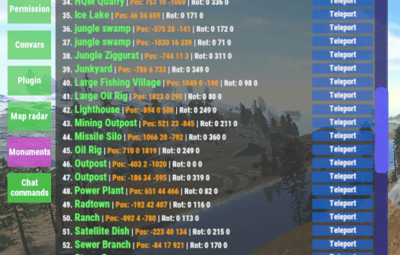
- AdminTrollToolZ.MarkerTeleport
- AdminTrollToolZ.Voice.Disable
- AdminTrollToolZ.Use.All
- AdminTrollToolZ.Use.SpawnEntity
- AdminTrollToolZ.Use.Metabolism
- AdminTrollToolZ.BlockAllCommands //you cannot use AdminTrollTool commands on these players
- AdminTrollToolZ.Use.Spectate
- AdminTrollToolZ.Use.KickPlayer
- AdminTrollToolZ.Use.BanPlayer
- AdminTrollToolZ.Use.Effects
- AdminTrollToolZ.Use.Teleport
- AdminTrollToolZ.Use.MuteFromChat
- AdminTrollToolZ.Use.ViewPlayerInv
- AdminTrollToolZ.Use.Blueprint
- AdminTrollToolZ.Use.Damage
- AdminTrollToolZ.Use.Godmode
- AdminTrollToolZ.Use.Build
- AdminTrollToolZ.Use.DropWeaponInhand
- AdminTrollToolZ.Use.Freeze
- AdminTrollToolZ.Use.ViewBackpack
- AdminTrollToolZ.Use.Economics
- AdminTrollToolZ.Use.ServerRewards
- AdminTrollToolZ.Use.SkillTree
- AdminTrollToolZ.Use.BlockRaidbases
- AdminTrollToolZ.Use.Nightvision
- AdminTrollToolZ.Use.ADDKIT
- AdminTrollToolZ.PLAYER.GODMODE.ON //only use this permission with AdminTrollTool UI ("Invulnerable on")
- AdminTrollToolZ.PLAYER.DAMAGE.OFF //only use this permission with AdminTrollTool UI ("Damage off")
- AdminTrollToolZ.PLAYER.BUILD.BLOCK //only use this permission with AdminTrollTool UI ("Construction blocking")
Build-in Discord embed sender
– Server online / offline / wiped
– Player Chat: blacklist worlds + warning (in.game + discord)
– Player name change
– all AdminTrollToolZ log (discord + log directory)
Logs all activity + Discord sender option in config!
Used plugins:
* Economics
* ServerRewards
* SkillTree
* Backpacks
* Freeze
* NightVision
* RaidableBases
* Kits
* WipeZ
I guarantee the functionality of the plugin as described. However, I cannot take responsibility for conflicts or issues arising from incompatibility with third-party plugins or themes. Please take this into account before purchasing. I will list all known compatibility details in the product description.