
About WipeZ
WipeZ plugin
This plugin helps you after WIPE, delete logos, data, and take away permissions or groups from players! Let the plugin do the work for you!
What can this plugin do?
– add permissions / groups to the player until WIPE
– deletes log files from the oxide/logs folder based on the config list -> after WIPE
– deletes data files from the oxide/data folder based on the config list -> aftter WIPE
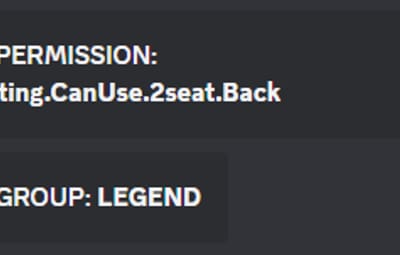
– Send messages to Discord when adding permission or group.
– Added Admin command for instant WIPE files, permissions (/wipez)
Be careful when deleting data, you may run into problems when deleting the wrong files!
How it works?
When you start the server with a new map after WIPE, it performs the necessary deletions when loading the server, removing permissions and groups from the players
When does this detect WIPE?
WIPE = none of the loaded map data entities have an Owner when starting the server.
Commands (console / shop)
- zperm {playerID} {perm name} Example: zperm 76561199015717405 Nightvision.Allowed // this command adds the player to the Nightvision plugin Allowed permission. It lists this in the data file and deletes it from the players after WIPE.
- zgroup {playerID} {group name} Example: zgroup 76561199015717405 VIP // this command adds the player to the VIP group. It lists this in the data file and deletes it from the players after WIPE. These commands are useful when you want to give privileges to players until WIPE, and they are automatically deleted when a new map is detected.
Config
{
"Enable plugin": true,
"Delete all log file after wipe?": true,
"Delete data file (in data folder) -> (Plugin name.cs, file name.json) Example: ZBoxesPack.cs, ZBoxesPack.json": {
"pluginName1.cs": "pluginName1.json",
"pluginName2.cs": "pluginName2.json"
},
"Delete data folder all contents: (in data folder) -> (Plugin name.cs, directory name) Example: ZForum.cs, ZForum/Chat": {
"pluginfolder.cs": "pluginfolder/pluginfolder",
"pluginfolder2.cs": "pluginfolder2/pluginfolder2"
},
"Delete log file": [
"logfile.txt",
"logfile2.txt"
],
"Delete log folder all contents": [
"logfolder",
"logfolder2"
],
"Discord WebHook:": ""
}
Chat command
/wipez // only Admin can use (instant wipe Permissions, Logs, Data, what configured)
Works with AdminTrollToolZ plugin
I guarantee the functionality of the plugin as described. However, I cannot take responsibility for conflicts or issues arising from incompatibility with third-party plugins or themes. Please take this into account before purchasing. I will list all known compatibility details in the product description.