About ZButtons
ZButtons
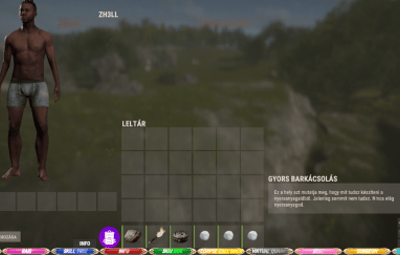
is a Rust plugin that allows server administrators to place custom, clickable buttons directly onto the players' User Interface (UI). These buttons execute commands, can be tied to specific permissions, and are fully configurable through an in-game Admin UI or the configuration file.
ZButtons is a versatile Rust plugin designed for the easy creation, customization, and management of server-side User Interface (CUI) buttons. The plugin's core function is to provide interactive, screen-resident shortcuts for players to execute common commands, such as teleporting, opening a shop, or enabling night vision.
 Features and Functionality:
- Button Customization (Config & Admin UI):
- Positioning: Buttons can be anchored to one of the 9 predefined screen positions (TopLeft, BottomCenter, etc.).
- Dimensions: Precise UI coordinates (MinX/Y, MaxX/Y, based on pixel offsets) allow for fine-tuning the button's size and placement.
- Graphics: Configure a background color (RGBA format), a background image link, and a separate icon link (with ImageLibrary support for preloading).
- Text: Define the displayed text (which can also be a language file key), its size, and horizontal alignment (Left, Center, Right).
- Gradient Text: The button text can be given a color gradient using a starting and ending HEX color for a more professional and dynamic look.
Permission Control:
- Each button can be optionally linked to an Oxide permission. If a player lacks the specified permission (ZButtons.YourPermission), the button will not be displayed to them.
- Access to the administrative features is restricted by the ZButtons.Admin permission.
- In-Game Administration Editor (UI):
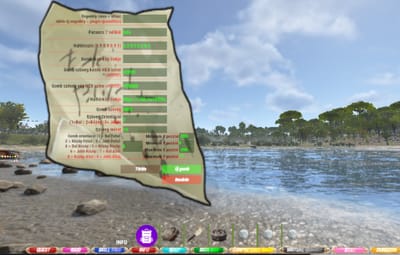
- Admins can open the graphical, in-game editor using the /zbuttons chat command.
- Button Selection: Clicking on any visible button automatically loads its configuration into the editor.
- Live Editing: The editor allows modification of all button properties (command, permissions, colors, image links, size, position).
- Management: Functions are available to add a new default button or delete an existing one.
- All changes are saved directly to the plugin configuration file.
Command Execution:
- Buttons execute the chat command specified in the configuration (e.g., chat.say /nv), allowing seamless integration with other plugins (like Home or Shop systems).
- Persistence and Event Handling:
- Buttons are automatically displayed when players connect to the server (OnPlayerConnected) and when they finish sleeping (OnPlayerSleepEnded).
- Buttons are automatically destroyed on player death (OnPlayerDeath) and disconnection (OnPlayerDisconnected) to ensure a clean UI state.
- ZButtons is the ideal solution for servers looking to add clean, quickly accessible, and professional-looking UI elements to enhance the player experience.
Command: need ZButtons.Admin permission and in chat /zbuttons
If add Permission in Admin UI panel, need reload plugin to register permission.
I guarantee the functionality of the plugin as described. However, I cannot take responsibility for conflicts or issues arising from incompatibility with third-party plugins or themes. Please take this into account before purchasing. I will list all known compatibility details in the product description.