

About ZTcDiscord
Notify players of upcoming TC decays.
How does it work?
The server calculates the TC decay time and writes it in a list. It sends the notification according to the conditions specified in the configuration. In-game notifications can be turned off per Tc. It only applies to those TCs where there is an owner!
Features:
– player notification ingame if online
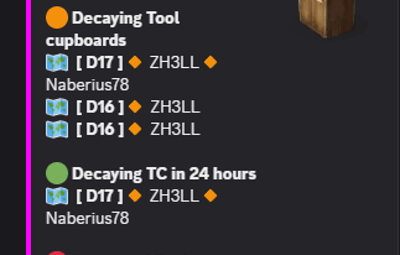
– Discord notifications: ( 1 upcoming decay, 2 ongoing decay, 3 destroyed TCs ) with map positions and registered names
- Decay calculation is done by Rust if you build or are near it! In the absence of these, there is no calculation, no notification! Sends 1 message after each calculation, at the specified time and place!
- Decay calculation is done by Rust if you build or are near it!
- In the absence of these, there is no calculation, no notification!
- Sends 1 message after each calculation, at the specified time and place!
Config
{
"Discord webhook (empty = disable)": "",
"CheckInterval (second)": 60.0,
"Enable chat message to players?": false,
"Enable player names in message": true,
"Discord warning timer (under decay hour / 0 = disable)": 24,
"Discord maintitle": "TC Info",
"Discord title (destroyed TC)": "Destroyed Tool cupboards",
"Discord title (decayTC)": "Decaying Tool cupboards",
"Discord title (close to decay time message)": "Decaying TC in {time} hours",
"Discord embed hex color": "#ff00ff",
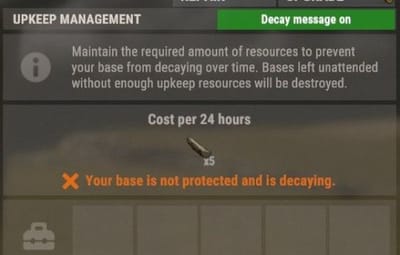
"Enable turn on / off decay message in TC?": true,
"Discord image": ""
}
Language: 31 file
I guarantee the functionality of the plugin as described. However, I cannot take responsibility for conflicts or issues arising from incompatibility with third-party plugins or themes. Please take this into account before purchasing. I will list all known compatibility details in the product description.