
steampunkvalley's Wishlist
-
$24.99
Cooking
By imthenewguy in Plugins
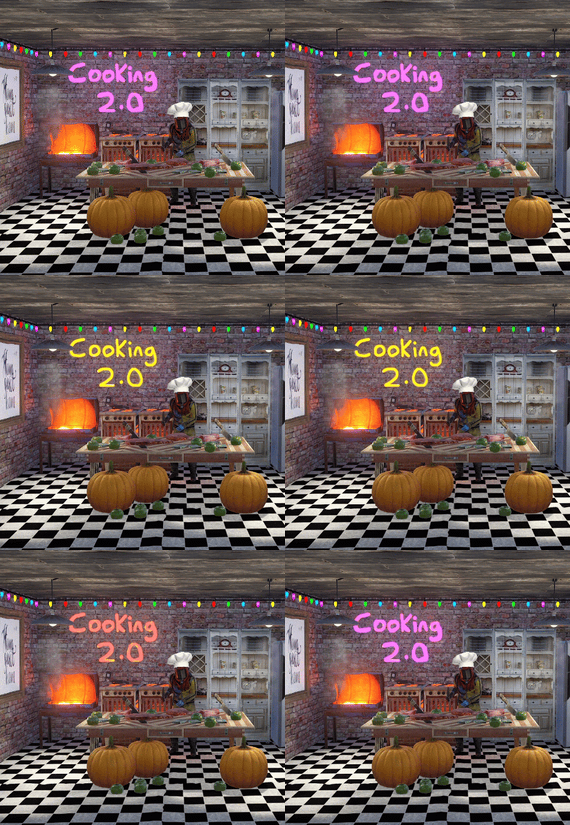
This plugin extends the vanilla cooking system in rust by adding a number of ingredients and advanced recipes to the game.
The ingredients are obtained from any of the 45+ different sources, from ore nodes, to trees, to collectibles such as hemp and pumpkins.
These ingredients are used to create delicious meals that will provide the player with 1 of the 55 different buffs the plugin has to offer, or your own custom buffs should you wish to create your own using permissions from other plugins.
The plugin comes standard with 47 custom recipes and 11 custom ingredients included. It also utilizes a number of rusts existing items, such as pumpkins, corn, wheat and potatoes.
There are over 47 recipes that come with the default configuration.
Each recipe allows for any number of ingredients to be added (default is up to 4), and any number of the 46 buffs to be added to each meal.
Recipes can be easily added via the config. This allows server owners to get creative by creating their own custom meals and buffs.
The above video showcases how new recipes and ingredients can be easily added to your configuration.
The plugin comes with 11 unique custom ingredients, and also utilizes 16 of the default items in rust.
Ingredients can be easily added to the configuration (see the above video).
All non-default ingredients can be found from 49 different sources including cutting trees, mining nodes, collecting hemp etc.
Each sources drop rate can be customized to suit your server, and the sources for ingredients can be changed incredible easily by simply adjusting a number in the config file.
There are 49 unique sources that ingredients can be obtained from from cutting trees to collecting pumpkins.
The chances for each ingredient drop are based on the interaction with that source.
For example, picking a pumpkin offers 1 chance, as it is 1 interaction to pick a pumpking, while cutting a tree may be 10-20 chances (depending on the tool), as it takes a number of hits to fall a tree (this can be adjusted to be based on 1 chance per tree/node etc via the config).
When a roll is successful, it then rolls through each item type and selects the item based on that items "dropWeight", allowing you to make ingredients more or less common than others on the same drop table.
The Farmers Market is an in-built market that allows players to buy and sell ingredients for scrap, server rewards or economics.
By default, the markets stocks will start at 0, and will only increase as players sell their unwanted ingredients to it.
It can be configured to allow all items, or only custom items to be bought and sold through it, and also allows for a maximum stock to be set (default 100), meaing that it cannot have more than 100 of an item type.
The buy/sell values for each ingredient can be adjusted in the config file (default $10 buy, $5 sell).
Starting quantities can also be set if you do not want the market to start at 0.
The market can be accessed by typing in /market (if config is enabled) or by speaking to an NPC that can be spawned with the plugin (addmarketnpc).
Ingredient: A useful ingredient used to make more complex meals.
Woodcutting_Yield: Increases the amount of wood received by a percentage when cutting trees and logs.
Mining_Yield: Increases the amount of ore received by a percentage when mining any ore type.
Skinning_Yield: Increases the amount of animal products received by a percentage when skinning animals.
Heal_Share: Heals those around you for a percentage of the healing you receive.
Heal: Instantly heals you for a percentage of your maximum health.
Food_Share: Shares your food with nearby players, providing them with a percentage of the calories that you consume.
Metabolism_Overload: Increases your maximum calories and hydration capacity by a percentage.
Comfort: Provides an aura of comfort around you. Each nearby player will receive a percentage comfort.
Water_Breathing: Will allow you to breath underwater for the duration.
Fire_Resist: Reduces the damage taken from all sources of fire/heat by a percentage.
Cold_Resist: Reduces the damage taken from the cold by a percentage.
Explosion_Resist: Reduces the damage taken from explosives by a percentage.
Animal_Resist: Reduces the damage taken from animals by a percentage.
Melee_Resist: Reduces the damage taken from attacks made with a melee weapon by a percentage.
Wounded_Resist: If you would enter the wounded state while this buff is active, you will instead be brought to your feet. Any negative modifiers will be removed.
Spectre: You will become invisible to auto-turrets, flame turrets and shotgun traps for the duration.
Madness: This food will make you sound strange to others.
Wealth: Provides you with a percentage find scrap/economics/points when breaking barrels.
Barrel_Smasher: Provides you with a percentage chance to instantly break a barrel with any amount of damage.
Crafting_Refund: Provides you with a percentage chance to refund components when crafting an item.
Passive_Regen: Will passively regenerate a percentage health each second.
Horse_Stats: Will increase the speed any horse you ride by a percentage.
Fall_Damage_resist: Reduces damage taken from falling by a percentage.
Condition_Loss_Reduction: Reduces the condition loss of all worn and held items by a percentage.
Ingredient_Chance: Increases the chance to obtain cooking ingredients by a percentage.
Upgrade_Refund: Provides you with a percentage chance to receive a free upgrade when upgrading your building blocks.
Research_Refund: Provides you with a percentage chance to receive a scrap refund when using a research bench.
Role_Play: This item provides no buffs as it a Roleplay item.
Anti_Bradley_Radar: Makes you invisible to the Bradley APC.
Fishing_Luck: Provides you with a percentage chance to obtain a random item while fishing.
Farming_Yield: Increases the amount of resources collected by a percentage when harvesting player-grown plants.
Component_Luck: Provides a percentage chance to receive a random component when breaking barrels.
Electronics_Luck: Provides a percentage chance to receive a random electrical item when breaking barrels.
Permission: Used for firing off custom commands such as assigning and removing permissions.
Bleed_Resist: Reduces the damage taken from bleeding by a percentage.
Radiation_Resist: Reduces the damage taken from radiation by a percentage.
Max_Repair: Any item that is repaired while this buff is active, will have its maximum condition reset.
Smelt_On_Mine: Provides you with a percentage chance to receive refined resources instead of ores, when mining sulfur and metal nodes.
Loot_Pickup: Provides you with a percentage chance for all items to be moved directly into your inventory when breaking barrels.
Reviver: Sets a players health to a percentage when bringing them up from the wounded state.
Duplicator: Provides you with a percentage chance to duplicate an item when crafting.
Harvest: Increases the amount of resources collected by a percentage> when harvesting wild entities.
Ingredient_Storage: Stores ingredients.
Extra_Calories: Instantly provides you with a percentage of your maximum calories when consumed.
Extra_Hydration: Instantly provides you with a percentage of your maximum hydration when consumed.
Max_Health: Increases your maximum health by a percentage.
Fishing_Yield: Increases the amount of fish received by a percentage.
Damage_Over_Time: This perk will damage the consumer every second for the set value.
Mining_Hotspot: The player will always hit the hot spot while mining.
Woodcutting_Hotspot: The player will always hit the marker while chopping wood.
Dehydration: Removes hydration when applied.
Damage: Damages the consumer by the value.
Radiation: Gives the consumer radiation equal to the value.
Hunger: Removes calories when applied.
Lifelink: Heals the user for a percentage of damage done.
SkillTreeXp: Increases the amount of Skill Tree xp received from all sources.
Clone_Yield: Increases the amount of clone snippets you receive.
Husbandry_Yield: Increases the amount of milk and wool received when milking cows and shearing sheep.
Livestock_Handling: Increases the familiarity gained when handling livestock, taming them faster.
Husbandry_Cooldown: Reduces the time before a cow can be milked again, or a sheep's wool regrows.
Livestock_Calm: Livestock will tolerate your presence, even if they are unfamiliar with you.
Livestock_Offers: Livestock vendors will make you more offers when selling animals or wool.
Default: Default Rust item
AnyTree: Chopping any tree
ArcticTree: Chopping arctic trees
DesertTree: Chopping palm trees
TemperateTree: Chopping temperate trees
TundraTree: Chopping tundra trees
Cactus: Chopping cacti
AnyNode: Mining any node
AnyArcticNode: Mining any arctic nodes
AnyDesertNode: Mining any desert nodes
AnyTemperateNode: Mining any temperate nodes
AnyTundraNode: Mining any tundra nodes
StoneNode: Mining stone nodes
MetalNode: Mining metal nodes
SulfurNode: Mining sulfur nodes
AnyAnimal: Skinning any animal
Deer: Skinning deer
Bear: Skinning bears
Wolf: Skinning wolves
Chicken: Skinning chickens
PolarBear: Skinning polar bears
Shark: Skinning sharks
Boar: Skinning boar
horse: Skinning horses
Fishing: Catching fish
Gut: Gutting fish
Pumpkin: Harvesting pumpkins
Potato: Harvesting potatos
Corn: Harvesting corn
Mushroom: Picking mushrooms
BerryBush: Picking berries
BerryBushBlack: Picking black berries
BerryBushBlue: Picking blue berries
BerryBushGreen: Picking green berries
BerryBushRed: Picking red berries
BerryBushWhite: Picking white berries
BerryBushYellow: Picking yellow berries
Hemp: Harvesting hemp
CollectableSulfur: Collectable sulfur nodes
CollectableStone: Collectable stone nodes
CollectableMetal: Collectable metal nodes
Crafted: Crafted
Foodbox: Food boxes
Excavated: Digging up metal detector sites
Wheat: Picking up wheat
JungleTree: Picking up wheat
Tiger: Picking up wheat
Panther: Picking up wheat
Crocodile: Picking up wheat
Snake: Picking up wheat
AnyJungleNode: Picking up wheat
Command: cook or recipemenu
Action: Opens the recipe menu from anywhere.
Permission: cooking.recipemenu.chat
Command: market
Action: Opens the farmers market from anywhere.
Permission: cooking.market.cmd
Command: ibag
Action: Opens the ingredient bag from anywhere.
Permission: cooking.bag.cmd
Command: addmarketnpc
Action: Creates a farmers market NPC
Permission: cooking.admin
Command: removemarketnpc
Action: Removes the targeted farmers market NPC
Permission: cooking.admin
Command: clearingredientbags
Action: Clears the contents of ingredient bags for all players
Permission: cooking.admin
Command: giverecipe <recipe>
Action: Gives the command user the specified recipe card
Permission: cooking.admin
Command: givemeal <target> <meal> <amount>
Action: Gives the specified meal to the target player.
Permission: cooking.admin
Command: giveingredient <target> <ingredient> <amount>
Action: Gives the specified ingredient to the target player.
Permission: cooking.admin
Command: setmarketquantity <ingredient> <amount>
Action: Sets the available market quantity of the specified item.
Permission: cooking.admin
// Recipe menu chat command cooking.recipemenu.chat // Using the cooking menu cooking.use // Admin related cooking comands cooking.admin // Bypass cooking time cooking.instant // Bypass ingredient requirements cooking.free // Removes ability to gather ingredients cooking.nogather // Allows the ingredient bag to be opened via CMD cooking.bag.cmd // Disables drop notifications cooking.disable.notify.drop // Disables Notify notifications cooking.disable.notify.proc // Disables menu sounds cooking.disable.sound // Allows access to the farmers market via CMD cooking.market.cmd // Allows the user to speak to the market NPC cooking.market.npc // Allows the user to gather ingredients cooking.gather // Required to find recipe cards cooking.recipecards
Economics - Used for the farmers market and the Wealth buff type.
ServerRewards - Used for the market and the Wealth buff type.
SkillTree - Will provide xp when creating meals with the Cooking plugin.
bool CanGatherIngredient(BasePlayer player, uint source) Returning a non-null value will prevent players from receiving ingredients from certain drop sources. the source is the networked ID of the entity.
void OnMealCrafted(BasePlayer player, string meal, Dictionary<string, int> ingredients, bool isIngredient) Called after a meal has been created and given to the player.
bool IsCookingMeal(Item item) Useful if you want to see if an item is from the recipe menu.
bool IsHorseBuffed(RidableHorse horse) Used to prevent stacking modifiers if a horse is buffed by the Cooking plugin.
object OnAddRecipeCardToLootContainer(BasePlayer player, LootContainer container) Returning a non-null value will prevent recipe cards from being added to the container.
object OnIngredientBagDrop(BasePlayer player) Returning a non-null value will prevent the bag from dropping.
void OnMealConsumed(BasePlayer player, Item item, int duration) Triggered when a player successfully consumes a meal. No return types.
-
$35.00
Monument Mutations
By ThePitereq in Plugins
RUST Plugin Test Server
TEST MY PLUGINS THERE!
connect play.thepitereq.ovh:28050
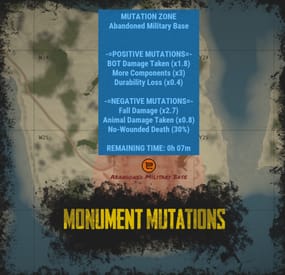
Monument Mutations allows you to apply mutations to any default or custom monument on the map.
You can create positive mutations that give players bonuses for gathering, output, and stats, as well as negative mutations that impact their gameplay.
With almost infinite possible mutations and more to come, this plugin offers extensive customization options.
Create mutations with custom effects on any monument using Monument Mutations. Highly configurable with hundreds of options, allowing you to customize the number of active mutations. Adjust radiation resistance on default Hazmat Suits and Heavy Scientist Suits. Supports both default and custom monuments. Create an infinite number of mutation profiles and set their chances of appearing. Almost every programmed bonus comes with additional customizable options.
The 1.0.0 version is just a beginning of the journey.
I made the plugin highly expandable, so if you have any idea of additional mutations, hit me on my Discord! (link above)
Mutation Descriptions
As I said, plugin have a lot of possible options which are not described anywhere because they are different for each mutation type.
Some of the mutations might not work with your server because other plugin is overwriting the RUST behavior, like custom recyclers etc.
You can find all the definitions here!
radMult - Multiplies the radiation on default monuments or radiation spheres in custom maps.
radSet - Sets the radiation on the whole monument radius. If you set the value to 0.001 it will disable radiation on the whole monument.
damageDealt - Multiplies the damage dealt to described entity type.
Currently, the plugin supports 4 Mutation Object References:
empty - Multiplies the damage in all cases. bot - The entity is NPC or bot. player - The entity is a player. animal - The entity is an animal. durability - Multiplies the durability loss on items.
healing - Multiplies the healing amount of used items.
noWounded - Sets the chance that when a player is killed, the wounded state is skipped, and he automatically dies.
Values work in range 0-100. (percentage)
gravity - Multiplies damage dealt by gravity, when players fall from a high place.
recycle - Multiplies speed of the recycler work.
There are a lot of custom recycler plugins that might not work in this case, then I don't recommend using this mutation.
loot - Multiplies the loot in containers in mutated monument.
Currently, the plugin supports 3 Mutation Object References:
empty - Works for all items in containers. item shortname (ex. scrap) - Sets the multiplier only on selected item. In this case, it's scrap. item category (ex. Component) - Sets the multiplier only on selected item category. In this case - in all items in Component category. gather - Multiplies the gather from dispensers in mutated monument.
Currently, the plugin supports 3 Mutation Object References:
empty - Works for all resource dispensers. tree - Works only on all trees. ore - Works only on all ores. upgradeCrate - Sets the chance that when a crate is spawned or mutation started, the spawned crate can be upgraded to another tier.
The tree looks like this: Normal Crate > Military Crate > Elite Crate
Values work in range 0-100. (percentage)
Information about "Possible Mutations" list:
If you set only one value, and it's "All" then it rolls from the whole mutation pool. For better experience, I recommend making it manually, but this function exist ^^.
Example Config (Version 1.0.0)
With additional mutations, more detailed each mutation tier and some smaller customizations. (my private configuration)
MonumentMutations.json
{ "Mutation Info Commands": [ "mut", "mutation", "mutations" ], "Minimal Active Mutations": 1, "Maximal Active Mutations": 3, "New Mutation Check Inverval (in minutes)": 15, "Default Hazmat Protection Override (0 to disable, 0.5 - default)": 0.0, "Hazmat Mk.II Protection (0 to disable)": 1.0, "Positive Over Negative Mutations": true, "Marker Map Scaling Value (Higher = Smaller)": 100.0, "Broadcast Mutation Info On Enter": true, "Mutations": { "DurabilityLoss": { "Mutation Type (see website for reference)": "durability", "Mutation Object Reference (see website for reference)": "", "Mutation Effect (Negative - false, Positive - true)": false, "Mutation Weight": 1, "Mutation Value - Min": 1.1, "Mutation Value - Max": 2.0, "Mutation Value - Rounding": 0.1 }, "FasterRecycle": { "Mutation Type (see website for reference)": "recycle", "Mutation Object Reference (see website for reference)": "", "Mutation Effect (Negative - false, Positive - true)": true, "Mutation Weight": 1, "Mutation Value - Min": 1.2, "Mutation Value - Max": 3.0, "Mutation Value - Rounding": 0.2 }, "HighGravity": { "Mutation Type (see website for reference)": "gravity", "Mutation Object Reference (see website for reference)": "", "Mutation Effect (Negative - false, Positive - true)": false, "Mutation Weight": 1, "Mutation Value - Min": 1.5, "Mutation Value - Max": 3.0, "Mutation Value - Rounding": 0.1 }, "InstaKill": { "Mutation Type (see website for reference)": "noWounded", "Mutation Object Reference (see website for reference)": "", "Mutation Effect (Negative - false, Positive - true)": false, "Mutation Weight": 1, "Mutation Value - Min": 10.0, "Mutation Value - Max": 50.0, "Mutation Value - Rounding": 5.0 }, "LessBotResistance": { "Mutation Type (see website for reference)": "damageDealt", "Mutation Object Reference (see website for reference)": "bot", "Mutation Effect (Negative - false, Positive - true)": true, "Mutation Weight": 1, "Mutation Value - Min": 1.1, "Mutation Value - Max": 2.0, "Mutation Value - Rounding": 0.1 }, "LessHealing": { "Mutation Type (see website for reference)": "healing", "Mutation Object Reference (see website for reference)": "", "Mutation Effect (Negative - false, Positive - true)": false, "Mutation Weight": 1, "Mutation Value - Min": 10.0, "Mutation Value - Max": 50.0, "Mutation Value - Rounding": 5.0 }, "LessPlayerResistance": { "Mutation Type (see website for reference)": "damageDealt", "Mutation Object Reference (see website for reference)": "player", "Mutation Effect (Negative - false, Positive - true)": false, "Mutation Weight": 1, "Mutation Value - Min": 1.1, "Mutation Value - Max": 1.5, "Mutation Value - Rounding": 0.05 }, "LowGravity": { "Mutation Type (see website for reference)": "gravity", "Mutation Object Reference (see website for reference)": "", "Mutation Effect (Negative - false, Positive - true)": true, "Mutation Weight": 1, "Mutation Value - Min": 0.1, "Mutation Value - Max": 0.9, "Mutation Value - Rounding": 0.1 }, "MoreBotResistance": { "Mutation Type (see website for reference)": "damageDealt", "Mutation Object Reference (see website for reference)": "bot", "Mutation Effect (Negative - false, Positive - true)": false, "Mutation Weight": 3, "Mutation Value - Min": 0.9, "Mutation Value - Max": 0.5, "Mutation Value - Rounding": 0.05 }, "MoreDurability": { "Mutation Type (see website for reference)": "durability", "Mutation Object Reference (see website for reference)": "", "Mutation Effect (Negative - false, Positive - true)": true, "Mutation Weight": 1, "Mutation Value - Min": 0.3, "Mutation Value - Max": 0.9, "Mutation Value - Rounding": 0.1 }, "MoreHealing": { "Mutation Type (see website for reference)": "healing", "Mutation Object Reference (see website for reference)": "", "Mutation Effect (Negative - false, Positive - true)": true, "Mutation Weight": 1, "Mutation Value - Min": 120.0, "Mutation Value - Max": 200.0, "Mutation Value - Rounding": 10.0 }, "MoreLoot": { "Mutation Type (see website for reference)": "loot", "Mutation Object Reference (see website for reference)": "Component", "Mutation Effect (Negative - false, Positive - true)": true, "Mutation Weight": 2, "Mutation Value - Min": 1.5, "Mutation Value - Max": 3.0, "Mutation Value - Rounding": 0.5 }, "MorePlayerResistance": { "Mutation Type (see website for reference)": "damageDealt", "Mutation Object Reference (see website for reference)": "player", "Mutation Effect (Negative - false, Positive - true)": true, "Mutation Weight": 1, "Mutation Value - Min": 0.6, "Mutation Value - Max": 0.95, "Mutation Value - Rounding": 0.05 }, "MoreRocks": { "Mutation Type (see website for reference)": "gather", "Mutation Object Reference (see website for reference)": "ore", "Mutation Effect (Negative - false, Positive - true)": true, "Mutation Weight": 1, "Mutation Value - Min": 1.1, "Mutation Value - Max": 1.5, "Mutation Value - Rounding": 0.05 }, "MoreScrap": { "Mutation Type (see website for reference)": "loot", "Mutation Object Reference (see website for reference)": "scrap", "Mutation Effect (Negative - false, Positive - true)": true, "Mutation Weight": 2, "Mutation Value - Min": 1.5, "Mutation Value - Max": 3.0, "Mutation Value - Rounding": 0.5 }, "MoreWood": { "Mutation Type (see website for reference)": "gather", "Mutation Object Reference (see website for reference)": "tree", "Mutation Effect (Negative - false, Positive - true)": true, "Mutation Weight": 1, "Mutation Value - Min": 1.1, "Mutation Value - Max": 1.5, "Mutation Value - Rounding": 0.05 }, "NoRadiation": { "Mutation Type (see website for reference)": "radMult", "Mutation Object Reference (see website for reference)": "", "Mutation Effect (Negative - false, Positive - true)": true, "Mutation Weight": 1, "Mutation Value - Min": 0.001, "Mutation Value - Max": 0.001, "Mutation Value - Rounding": 0.001 }, "RadiationMultiplierNegative": { "Mutation Type (see website for reference)": "radMult", "Mutation Object Reference (see website for reference)": "", "Mutation Effect (Negative - false, Positive - true)": false, "Mutation Weight": 2, "Mutation Value - Min": 1.1, "Mutation Value - Max": 2.0, "Mutation Value - Rounding": 0.1 }, "RadiationMultiplierPositive": { "Mutation Type (see website for reference)": "radMult", "Mutation Object Reference (see website for reference)": "", "Mutation Effect (Negative - false, Positive - true)": true, "Mutation Weight": 1, "Mutation Value - Min": 0.2, "Mutation Value - Max": 0.9, "Mutation Value - Rounding": 0.05 }, "RadiationSet": { "Mutation Type (see website for reference)": "radSet", "Mutation Object Reference (see website for reference)": "", "Mutation Effect (Negative - false, Positive - true)": false, "Mutation Weight": 1, "Mutation Value - Min": 10.0, "Mutation Value - Max": 75.0, "Mutation Value - Rounding": 5.0 }, "SlowRecycle": { "Mutation Type (see website for reference)": "recycle", "Mutation Object Reference (see website for reference)": "", "Mutation Effect (Negative - false, Positive - true)": false, "Mutation Weight": 1, "Mutation Value - Min": 0.5, "Mutation Value - Max": 0.9, "Mutation Value - Rounding": 0.05 }, "UpgradedCrates": { "Mutation Type (see website for reference)": "upgradeCrate", "Mutation Object Reference (see website for reference)": "", "Mutation Effect (Negative - false, Positive - true)": true, "Mutation Weight": 3, "Mutation Value - Min": 5.0, "Mutation Value - Max": 25.0, "Mutation Value - Rounding": 5.0 } }, "Profiles": { "Basic": { "Marker Color - Inside": "#32CD32", "Marker Color - Border": "#32CD32", "Marker Color - Alpha": 0.3, "Positive Mutations - Minimum": 1, "Positive Mutations - Maximum": 2, "Negative Mutations - Minimum": 0, "Negative Mutations - Maximum": 1, "Mutation Length (in minutes)": 45, "Mutation Start Broadcast": true, "Possible Mutations": [ "RadiationMultiplierNegative", "RadiationSet", "HighGravity", "SlowRecycle", "MoreDurability", "MoreRocks", "MoreWood", "MorePlayerResistance", "MoreBotResistance", "LessBotResistance" ] }, "Dangerous": { "Marker Color - Inside": "#FF0000", "Marker Color - Border": "#FF0000", "Marker Color - Alpha": 0.3, "Positive Mutations - Minimum": 3, "Positive Mutations - Maximum": 4, "Negative Mutations - Minimum": 2, "Negative Mutations - Maximum": 3, "Mutation Length (in minutes)": 45, "Mutation Start Broadcast": true, "Possible Mutations": [ "All" ] }, "Extreme": { "Marker Color - Inside": "#000000", "Marker Color - Border": "#000000", "Marker Color - Alpha": 0.5, "Positive Mutations - Minimum": 3, "Positive Mutations - Maximum": 5, "Negative Mutations - Minimum": 3, "Negative Mutations - Maximum": 5, "Mutation Length (in minutes)": 45, "Mutation Start Broadcast": true, "Possible Mutations": [ "All" ] }, "Normal": { "Marker Color - Inside": "#FFA500", "Marker Color - Border": "#FFA500", "Marker Color - Alpha": 0.3, "Positive Mutations - Minimum": 2, "Positive Mutations - Maximum": 3, "Negative Mutations - Minimum": 1, "Negative Mutations - Maximum": 2, "Mutation Length (in minutes)": 45, "Mutation Start Broadcast": true, "Possible Mutations": [ "RadiationMultiplierNegative", "RadiationSet", "LessPlayerResistance", "HighGravity", "SlowRecycle", "MoreDurability", "MoreRocks", "MoreWood", "LessPlayerResistance", "MorePlayerResistance", "MoreBotResistance", "LessBotResistance", "MoreScrap", "NoRadiation", "RadiationMultiplierPositive" ] } }, "Monument Names - Strict Name Check": true, "Monuments - Add Custom Monuments": false, "Monuments": { "HQM Quarry": { "Enabled": false, "Chance Weight": 1, "Default Monument Bounds Scale": 1.0, "Monument Radius": 0.0, "Mutation Length Multiplier": 1.0, "Profile Chances": { "Basic": 7, "Normal": 5, "Dangerous": 2, "Extreme": 1 } }, "Giant Excavator Pit": { "Enabled": false, "Chance Weight": 1, "Default Monument Bounds Scale": 1.0, "Monument Radius": 0.0, "Mutation Length Multiplier": 1.0, "Profile Chances": { "Basic": 7, "Normal": 5, "Dangerous": 2, "Extreme": 1 } } } }- #mutations
- #monument
- (and 14 more)
-
$39.99
BlackMarket | Black Market & Money Wash Dealer: Ultimate Underground Trading Plugin
BlackMarket is a complex plugin that awakens the dark dealings of the underground. It offers players a completely new gaming experience by introducing illegal trading activities with special currencies. Thanks to the various customization options, the plugin can be perfectly adapted to individual needs.
⇨ MoneyWash Dealer:
➤ The MoneyWash Dealer offers the possibility to exchange black money for a special currency. By default, Scrap is exchanged for Golden Scrap - my exclusive currency that is used on my server. Players can thus safely launder their illegal winnings to use them for other transactions.
⇨ Black Market Merchant:
The Black Market Merchant provides access to various stores:
➤ Weapons Shop: Players can purchase exclusive weapons here.
➤ Ammoshop: A place to stock up on ammunition.
➤ Special Items & Fun Items: Players can purchase unique items or fun items that can only be paid for with special currencies such as Golden Scrap. You can, of course, customize the stores to suit your needs.
⇨ Dynamic dealer behavior:
➤ The two dealers don't stay in one place for long. To avoid being caught, they change their position every X minutes. As a result, they always remain hidden and ensure an immersive and dynamic gaming experience.
➤ no Commands
➤ blackmarket.moneywash - Allows basic use of the Money Wash Dealer.
➤ blackmarket.dealer - Allows basic use of the Black Market Dealer.
➤ The plugin offers numerous configuration options so that it can be easily customized to the needs of each server.
See this one:
How can I set up BlackMarket?
load, run, enjoy 💝
Support Discord ⇽ Free Download GoldenScrap Plugin
*Attention because there are frequent questions after the purchase I would like to explain 1-2 things here!
If you buy the plugin, it is naked!
You must define your monuments before putting it into operation.
Since everyone has different needs, I have made the plugin simple so that everyone can adjust these settings with copy/paste and numbers. I have made you an example using airfield. You can set this for each monument. You make these settings only once! The dealers spawn at a map wipe regardless of the direction of the monument, how high it is or how it is inclined again at this point. Do the work for yourself.
If you find great spots, please share them on discord via ticket.
Maybe I’ll make a long list of choices if enough people get in touch
- #blackmarket
- #market
- (and 12 more)
-
$24.00
aQuarry
By AvG Лаймон in Plugins
This plugin will add variable custom quarries and pumpjacks to your server.
You can create any amount of different quarries and pumpjacks!
You can get the fastest support in our Discord: Alias™ dev.
🌟 Features
Prefab substitution
You can avoid using survey charges for installing quarries.
Static quarries
All 4 type of statics (pumpjack, stone, sulfur, HQM) can be configured separately.
Toggle & Loot protection
Each quarry have their own protection settings. There is also protection system by permissions for static quarries.
Built-in remove
You can configure different remove and refund settings per quarry.
Repair
It is very similar to the standard system with all the sounds and effects. It also supports custom items.
Build limits
Built in options to set limits for quarries and pumpjacks separately.
Custom Items
You can use any normal and/or skinned items (custom items) as fuel and/or resource production.
Fuel system
You can set up several different fuel types with different production settings per fuel type.
Production system
You can set up min/max amount of items and probability chances per item.
Permissions
You can set up build limits and/or gather rates by permissions and also sum all permission parameters (or not).
Upgrade system
You can upgrade from one quarry to another using different skin id.
UI
Adaptive and informative interface made in modern rust-style design so it may seem like part of the game. It will automatically change its size and screen location depending on your quarry settings.
Langs
You can translate any phrase in the plugin.
Performance
The plugin completely has its own mechanics, which ensures the best performance even compared to the standard system. This also fixes all of the default quarry bugs.
Optimization
You can completely disable some of the plugin's functions in the main config.
Default Configuration files
[EN] Main config (oxide/config/aQuarry.json)
[EN] Static quarries config (oxide/data/aQuarry/StaticQuarries/)
[EN] Personal quarries config (oxide/data/aQuarry/PersonalQuarries/)
[RU] Main config (oxide/config/aQuarry.json)
[RU] Static quarries config (oxide/data/aQuarry/StaticQuarries/)
[RU] Personal quarries config (oxide/data/aQuarry/PersonalQuarries/)
Commands
quarry.give «SteamID » «SkinID » => give to player the quarry with specified skin from config
quarry.giveme => give all quarries from config to self
Permissions:
aQuarry.admin => allows to use «quarry.give » and «quarry.giveme » commands from in-game console
API
bool CanBuildCustomQuarry(Planner plan, BasePlayer builder, bool IsQuarryOrPumpjack) // Called right before other built-in checks. // Returning false will cancel the construction. void OnCustomQuarryBuilded(MiningQuarry quarry, BasePlayer builder, bool IsQuarryOrPumpjack) // Called right after player has built custom quarry or pumpjack.
-
$5.99
KeyCrates
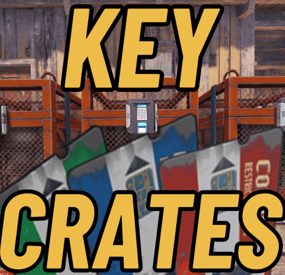
The Key Crates plugin introduces a captivating gameplay feature centered around locked loot crates and colored keys. Players must gather these keys to access the valuable rewards hidden within the crates. Each key color corresponds to a unique crate type, offering different levels of rarity and rewards
Keys
The keys spawn in world loot containers listed in the config. Each container has a probability field that can be customized to set the probabilities for each key type to spawn in the container. Normal cards CANNOT be used at the loot crates and loot keys cannot be used in monuments. Upon collection 10 Green loot keys they will be upgraded to one Blue key. The same for Blue to Red
Loot Crates
The three loot crates all have their own configurable reward lists that even allows you to specify skinID and names to allow custom rewards to be given when the key is claimed. Each item added must be given a probability %. This will determine how likely a player is to receive the item.
Admin Commands
There are a few admin commands:
/addcustomloc - This will allow you to set the coords for a custom set of crates to spawn at. You MAY need to alter the coords to best fit your needs in the config. Just stand where you want them to spawn, face the way you want the readers to face, and run the command. Within 5 seconds a set of crates will spawn and be ready for use.
/gk - This will give you, the admin, one of each key. This can be used for testing rewards and handing out randomly.
/givekey <color> - This is a console command. It can be used to give keys through shops, rewards, or anything that allows commands as a reward.
/givekey <player> <color> <qty> - This admin command allows you to give a specific color and quantity of key to a specific player.
Monument Spawning
The three loot crates will spawn in default positions. These can be changed by altering the config position and rotation values for the crates at a specific monument OR by using the /addcustomloc command mentioned above.
Example Config:
{ "Custom Crate Location": [ { "enabled": true, "pos": { "x": -1785.229, "y": 3.521712, "z": 1480.33313 }, "rot": { "x": 0.0, "y": 150.63768, "z": 0.0 } } ], "Crates that Keys will spawn in": [ { "crateName": "heli_crate", "enabled": true, "gKeyChance": 0, "bKeyChance": 0, "rKeyChance": 5 }, { "crateName": "bradley_crate", "enabled": true, "gKeyChance": 0, "bKeyChance": 0, "rKeyChance": 5 }, { "crateName": "codelockedhackablecrate_oilrig", "enabled": true, "gKeyChance": 0, "bKeyChance": 0, "rKeyChance": 5 }, { "crateName": "codelockedhackablecrate", "enabled": true, "gKeyChance": 0, "bKeyChance": 0, "rKeyChance": 5 }, { "crateName": "wagon_crate_normal_2", "enabled": true, "gKeyChance": 5, "bKeyChance": 1, "rKeyChance": 0 }, { "crateName": "wagon_crate_normal", "enabled": true, "gKeyChance": 0, "bKeyChance": 5, "rKeyChance": 0 }, { "crateName": "crate_tools", "enabled": true, "gKeyChance": 5, "bKeyChance": 1, "rKeyChance": 0 }, { "crateName": "crate_underwater_advanced", "enabled": true, "gKeyChance": 0, "bKeyChance": 5, "rKeyChance": 0 }, { "crateName": "crate_normal_2", "enabled": true, "gKeyChance": 5, "bKeyChance": 1, "rKeyChance": 0 }, { "crateName": "crate_normal", "enabled": true, "gKeyChance": 0, "bKeyChance": 5, "rKeyChance": 0 }, { "crateName": "supply_drop", "enabled": true, "gKeyChance": 0, "bKeyChance": 0, "rKeyChance": 5 }, { "crateName": "crate_elite", "enabled": true, "gKeyChance": 0, "bKeyChance": 5, "rKeyChance": 0 } ], "Green Loot Rewards": [ { "itemShortname": "wood", "skin": 0, "itemName": "", "minQuantity": 500, "maxQuantity": 500, "probability": 100 }, { "itemShortname": "stones", "skin": 0, "itemName": "", "minQuantity": 500, "maxQuantity": 500, "probability": 100 }, { "itemShortname": "lowgradefuel", "skin": 0, "itemName": "", "minQuantity": 250, "maxQuantity": 250, "probability": 100 }, { "itemShortname": "metal.fragments", "skin": 0, "itemName": "", "minQuantity": 250, "maxQuantity": 250, "probability": 100 }, { "itemShortname": "metal.refined", "skin": 0, "itemName": "", "minQuantity": 50, "maxQuantity": 50, "probability": 100 }, { "itemShortname": "scrap", "skin": 0, "itemName": "", "minQuantity": 100, "maxQuantity": 100, "probability": 100 }, { "itemShortname": "ammo.pistol", "skin": 0, "itemName": "", "minQuantity": 50, "maxQuantity": 50, "probability": 100 }, { "itemShortname": "wood", "skin": 0, "itemName": "", "minQuantity": 500, "maxQuantity": 500, "probability": 100 }, { "itemShortname": "stones", "skin": 0, "itemName": "", "minQuantity": 500, "maxQuantity": 500, "probability": 100 }, { "itemShortname": "lowgradefuel", "skin": 0, "itemName": "", "minQuantity": 250, "maxQuantity": 250, "probability": 100 }, { "itemShortname": "metal.fragments", "skin": 0, "itemName": "", "minQuantity": 250, "maxQuantity": 250, "probability": 100 }, { "itemShortname": "metal.refined", "skin": 0, "itemName": "", "minQuantity": 50, "maxQuantity": 50, "probability": 100 }, { "itemShortname": "scrap", "skin": 0, "itemName": "", "minQuantity": 100, "maxQuantity": 100, "probability": 100 }, { "itemShortname": "ammo.pistol", "skin": 0, "itemName": "", "minQuantity": 50, "maxQuantity": 50, "probability": 100 } ], "Give Green rewards through commands?": true, "Green Command (use %steamid% where player ID would be)": [ { "Command": "givekey %steamid% blue", "Command Chat Message": "", "Enabled": true } ], "Blue Loot Rewards": [ { "itemShortname": "rifle.ak", "skin": 0, "itemName": "", "minQuantity": 1, "maxQuantity": 1, "probability": 100 }, { "itemShortname": "explosive.satchel", "skin": 0, "itemName": "", "minQuantity": 2, "maxQuantity": 2, "probability": 100 }, { "itemShortname": "largebackpack", "skin": 0, "itemName": "", "minQuantity": 1, "maxQuantity": 1, "probability": 100 }, { "itemShortname": "grenade.f1", "skin": 0, "itemName": "", "minQuantity": 10, "maxQuantity": 10, "probability": 100 }, { "itemShortname": "rifle.lr300", "skin": 0, "itemName": "", "minQuantity": 1, "maxQuantity": 1, "probability": 100 }, { "itemShortname": "metal.facemask", "skin": 0, "itemName": "", "minQuantity": 1, "maxQuantity": 1, "probability": 100 }, { "itemShortname": "metal.plate.torso", "skin": 0, "itemName": "", "minQuantity": 1, "maxQuantity": 1, "probability": 100 }, { "itemShortname": "electric.generator.small", "skin": 0, "itemName": "", "minQuantity": 1, "maxQuantity": 1, "probability": 100 }, { "itemShortname": "black.raspberries", "skin": 0, "itemName": "", "minQuantity": 10, "maxQuantity": 10, "probability": 100 }, { "itemShortname": "rifle.ak", "skin": 0, "itemName": "", "minQuantity": 1, "maxQuantity": 1, "probability": 100 }, { "itemShortname": "explosive.satchel", "skin": 0, "itemName": "", "minQuantity": 2, "maxQuantity": 2, "probability": 100 }, { "itemShortname": "grenade.f1", "skin": 0, "itemName": "", "minQuantity": 10, "maxQuantity": 10, "probability": 100 }, { "itemShortname": "rifle.lr300", "skin": 0, "itemName": "", "minQuantity": 1, "maxQuantity": 1, "probability": 100 }, { "itemShortname": "metal.facemask", "skin": 0, "itemName": "", "minQuantity": 1, "maxQuantity": 1, "probability": 100 }, { "itemShortname": "metal.plate.torso", "skin": 0, "itemName": "", "minQuantity": 1, "maxQuantity": 1, "probability": 100 }, { "itemShortname": "electric.generator.small", "skin": 0, "itemName": "", "minQuantity": 1, "maxQuantity": 1, "probability": 100 }, { "itemShortname": "black.raspberries", "skin": 0, "itemName": "", "minQuantity": 10, "maxQuantity": 10, "probability": 100 } ], "Give Blue rewards through commands?": false, "Blue Command (use %steamid% where player ID would be)": [ { "Command": "givekey %steamid% red", "Command Chat Message": "", "Enabled": true } ], "Red Loot Rewards": [], "Give Red rewards through commands?": true, "Red Command (use %steamid% where player ID would be)": [ { "Command": "sr add %steamid% 3", "Command Chat Message": "<color=white>%steamid%</color> <color=red> received <color=white>3 RP</color> from the Red Key Crate!</color>", "Enabled": true }, { "Command": "opl %steamid%", "Command Chat Message": "<color=white>%steamid%</color> <color=red> received a <color=white>RP Rocket Launcher</color> from the Red Key Crate!</color>", "Enabled": true }, { "Command": "inventory.giveto %steamid% supply.signal 3", "Command Chat Message": "<color=white>%steamid%</color> <color=red> received <color=white>3 Supply Signals</color> from the Red Key Crate!</color>", "Enabled": true }, { "Command": "recycler.give %steamid%", "Command Chat Message": "<color=white>%steamid%</color> <color=red> received a <color=white>Recycler</color> from the Red Key Crate!</color>", "Enabled": true }, { "Command": "inventory.giveto %steamid% blood 3", "Command Chat Message": "<color=white>%steamid%</color> <color=red> received <color=white>3 Blood</color> from the Red Key Crate!</color>", "Enabled": true }, { "Command": "addrolls %steamid% free 3", "Command Chat Message": "<color=white>%steamid%</color> <color=red> received <color=white>3 Free Rerolls for today</color> from the Red Key Crate!</color>", "Enabled": true } ], "Broadcast when Red Key used?": true, "Monument Info": [ { "name": "assets/bundled/prefabs/autospawn/monument/medium/bandit_town.prefab", "enabled": false, "pos": { "x": 9.0, "y": 2.8, "z": 0.7 }, "rot": { "x": 0.0, "y": -90.0, "z": 0.0 } }, { "name": "assets/bundled/prefabs/autospawn/monument/medium/compound.prefab", "enabled": false, "pos": { "x": -24.1, "y": 0.2, "z": 12.1 }, "rot": { "x": 0.0, "y": 90.0, "z": 0.0 } } ] }