
JimDeadlock's Wishlist
-
$49.90
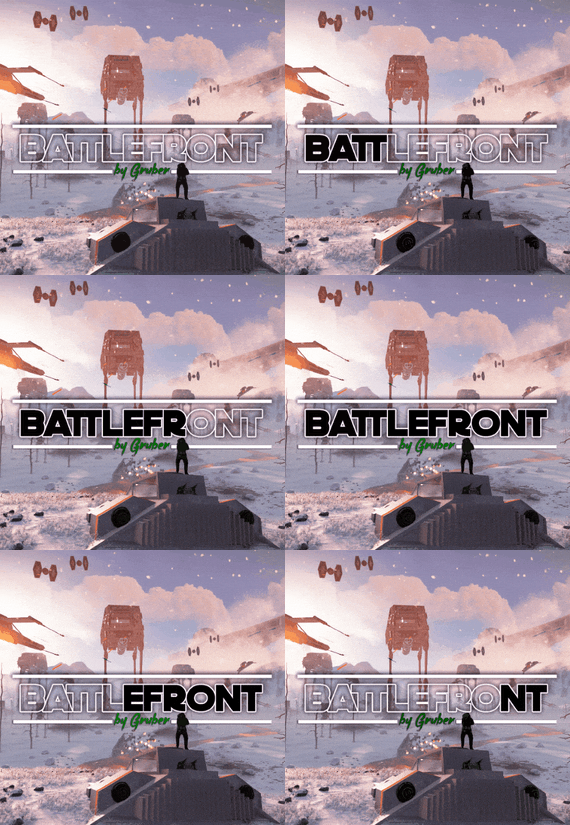
Battlefront
A long time ago, in a galaxy far, far away imperial armed forces invaded in the rust island. After the arrival imperial forces ruined a huge amount of civilisation facilities, they showed no mercy, and the life was almost exterminated, however not every habitant was killed. A little bit later valiant dwellers of the island started to develop with the velocity of light, they unified into several clans and repelled the imperial forces. The clans were able to destroy the main invaders’ troops, but there were too many of them. Now, the fate of the Rust island depends only on you, the Warrior. We wish you good luck on the battlefield!
WARNING!
There are a large number of objects on the map that remain visible for a long distance. For a higher and more stable FPS, I advise you not to include a drawing range above 1500.
Features:
About 95k prefabs Map size 4000 Optimal FPS The atmosphere of a very famous media universe 15 large and medium custom monuments with loot Over 5 custom locations for building Сustom locations where you can build are marked with "X” All custom locations have names on the map Combined outpost with a bandit camp Recycler added to fishing villages Compatible with Raidable Bases plugin Custom configuration of BetterNpc for the map is set up How can I view the map?
You can do this in our Discord server by submitting a request for an invitation to our servers. There you will be given the rights of an "administrator” and without any difficulties you will be able to fly around the map and fully familiarize yourself with it.
For which plugins do I provide configuration files?
Defendable Bases
BetterNpc
Custom monuments:
Battle of Hoth (A huge location is a place of battle) Advanced Bunker Space Fighter Base (A large base on the mountainside) Imperial Destroyer (A huge ship of invaders) Bestin City (a city from the planet Tatooine) Fresh Water Generator Rebel Generator (Location with an underground part) Yoda Swamp Oil Plant Intergalactic market (Savezone without turrets) Jabba Ship Sand Crawler Fighter Hangar Space Parts Warehouse Zyabkino Station Green Station Custom zipline points Monuments from Facepunch:
Apartment Complex Launch Site Radtown Ferry Terminal Nuclear Missile Silo Outpost Junkyard Water Treatment Plant Giant Excavator Pit Train Yard Airfield Power Plant OilRig (2) Harbor (2) Sewer Branch Desert Military Base Lighthouse Fishing Village Ranch The Dome Satellite Dish Underground Tunnels Arctic Research Base Underwater Lab Ziggurat- #rust
- #facepunch
- (and 5 more)
-
$29.99
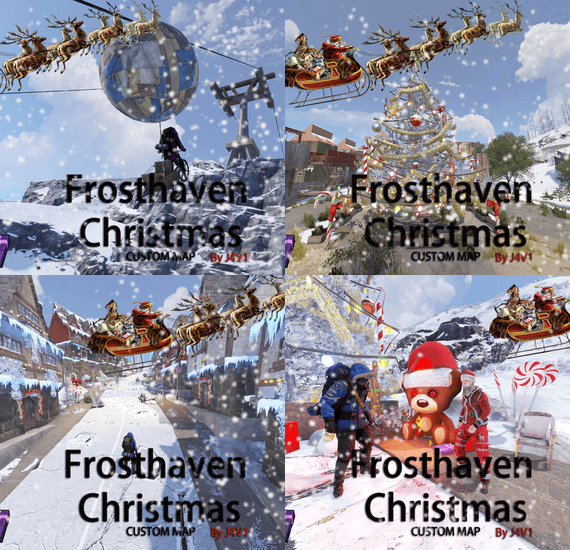
Frosthaven Christmas
Welcome to Frosthaven Christmas, a place where the rigor of Rust survival meets the magic of Christmas. On this snowy island, the landscapes are dressed up, between snow-capped mountains and lights twinkling in the winter darkness.
Every corner of Frosthaven holds a secret waiting to be discovered: cozy cabins in the warmth of the fire, unique monuments full of festive decorations and an enchanting atmosphere that makes every moment an unforgettable adventure.
Exclusive Christmas monuments await you. Beyond the conventional monuments, these have been transformed to bring the magic of Christmas into the challenging world of Rust.
At Frosthaven, you can also experience the adrenaline rush of sledding down ski slopes, enjoying the speed while the icy wind caresses your face.
Ride our custom chairlift across the snow-capped peaks, offering breathtaking views and a touch of suspense on every ride.
And don't forget to pay a visit to our Santa Claus, who is always ready with lots of presents... although you may have to prove you deserve them first.
Come to Frosthaven and feel how the magic of Christmas challenges your survival instinct!
Between snowflakes, mysteries to unravel and winter adventures, every day on this island will be a new challenge full of wonders.
Exclusive Christmas Monuments
Santa's Village:
A cozy village tucked away in the snow, where Santa delivers joy and gifts to lucky travelers.
Frostline Station :
Ride the chairlift up to the snow-capped peaks of Frosthaven and enjoy the magic of the northern lights. Explore the icy summit and discover surprises along the way.
Icy Salvage :
A bustling town traversed by the Ice Line Express. Walk through its snow-covered streets and explore the mysteries of its train station, where Christmas cheer mixes with an industrial atmosphere.
Tenzing :
An icy junkyard where old machines are given new life as magical Christmas creations. But beware, not everything in this place is as harmless as it seems.
Frost Eagle :
A mountaintop airport with many dangers for you to discover, "BRADLEY HOVERING"
Murmansk :
An Arctic port where ships loaded with festive supplies dock under a blanket of glittering ice. Explore the area, but beware of the dangers lurking among the snow-covered containers.
Classic Monuments, Now Festive
Frosthaven Christmas also includes all of Rust's classic monuments, transformed into magical winter havens. From the Launch Site to the Airfield to the Military Tunnels, every nook and cranny is decorated with Christmas lights, icy effects and surprises that will warm the heart of the most hardened survivor.
Map Details
Map includes Plugin with chairlift, santaclaus and gifts
Map size: 3500
Prefabs: 25210
This carefully designed island combines Rust gameplay with a magical Christmas twist. With twinkling lights, snowy landscapes and festive secrets hidden around every corner, Frosthaven Christmas is not just a map, it's an unforgettable Christmas adventure!
Will you be able to discover all its mysteries or will you become just another flake in the tundra? The spirit of Christmas awaits you... if you manage to survive! 🎄☃️
Monuments:
Airfield
RadTown
Arctic Research Base
Missile Silo
Water Tractament
Power Plant
Launch Site
Train Yard
Military Tunel
Missile Silo
Harbor 1
Harbor 2
Junkyard
Lighthouse
Large and Small Oil Rig
Satellite Dish
Gas Station
Supermarket
Warehouse
Quarrys
Underwater Labs
Compound
Bandit Town
Fishing Village
If you need to contact me send me a private message or write me on Discord. j4v1rust
-
$39.99
Space
The plugin allows players to visit a cold atmospheric Space void of gravity and oxygen, and visit an International Space Station!
A Space Station appears high in the sky, and is surrounded by Meteorites, Spaceships, and Balloons.
There is no gravity in Space, the temperature is very low and there is no oxygen.
You can get to Space by a Spaceship or by a Balloon which also spawn near roads or in loot tables.
The Space Station is guarded by customizable NPCs and a Space Bradley.
Outer Space
Meteorites, Crates, NPCs, Balloons and Spaceships will spawn in Outer Space near the Space Station, the number of each can be configured and customized.
In order to survive in Outer Space, the player will need a Spacesuit.
A Spacesuit can be customized to be any piece of clothing.
In the config you can customize items that will perform the functions of the Spacesuit in whole or in part.
To make space dark for players at any time of the day, use the NightVision plugin
Space Station
The Space Station consists of several compartments that are separated from each other by doors.
Optionally, the doors can be locked and they will need to be raided.
Inside the station there are crates with loot, NPCs, turrets, and fire turrets.
At the end of the corridor there are two doors that open with blue cards and one door that opens with red.
The spawn of the space station can be disabled. All objects on the space station are configured in the Data file of this station
Spaceship
The plugin includes spaceships that can spawn near roads, in Space, or can be added to loot tables.
The ship has separate settings for flying in the normal atmosphere and in zero gravity in Space.
It can shoot torpedoes, which will help the player in capturing the space station.
There are two seats in each spaceship.
Shuttle Control Guide:
Balloon
A balloon is an ordinary balloon with which you can ride into outer space.
The balloon can spawn near roads, in Space, or can be added to loot tables.
Also, this function can be applied to all balloons on the server.
If the balloon is in zero gravity, it can be used as an escape capsule!
If necessary, the player can enter, press a button, and be taken out of Space into the normal atmosphere.
Dependencies Required
NpcSpawn
Chat commands (only for administrators)
/spacestart – launches the event in a random configuration /spacestart <eventPresetName> – launches the event in the <eventPresetName> configuration /spacestop – stops the event /spawnshuttle – spawn the shuttle in your position /spawnaerostat – spawn the aerostat in your position /spacepoint – creates a custom spawn point of the event in your position (after that, you need to enable custom spawn points in the config)
Console commands (RCON only)
spacestart – launches the event in a random configuration spacestart <eventPresetName> – launches the event in the <eventPresetName> configuration spacestop – stops the event givepurplecard <userId> <amount> – gives a space card to a player giveshuttle <userId> <amount> – gives a shuttle to a player giveaerostat <userId> <amount> – gives a shuttle to a player givespacesuit <space_suit_preset> <userId> <amount> – gives <space_suit_preset> to a player
Config
plugin_en – example of plugin configuration in English station_en – example of station configuration in English plugin_ru – example of plugin configuration in Russian station_ru – example of station configuration in Russian
Dependencies (optional, not required)
True PVE PveMode GUI Announcements Notify DiscordMessages AlphaLoot CustomLoot Economics Server Rewards IQEconomic
Hooks
void OnSpaceEventStop() void OnSpaceEventStart()
API
bool IsPositionInSpace(Vector3 position) float GetMinSpaceAltitude() bool IsEventActive()
My Discord: adem9554
Join the Mad Mappers Discord here!
Check out more of my work here!
-
$45.00
Defendable Bases
This plugin adds a new dynamic zombie event to your server, the appearance of which you can customize in the configuration for any standard and custom monuments
Description
The event begins with a message in chat that the evacuation of the general from the island will begin soon. At the end of the configured timer, a military checkpoint randomly appears on the map and it is said in the chat that the general's guard was killed, and the general himself was seriously wounded
The player and his friends (if you have any) need to arrive at the military checkpoint and call for help for the general with the laptop located at the checkpoint control center
After the player calls for help, waves of zombies will attack the base. During the preparation phase, players can upgrade the base with turrets, purchase ammunition for them, or place it from their inventory through the checkpoint control center. In the doorways, players can install barricades of different types (5 types of barricades, which differ in the amount of Hit Points) to contain the incoming waves of zombies. The player can also use a hammer to repair the barricades. During the attack phase, waves of zombies will be directed at you. You cannot allow zombies to kill the general, otherwise, the event will end. There are several zombie types (in future updates it is planned to add to the list of zombie types). Each type of zombie has its own tasks. After the end of each wave, a room with crates opens, where there will be a reward for you
At the end of the event, a helicopter arrives for the general and picks him up, and you are notified in chat that the event has been successfully completed. When the general dies, the event ends, as will the attack wave, the event, and all hope is lost!
All the necessary settings of zombies, timers, items in crates for each wave, as well as settings for each wave (the number of zombies of each type, the time of the preparation phase and the attack wave, etc.), settings of the military checkpoint (the price of buying something or improving the base, used ammo in turrets, etc.), the price of repairs, barricade options, and many other settings are available in the plugin configuration
Also in the event there are additional missions during the waves of attack, during which you will receive an additional reward (in future updates it is planned to add to the list of additional missions). You can set up additional missions in the settings of each attack wave
The event provides the use of several military base designs. The Mad Mappers team will add to the list of constructions for the event in the future. When an event appears, the plugin randomly selects the construction of the base from those that you have in the data folder, and also randomly selects a place to appear from all those that have been set in the plugin configuration
Also, the Mad Mappers team will begin to offer support in our custom maps for this event and contain files for the appearance of bases in custom monuments and locations on our maps
Constructions of other bases
Defendable Bases (Bundle-1) Defendable Bases (Bundle-2)
Custom Map
Maps that have a configuration for the appearance of bases on their custom monuments
You can also download all these files for all maps here
Deathland Badlands Destroyed World Detroit: Irreparable Damage Oregon 2: Last Hope Oregon: Land of Dead Pandora All files for custom maps are stored in the folder oxide/data/DefendableBases/CustomMap. You don't have to delete files from there, the plugin will understand by itself which map is currently installed on the server and will download only the necessary file if there is one in this folder. The plugin will tell you about this process in the console during the plugin loading. It will write in the console what file works on the current map, and what ones don’t work
If you want to create a custom place for the base to appear on your custom map or on a map that is not in this list, you have to create the ID of this custom map. After that you need to place an item such as a RAND Switch on your map. It must be placed randomly, where it will not be visible to other players. You will get the identifier, if you add up the three coordinates of the position of this object from RustEdit (x, y and z) and write the resulting value in the parameter of your file (an example file can be taken from ready-made files) - ID
As an example, let's take the coordinates (26.896, -456.158, 527.258), then our identifier is 26.896 - 456.158 + 527.258 = 97.996
Then you need to indicate a list of bases that will appear on your map. You need to copy the configuration data block for each base construction. In the database parameters you will specify the name of the base construction and a list of positions where it can appear
The list of positions consists of several parameters. First you need to specify the position and rotation of the appearance of the base on your map, then you can get these values using RustEdit. You need to choose the place for the appearance of the event on the custom monument, where the player has a ban on construction
You have such a parameter as the pursuit radius for such a type of zombie as Blazer. These zombies run around the base along this radius and shoot at the players. Please note! Some object sometimes may be on your map in this radius, for example a fence, and they will not be able to overcome it, because they cannot run inside this circle, and they haven’t a way out for them so you need to leave them a way or adjust it by increasing or decreasing the radius
You have a list of coordinates for the points of appearance of all zombies. It is necessary to indicate these coordinates evenly around the base so that the zombies run from different sides and attack all sides of the base, not just a few ones. So it will be more interesting to play this event. Also note the fact that you can indicate the coordinate where a player can create his house, so it is advisable to specify all the coordinates that are in the construction ban zone, they are in the zone of your custom monument. You can also get the coordinates of the appearance of zombies using RustEdit
Images
You may want to change some parameters during the plugin installation or the base configuration
In the plugin configuration these parameters are:
Custom Barricades => Price for repairs (per hammer hit) => List of items, 3 maximum (if the economy method is 3) In the base configuration, these parameters are:
List of turrets => Price to unlock => List of items, 3 maximum (if the economy method is 3) List of turrets => List of ammo => Price => List of items, 3 maximum (if the economy method is 3) List of barricades to buy => Price => List of items, 3 maximum (if the economy method is 3) A list of items that are in the laptop inventory when the base appears List of attack waves => Additional missions => Reward for completing the mission => List of items If you change items in the current configuration items, you need to upload the image for this item to the oxide/data/Images folder. In order for the plugin to load this image and can use it for display in the player's GUI. If it is a standard Rust item, you need to name this image file by its ShortName. If it is a custom item, you need to name the image file by the SkinID of the item
Then you need to make a few changes to the plugin configuration in the List of paths to GUI images item. You need to add a new image to this list. The name is the ShortName or SkinID of the item. The path to the image will look something like this: Images/{ShortName or SkinID}.png
If you use the economy of some following points on your server as prices, you can change the image with the name Economic to your own with the same name
All images must be used square. Attention! The lower size of the image file will be displayed to the player faster
Dependencies Required
NpcSpawn
Dependencies (optional, not required)
True PVE PveMode GUI Announcements Notify Discord Messages AlphaLoot CustomLoot NTeleportation Economics Server Rewards IQEconomic
Chat commands (only for administrators)
/warstart {name} – start the event ({name} – name of the base)
/warstop - end the event
Console commands (RCON only)
warstart {name} – start the event ({name} – name of the base)
warstop - end the event
givebarricade {steamid} {level} {amount} - a player with a SteamID ({steamid}) is given a certain number of barricades ({amount}) of a certain level ({level})
Plugin Config
en - example of plugin configuration in English ru - example of plugin configuration in Russian
Base Config
en - example of base configuration in English ru - example of base configuration in Russian
Custom Map Config
en - example of custom map configuration in English ru - example of custom map configuration in Russian
My Discord: KpucTaJl#8923
Join the Mad Mappers Discord here!
Check out more of my work here!
Creator of the default configuration and the bases – jtedal
Help in creating a plugin description – Jbird#2022
- #barricade
- #ch47
- (and 27 more)
-
$21.24
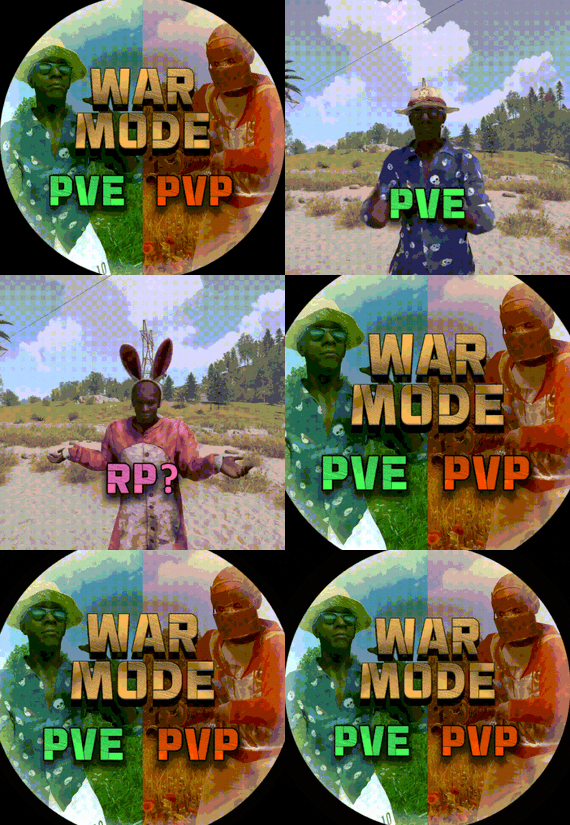
War Mode PVP/PVE
Allows both PVE and PVP players to exist on a server at the same time. PVE players will have certain configurable protections and restrictions. You can have players use a command to flag themselves as PVP/PVE or you can assign it to them when they first spawn. If you have ZoneManager you can also designate specific zones to force player's to be PVE or PVP. Plugin is also compatible with SimpleStatus.
Note: Video is outdated, see documentation for a full list of new features!
Documentation:
A full readme including permissions, commands, and config options is available in this wiki site.
Disclaimer:
Like all of my plugins - this plugin is sold as is. I will be happy to take feature requests into consideration but make no guarantees about which ones get implemented. Please refer to the feature list before you make your purchase!
Developer API:
API Methods
// Returns the mode of the given entity. Also takes into account if the entity is in a forced mode zone. string GetEntityMode(BaseEntity entity); // Returns the group name for the given mode. For example if given 'pve' will return 'warmodepve' string GetModeGroup(string modeId); // Returns the target type for a given entity. Target types are the category that an entity falls into. // For example, if given a BasePlayer entity, it will return 'players'. If given a horse entity is will // return 'horses'. string GetEntityTargetType(BaseEntity entity); Hooks - place these in your plugin and WarMode will call them.
// Called when a player's mode has been updated or config changes have ocurred that may affect the mode. private void WarMode_PlayerModeUpdated(string userid, string modeId) // Used to override WarMode logic for taking damage. // If true/false is returned then WarMode logic will be skipped. Return null to continue WarMode logic. private object CanEntityTakeDamage(BaseCombatEntity target, HitInfo info) // Used to override WarMode logic for targeting. // If true/false is returned then WarMode logic will be skipped. Return null to continue WarMode logic. private object CanEntityBeTargeted(BasePlayer target, BaseEntity attacker, bool skipVendingCheck) // Used to override WarMode logic for triggering a trap. // If true/false is returned then WarMode logic will be skipped. Return null to continue WarMode logic. private object CanEntityTrapTrigger(BaseTrap trap, BasePlayer basePlayer) // Used to override WarMode logic for looting an entity. // If true/false is returned then WarMode logic will be skipped. Return null to continue WarMode logic. private object CanEntityLoot(BasePlayer looter, BaseEntity target, bool skipVendingCheck)
FREE Extension Plugins:
All extension plugins are optional, and included in the downloadable zip that WarMode comes in.
War Mode Admin Panel
Use the /warmode.config or /wmc command to open a panel that allows admins to update mode rules in game without having to reload the pluign. Requires the warmode.admin permission to use.
I HIGHLY recommend you use this extension!
War Mode Spawn UI
Provides a UI that is shown to players when they first spawn that prompts them to choose whether they want to be PVP or PVE. Also supports custom modes. Localization and config options available. This can also be configured to appear when players use the /flag command.
War Mode Rules UI
Using the /rules command (which is configurable) players can see a list of what restrictions they have for their current mode. These ruling will update dynamically based on your config settings.
War Mode Badges
Customizable UI elements that will appear on the player's HUD to indicate what their current mode is.