
ELF's Wishlist
-
$5.00
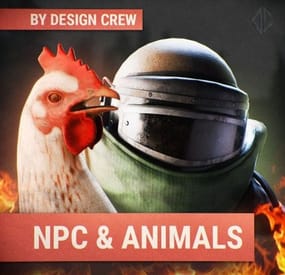
ICON NPC & ANIMALS / PNG
By DesignCrew in Graphics
HELLO EVERYONE! WITH YOU DESIGN CREW! DESIGN STUDIO FOR RUST PROJECTS.
Now we have prepared for you icons of NPCs and animals
The archive contains:
12 icons with animals
aligator bear polar bear boar chicken deer horse shark snake tiger wolf panther 8 icons of NPCs
heavy heavy standard npc arctic npc black npc blue npc green npc in nvgm npc red They can be used in the store or on the server.
Also in the archive there is a psd in which you can customize the icons in more detail
Always choose quality!
- #design
- #design icons
- (and 6 more)
-

$19.99
Epic Loot
By imthenewguy in Plugins
Epic Loot is a plugin that adds additional RPG style loot to crates, NPC corpses, barrels and crafting.
There is a configurable chance that an enhanced piece with varying set types and modifiers will appear in a loot crate, barrel or corpse.
Players also have a chance to receive an enhanced version of their crafted items, rather than the plain old vanilla armor/weapon/tool.
Wearing more than 1 of the same type of item will provide the user with a set bonus. Depending on the set type, they may get access to higher mining yields, more damage to scientists or even access to exclusive loot tables that proc while gathering.
The plugin is incredibly configurable, supports language conversions and allows users to modify and design their own set bonuses.
There are currently 24 different set types and 27 unique set bonuses!
Set types are added to the name of the item and are responsible for providing the user with a buff.
Miners, - Increases the wearers mining yield. Lumberjacks, - Increases the wearers woodcutting yield. Skinners, - Increases the wearers skinning yield. Farmers, - Increases the wearers farming yield. Foragers, - Increases the wearers collection yield. Fishermans, - Increases the wearers fishing yield. Assassins, - Increases damage done to players. Demo, - Decreases damage from explosives. Elemental - Reduces cold and fire damage. Scavengers - Offers the wearer a chance to obtain additional scrap from barrels and crates. Transporters - Reduces the fuel costs for helicopters and boats. Crafters - Increases crafting speed. Reinforced - Reduces durability loss on all equipped items. Tamers - Reduces damage taken from animals. Hunters - Increase damage done to animals. Operators - Increases damage done to humanoid NPCs. Jockeys - Increases speed of the wearers mounted horse. Raiders - Offers the wearer a chance for their fired rocket/thrown explosive to be refunded. Builders - Offers the wearer a chance for their building/upgrade costs to be refunded. Assemblers - Offers the wearer a chance for their crafting materials to be refunded. Fabricators - Offers the wearer a chance for an additional crafted item to be produced. Medics - Increases healing received. Knights - Decreases damage received from melee attacks. Barbarians - Increased damage done with melee attacks. Smelting - Chance to receive a refined ore, instead of a raw ore, while mining. InstantMining - Chance to instantly mine the rest of a node out on hit. InstantWoodcutting - Chance to instantly cut down the rest of the tree on hit. Regrowth - Chance for the felled tree to respawn. InstantSkinning - Chance to instantly skin the rest of an animal on hit. InstantCook - Chance to receive cooked meat instead of raw meat while skinning. PVPCrit - Chance to critically damage a player, adding an additional 10-30% damage. Reflexes - Reduces damage taken from PVP. IncreasedBoatSpeed - Increases the speed of all watercraft. FreeVehicleRepair - Removes the repair cost for repairing vehicles of all kinds. Survivalist - Increases calories and hydration from all food sources. Researcher - Chance to receive your scrap back while researching. Feline - Reduces fall damage. Lead, - Reduces radiation damage. Gilled - Underwater breathing. Smasher - % Chance to destroy barells and roadsigns instantly. WoodcuttersLuck - Access to a loot table for woodcutting. MinersLuck - Access to a loot table for mining. SkinnersLuck - Access to a loot table for skinning. RockCycle - Chance to spawn a new rock once mined out. Attractive - Chance for loot to be instantly moved to your inventory. FishersLuck - Access to a loot table for fishing. TeamHeal - Shares heals with nearby team mates. HealthShot - Heals team mates for damage that would have been done when shot. BulletProof - Reduces the damage received from bullets. FishingRodModifier - Adjusts the tensile strenght of the cast fishing rod, making it harder to snap the line. UncannyDodge - Chance to dodge a projectile and negate its damage. Ranchers - Increases the milk and wool you collect from livestock by x% for each piece equipped. Wranglers - Increases how quickly livestock become familiar with you by x% for each piece equipped. Herders - Reduces the milk cooldown and wool regrowth time of livestock you milk or shear by x% for each piece equipped.
When a user wears enough pieces of the same set, they will get access to extra set bonuses, depending on the number of pieces worn.
Any of the buffs from the set types can be added as set bonuses to any set. You can also add the BonusMultiplier set bonus if you want to increase the set bonus percentage based on the number of pieces worn.
BonusMultiplier - Add an additional bonus on top of the existing modifier.
Type: chat
Command: genitem
Parameters: <optional: item shortname> <optional: set type> <optional: tier>
Usage:
/genitem pants miners s - will spawn a pair of pants with the miners set type and a random modifier from s tier range. /genitem transporters c - will spawn a random item with the transporters set type and a random modifier from the c tier range. /genitem pants b - will spawn a pair of pants with a random set type and a random modifier from the b tier range. /genitem pants - will spawn a pair of pants with a random set type and a random set modifier.
Type: console
Command: genitem
Parameters: <target name/steam ID> <optional: item shortname> <optional: set type> <optional: tier>
Usage:
/genitem "new guy" pants miners s - will spawn a pair of pants with the miners set type and a random modifier from s tier range. /genitem "new guy" transporters c - will spawn a random item with the transporters set type and a random modifier from the c tier range. /genitem "new guy" pants b - will spawn a pair of pants with a random set type and a random modifier from the b tier range. /genitem 76561197988695317 pants - will spawn a pair of pants with a random set type and a random set modifier.
Type: chat
Command: eladdskin
Parameters: <set type> <item shortname>
Usage:
/eladdskin Transporters pants 2533474346 - Adds the specified skin ID to the list of skins for the transporters pants.
Type: chat
Command: givescrappercurrency
Parameters: <quantity>
Usage:
/givescrappercurrency 100 - gives 100 scrapper currency to the player.
Type: console
Command: givescrappercurrency
Parameters: <target name/ID> <quantity>
Usage:
givescrappercurrency new 100 - gives new guy 100 scrapper currency.
Type: console
Command: elprintitems
Parameters: none
Usage:
/elprintitems - will print a list of items that can be enhanced into console.
Type: chat
Command: el
Parameters: none
Usage:
/el - opens up the EpicLoot menu.
Type: chat
Command: reseticonpositions
Parameters: none
Usage:
/reseticonpositions - forces all player icon positions to be set to the default config value.
Type: console
Command: genspecificitem
Parameters: <target id> <item shortname> <buff> <value> <tier> <skin>
Usage:
/genspecificitem - Create a specific item for the target player.
epicloot.use - Required to access the menu.
epicloot.admin - Required to use the genitem commands.
epicloot.drop - Required for items to drop from crates, barrels and corpses.
epicloot.salvage - Required to access the salvager menu.
epicloot.enhance - Required to access the enhancement menu.
epicloot.enhance.free - Enhancements have no cost.
epicloot.craft - Required to randomly craft epic loot items.
void GenerateItem(BasePlayer player, string type = null, List<string> item_shortname = null, string tier = null, bool msg = false) Type must be a set type (miners, transporters etc).
Item_shortname can contain a number of item shortnames. The hook will pick a random item from the list.
Tier must be either s, a, b or c.
- #enhanced
- #custom loot
- (and 7 more)
-
$29.99$22.49The Offering
Get your Entire Server to Grind towards a Common Goal.
With The Offering, Set Item Requirement amounts, either custom or vanilla.
REQUIRED FOR UI - IMAGELIBRARY
REQUIRED FOR MAPMARKER - MARKERMANAGER
Top Contributors can now be rewarded via Commands in Config.
What will you reward your Players with?
Skill Points? Unload TruePVE and let a purge play out? Or just run a command for Economics deposit and fill everyone's account to congratulate everyone's hard work.
At Offering Fulfilled you can run as many commands as you like to reward your Players.
You can also Utilize The Offering to get rid of excess items. Maybe Players have too much scrap at the end of the wipe, add scrap as a requirement and let the excess scrap serve a purpose.
Upon Valid Item Deposit, The Box shoots a flame and accepts The Offering, Invalid Items get tossed back out of the Box for the player to recollect.
Players can utilize an optional UI to track resources that are needed towards completion.
It can be toggled on via /OUI or disabled by clicking the x on the UI Tab.
UI position can be easily set via UI Location Config Option.
Update interval for multiple item requirements can be set, to update the UI to show the other unfulfilled items.
If there is a placeholder image and it doesn't retrieve, you can use the custom URL for a PNG as well. This is also useful for custom items.
Skin for the box can be set in config.
Discord Tracking of the Offering Box Status can be set in config.
If an Offering is complete, you have the option to respawn the box at a certain time frame, or disable the respawn completely and have it a one off event, or an event whenever you feel like holding it.
MULTIPLIER INFORMATION
Default Multiplier in config can be used to quick modify your requirement amounts.
You can have this dynamically increase on Offering Completions by enabling this option.
Default Multiplier of 1 is a 1:1 of your current requirements.
If you increment by .5, Your multiplier becomes 1.5 on the next offering.
Keep in mind giving items with 1 value, you can't issue half of an AK.
Requirements will round up or down depending on the amount when the math is done.
Max Multiplier will never be passed, and will always reset to this value upon it being hit.
A multiplier can dynamically effect your Global Commands and Top Contributor Rewards.
Use {x} to modify the amount, for example - a command for economics. "deposit * 1000{x}"
Use {x}{d} or {x}{u} to round a decimal value if needed. Some commands will not parse a float.
This will multiply that integer value by your current multiplier, More info can be seen in default config below.
This can also be used in your Rewards Description field, if you want to say, Everyone will get 100{x} SP.
Multiplier does not apply towards Rush Mode.
Multiplier Demonstration
Rush Mode Info
Rush is an optional mode, it uses separate reward methods and requirements for a condensed version of The Offering for small events.
The player with the highest score (If point mode is on) Or Deposits.
Will win x Commands you issue.
If the plugin unloads an early end will trigger and issue commands to the winners you specify in config.
If the plugin is unloading during a server reboot, the plugin will save those commands to run on next boot due to some plugins being unloaded, by the time The Offering is unloaded.
The Item Amount in the Rush Requirement is a field you can ignore. Since highest deposits are what counts, item deposits are unlimited.
If discord logging is enabled, it will log your top contributors, and will also notify if an event ended during a shutdown.
NEW COMMANDS FOR RUSH MODE ARE FOUND BELOW IN THE COMMANDS SECTION
Video Demos
clip_1,739,245,073,739.mp4
https://youtube.com/clip/Ugkxz8_UG6AqGRZSrwF5JVippAvCPIgWfIHs?si=IKL6D46gwn5MHDrw
COMMANDS
CONSOLE COMMAND - RESETMULTIPLIER - RESETS YOUR MULTIPLIER TO YOUR DEFAULT VALUE
/OUI - Toggles the UI on or off
/beginoffering - console or chat, To start an offering if one isnt pending respawn, or if one isnt ongoing in the world, only Works with Dynamic Spawn.
/ConvertToOffering - Allows you to convert an already placed Large Wooden Box, To an Offering Box - THEOFFERING.ADMIN - PERMISSION REQUIRED
/RemoveOffering - Removes The Offering Box you are looking at - THEOFFERING.ADMIN - PERMISSION REQUIRED
/givebox - Gives the player a placeable box that will convert to an offering box on placement - THEOFFERING.ADMIN - PERMISSION REQUIRED
/offeringstatus - Will print the offering status to the executing player
/offeringtop - Will print the top offering contributors to the executing player
/giveofferingitems - Will Send all your offering items to your inventory - admin
/myofferingstats - Will show the players current standings if any.
/offeringleaderboard - Will show the top standings via UI,, with different banner text depending on point mode or regular mode.
/rush on - Will reload the plugin with rush enabled, use beginoffering or place a box if you don't have a dynamic pos enabled.
/rush off- Will reload with regular offering mode enabled
NOTE - IF RUSH ON / OFF IS RAN WHILE IT IS IN THAT MODE, IT WONT SWAP MODES
/offeringwhere - If an offering is active, it will ping the location to the player.
HOOKS
OnOfferingActive - Void
OnOfferingInactive - Void
OnOfferingSatisfied - Returns a StorageContainer to run custom code at container at end.
OnOfferingRushModeStarted - Void
OnOfferingRushModeEnded - Void
Support for ServerPanel by Mevent - To Set up - Type - "Plugin" - Hook - "OpenOfferingLeaderboard"
CONFIG
{ "Box Options": { "Enable Incrementing Requirements on Regular Offering Completions?": true, "Starting Multiplier - Default 1 - This Value is used even if Increment Requirements is Disabled, it can be used to Quick Increase each needed Item totals": 1.0, "Increase Multiplier by This Value on Completion, A Starting Multiplier of 1 Incremented by 0.5 will be a 1.5 multiplier resulting in a 50% Requirement Increase": 0.5, "Maximum Offering Multiplier to Reach by Incrementing": 5.5, "Allow Multiplier to Multiply Global Commands? (Int Value must be followed with {x} - Ex:10{x})": true, "Allow Multiplier to Multiply Top Contributor Commands? (Int Value must be followed with {x} - Ex:10{x})": true, "Enable UI on Offering Box Open?": true, "Path for Image on Offering Box Opened": "https://www.dropbox.com/scl/fi/2zkykpsa05q2nn9xfhxlg/OfferingBox.png?rlkey=dmmropc8u5x2wqo1ot7ad00l1&st=qldojnor&dl=1", "Enable Effect on Box Open?": true, "Path for Effect on Offering Box Opened": "assets/content/vehicles/attackhelicopter/effects/pfx_flares_attackhelicopter.prefab", "Enable Point Mode for Leaderboard?": false, "Enable The Offering Rush Mode? (This mode does not Data Track, Is meant for quick, Contribution Competitions)": false, "Rush Mode Duration?": 600, "Dynamic Spawn Of The Box Enabled?": false, "Dynamic Spawn at this Monument (Requires your Position Input to be set to match Monument if Changing from Default.)": "assets/bundled/prefabs/autospawn/monument/medium/compound.prefab", "Dynamic Spawn Point (Relative to Monument)": { "x": -18.17, "y": 0.42, "z": 20.64 }, "Dynamic Spawn Rotation Correction": 90.0, "Offering Box Skin Id": 1900496901, "Placeholder SkinID for /givebox Command, Box Reverts to the above skin on placement.": 3174587477, "Respawn Offering Box a Few Seconds after Previous Box Completion?": true, "Respawn Delay in Seconds": 10, "Clear Data on Wipe?": false }, "Rush Mode Options": { "Item Requirements": [ { "Item Shortname": "blood", "Amount Of This Item Required": 0, "Point Value": 1, "Custom SkinID": 0, "Item Custom Name": "", "Item Image URL (For UI)": "" }, { "Item Shortname": "sticks", "Amount Of This Item Required": 0, "Point Value": 1, "Custom SkinID": 0, "Item Custom Name": "", "Item Image URL (For UI)": "" } ], "Contributor Rewards": [ { "Rank Rewards (1 for 1st place, 2 for 2nd, etc.)": 1, "Commands to Run for this Contributor": [ "inventory.giveto {id} rifle.ak 1" ] }, { "Rank Rewards (1 for 1st place, 2 for 2nd, etc.)": 2, "Commands to Run for this Contributor": [ "inventory.giveto {id} rifle.ak 1" ] }, { "Rank Rewards (1 for 1st place, 2 for 2nd, etc.)": 3, "Commands to Run for this Contributor": [ "inventory.giveto {id} rifle.ak 1" ] } ], "Rush Mode Rewards Description": "Top Players Will Receive x Commands Upon Offering Rush Win" }, "Items Needed For Fulfillment Message Cooldown Time in Seconds?": 30, "Items Added to Box Message Cooldown Time in Seconds?": 5, "Item Fulfilled Message Cooldown Time in Seconds?": 30, "Enable UI?": true, "UI Location (top right, lower top right, bottom right, top left, lower top left, bottom left": "lower top right", "UI Update Interval In Seconds": 30, "Announcement Interval In Seconds": 600, "Use Announcement FX?": false, "Broadcast Updates on Status To Discord?": false, "Broadcast Top Contributors To Chat?": false, "Amount of Players to Announce on Top Contributors?": 5, "Discord Webhook URL?": "", "Item Requirements": [ { "Item Shortname": "blood", "Amount Of This Item Required": 100, "Point Value": 1, "Custom SkinID": 0, "Item Custom Name": "", "Item Image URL (For UI)": "" }, { "Item Shortname": "sticks", "Amount Of This Item Required": 100, "Point Value": 1, "Custom SkinID": 0, "Item Custom Name": "", "Item Image URL (For UI)": "" } ], "Commands To Run On Offering Satisfied": { "Commands List": [ "say The offering has been satisfied!", "say Another command goes here", "say Yet another command", "here you can unload TruePve", "say The Current Offering Multiplier is 1{x}", "say depositing 1000{x} to all", "deposit * 1000{x}" ] }, "Rewards Description": "The server will award 1000{x} XP Upon Offering Satisfied", "Enable Top Contributor Rewards?": true, "Top Contributor Rewards": [ { "Rank Rewards (1 for 1st place, 2 for 2nd, etc.)": 1, "Commands to Run for this Contributor": [ "inventory.giveto {id} sulfur 10{x}" ] }, { "Rank Rewards (1 for 1st place, 2 for 2nd, etc.)": 2, "Commands to Run for this Contributor": [ "inventory.giveto {id} rifle.ak 1{x}" ] }, { "Rank Rewards (1 for 1st place, 2 for 2nd, etc.)": 3, "Commands to Run for this Contributor": [ "inventory.giveto {id} rifle.ak 1{x}" ] }, { "Rank Rewards (1 for 1st place, 2 for 2nd, etc.)": 4, "Commands to Run for this Contributor": [ "say Add More Like Me!", "say You can Run Multiple Commands!", "say Target players id with {id}", "say you can use 1{x} to multiply your reward by your multiplier" ] } ] }
Thank you to @Chill Roleplay for the help testing.
ATTRIBUTION FOR GIF - https://www.vecteezy.com/free-videos/money-on-fire
- #community goal
- #commands
- (and 2 more)
-
$29.99
Skill Tree
By imthenewguy in Plugins
This plugin adds a character progression system to your server in the form of a leveling and skill tree system.
Players gain xp by cutting trees, mining rocks, killing NPCs etc, and are rewarded with skill points when they level up.
These points can be used to unlock perks and buffs across a number of different skill trees.
The plugin is extremely customizable and server owners can change, move, scale or disable any perk to tailor the setup to their server.
It features:
146 unique buff types across 163 skill nodes. 13 unique skill trees. 67+ sources of xp, along with custom xp settings for BotRespawn and NpcSpawn. An extremely large amount of xp options to really tweak the plugin for your server. A functional tree system that prevents unlocking/upgrading of nodes if the player has not invested enough skill points into a tree. Fun & unique ultimate abilities across most trees. Global yield settings for servers that want to run 2x/3x etc. Ability to create custom skill trees and nodes using permissions from other plugins. Considerable amount of options for persistent data through server wipes. A prestige system to reward your most hardcore players. SkillTree allows users to focus on multiple skill trees and unlock nodes in each tree as they level, to make their characters more powerful and unique.
Plugins that work well with Skill Tree
RaidableBases - SkillTree integrates with RaidableBases by rewarding raiders with xp (either handled via SkillTree directly or via RaidableBases directly). The raiding tree can also exclusively work with RaidableBases if servers don't allow raiding. Economics & ServerRewards - integrated as a way to pay for the respec cost. SurvivalArena - Rewards the winner of the event with xp. Cooking - adds new skills to the Cooking tree as well as xp rewards when successfully cooking meals. BotRespawn - Adds additional xp sources for each NPC profile. NpcSpawn - Adds additional xp sources for each NPC profile. UINotify - Shows notifications relevant to leveling etc. ZombieHorde - Provides xp for killing zombies generated by this plugin. LootDefender - Provides the ability for shared xp when killing BradleyAPC. Configured through LootDefender. EpicLoot - Adds a skill to the Scavenging tree FishingHotspots - Allows for modified XP gain while fishing in a hotspot. ZoneManager - Allows you to disable buffs while in a zone.
skilltree.chat - required to use the chat commands to access the skill tree menu. skilltree.xp - required to obtain xp from xp sources. skilltree.tree - required to access and use the skill tree. skilltree.admin - required to use the admin commands. skilltree.all - allows user access to all trees. skilltree.Mining - allows the user to access the mining tree. skilltree.Woodcutting - allows the user to access the woodcutting tree. skilltree.Skinning - allows the user to access the skinning tree. skilltree.Harvesting - allows the user to access the harvesting tree. skilltree.Combat - allows the user to access the combat tree. skilltree.Medical - allows the user to access the medical tree. skilltree.Build_Craft - allows the user to access the build craft tree. skilltree.Scavenging - allows the user to access the scavenging tree. skilltree.Vehicles - allows the user to access the vehicles tree. skilltree.Cooking - allows the user to access the cooking tree. skilltree.bag.keepondeath - prevents the ExtraPockets bag from dropping on death. skilltree.notitles - Removes the level title from the player (Requires BetterChat) skilltree.noxploss - Prevents xp loss. skilltree.roguelike - If enabled via the config, will be required to participate in the Roguelike system. skilltree.teabonus - Ignores the config option preventing the yield increases from working with mining and woodcutting teas. skilltree.noscoreboard - Prevents players with this permission from being added to the scoreboard. skilltree.respec.bypass - removes the cost for respeccing skilltree.togglebc - required to toggle BetterChat titles on/off //Custom permission settings "Modified max skill points based on permissions [must be higher than default]": { "vip": 120 }, "Cost per point to respec based on permissions [must be lower than default]": { "vip": 10.0 }, "Maximum amount of xp a player can lose when they die based on permissions [must be less than default]": { "vip": 500.0 }, "Permissions to adjust xp gain modifiers (skilltree.<perm>) [1.0 is default modifier]": { "vip": 1.2 }, The permission for "vip" would be skilltree.vip Assigning this perm to players would override the default values for the respective settings (max skill points, respec cost, xp gain and xp loss).
Command: st Description: Opens the skill tree menu. Requires skilltree.chat permissions. Command: updatexptable Description: Recalculates the xp table based on the config values. Requires Command: togglexpdrops Description: Toggles the xp popup when obtaining xp. Command: togglexphud Description: Toggles the xp hud on the players screen. Command: givexp Parameters: <name> <amount> <apply bonus true/false> Description: Gives the player matching the name parameter, xp equal to the amount parameter. Ignore modifiers will ignore all forms of xp boosts such as rested xp. Command: givesp Parameters: <name> <amount> Description: Gives the player matching the name parameter, skill points equal to the amount parameter. Command: resetdata Parameters: <name> Description: Resets the target players data. Command: turbo Description: Toggles the turbo on the boat if the player has the relevant perk. Command: togglebc Description: Toggles the BetterChat title on/off for the user. Command: movebar Description: brings up a ui that can be used to relocate the xp bar on the players screen. Command: stresetalldata Description: Resets all players data. Command: sb or score or scoreboard Description: Chat and console command that brings up the scoreboard, showing who has the most xp. Command: sttogglenotifications Description: Toggle notifications from buff triggers. Command: stgiveitem Parameters: <id> <shortname> <quantity> <skin ID> <optional: displayName> Description: gives an item to the target ID that matches the parameters. Command: givexpdebt Parameters: <id/name> <amount> Description: Gives the target player xp debt. Console Command: strespecallplayers Description: Resets skills for all online and offline players. Console Command: strespecplayer Parameters: <target name/userID> Description: Resets the target online/offline players skills. Console Command: givexptoall Parameters: <amount> <online only: true/false> Description: Will give the amount of xp to all players. If online only is true, it will only give it to those that are online. Console Command: givesptoall Parameters: <amount> <online only: true/false> Description: Will give the amount of skill points to all players. If online only is true, it will only give it to those that are online. Console Command: stremoveplayerdata Parameters: <userid> Description: Will remove the player data file for the specified userid. Console Command: sttogglebuffs Parameters: <true/false> Description: Disables/enableds buffs globally for all players.
Experience can be gained from a number of different sources. The value for each source can be adjusted via the config.
NodeHit - Hitting a stone, metal or sulfur mining node. NodeHitFinal - Finishing a stone, metal or sulfur mining node. TreeHit - Hitting a tree. TreeHitFinal - Knocking down a tree. SkinHit - Hitting an animal with a skinning tool. SkinHitFinal - Finishing off an animal with a skinning tool. CollectWildPlant - Collecting any map generated collectible, such as hemp, corn, pumpkin, stone, sulfur or metal. CollectGrownPlant - Collecting any player grown produce. BuildingBlockDeployed - Placing down a twig building block. FishCaught - Catching a fish. Crafting - Whenever a craft is successfully completed. XP is calculated based on the duration of the craft. ScientistNormal - Killing a blue scientist. ScientistHeavy - Killing a heavy scientists. SmallAnimal - Killing a small animal such as a chicken. MediumAnimal - Killing a medium animal such as a boar, wolf or stag. LargeAnimal - Killing a large animal such as a horse, shark or bear. Barrel - Destroying barrels. RoadSign - Destroying road signs. Scarecrow - Killing scarecrows or a zombie in ZombieHorde. Mission - Completing a mission in rust. BradleyAPC - Getting the last hit on Bradley. LootHackedCrate - First player to loot a locked crate. LootHeliCrate - First player to loot a heli crate. LootBradleyCrate - First player to loot a bradley crate. CookingMealXP - (Requires cooking plugin) XP is calculated per ingredient used. Example 2 tomatos and 8 bear meat would yield 100xp. RaidableBaseCompletion - Awards raiders of a RaidableBase xp upon the completion of the raid. Win_HungerGames - Awards xp to the winner of the Hunger Games arena. Win_ScubaArena - Awards xp to the winner of the Scuba arena. Win_Skirmish - Awards xp to the winner of the Skirmish arena. Gut_Fish - Awards xp when gutting a fish. default_botrespawn - default amount xp given when killing a bot made using botrespawn. Overriding values can be added to the config based on the bot group. crate_basic - when opening crates crate_elite - when opening crates crate_mine - when opening crates crate_normal - when opening crates carte_normal_2 - when opening crates crate_normal_2_food - when opening crates crate_normal_2_medical - when opening crates crate_tools - when opening crates crate_underwater_advanced - when opening crates crate_underwater_basic - when opening crates crate_ammunition - when opening crates crate_food_1 - when opening crates crate_food_2 - when opening crates crate_fuel - when opening crates crate_medical - when opening crates Harbor_Event_Winner - Winner of the Harbor event plugin Junkyard_Event_Winner - winner of the Junkyard event plugin PowerPlant_Event_Winner - winner of the Power plant event plugin Satellite_Event_Winner - winner of the Satellite event plugin Water_Event_Winner - winner of the Water event plugin Air_Event_Winner - winner of the Air event plugin. Armored_Train_Winner - winner of the Armored train plugin Convoy_Winner - winner of the Convoy event plugin. Supply_drop - first player that opens a supply drop. SurvivalArena_Winner - winning the SurvivalArena event. swipe_card_level_1 - using a green swipe card reader swipe_card_level_2 - using a blue swipe card reader swipe_card_level_3 - using a red swipe card reader boss_monster - killing an NPC from boss monster Zombie - Killing a ZombieHorde zombie UnderwaterDweller NPCs - NPCs in underwater labs JetPilot - JetPilot plugin ArcticBaseEvent_Winner - winner of the Arctic Base Event GasStationEvent_Winner - winner of the Gas Station Event SputnikEvent_Winner - winner of the Sputnik Event detect_diggable - triggered when a metal detector site is dig up. ShipWreckEvent_Winner - winner of the Ship Wreck Event pvp - when a player kills another player (default: off). Triangulation_Winner - winner of the triangulation event Caravan_Winner - winner of the Caravan event SupermarketEvent_Winner - winner of the Supermarket event LargeProduceAnimal - Killing cows or bulls MediumProduceAnimal - Killing sheep, lambs, calves or male calves. LandCritter - Killing Rabbits, squirrels, frogs, crabs or single crabs. SeaCritter - Killing sea turtles or jellyfish.
Name: Mining Yield Description: Increases the amount of resources gained while mining. Name: Instant Mine Description: Gives the user a chance to instantly mine out a stone, sulfur or metal node. Name: Smelt On Mine Description: Gives the user a chance to smelt some of the ore as its mined from sulfur and metal nodes. Name: Mining Luck Description: Gives the user a chance to obtain items from the Mining luck loot table when they finish mining a node. Name: Mining Tool Durability Description: Decreses the durability loss of mining tools. Name: Woodcutting Yield Description: Increases the amount of resources gained while woodcutting. Name: Instant Chop Description: Gives the user a chance to instantly chop down a tree. Name: Woodcutting Coal Description: Gives the user a chance to obtain some charcoal while woodcutting. Name: Woodcutting Luck Description: Gives the user a chance to obtain items from the Woodcutting luck loot table when they finish cutting down a tree. Name: Woodcutting Tool Durability Description: Decreses the durability loss of woodcutting tools. Name: Skinning Yield Description: Increases the amount of resources gained while skinning. Name: Instant Skin Description: Gives the user a chance to instantly cut up an animal. Name: Skinning Tool Durability Description: Decreases the durability loss of skinning tools. Name: Skinning Cook Description: Gives the user a chance to received cooked meat, instead of raw meat, while skinning an animal. Name: Harvest Wild Yield Description: Increases the yield when harvesting map generated collectibles, such as berries, hemp, stone, sulfur and mushrooms. Name: Harvest Grown Yield Description: Increases the yield when harvesting player grown produce. Name: Extra Fish Description: Gives the user a chance of receiving an extra fish while fishing. Name: Double Bandage Heal Description: Doubles the healing power of cloth bandages. Name: Radiation Reduction Description: Reduces the amount of radiation damage taken by the player. Name: Extra Food Description: Increases the amount of calories the player receives when consuming food. Name: Fire Damage Reduction Description: Reduces the amount of fire damage received. Name: Fall Damage Reduction Description: Reduces the amount of fall damage received. Name: No Cold Damage Description: Removes all cold damage from the player. Name: Wounded Resist Description: Gives the player a chance to get straight back on their feet after entering the wounded state. Name: Animal Damage Resist Description: Reduces the damage taken by animals. Name: Riding Speed Description: Increases the speed of a horse while riding it. Name: Free Bullet Chance Description: Gives the player a chance to not expend a bullet when firing a gun. Name: Primitive Expert Description: Removes durability loss for primitive weapons. Name: Upgrade Refund Description: Gives the player a chance to receive their resources back when upgrading a building block. Name: Craft Speed Description: Increases the crafting speed of a player. Name: Research Refund Description: Gives the player a chance to receive their scrap back when researching an item on the research bench. Name: Craft Refund Description: Gives the player a chance to receive their crafting materials back when crafting an item. Name: Extra Scrap Barrel Description: Gives the player a chance to receive additional scrap when destroying a barrel. Name: Barrel Smasher Description: Allows the player to instantly smash a barrel with any weapon. Name: Extra Scrap Crate Description: Gives the player a chance to obtain extra scrap when looting a crate for the first time. Name: Component Chest Description: Gives the player a chance to obtain additional components when looting a crate for the first time. Name: Electronic Chest Description: Gives the player a chance to obtain additional electronics when looting a crate for the first time. Name: Component Barrel Description: Gives the player a chance to obtain additional components when smashing a barrel. Name: Electronic Barrel Description: Gives the player a chance to obtain additional electronics when smashing a barrel. Name: Melee Resist Description: Reduces the damage taken by melee weapons. Name: Iron Stomach Description: Allows the player to eat spoiled and raw food without being poisoned. Name: Boat Speed Description: Allows the user to activate a turbo boost while on a boat, increasing the boats speed. Name: Recycler Speed Description: Increases the speed of recycling for the player. Name: Smelt_Speed Description: Adds a chance for ore to smelt whenever wood is consumed, in addition to the standard smelt rate. Name: Heli_Fuel_Rate Description: Reduces the fuel consumption for your helicopters. Name: Boat_Fuel_Rate Description: Reduces the fuel consumption for your boats. Name: Vehicle_Mechanic Description: Allows the user to repair a vehicle at no cost. Name: Reviver Description: Brings a wounded player up with additional health if the reviving player has the buff. Name: Rationer Description: Provides the consumer a chance to receive their food/tea back once consumed. Name: PVP_Critical Description: Gives the attacker a chance to critically damage the target in PVP. Name: PVP_Damage Description: Increases the damage of all PVP attacks. Name: PVP_Shield Description: Reduces the damage of all incoming PVP attacks. Name: Metabolism_boost Description: Increases your calories and hydration above the maximum. Name: LootPickup Description: Chance to have the loot from destroyed barrels given moved directly to their inventory. Name: Node_Spawn_Chance Description: Chance to spawn a new node when a new one is mined out. Name: HealthRegen Description: Passively regenerates x health per second Name: AnimalTracker Description: Allows the user to use the /track command to find the direction of the closest animal. Name: ExtraPockets Description: Creates a backpack style storage system, providing players the ability to access the storage using a chat command (/pouch). Slots are given based on points spent. Name: Human_NPC_Damage Description: Increases damages against scientists. Name: Animal_NPC_Damage Description: Increases damages against animals. Name: Human_NPC_Defence Description: Decrease damage from scientist. Name: Craft_Duplicate Description: Chance to duplicate an item while crafting. Name: WaterBreathing Description: Breath underwater. Name: SharkResistance Description: Reduce damage taken from sharks. Name: SharkSkinner Description: Chance to receive random items while skinning sharks. Name: DeepSeaLooter Description: Chance to receive additional items while looting sunken crates. Name: InstantUntie Description: Instantly untie sunken crates. Name: UnderwaterDamageBonus Description: Increase damage to all living things while underwater (including underwater labs). Name: Permission Description: Used for permission based skills. Name: MaxRepair Description: Resets the max condition for any items that are repaired. Name: Durability Description: Reduces condition loss for all items that the player is using. Name: Regrowth Description: Provides a chance for a tree to respawn when cut down. Name: Skinning_Luck Description: Provides a chance to receive an item when skinning an animal. Name: Fishing_Luck Description: Provides a chance to receive an item when catching a fish. Name: Trap_Damage_Reduction Description: Reduces the damage received from traps. Name: Trap_Damage_Increase Description: Increases the damage done to traps. Name: Personal_Explosive_Reduction Description: Reduces the damage received from your own explosives. Name: Double_Explosion_Chance Description: Provides a chance for your explosives to trigger twice. Name: Lock_Picker Description: Provides a chance to open a locked entity that you do not have access to. Name: Explosion_Radius Description: Increases the explosion radius of your explosives. Name: Dudless_Explosive Description: Reduces the chance of your satchels and beancans being duds. Name: Woodcutting_Hotspot Description: Treats each hit on a tree as though you hit the hotspot. Name: Mining_Hotspot Description: Treats each hit on a node as though you hit the hotspot. Name: Extended_Tea_Duration Description: Increases the duration of tea buffs by x% per level. Name: Extended_Mag Description: Increases the magazine capacity of weapons by x% per level. Name: Tea_Looter Description: Provides you with a x% chance per level to find tea in certain containers. Name: Bite_Speed Description: Decreases the time it takes to hook a fish by x% per level. Name: Heli_Speed Description: Increases the max thrust speed of the heli by x% per level. Name: Sonar Description: Allows the user to run a command to find all nearby submerged objects (dive sites, sharks, scientists etc). Name: Comfort Description: Provides the player and all nearby team mates with a % of comfort per level. Name:Heal_Share Description: Provides surrounding team mates with a % of health received per level. Name:XP_Share Description: Provides surrounding team mates with a % of the xp you gain per level. Name: Tea_Share Description: Provides surrounding team mates with a % of tea buffs when you consume tea per level. Name: Metabolism_Share Description: Provides surrounding team mates with a % of hydration and calories received per level. Name: Human_Workbench Description: Creates a workbench aura on the player. The player and nearby team mates can use them as a workbench (the level of which is based on the skill level). Name: Recycler_Efficiency Description: Increases the recycler efficiency by x%. Name: Metal_Detector_Luck Description: Provides the player with a chance per level to obtain an additional item when they excavate metal detection sites. Name: Efficient_Digger Description: Provides the player with a chance per level to automatically dig up metal detection sites when they are flagged. Name: Magnetic_Digger Description: Provides the player with a chance per level to automatically collect dug up items. Name: RadiationBaseValue Description: Provides you with a base radiation resistance of % per level, even when naked. Name: RadiationResistModifier Description: Increases the effectiveness of your clothings radiation resistance by % per level. Name: BikeEnginePower Description: Increases the engine power of all bikes (peddal and motor) by x % per level. Name: DriverCollisionResistance Description: Decreases the damage taken from collisions while driving a vehicle by x% per level. Name: Harvesting_Luck Description: Provides a drop table when a player collects harvesting materials. Grown and wild collectibles have their own loot tables. Name: Awareness Description: This skill will show the nearby location of (configurable): npcs, animals, dropped items, droppted item containers, corpses within x meters. Name: Cooking_Speed Description: This skill reduces the amount of time it takes to cook items using the cooking workbench by x% per level. Name: Rocket_Velocity Description: This skill increases the velocity of all missiles launched by the player by x% per level. Name: Armor_Slots Description: Sets the minimum armor slots rolled based on level of skill (1 slot per level). Name: ShieldReflect Description: Provides a %X chance per level for projectile damage blocked by a shield to be reflected to the attacker. Name: Free_Repairs Description: Allow repairing of items for free. Name: Bradley_Damage_Bonus Description: Bonus damage to the bradley tank. Name: Heli_Damage_Bonus Description: Bonus damage to the patrol heli. Name: Loot_Spotter Description: Highlights nearby BoxStorage container entities. Name: Hatch_Speed Description: This skill reduces the time it takes for an egg to hatch in a chicken coop by x% per level. At 100% the egg will hatch. Name: Pet_Effectiveness Description: This skill increases the amount of love a chicken gains when you pet it by x% per level. Name: Coop_Capacity Description: This skill allows your chicken coops to hold x additional chickens per level. Name: Boat_Refund Description: This skill refunds x% per level of the materials used when placing boat building pieces. Name: Cannon_Damage Description: This skill increases the damage dealt by cannons by x% per level. Name: Sailing_Speed Description: This skill increases the speed of player-made boats by x% per level while you are at the helm. Name: Siege_Damage Description: This skill increases the damage dealt by catapults, battering rams and ballistas by x% per level. Name: Collectible_Respawn Description: This skill gives you a x% chance per level for a collectible to grow back after you pick it up. Name: Friendly_Fire_Reduction Description: This skill reduces the damage that you deal to your team mates by x% per level. Name: Livestock_Handling Description: This skill increases the rate at which livestock become familiar with you by x% per level. Name: Livestock_Calm Description: Livestock tolerate your presence. Bulls, rams and protective mothers will not threaten you unless provoked. Name: Husbandry_Yield Description: This skill increases the amount of milk and wool you receive when milking cows and shearing sheep by x% per level. Name: Husbandry_Cooldown Description: This skill reduces the time before a cow can be milked again, or a sheep's wool regrows, after you harvest it by x% per level. Name: Livestock_Offers Description: The livestock vendor makes you x additional offer(s) per level when you sell animals or wool. Name: Livestock_Sale_Value Description: The livestock vendor pays x% more per level for your animals and wool. Name: Woodcutting_Ultimate Description: Harvests the surrounding trees when cutting down a tree. Name: Mining_Ultimate Description: Provides access to a chat command to see all surrounding node locations. Name: Combat_Ultimate Description: Heals the player for a percentage of the damage that they deal to all sources. Name: Vehicle_Ultimate Description: Reduces damage dealt to the players mounted vehicle (default 100% deduction). Name: Harvester_Ultimate Description: Allows the player to set the genetic composition of plants. Name: Medical_Ultimate Description: Gives the player a chance to resurrect at their point of death if they choose to. Name: Skinning_Ultimate Description: Killing an animal with this buff active will provide the player with an enhanced ability for a period of time, depending on the animal killed. - Chicken: No fall damage. - Boar: Chance to find components while harvesting mushrooms and berries. - Wolf: Increased healing while near team mates. - Stag: Notification when a neutral player is nearby, and their last known location (configurable). - Bear: Scientists will not attack the player unless attacked. - Polarbear: Overshield. Name: Build_Craft_Ultimate Description: Use any coloured swipe cards in any reader. Name: Scavengers_Ultimate Description: Will automatically recycle components from barrels when they are broken.
The xp table uses a common equation to calculate its levels and xp requirements. You can read more about the method here: https://blog.jakelee.co.uk/converting-levels-into-xp-vice-versa/
There is also a spreadsheet you can make a copy of and adjust the x value at the top of. Increasing the number minimizes the xp between levels. Find a good value, then put it in the "x" value under the "Leveling information" section in the config.
It is recommended that you leave the y value at 2 or 3, and adjust the x value only.
Rule of thumb:
- 0.07: default
- 0.04: grindy.
API
API documentation: https://codefling.com/files/documentation/11-skill-tree-api/
- #leveling
- #progression
- (and 19 more)
-

$20.00
NpcRaiders
By Iftebinjan in Plugins
Call in a squad of raider NPCs to hit your own base — a safe, self‑contained "raid yourself" event for solo players, small groups, or anyone who wants that raid‑night adrenaline without waiting on a real offline raider.
NpcRaiders lets any player start a fully scripted raid event against their own authorized base. Once the event begins, a wave of armed NPC raiders spawns near the target and pushes toward the player's tool cupboard — fighting through walls, doors, and turrets — until they breach the TC, run out of time, or get wiped out.
The event is sandboxed: only players authorized on the targeted cupboard can damage the raider NPCs, and the NPCs will only ever attack the players inside that event. Nobody outside the event can interfere, and the raiders can't wander off and bother the rest of the server. It's PvE-safe raid content that plugs straight into your existing loot, economy, and reward plugins.
Everything about a raid — how many NPCs spawn, how many waves, how tough they are, what they drop, what it costs to call one in, and what you win for surviving — is configurable per raid "type," so you can sell multiple raid tiers (Easy / Hard / Nightmare, for example) through permissions or a shop plugin.
⭐Key Features
Self-raid events — players call NPCs in on their own authed base; nobody else can be targeted. Locked-down combat — only players authorized on the target TC can hurt the raiders, and the raiders can only hurt them back. No griefing, no stray damage to bystanders. Wave-based assault — configurable number of NPCs per wave, number of waves, and delay between waves, so events can scale from a quick skirmish to a full siege. Multiple raid types/tiers — build unlimited raid presets (difficulty, NPC count, health, kits, loot, rewards) and gate each one behind its own permission. Kits integration — equip raider NPCs with clothing and weapons using the Kits plugin, so their loadout matches the raid tier. Flexible loot — drop AlphaLoot profiles, custom loot-profile files (build one straight from your own inventory with /raidme loot add), or nothing at all. Pay-to-raid economy — charge players an item (default Scrap), Economics balance, or ServerRewards points to start an event; permission-based cost bypass for admins/VIPs. Win rewards — reward successful defenders with an item, Economics funds, ServerRewards points, or a kit. VIP cooldown tiers — give specific permission groups their own shorter cooldowns and TC-auth cooldowns instead of the server default. Queueing — if the server is already at the max concurrent raid limit, new events queue up and notify the player when it's their turn. SimplePVE/ TruePVE / LifeSupport aware — plays nicely with TruePVE exception mapping and LifeSupport's revive handling during an active event. 🎬Video Showcase
📜Permissions
npcraiders.use - Use the /raidme chat command to view and start raids. npcraiders.admin - Access admin commands (reload, clear, loot). npcraiders.nocooldown - Skip the standard raid and TC-auth cooldowns. npcraiders.nocost - Start raids without being charged. 📌Chat Command
/raidmeShows the raid help menu — available raid types, cost, and NPC/wave counts you have access to. /raidme buyShows raid cost/help for every raid type. /raidme buy <type>Starts a raid event of the given type at your currently authorized TC. /raidme statsOpens your personal stats UI (games played, wins, losses, kills, deaths). /raidme terrainAdmin/debug tool — lists the terrain colliders at your current position, for building the block list. /raidme loot add <profile>Creates (or adds to) a loot profile using every item currently in your inventory. /raidme loot clear <profile>Clears a loot profile's items. /raidme reload all (admin)Force-cancels every currently running raid event. /raidme reload player <name> (admin)Force-cancels one player's raid event. /raidme clear - (admin)Wipes stored cooldowns and player data. /raidme - Will show raid help menu. /raidme buy - Will show raid buy help menu and costs. /raidme buy <type> - To start raid of the type. /raidme reload player <playerName> - Will cancel there raid event. /raidme reload all - Will cancel all events. /raidme terrain - Get Terrain name your standing on. /raidme loot - Generate a loot profile with all the items in your inventory When you create a loot profile you will need to edit its datafile and set the min and max amount of items to give.. There you can change other min/max for item ammounts default is 1 to Amount when created
📌Console Command
npcraiders buy <type> <optional playerID> - Lets an external plugin or command (e.g. a shop or GUI) trigger a raid purchase for a player server-side. ⚙️Configuration
🗃️Language
⚠️FAQ
Do players raid other players, or only themselves?
Only their own base. A player can only start an event while authorized on the target TC, so this is entirely self-contained PvE-style content — not a way to raid other players. Can I sell different difficulty levels?
Yes — create as many raid types as you want in the config, each with its own permission, NPC count, waves, loot, cost, and reward. Sell access to each tier separately or bundle them into a rank. What plugins does this depend on?
None are required to run the plugin. Kits (for equipping/rewarding NPC loadouts and kit rewards), AlphaLoot (for NPC corpse loot profiles), ServerRewards and Economics (for buy costs/rewards), and TruePVE/SimplePVE/LifeSupport (for smoother PvE-server behavior) are all optional integrations — the plugin works without them, but connects automatically if they're installed. Can players avoid paying or waiting on cooldown?
Yes, through permissions — npcraiders.nocost skips the charge and npcraiders.nocooldown skips both cooldown timers. Useful for staff testing or as a VIP perk. Will this let people abuse re-authing on TCs to farm rewards?
There's a dedicated TC-auth cooldown separate from the normal raid cooldown, specifically to stop players from re-authorizing on a cupboard just to immediately farm another event.