
AshCrack's Wishlist
-
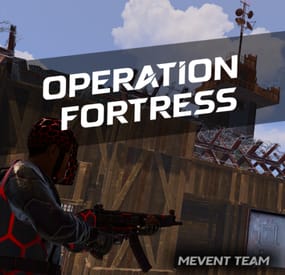
$41.95$31.95OPERATION FORTRESS
Introducing OperationFortress, the ultimate PvE base assault event plugin for Rust servers! Experience intense tactical combat as you and your team infiltrate a heavily fortified enemy base at the Airfield monument. With dynamic NPC encounters, strategic tower captures, and epic boss battles, OperationFortress delivers an immersive military operation experience that will challenge even the most skilled players.
⭐ Features of Operation Fortress
Epic Base Assault: Infiltrate a heavily fortified enemy base at the Airfield monument with multiple defensive towers and strategic positions. Dynamic Tower System: Capture 6 strategically placed guard towers, each with unique NPC defenders and electric switches to disable the base's security system. Intelligent NPC Combat: Face off against elite enemy forces with advanced AI, including snipers, assault troops, machine gunners, and grenadiers. Boss Battle: Confront the powerful "Fortress" commander in the main base with enhanced health and elite weaponry. Reinforcement System: Experience dynamic combat as enemy reinforcements spawn after capturing towers, adding intensity to the operation. Rich Loot System: Collect valuable rewards from captured towers, defeated NPCs, and the commander's personal safe. PvE Mode Integration: Seamless integration with PvE mode systems for fair loot distribution and team-based gameplay. Customizable Difficulty: Adjust the number of required towers to access the main base, event duration, and NPC configurations. Visual Markers: Clear map markers show tower status, base location, and event progress for easy navigation. Automatic Scheduling: Set up automatic event scheduling with customizable intervals and preparation times. Team Support: Full support for team-based gameplay with shared loot rights and coordinated assaults. Performance Optimized: Efficient NPC spawning and cleanup systems ensure smooth gameplay even with large player bases.
📊 Event Overview
Operation Fortress transforms the Airfield monument into a hostile military installation controlled by the "Fortress" faction. Players must work together to:
Capture Guard Towers: Infiltrate and secure 6 strategically positioned guard towers, each defended by elite NPC forces. Disable Security System: Activate electric switches in captured towers to disable the base's security system and gain access to the main facility. Assault Main Base: Breach the heavily fortified main base located in one of the Airfield's large hangars. Eliminate Commander: Face off against the powerful "Fortress" commander and his elite bodyguards in an epic final battle. Secure Rewards: Collect valuable loot from defeated enemies, captured positions, and the commander's personal safe.
🖼️ Showcase
🎮 Commands
operation.start - Manually start the Operation Fortress event (requires admin permissions) operation.stop - Stop the current Operation Fortress event (requires admin permissions)
🛡️ Permissions
operationfortress.start - Permission to start Operation Fortress events operationfortress.stop - Permission to stop Operation Fortress events
📚 FAQ
Q: Can players use their own weapons and equipment?
A: Yes! Players use their own weapons, armor, and equipment during the event. No special gear is provided, making it a true test of player preparation and skill.
Q: How does the loot system work?
A: Loot is collected manually from defeated NPCs, captured towers, and the commander's safe. The PvE mode integration ensures fair loot distribution among team members based on damage contribution.
Q: Can the event be played solo?
A: Yes! The event is designed to scale with player count. Solo players can complete the operation, though it will be more challenging. Team play is recommended for optimal experience.
Q: How often does the event occur?
A: The event can be configured to run automatically at customizable intervals, or it can be started manually by administrators using the provided commands.
Q: What happens if players fail to complete the event?
A: If the event timer expires or all players are eliminated, the event ends automatically. Players can attempt the operation again when it becomes available.
Q: Does the event interfere with other Airfield activities?
A: The plugin includes options to disable other NPCs and events at the Airfield during Operation Fortress to prevent conflicts and ensure smooth gameplay.
Q: Can I customize the NPC types and weapons?
A: Yes! The plugin includes extensive NPC configuration options, allowing you to customize health, weapons, behavior patterns, and reinforcement types for each tower and the main base.
Q: How does the PvE mode integration work?
A: The plugin integrates with PvE mode systems to ensure fair loot distribution among team members. Players who contribute more damage to NPCs have priority access to loot, while still allowing team coordination.
📡 Plugin Integration
OperationFortress is designed to work seamlessly with other popular Rust plugins:
PvE Mode: Full integration for fair loot distribution and team-based gameplay NpcSpawn: Utilizes advanced NPC spawning and AI systems for realistic enemy encounters Notify/UINotify: Integrated notification system for event announcements and player updates BetterNpc: Compatible with enhanced NPC systems for improved AI behavior MonumentOwner: Integration with monument ownership systems for enhanced gameplay
🧪 TEST SERVER
Join our test server to experience Operation Fortress firsthand!
Copy the IP Address below to start playing!
connect 155.103.86.38:28015
🛠️ API / Hooks
OnOperationFortressStart()
Triggered when the Operation Fortress event starts. OnOperationFortressStop()
Triggered when the Operation Fortress event stops (ends or is canceled). OnOperationFortressEnter(BasePlayer player)
Triggered when a player enters the event zone. OnOperationFortressLeave(BasePlayer player)
Triggered when a player leaves the event zone or dies inside it. OnOperationFortressWin(BasePlayer player)
Triggered when the boss is defeated and the victory chest is opened. player is the boss killer/owner.- #event
- #rust event
- (and 1 more)
-
$95.99
Raidable bases by JaaaaaThomas 12.05.2026
By jaaaaaThomas in Bases
Hello everyone, I’m excited to present a brand new base pack!
I’ve put a lot of hard work into this project and I hope you’ll appreciate the quality. In fact, we are already working on the next one!
This pack includes 120 completely new, raid-ready bases. You will find 20 unique designs for every difficulty level, from Easy all the way up to Clan Bases.
I hope you enjoy these builds! If you’re satisfied, please leave a positive review—it helps a lot. Also, if you have any suggestions for future updates, feel free to leave a comment below! Thank you!"
-
![More information about "Dynamic Monuments [Ocean Bundle]"](https://codefling.com/cdn-cgi/image/width=285,height=275,quality=80,fit=cover,format=webp/https://codefling.com/uploads/monthly_2026_09/adem_prev_ocean_bundle_comp.thumb.jpg.2fdd4f0a882bd1a8c934be55ee1ec59d.jpg)
$39.99
Dynamic Monuments [Ocean Bundle]
By Adem in Customizations
‼️ Note: This is an add-on, not a standalone plugin. It requires the DynamicMonuments plugin to be installed (sold separately).
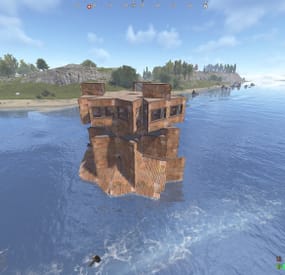
🌊 Take Dynamic Monuments offshore with the Ocean Bundle — a collection of 10 unique monuments designed for the sea and coastline.
Explore floating industrial facilities, offshore outposts, pirate locations, flooded settlements, remote strongholds, and other new places filled with loot and NPCs.
No RustEdit is required. All locations are spawned and managed directly by Dynamic Monuments.
Included in the bundle:
- 10 unique monuments
- 8 offshore locations
- 2 coastal locations
- NPCs on 9 of 10 monuments
- 7 of 10 monuments are player-placeable
- Automatic monument spawning
Included monuments:
- Floating Depot
- Sea Dog Tavern
- Oil Depot
- Shipbreaker Camp
- Island Stronghold
- Oilworks
- Offshore Outposts
- Broken Bridge
- Flooded District
- Smuggler Island
7 monuments can be given directly to players.
Players can choose where to place them, while large island locations are excluded from player placement.
Player-placeable monuments:
- Floating Depot
- Sea Dog Tavern
- Oil Depot
- Oilworks
- Offshore Outposts
- Broken Bridge
- Flooded District
Dynamic spawning
Monuments can automatically spawn around the map.
They can also respawn in different positions after a server restart, making the map less predictable and giving players new locations to discover.
Installation Instructions
1. Make sure you have the latest version of the DynamicMonuments plugin installed.
2. Move the contents of the `data/DynamicMonuments` folder from the downloaded archive into the `oxide/data/DynamicMonuments` folder on your server.
3. Reload the DynamicMonuments plugin.
Check out the rest of my work: Adem's Codefling Library
Join the Mad Mappers Discord!
-

$45.00$41.95Relics
[ ! ] The zip contains a DLL extension that goes into RustDedicated_Data/Managed. Some hosts do not allow uploading DLLs - check with your host before buying. [ ! ]
Relics is a loot RPG for Rust. Sealed relic crates drop from the world (loot containers, barrels, NPCs, animals, ore nodes, trees and fishing), and unwrapping one reveals a relic with its own rarity, its own rolled affixes and, on the better ones, an active ability. Players equip up to six, and every affix feeds a live modifier table: gather yields, damage against players, NPCs, animals, the helicopter and Bradley, resistances, craft and research refunds, loot luck, healing, and stranger ones like reflecting melee damage or hitting harder at night.
96 relics ship across 8 sets and 6 rarities. A forge fuses three relics into the next rarity, enchants them to level 10, rerolls a single affix and salvages the rest into dust. A codex tracks what has been found on the server, who found it first and where the missing ones drop, and a mastery tree turns relic activity into permanent passive bonuses.
And there is a black market. A broker hides near a monument and moves every couple of hours: he buys the relics you do not want, sells a rotating table with a sealed crate for the gamblers, and runs a consignment stall where players sell to each other at their own price. Relics can also leave the bag as real items to trade, vend, stash or lose on death.
Works on Oxide and Carbon Needs CrashExtensions (included in the zip) 96 relics, 8 sets, 6 rarities English, Spanish, Portuguese and Russian built in Jump to: Features · How it plays · Screenshots · Included relics · Commands · Permissions · Install · Configuration · FAQ · API
🌟 Features
For players
A reveal for every find. Unwrapping a crate opens a full-screen appraisal with rays, stamps and a wax seal for the rarest relics. 96 relics, 8 sets, 6 rarities. Each relic rolls its own affixes, and a set of 2 or 3 pieces adds a bonus on top. 40 passive affixes. Gather yields, damage against players, NPCs, animals, the helicopter and Bradley, resistances, craft and research refunds, loot luck, healing, thorns, night damage and more. 13 active abilities. One bindable key, a radial wheel when two or more are equipped, and a cooldown per relic. The forge. Fuse three relics into the next rarity, enchant to level 10, reroll a single affix, or salvage the rest into dust. A codex. Every relic on the server: who found it first, what it rolls and where it drops. A mastery tree. Mastery levels buy permanent passive bonuses. A black market. A broker who buys relics, sells a rotating table and runs a player consignment stall. Relics as real items. TAKE OUT turns a relic into an item you can trade, vend or stash. Unwrapping it puts that exact relic back. A HUD tray. Above the hotbar, with every equipped relic and its ability cooldown, and every player can move it. For server owners
Slots as a VIP hook. Everybody starts with 3 equipped slots and a permission raises the cap to 6. Locked slots show in the bag as an upsell. In-game editor. /relics admin edits every relic in game, so nobody has to touch a file. Your economy. The black market trades in scrap, Economics or ServerRewards, and the forge runs on dust that players earn by salvaging, so no economy plugin is needed. When Economics or ServerRewards refuses a payment, the relic stays with the player. Sell crates. relics.givecrate is made for your shop or Tebex. Death modes. Keep everything (the default), lose durability, or drop the equipped or all relics into the corpse. Everything is a switch. Every drop chance, every affix, every animation and every sound can be tuned or turned off. Safe player files. A player file the plugin cannot read is left exactly as it is and never written over, and nothing can be added to that player's bag until you restore it. 4 languages. English, Spanish, Portuguese and Russian are built in, every text and all 96 relics included, and each player sees the language of their own game. Wipe your way. One config switch wipes every bag on a new map save. It is off by default, so relics carry across wipes. For developers
Hooks and an API. OnRelicObtained, OnRelicActiveUsed and the Relics_* calls: give relics and crates, read a modifier, add dust, open the market. See the API. Console and RCON commands. The give commands and the broker calls run from the server console, which is where your shop, quests and NPC dialogues point. 🔁 How it plays
Find. Sealed crates drop from loot containers, barrels, NPC and animal kills, ore nodes, trees and fishing. Every source has its own chance in the config. Unwrap. The reveal shows the relic's name, rarity, rolled affixes and ability. Equip. Up to 3 slots (6 with permissions). The affixes apply at once, a set bonus appears at 2 and 3 pieces, and each ability gets its own cooldown. Forge. Fuse three relics into the next rarity, enchant to level 10, reroll an affix, or salvage a relic into dust, which pays for the rest. Progress. Relic activity earns mastery XP, mastery levels unlock permanent bonuses, and the codex keeps track of every relic found on the server. Trade. Sell to the broker, list a relic on his consignment stall, or take it out as an item. 📸 Screenshots
Every screen below is Relics running in Rust.
The relic bag: equipped slots, abilities and the totals from every relic A mythic reveal The forge The codex The mastery tree The broker's table Selling to the broker The consignment stall The relic editor (admin) The HUD tray above the hotbar 🏆 Included Relics
Eight sets of ten relics, plus 16 old-world oddities that belong to no set:
Miner's - 2 pieces: +8% ore yield. 3 pieces: +10% instant mine chance Hunter's - 2 pieces: +8% animal harvest. 3 pieces: +15% damage vs animals Warden's - 2 pieces: +4% bullet resistance. 3 pieces: +10% melee resistance Raider's - 2 pieces: +6% explosive resistance. 3 pieces: +6% free upgrade chance Scavenger's - 2 pieces: +5% loot luck. 3 pieces: +8% craft refund chance Alchemist's - 2 pieces: +10% healing bonus. 3 pieces: +20% bleeding resistance Nomad's - 2 pieces: +20% fall damage resistance. 3 pieces: +15% cold resistance Sentinel's - 2 pieces: +8% damage vs NPCs. 3 pieces: +10% headshot damage A few of the legendaries and the rarest:
Heart of the Quarry (Legendary, Miner's) - Quake: every ore node around you is emptied straight into your inventory Alpha Skull (Legendary, Hunter's) - Thunderclap: slams every NPC and animal around you Raid King's Crown (Legendary, Raider's) - Warcry: you and the teammates near you hit harder for a while Midas Scrap Heart (Legendary, Scavenger's) - Magnet: pulls the loose items around you into your inventory Void Shard (Mythic, Sentinel's) - Aegis: a shield that cuts incoming damage. "It does not reflect light. It keeps it." 🗒️ In-Game Editor
No file editing needed. /relics admin opens every relic in a searchable list and an editor for its name, rarity, set, ability, affix pool and drop sources, with a preview of its reveal. Duplicate a built-in relic to start a new one.
🎮 Commands
Players
/relics - open the relic bag /relics forge, /relics codex, /relics mastery - open the forge, the codex or the mastery tree /relics hud, /relics hud move, /relics hud reset - show or hide the HUD tray, drag it anywhere on screen, or put it back where the server default is /relics use - use your active ability /relics help - the command list in chat relics.use - the same as /relics use, as a console command on purpose so players can bind it: bind f relics.use (one ability: the key fires it; two or more: a wheel opens), or fire one directly with bind g "relics.use Quake" Admin
/relics admin - the in-game relic editor relics.give <player> <id | rarity | random> [minRarity] - give a specific relic, a random one of a rarity, or a random one relics.givecrate <player> [minRarity] [amount] - give sealed crates, the one to point your shop or Tebex at relics.dust <player> <amount> - give or take forge dust, offline players included relics.masteryxp <player> <xp> - give mastery XP, offline players included relics.templates.reset confirm - rewrite the relic file from the 96 built-in relics relics.wipe confirm - delete every player bag, the codex and the black market /relics broker where | tp | move | open | restock | add | list | remove | clear - find, move, open or restock the broker and pin his hiding spots relics.bm.open <steamid> [buy | sell | consign] and relics.bm.rumor <steamid> - console and RCON calls for NPC dialogues and other plugins The give commands run from the server console and RCON as well. <player> is a SteamID64 or the exact player name.
🛡️ Permissions
relics.use - find, open and equip relics. Required: without it a player is not in the system at all, so grant it to your default group relics.forge - fuse, enchant and reroll. Salvage and repair stay free relics.admin - the in-game editor and the give and wipe commands. Staff only relics.slots.4, relics.slots.5, relics.slots.6 - raise the equipped slot cap. Everybody starts at 3, and the highest one a player holds wins relics.market.vip - 5 consignment stall slots instead of 3 Locked slots show in the bag as a VIP upsell, and the stall takes any extra slot permissions you add in the config.
A typical setup opens everything to everyone and keeps the extra slots for your VIPs:
oxide.grant group default relics.use oxide.grant group default relics.forge oxide.grant group vip relics.slots.5 oxide.grant group vip relics.market.vip 📦 Install
Install the extension, once per server. Stop the server, copy Oxide.Ext.CrashExtensions.dll into RustDedicated_Data/Managed (Carbon: carbon/extensions) and start it again. The console prints Loaded extension CrashExtensions with its version. An older copy of the DLL is simply overwritten: it is one shared file for all our plugins. Install the plugin. Copy Relics.cs into oxide/plugins (Carbon: carbon/plugins). It compiles on its own and creates its config, data and language files. Grant the permissions above. Nobody finds or equips a relic until relics.use is granted. Then open /relics admin and tune the rest in game. ⚙️ Configuration
Everything lives in oxide/config/Relics.json. The 96 relics are in oxide/data/Relics/templates.json, each player's bag in oxide/data/Relics/players, and the codex and the black market in oxide/data/Relics/global.data.
Config sections (click to expand)
🧪 TEST SERVER
Try Relics before you buy: it runs on our test server next to every other Venux plugin. Join and play with it in game. Once in, pick it from the welcome menu or type /relics.
client.connect 103.106.58.173:7047 📚 FAQ
Q: I run Relics. What changes when I update?
A: Replace Relics.cs and, if you update the extension too, restart once. Your config, relic file, codex, black market and every player's bag load as they are.
Q: Can relics be traded or stolen?
A: Yes. The consignment stall lets players sell relics to each other through the broker, and TAKE OUT turns a relic into a real item: trade it, vend it or keep it in a box, where it can be raided like anything else. Unwrapping it puts that exact relic back, and a copied item can only be claimed once. Nothing is lost on death by default; the DropEquipped and DropAll modes drop relics into the corpse.
Q: Does this change vanilla gear balance?
A: No. Relics are their own items in their own bag. They never touch weapons, armour or any vanilla item.
Q: Do I need an economy plugin?
A: No. The forge runs on dust, earned by salvaging relics, and the black market trades in scrap. Economics or ServerRewards take one config line. If the economy plugin refuses a payment, the sale or the collect does not go through and the relic stays with the player.
Q: Do I need NpcDialogue?
A: No, it is optional. With NpcDialogue installed the broker talks through the vanilla conversation screen first. Without it, pressing E on him opens the market directly.
Q: Is it pay to win?
A: Your call. The natural VIP hook is slots: everybody plays with 3 and a rank raises the cap to 6. You can also sell sealed crates in your shop with relics.givecrate, sell the forge, or keep it all free.
Q: Will it survive a wipe?
A: Your choice. A config switch wipes every bag on a new map save. It is off by default, so relics carry across wipes.
Q: What happens if a player's file is damaged?
A: After a crash or a full disk a player file can come back unreadable. The console says so, Relics leaves the file exactly as it is, and that player plays on an empty bag that is never saved: nothing can be added to it, crates and relic items stay in the inventory, and the broker charges nothing. Restore the file (a backup, or the leftover .TMP Windows can leave beside it after a crash) and have the player reconnect. The README in the zip has the steps.
Q: How heavy is it?
A: Built for high population servers. The panels only send what changed, saves are spread across frames, and the combat and gathering bonuses step aside for players who carry no relic for them. Every animation plays once per action and none of them loops.
Q: Does it contact any outside service?
A: Only to download its pictures (about 250 small images, the relic art included) once from rust-cui.crashplugins.space, which your server then caches. Nothing about your server or your players is sent.
Q: Can I translate it?
A: It already speaks four: English, Spanish, Portuguese and Russian are built into the plugin, every text and all 96 relics included, and each player sees the language their game runs in. For another language, copy oxide/lang/en/Relics.json to oxide/lang/<code>/Relics.json and translate it: it lists every key, the relics included.
Q: Does it work on Carbon?
A: Yes. The extension goes into carbon/extensions instead of RustDedicated_Data/Managed, and everything else is the same.
🔧 API / Hooks
// Hooks void OnRelicObtained(BasePlayer player, string templateId, int rarity) void OnRelicActiveUsed(BasePlayer player, string activeId) // API: Relics?.Call<T>("Method", ...) // ids as ulong: (ulong)player.userID (player.userID alone returns null) // Relics_AddDust takes a long: 100L (an int returns null) // The give calls and AddDust return false when nothing was given or added: // the bag is full, the player's file could not be read, or dust would pass its cap bool Relics_GiveRandom(ulong userId, int minRarity = 0, string source = "Api") bool Relics_GiveTemplate(ulong userId, string templateId) bool Relics_GiveCrate(ulong userId, int minRarity = 0, int amount = 1) float Relics_GetModifier(ulong userId, string affixId) long Relics_GetDust(ulong userId) bool Relics_AddDust(ulong userId, long amount) int Relics_GetEquippedCount(ulong userId) string Relics_GetActiveSet(ulong userId) bool Relics_OpenBlackMarket(ulong userId, string tab = "buy") Vector3 Relics_GetBrokerPosition()
Questions, ideas or bug reports? Use the Support tab of this file or join our Discord.
- #relics
- #artifacts
- (and 19 more)