
ARobinhood's Wishlist
-
$14.99
Random Trader
By imthenewguy in Plugins
Random Trader is a plugin that spawns a random shop along the side of the road, and is loaded with a randomly chosen shop profile.
When a player interacts with the vending machine they are presented with randomly selected items from the shop profile, which are given random stock amounts and a random scrap/econ/SRP price.
The plugin allows for the minimum and maximum stock and price values to be set in the config, and allows for the number of items displayed to be adjusted.
The plugin comes with 4 loot tables by default:
Clothing Weapons Tools Random items
The following shops are automatically added if you own the relevant plugins
Cooking EpicLoot
Installing the plugin is as simple as dropping some files inside of your oxide folders.
Ensure CopyPaste and ImageLibrary are loaded on your server. The plugin will acquire the files from my dropbox and stores them in the appropriate folder. If you own Cooking and/or EpicLoot, both plugins will automatically create profiles for RandomTrader in your config.
Command: spawntrader
Usage: /spawntrader <profile name>
Example: /spawntrader weapons - will spawn a random shop with the weapons profile loaded.
Command: despawntrader
Usage: /despawntrader <profile name>
Example: /despawntrader weapons - will despawn the weapons shop if it is spawned.
Command: rtremovestoredata
Usage: /rtremovestoredata <profile name>
Example: /rtremovestoredata cooking - deletes the data for cooking from your config.
Command: rtfindnewshops
Usage: /rtfindnewshops
Example: /rtfindnewshops - Finds new shops that are not in the config and saves them to the config. Useful for forcing external plugins to load their shop profiles in (Cooking/EpicLoot).
Command: rtcheckpoints
Usage: /rtcheckpoints
Example: /rtcheckpoints - shows you the potential spawn locations for the shops.
randomtrader.use - required to access the shop. randomtrader.admin - required to manually spawn/despawn vending machines.
Config example: https://pastebin.com/MvcdBtTb
- #vending
- #vending machine
- (and 6 more)
-

$24.99
Item Perks
By imthenewguy in Plugins
Item Perks is a plugin that enhances everyday weapons, tools and armour with over 50 different types of perks.
Items with perks can be obtained a variety of ways, including:
Finding them randomly in crates or barrels during your morning scrap farm. Randomly crafting an enhanced version of your equipment while you roof camp noobs from your base. Recycling enhanced equipment and finding enhancement kits stuck in the teeth of the recycler. Using a console or chat command that can be ran through seedy plugin traders like GUIShop.
The plugin gives a large amount of control to server owners when it comes to implementation. You can:
Enable/disable perks, or modify the minimum and maximum values that they roll when applied to gear. Blacklist or whitelist items to each perk, so they will be exclusively excluded or included (based on the list you choose). Adjust the weight of each perk, so it is more or less likely to be seen on gear., or adjust the chances amount of perks that items can potentially have. Fully adjust or disable the chance for item drops to be found, or enable the enhancement kit system so players can recycle gear. So much more (watch the configuration section of the video below to see the full extent).
There are over 50 perks included with the plugin. The following list will describe briefly what each perk does.
Name: Prospector Description: This perk increases your mining yield when mining stone, metal and sulfur nodes. Name: Lumberjack Description: This perk increases your woodcutting yield when chopping living or dead trees. Name: Butcher Description: This perk increases the resources gained from skinning humans and animals. Name: Horticulture Description: This perk increases the amount of resources gained when harvesting grown plants. Name: Forager Description: This perk increases the amount of resources gained when picking up map generated collectibles. Name: Angler Description: This perk increases the amount of fish you receive upon a successful catch. Name: BeastBane Description: This perk increases the damage dealt to animals. Name: ScientistBane Description: This perk increases the damage dealt to scientists. Name: FlakJacket Description: This perk reduces the damage received from explosions. Name: Elemental Description: This perk reduces damage from received from cold and heat sources. Name: Scavenger Description: This perk provides you with a chance to find additional scrap from crates and barrels. Name: Manufacture Description: This perk increases the speed of your crafting. Name: Durable Description: This peark reduces the durability damage of all equipped items. Name: BeastWard Description: This perk reduces the damage received from animals. Name: ScientistWard Description: This perk reduces the damage received from scientists. Name: Builder Description: This perk provides you with a chance for your building upgrades to be free. Name: Thrifty Description: This perk provides you with a chance for your crafting components to be refunded upon a successful craft. Name: Fabricate Description: This perk provides you with a chance to duplicate an item upon a successful craft. Name: Pharmaceutical Description: This perk increases the amount of healing received from all sources. Name: MeleeWard Description: This perk reduces the damage received from melee weapons. Name: Academic Description: This perk provides you with a chance to receive a scrap refund when researching an item at the research bench. Name: FallDamage Description: This perk reduces the impact damage received from falling. Name: Lead Description: This perk reduces the damage from radiation. Name: Smasher Description: This perk will provide you with a chance to instantly destroy barrels with any amount of damage. Name: Environmentalist Description: This perk will increase the speed of recyclers that you activate. Name: Smelter Description: This perk will increase the smelting speed of furnaces you activate. Name: Paramedic Description: This perk provides players that you revive with additional health. Name: Prepper Description: This perk provides you with a chance to not consume food when eating. Name: Regeneration Description: This perk will passively regenerate you. Name: SharkWard Description: This perk will reduce the amount of damage received from sharks. Name: SharkBane Description: This perk will increase the amount of damage dealt to sharks. Name: Deforest Description: This perk provides you with a chance to cut down nearby trees when successfully cutting a tree down. Name: BlastMine Description: This perk provides you with a chance to mine out nearby nodes when successfully mining out a node. Name: Tanner Description: This perk provides you with a chance to skin nearby corpses when successfully skinning out a corpse. Name: Vampiric Description: This perk will heal you for a percentage of the damage dealt to certain enemies. Name: Reinforced Description: This perk will reduce the the amount of damage that your vehicles receive when mounted. Name: ComponentLuck Description: This perk will provide you with a chance to receive additional components when looting barrels and crates. Name: ElectronicsLuck Description: This perk will provide you with a chance to receive additional electronics when looting barrels and crates. Name: UncannyDodge Description: This perk provides you with a chance to dodge incoming damage, reducing it to 0. Name: LineStrength Description: This perk increases the tensile strength of your fishing line. Name: HealShare Description: This perk will share healing effects with nearby players. Name: Attractive Description: This perk will provide you with a chance to automatically pick up components when destroying barrels. Name: WoodcuttingLuck Description: This perk provides you with a chance to find a random item when you cut down a tree. Name: MiningLuck Description: This perk provides you with a chance to find a random item when you mine out a node. Name: SkinningLuck Description: This perk provides you with a chance to find a random item when you skin out a corpse. Name: FishingLuck Description: This perk provides you with a chance to find a random item when you catch a fish. Name: Sated Description: This perk will increase the amount of calories and hydration you receive from food and water sources. Name: IronStomach Description: This perk provides you with a chance to negate negative effects when consuming food. Name: TreePlanter Description: This perk will provide a chance for a tree to instantly regrow when cut down. Name: RockCycler Description: This perk will provide a chance for a node to instantly respawn when mined out. Name: BradleyDamage Description: This perk increases the damage dealt to Bradley Tanks. Name: HeliDamage Description: This perk increases the damage dealt to Patrol Helicopters. Name: Thorns Description: This perk reflects a % of the damage done back to the attacker Name: TurretDamage Description: This perk increases the damage dealt to Auto Turrets. Name: Rancher Description: This perk increases the amount of milk and wool you receive when milking cows and shearing sheep. Name: Wrangler Description: This perk increases the speed at which livestock become familiar with you while you handle them. Name: Herder Description: This perk reduces the time it takes for cows to produce milk and sheep to regrow wool after you milk or shear them.
Command: ipgive
Type: console/chat
Parameters: <target ID/Name> <optional: shortname> <optional: perks>
Description: Gives the target player an enhanced item. If shortname is specified, it will base the enhancement off of that item. If perks are specified, it will add only those perks to the item.
Command: ipgivekit
Type: console/chat
Parameters: <target ID/Name> <perk>
Description: Gives an enhancement kit to the target.
itemperks.use - Required to receive any benefit from enhanced items. itemperks.loot - Required to loot enhanced items from crates and barrels. itemperks.craft - Required for a chance to received enhanced versions of crafted gear. itemperks.admin - Required to use admin commands. itemperks.enhance - Required to add enhancement kits to items via the workbench. itemperks.recycle - Required to receive enhancement kits from recycling enhanced items.
IPAPI_CreateItem - creates and returns an enhanced item using the details fed into the method. If shortname is left blank, it will pick a random valid item. If api_perks is null it will pick random perk(s) and add them.
Returns Item
[HookMethod("IPAPI_CreateItem")] public object IPAPI_CreateItem(string shortname = null, ulong skin = 0, Dictionary<string, float> api_perks = null) { List<KeyValuePair<Perk, float>> perks = Pool.GetList<KeyValuePair<Perk, float>>(); foreach (var perk in api_perks) { Perk _perk; if (parsedEnums.TryGetValue(perk.Key, out _perk)) perks.Add(new KeyValuePair<Perk, float>(_perk, perk.Value)); } var result = CreateItem(shortname, skin, perks); Pool.FreeList(ref perks); // Returns an Item class return result; } Example usage:
[ChatCommand("testipapi")] void TestIPAPI(BasePlayer player) { Dictionary<string, float> perks = new Dictionary<string, float>() { ["Prospector"] = 1f, ["Lumberjack"] = 1f, ["Butcher"] = 1f, ["Horticulture"] = 0.5f }; var item = (Item)ItemPerks.Call("IPAPI_CreateItem", "hammer.salvaged", (ulong)2830083288, perks); if (item == null) { Puts("Failed"); return; } item.name = "tool of the trade"; player.GiveItem(item); }
- #items
- #enhancement
- (and 6 more)
-
$19.99
Drone Market
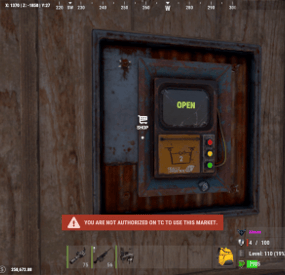
The Drone Market plugin allows players to conveniently place their own drone marketplace directly at their base, providing easy access to Rust's in-game marketplace without needing to travel. Each player can deploy a personal drone market, subject to optional permission and building rules.
Configuration
{ "Sets Drone Market console command to give": "market", "Require permission dronemarket.pickup to pick up the Drone Market": false, "Require permission dronemarket.use to place": false, "Set Drone Market amount limit: 0 = Disabled": 2, "Log to file when a Drone Market is placed": false, "Force Build Requirement to be within a TC Radius": true, "Destroy when foundation is removed under it": true, "Require Building Auth to use/loot the Drone Market": true, "Only allow Team Members to use/loot the Drone Market": true, "Block all Damage to Drone Market": true, "Sets Drone Market Condition Level: HP": 100.0, "Nope Sound": "assets/prefabs/locks/keypad/effects/lock.code.denied.prefab", "Ok Sound": "assets/prefabs/locks/keypad/effects/lock.code.updated.prefab", "Breaking Sound": "assets/bundled/prefabs/fx/item_break.prefab" }
Permissions
dronemarket.pickup "Require permission dronemarket.pickup to pick up the Drone Market": true, dronemarket.use "Require permission dronemarket.use to place": true,
Commands
// Server Rcon Command: market Name-Or-SteamID amount ( amount is optional defaults to 1 ) //In Game F1 Command: market amount ( amount is optional defaults to 1 )
Click here for > Drone Market Skin
-
$9.99
Hardy Planters
By imthenewguy in Plugins
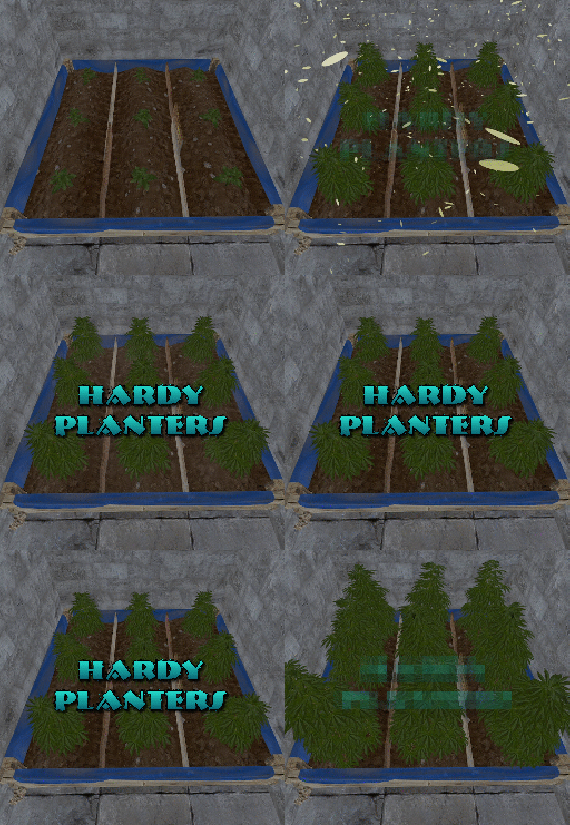
Hardy Planters creates customizable planter boxes that do not require water, sunlight, fertilizer or temperature to grow.
The plugin allows server owners to create their own profiles for planter boxes, allowing for the modification of overall quality and growth gene multiplier, directly affecting how quickly all plants will grow.
This allows for some unnaturally fast plant growth, if set above the default value.
The plugin works by preventing the default logic on the planter boxes, and instead adds it's own behavior to control it.
It is compatible with servers that adjust the "planttick" and "planttickscale" convars as well.
The following video show cases and explains how the plugin's functionality.
Command (chat): giveplanters
Parameters: Nil
Description: Gives the user one of each planterbox from the config
Command (console): givehardyplanter
Parameters: <target player ID or name> <profile skin ID or display name>
Description: Gives the target player a planterbox that matches the specified profile. Useful in shops etc.
hardyplanters.admin - Required to use the commands. hardyplanters.use - Required to find the planter boxes in loot containers. hardyplanters.drop - Required to find planterboxes while looting.
-
$24.99$19.99Dungeon Bases
The plugin adds a dungeon event to your server. Dungeons are bases with puzzles, NPC defenders, turrets and more. You can create your own dungeons of varying difficulty. Procedurally generated dungeons are also now available (currently only in test mode)
You can build your own bases or modify existing ones:
There are moving NPC guardians in the dungeons:
There are puzzles with protective doors in the dungeons:
In the dungeons there are secret notes with codes in boxes or on NPCs:
Commands:
dungbase_start - force start event
dungbase_start <entrance name> <dungeon name> <X> <Y> <Z> - force an event to start using the specified entrance and dungeon at coordinates X Y Z (you can also specify the name of the entrance or dungeon <random>)
dungbase_start <X> <Y> <Z> - force an event to start using a random entrance and dungeon at X Y Z coordinates.
example:
dungbase_start #dung#entrance1 #dung#dungeon1 122.3 5.2 872 dungbase_start random #dung#dungeon3
dungbase_stop <id|all> - force stop event
dungbase_list - displays a list of current dungeons
dungbase_addblack <radius> - add a zone where dungeon spawning is not allowed
dungbase_start - force start event
Command to launch procedurally generated dungeons:
example:
dungbase_start #dung#entrance1 procedural_hard - an event starts where the entrance is #dung#entrance1, and the dungeon is procedurally generated with the name of the tier hard dungbase_start random procedural_normal - an event starts where the entrance is randomly selected from a list of entrance names, and the dungeon is procedurally generated with the tier name normal dungbase_start random procedural_easy 100 6 84 - an event starts where the entrance is randomly selected from a list of entrance names, and a procedurally generated dungeon named easy is created at coordinates (100, 6, 84)
Hooks:
void DungeonBasesEventStarted() - // called when event starts
void DungeonBasesEventEnded() - // called when event ends
Configuration:
{ "Allow only the event owner (the one who entered the dungeon first) into the dungeon": true, "Allow owner's teammates to enter the dungeon": true, "Time before ownership is lost after leaving the server(in seconds)": 300, "Event marker on the map": true, "Event marker name": "Dungeon Base", "Event marker transparency(0-1)": 0.55, "Event marker radius": 0.5, "Event marker color.R(0-1)": 1.0, "Event marker color.G(0-1)": 0.0, "Event marker color.B(0-1)": 0.0, "Display event owner name on marker": true, "Display the time remaining until the end of the event on the marker": true, "Autostart event(disable if you want to trigger the event only manually)": true, "Calculate the time until the next event only after the previous one has finished": false, "Minimum time to event start(in seconds)": 3600, "Maximum time to event start(in seconds)": 7200, "Minimum event duration(in seconds)": 2000, "Maximum event duration(in seconds)": 3000, "Minimum number of online players to trigger an event": 1, "List of NPC names": [ "Dungeon NPC", "Dungeon Keeper", "Dungeon guard" ], "Dungeons list": [ "#dung#base1", "#dung#base2", "#dung#base3", "#dung#base4" ], "Entrances list": [ "#dung#entrance1", "#dung#entrance2", "#dung#entrance3", "#dung#entrance4" ], "Random order of choosing a dungeon from the list (if false, will be selected in turn)": true, "Random order of choosing the entrance to the dungeon from the list (if false, will be selected in turn)": true, "Change the time of day when entering the dungeon(from 0 to 23, if -1 - do not change the time)": 0.0, "How long before the end of the event does radiation start to affect players inside the dungeon": 180, "How long before the event ends will a warning message be displayed to players": 300, "How long after the event ends should the entrance be destroyed": 60, "Close the entrance and exit to the dungeon when the event time is over": true, "Will autoturrets attack NPCs": false, "Save event data (If true, the event will be saved and will continue even if you restart the server or plugin. Disable this if you get lag when saving)": true, "SteamID for chat message icon": 0 } Note: The plugin is guaranteed to work correctly with bases enabled. NPCs will not behave as standard, as they use different algorithms. Only one dungeon can spawn on the map at a time.