

RTimer
-
Posts
80 -
Joined
-
Last visited
-
Days Won
3
Content Type
Profiles
Warranty Claims
Downloads
Forums
Store
Services
Downloads Plus Support
DOWNLOADS EXTRA
Reels
Everything posted by RTimer
-
Changed Status from Pending to Work in Progress Changed Fixed In from Not set to Next Version
-
Hi! Thanks for the report and for providing the screenshot. I understand the issue. It appears to happen when the checkpoint spawns on uneven terrain, particularly on sloped roads, causing some structures, crates, or NPCs to spawn partially underground and making the event impossible to complete. I'll investigate the spawn position validation and terrain checks to see why these locations are accepted and how to prevent this from happening. I'll look into this over the next few days and work on improving the placement checks to make checkpoint spawns more reliable on uneven terrain. Thanks again for reporting this!
-
Changed Status from Pending to Fixed
-
Changed Status from Pending to Fixed
-

3 Locked Crates all disappeared on a player mid event
RTimer replied to SlayersRust's Support Report in Support
Changed Status from Pending to Can't Reproduce -
3 Locked Crates all disappeared on a player mid event
RTimer replied to SlayersRust's Support Report in Support
Hey! First of all, I'm sorry for the late response. I missed your ticket while I was busy working on other things. Thanks for providing your config. I have a few questions to help me understand exactly what happened and hopefully reproduce the issue. Just to clarify, are you sure the event hadn't reached its lifetime limit and ended automatically? The locked crates are supposed to be destroyed when the event ends due to its lifetime expiring, provided they haven't been looted. According to your config, the event lifetime is set to 1800 seconds (30 minutes). Since nobody else has reported this issue so far, I'd like to understand the exact circumstances in which it occurred. Did all three crates disappear simultaneously while the event was still active, with the event marker still visible on the map? Or did the event end or its marker disappear around the same time? Any additional details would be helpful in tracking down the cause. I'll also use your config to try to reproduce the issue on my end. Thanks for reporting this! -
Changed Status from Pending to Not a Bug
-
Hey! First of all, sorry for taking so long to get back to you, and thank you for your patience and for the additional suggestions. Regarding viewing container history while in Vanish, especially when a box is protected by a Code Lock, I've started looking into how this could be implemented properly. Unfortunately, it's a bit more complicated than I initially expected, as the current plugin relies on Rust's standard container looting mechanics. Allowing admins to access the history without authorizing on the lock may require changes to how the plugin handles container interactions. I may be able to find a solution, but I don't want to rush an implementation that could break existing functionality or negatively affect the experience of people who are already using the plugin. I'd rather take the time to investigate the underlying logic and make sure any changes are reliable before introducing them. Regarding your other suggestions, I agree that having a more comprehensive history of who deposits and withdraws items would be useful. Adding support for quarries and pump jacks is also something worth exploring, although these features may require additional work to handle their mechanics correctly. I'll keep all of these suggestions in mind and look into what's feasible for future updates. I can't promise a specific release date yet, but I'd prefer to implement these features properly rather than rush them and risk introducing new issues. Thanks again for your feedback and for using the plugin!
-
Changed Status from Pending to No Response
-
Changed Status from Pending to Not a Bug
-
The smoke is currently an integral part of the event mechanics, so adding an option to disable it isn't as straightforward as it might seem. Certain suicide bots spawn behind the smoke, which serves as both visual cover and an important part of the event's pacing. It helps create the intended surprise when the bots emerge, rather than having them appear out of nowhere or run directly at players without any visual context. Simply removing the smoke could break this part of the encounter and negatively affect the overall gameplay experience. To implement this properly, I would need to rethink some of the underlying logic and refactor parts of the event system to ensure everything continues to work as intended without the smoke. I'm not ruling out this feature, and I'll consider it for a future update. However, I'd prefer to take the time to design and implement it properly rather than rush out a configuration option that could compromise the event mechanics. Thanks for the suggestion!
-
Changed Status from Pending to Fixed Changed Fixed In from Not set to Next Version
-
Changed Status from Pending to Not a Bug Changed Fixed In to 1.0.9
-
Hello! Thank you for reaching out. This error (OverflowException: Value was either too large or too small for a UInt64) indicates that during initialization, the plugin encountered an invalid numerical value in its configuration or data files. In C#, a UInt64 (positive 64-bit integer) can only accept whole numbers ranging from 0 up to 18,446,744,073,709,551,615. This typically happens if a setting contains: A negative number (e.g., -1 instead of 0 or a positive integer). A decimal/float number where an integer is expected. An invalid or corrupted Skin ID, SteamID, or value that exceeds the limit. To resolve this issue: Open your configuration file at oxide/config/SubwayEvent.json (or carbon/config/SubwayEvent.json). Review recent changes — especially parameters related to Skin IDs, item/crate quantities, timer delays, or reward settings — and make sure no fields contain negative or invalid numbers. If your config looks fine, check your data file at oxide/data/SubwayEvent.json. You can temporarily move/rename this file and reload the plugin (o.reload SubwayEvent) to test if resetting the data file resolves the issue. If you're still unable to locate the problematic value, please attach your SubwayEvent.json config file here, and I'll gladly review it for you!
-
Thank you for the clarification! I'll definitely investigate and work on fixing these issues as soon as possible. Please stay tuned for an upcoming update. Best regards, RTimer
-
Hi! Thanks for bringing this up. If I understand you correctly, you're referring to Rust's regular roadside loot spawn points that already exist in the world, not the loot containers spawned by Checkpoint Event itself. These spawn points are part of Rust's own world and loot spawning system. Checkpoint Event simply spawns its structures and event-related entities at a selected roadside location. When the event ends, the plugin removes the entities it spawned, but it doesn't create, modify, or remove the game's regular roadside loot spawn points. In other words, those spawn points operate independently of the event and continue to follow Rust's own spawning and cleanup mechanics. Their presence after the checkpoint disappears is therefore expected and doesn't necessarily indicate that anything is accumulating or causing additional server load. I'll double-check this behavior just to be safe, but based on the current code, I can assure you that the regular roadside loot spawn points are not managed by Checkpoint Event. If I've understood your report correctly and you're referring to those native Rust spawn points, then everything should be working as intended. Thanks for your feedback!
-
 Good evening! I apologize for the long wait for my response. I replied as soon as I had the opportunity. Yes, of course. I will definitely add the ability to use items with custom skin IDs as rewards in the near future, as you requested.
- 6 comments
-
- 1
-

-
- #daily
- #daily rewards
- (and 4 more)
-
Hello. Please describe the problem in more detail: were there any console errors? How exactly did you modify the loot table, and did you verify the correctness of the shortnames for the added items? What exactly is wrong with the PvE mod? I look forward to your reply; it will help me better understand the issue. Best regards, RTimer.
-
.thumb.png.869cef4c06723841adb05a43027fe8f0.png) Regarding the loot, I understood you correctly. I meant that there is a config option that allows you to enable or disable the default loot. The items specified in the config are added to the crate regardless of whether the default loot is enabled or disabled. Regarding the issue, are you sure it was the corpses that kept spawning, or was it actually the bombers? The bombers will indeed continue spawning throughout the entire crate hacking process. However, there is also a config option that allows you to specify how long the event should wait after there are no players near the crate before restarting from the beginning. In that case, the bombers will stop spawning, and the event will return to its initial state.
Regarding the loot, I understood you correctly. I meant that there is a config option that allows you to enable or disable the default loot. The items specified in the config are added to the crate regardless of whether the default loot is enabled or disabled. Regarding the issue, are you sure it was the corpses that kept spawning, or was it actually the bombers? The bombers will indeed continue spawning throughout the entire crate hacking process. However, there is also a config option that allows you to specify how long the event should wait after there are no players near the crate before restarting from the beginning. In that case, the bombers will stop spawning, and the event will return to its initial state. -
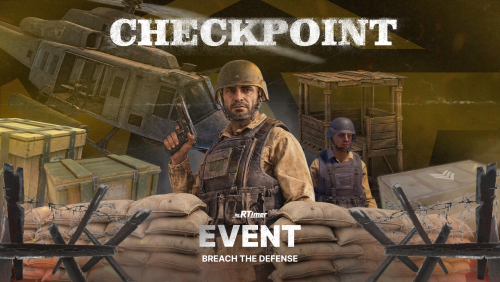 There shouldn’t be any problems with the convoys. They will simply drive through the checkpoint and ignore it. And the armored train even more so — my checkpoints are on the roads, so they obviously won’t interfere with the railway tracks.
- 2 comments
-
- 1
-

-
- #event
- #checkpoint
- (and 5 more)
-
Thanks for the feedback! As for the loot, you can stack it. There's a parameter in the config that enables or disables the default crate loot. Regarding the bug in point 5, that was an issue in older updates and shouldn't happen now. It would be great if you could provide a bit more detail. Are you completely sure they were spawning infinitely? The bombers do continue to spawn even if a player leaves, as long as the event hasn't restarted due to their prolonged absence. I'll definitely think about your suggestions for improvement and will release a small update soon.
-
Hi! Thanks for the suggestion. Yes, of course, I will add this feature. The ability to set custom item names will be included in the next update, which I plan to release very soon. Stay tuned!
-
Changed Status from Work in Progress to Fixed Changed Fixed In from 1.0.1 to 1.0.2