

Gt403cyl2
-
Posts
315 -
Joined
-
Last visited
Content Type
Profiles
Warranty Claims
Downloads
Forums
Store
Services
Downloads Plus Support
DOWNLOADS EXTRA
Everything posted by Gt403cyl2
-
 Lets say I want to add the perm "instantcraft.use" to "Expert Tinkerer": { "enabled": true, "max_level": 5, "tier": 3, "value_per_buff": 0.1, "buff_info": { "Key": "Craft_Speed", "Value": "Percentage" }, "icon_url": "https://www.dropbox.com/s/8ibntd9n1033dh4/Expert_Tinkerer.png?dl=1", "skin": 2873050815, "permissions": null } would I just change the permission from null to "permissions": {"instantcraft.use" : "Instant Crafting"} because I tried that and it threw an error when spending the point on the buff.
 -
Sorry I must be blind, I saw the video for creating your own custom skills, but I think it's out of date? I don't see the command to add, and the vid is not clear enough to read it... Can you provide an example of what I would need to add to the config that I can then modify?
-
Yeah I was thinking that I should be able to grant a perm, Thanks
-
Is there a way to make crafting instant when players reach max crafting? Maybe grant a permission? or change a buff?
-
I mean this could should have the same effect, it shouldn't give 100% protection but if it's the same as the OG the damage eats away at the "currency" lets say scrap in the TC then once there is no scrap in the TC then the damage is taken by the walls ect.... so it's sort of a dynamic version of what you're asking for....
-
 Correct, it logs the data to the data file and discord is used when a request is made for the logs of a given player. with the amount of decay that a server can have it would be pointless to send every log to discord as it would constantly be rate limited.
 -
 Not sure what you mean, you enter the list of commands you have in the config and when the player uses /commands it lists however many you have in the config.
 -
No, as the description says, this is very efficient.
-
Version 1.3.3
155 downloads
For Admin who want to stay on top of decayed entities, to settle disputes or dismiss accusations, or many other uses. Effortlessly keep track of player-owned decayed entities. This plugin logs the essential details and notifies players when their entities decay. ****Note: Twig is always ignored. Features and Benefits: Detailed Logging: Captures essential information about decayed entities, including the owner's SteamID, display name, entity type, grade, location and decay timestamp. Player Notifications: Enable player notifications to keep your community informed about their decaying entities. Whenever a structure owned by a player decays, Decay Logger automatically sends them a notification, ensuring they're aware of what happened. Discord Integration: Seamlessly integrate Decay Logger with your Discord server to request logs containing a player's decayed entities. Whenever a request is made from console or from in-game chat, the plugin can send the logs for a specified player to your designated Discord channel, allowing you and your team to quickly find the logs you want to examine. Easy Configuration: Minimal configuration, define your desired chat and Discord prefixes, set a Discord webhook, adjust time zone settings, and enable or disable player notifications. Efficient Logging: Optimized data storage through an efficient caching system. Stores logs in memory and seamlessly writes them to disk in JSON format when the plugin unloads or the predetermined cache limit is reached. This intelligent approach guarantees minimal performance impact, allowing you to maintain a comprehensive record of decayed entities, regardless of whether your server has 5 players or 500. Permission: decaylogger.admin - Allows the log request to be made in chat. ***Note: Permission is automatically granted to those with Auth 2 and Auth 1 when they join, no need to grant it manually unless you are in-game when you load the plugin for the first time.*** Chat Commands: /dlog <playersteamid> - Requests the logs for the specified player to Discord. /cleardlog - Clears logs manually in chat. Console Commands: dlog <playersteamid> - Requests the logs for the specified player to Discord. cleardlog - Clears logs manually in console. Default Config: { "Chat Prefix": "<color=#32CD32>Decay Logger</color>: ", "Discord Prefix": "Decay Logger: ", "Discord WebHook": "https://support.discord.com/hc/en-us/articles/228383668-Intro-to-Webhooks", "Your time zone hours from UTC (eg: -4 or 4)": -4, "Log optional entities.": true, "Send player notifications when their entity decays.": true, "Clear Logs on wipe.": true }$11.99 -
I didn't see the original post, so ignored... That said I will take the suggestion and see. However this plugin does nothing when players join, it's only done when the commands are used...
-
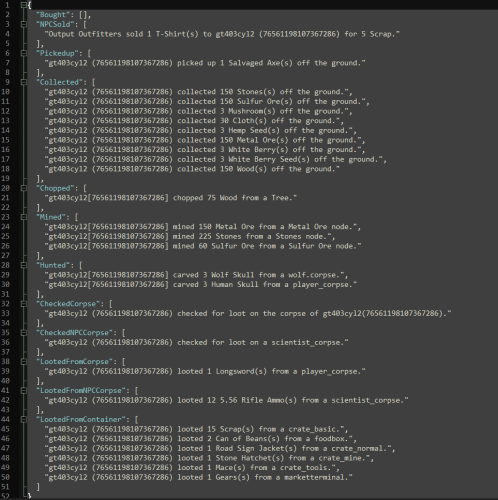 Thanks, I am aware of it, I am actively working on a replacement for this, just working out some fine details, it has been fixed in the new plugin. While I understand it's a problem, I am not going to update this as the new version is almost complete. as noted here:
 -

Version 1.0.3
72 downloads
Allows players with the required permission to automatically loot items from a distance from destroyable containers with the option for them to enable/disable it for themselves whenever they see fit. Permission: "autoloot.use" - Required to use the plugin Command: /aloot - Enables or disables the plugin for the individual player as they see fit. Configuration: Lets you set the maximum distance the plugin will be allowed to work. Set the command for players to use. Enable optional containers. Add/remove optional containers using the short prefab name. Default Config: { "Distance to allow Auto Loot to be used (meters): ": 15.0, "Auto Loot command for players: ": "aloot", "Enable Optional Containers": true, "Optional Containers": [ "box.wooden.large", "woodbox_deployed", "cupboard.tool.deployed", "coffinstorage", "vendingmachine.deployed", "dropbox.deployed", "fridge.deployed", "tunalight.deployed", "furnace.prefab", "furnace.large.prefab", "bbq.deployed", "mixingtable.deployed", "composter", "fireplace.deployed", "researchtable_deployed", "hitchtrough.deployed", "locker.deployed" ] }$7.99 -
I mean it was updated 4 months ago, which is after elevators... Industrial I get, I haven't tested if there are issues but afaik it's still working otherwise.
-
Afaik there isn't an all in one. Use GatherManager and a loot table modifier such as BetterLoot, AlphaLoot or MagicLoot.
-
I want to say it was WhiteThunder, who I saw answer the same question (literally) and they gave a good answer/reason. The jist of it is that it's hard disabled, the best you could do is have someone recreate it but then having it re-draw in real-time for players would be such a resource hog on the server it would cripple it. https://umod.org/community/plugin-requests/47410-bring-vanilla-compass-to-hardcore-mode
-
Not possible.
-
Can be done with this. https://umod.org/plugins/steam-checks
-
Did you put the .cs in the plugins folder? what does console output when you do: "o.reload DefendableBases"
-
no it requires the player to use a command
-
I'm completely re-writing LootAudit, no ETA but will be much better.