
-
Posts
16 -
Joined
-
Last visited
Content Type
Profiles
Warranty Claims
Downloads
Forums
Store
Services
Downloads Plus Support
DOWNLOADS EXTRA
Everything posted by MrLou_
-
Version 1.0.0
2 downloads
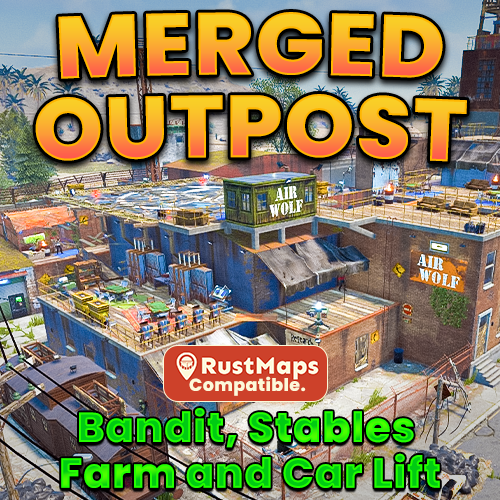
What is a Merged Outpost: A Merged Outpost combines multiple monuments into a single safe zone to improve server performance. My custom Merged Outpost includes the features of Bandit Camp, Stables, and a working car lift. Bringing those safe zone features together into one seamlessly functional Outpost. Designed for all Rust servers, this monument provides a Safe Trading Zone, Stables/Airwolf Vendors, and All NPC Quest Givers. It can also be easily placed manually in RustEdit. Merged Outpost Features: All Original Outpost features. All Vending Machines from Bandit Camp. Airwolf Vendor with a Custom Helipad. Bot prevention for Produce exchange vending machine. Garage building with 2 vehicle lifts and a vehicle parts vending machine. Stables with 4 horses, Shop keeper plus a vending machine (Ranch Loot). Added Colliders so players don't get stuck. Seating Area outside with a hobo barrel. Gambling Wheel with plenty of seating. 5 Slot Machines. 3 Poker Tables. 2 Blackjack Tables. 6 Recyclers with chairs. 3 Repair Benches. 2 Refineries with chairs. 2 Research Tables. 4 Private Trading Areas. All quest givers added. Total Prefabs: 518 RustEdit Installation Guide: Extract the Merged Outpost prefab from Merged Outpost\RustEdit\CustomPrefabs into your RustEdit installation folder, RustEdit\CustomPrefabs. Then, add the vending machine loot tables to: RustEdit\VendingPresets Launch RustEdit. Click "Prefabs" in the top menu, then open the Prefab List. Locate the prefab in the "Custom" category, or search Merged Outpost / MrLou Double-click the prefab file to spawn it into the map you’ll use for wipe. Position it over the Outpost. Use the prefab "Cover E" near the poker tables to line everything up correctly. (This might take a couple of tries make sure it’s as close as possible so everything works correctly.) Look around the outpost and make sure everything is in the correct location. Save your changes to the map, then upload it to Dropbox (or a similar service). Add your custom link to the custom map URL in RSM (or any other program you use). At the end, remove the "0" and replace it with a "1", then save. Start your server and enjoy your custom merged Outpost. If you need any help, message me on Codefling and I’ll get back to you as soon as possible. If you enjoy my work, please leave a 5* review. Thank you!$9.99-
- #merged outpost
- #compound
- (and 24 more)
-
2x Better Loot Config (BetterLoot V4 Compatible)
MrLou_ commented on MrLou_'s file in Customizations
Hey, if you mean a preview of what some crates can look like then, yes. If you scroll across on the picture bar at the top I have a couple of loot containers on show. Locked crate, supply drop, elite, mili and brown crate. You can see a little of the behind the scenes of how the loot profiles work as well if you scroll further. If this isn’t what you mean, just explain in more detail so I can help you out!- 6 comments
-
- #2x loot table config
- #2x loot table
-
(and 24 more)
Tagged with:
- #2x loot table config
- #2x loot table
- #2x betterloot config
- #2x server config
- #x2 loot
- #loot config
- #loot
- #alphaloot 2x
- #2x alphaloot config
- #2x better loot tables
- #2x loot tables
- #2x rust server loot
- #x better loot config
- #2x better loot
- #2x server files
- #2x rust server loot table
- #2x server
- #optimized loot table
- #2x optimized loot table
- #moderate boosts
- #betterloot v4
- #better loot v4
- #deep sea
- #naval update
- #rust deep sea
- #rust naval
-
- 4 comments
-
- #2x loot table config
- ##2x loot table
-
(and 23 more)
Tagged with:
- #2x loot table config
- ##2x loot table
- #2x betteralpha config
- #2x server config
- #x2 loot
- #loot config
- #loot
- #alphaloot 2x
- #2x alphaloot config
- ##2x better loot tables
- #2x loot tables
- ##2x rust server loot
- #x better loot config
- #2x better loot
- #2x server files
- #2x rust server loot table
- #2x server
- ##optimized loot table
- #2x optimized loot table
- #moderate boosts
- #alphaloot
- #deep sea
- #naval update
- #rust deep sea
- #rust naval
-
- 2 comments
-
- #rust monument
- #monument
- (and 13 more)
-
2x Better Loot Config (BetterLoot V4 Compatible)
MrLou_ commented on MrLou_'s file in Customizations
- 6 comments
-
- 1
-
-
- #2x loot table config
- #2x loot table
-
(and 24 more)
Tagged with:
- #2x loot table config
- #2x loot table
- #2x betterloot config
- #2x server config
- #x2 loot
- #loot config
- #loot
- #alphaloot 2x
- #2x alphaloot config
- #2x better loot tables
- #2x loot tables
- #2x rust server loot
- #x better loot config
- #2x better loot
- #2x server files
- #2x rust server loot table
- #2x server
- #optimized loot table
- #2x optimized loot table
- #moderate boosts
- #betterloot v4
- #better loot v4
- #deep sea
- #naval update
- #rust deep sea
- #rust naval
-
- 4 comments
-
- #2x loot table config
- ##2x loot table
-
(and 23 more)
Tagged with:
- #2x loot table config
- ##2x loot table
- #2x betteralpha config
- #2x server config
- #x2 loot
- #loot config
- #loot
- #alphaloot 2x
- #2x alphaloot config
- ##2x better loot tables
- #2x loot tables
- ##2x rust server loot
- #x better loot config
- #2x better loot
- #2x server files
- #2x rust server loot table
- #2x server
- ##optimized loot table
- #2x optimized loot table
- #moderate boosts
- #alphaloot
- #deep sea
- #naval update
- #rust deep sea
- #rust naval
-
AlphaLoot codelockedhackablecrate_oilrig
MrLou_ replied to sheadorejayden's Support Report in Support
If thats what you mean its not a custom UI, thats just something I made using photoshop to showcase the loot from certain crates. Here's a screenshot of my photoshop. -
AlphaLoot codelockedhackablecrate_oilrig
MrLou_ replied to sheadorejayden's Support Report in Support
Hello, Do you mean this picutre? -
Version 1.0.3
46 downloads
2x AlphaLoot Config - A Optimized 2x Loot Table Designed for moderately boosted servers, this Optimized 2x Loot Table configuration enhances the standard Rust experience while maintaining the core Rust survival experience. Perfect for servers looking for a slightly faster pace without overwhelming players with too much gear. We’ve focused on removing low-value “junk” items, ensuring every container contains high-quality loot for your players. Expect more consistency and value in every crate. This config uses the paid plugin AlphaLoot, this config does not include the plugin. Features: Removed most unnecessary junk or roleplayer items, some clothing and electrical items have been left to ensure a balanced gameplay experience without disrupting game balance. This loot table will feel a lot like a vanilla server but slightly modded. Every container contains something useful. Note: Some items may need to be set as default blueprints to ensure players can access them. Perfect for weekly wipe PvP servers, small-group combat or community servers with moderate boosts. Added high value items like the Backpack, Metal Armor Insert to Elite crates to ensure a better experience for all players. Updated Loot tables for all holiday events, this includes: Easter, Halloween, and Christmas. Added Support for the Naval Update. Updated Loot tables for all NPC types. Vanilla item condition on spawn. How To Install: Installation is straightforward, with a detailed guide also included in the ZIP file for quick setup. 1. Navigate to oxide\data\AlphaLoot\LootProfiles 2. Delete or Backup your current LootTables files. 3. Drag and Drop the oxide folder from the extracted ZIP into your oxide folder, if done correctly the files will be placed automatically in the correct area. 4. Make sure to set the loot tables to my configuration, to do this use these commands: This will update the main containers on the map, barrels, crates, elite crates e.c.t. - al.setloottable al_mrlou_main_loottable This will update the Heli containers. - al.setheliloottable al_mrlou_heli This will update the Bradley containers. - al.setbradleyloottable al_mrlou_bradley 5. If you're having issues, Reload the plugin with "oxide.reload AlphaLoot". After that, enjoy your new loot table. If you need help with anything, use the support section on the product page. Important: Note: This is a AlphaLoot only configuration, if you would like to use this make sure to purchase and download the plugin, plugin is not included.$6.49- 4 comments
-
- 1
-
-
- #2x loot table config
- ##2x loot table
-
(and 23 more)
Tagged with:
- #2x loot table config
- ##2x loot table
- #2x betteralpha config
- #2x server config
- #x2 loot
- #loot config
- #loot
- #alphaloot 2x
- #2x alphaloot config
- ##2x better loot tables
- #2x loot tables
- ##2x rust server loot
- #x better loot config
- #2x better loot
- #2x server files
- #2x rust server loot table
- #2x server
- ##optimized loot table
- #2x optimized loot table
- #moderate boosts
- #alphaloot
- #deep sea
- #naval update
- #rust deep sea
- #rust naval
-
2x Better Loot Config (BetterLoot V4 Compatible)
MrLou_ commented on MrLou_'s file in Customizations
- 6 comments
-
- #2x loot table config
- #2x loot table
-
(and 24 more)
Tagged with:
- #2x loot table config
- #2x loot table
- #2x betterloot config
- #2x server config
- #x2 loot
- #loot config
- #loot
- #alphaloot 2x
- #2x alphaloot config
- #2x better loot tables
- #2x loot tables
- #2x rust server loot
- #x better loot config
- #2x better loot
- #2x server files
- #2x rust server loot table
- #2x server
- #optimized loot table
- #2x optimized loot table
- #moderate boosts
- #betterloot v4
- #better loot v4
- #deep sea
- #naval update
- #rust deep sea
- #rust naval
-
Version 2.1.1
142 downloads
2x BetterLoot Config - Optimized Loot Table Designed for moderately boosted servers, this BetterLoot configuration enhances the standard Rust experience while maintaining the core Rust survival experience. Perfect for servers looking for a slightly faster pace without overwhelming players with too much gear. We’ve focused on removing low-value “junk” items, ensuring every container contains high-quality loot for your players. Expect more consistency and value in every crate. Features: - Increased the drop rates for certain items, ensuring a balanced gameplay experience without disrupting game balance. - We’ve removed low-value 'junk' items, ensuring every container contains something useful. Note: Some items may need to be set as default blueprints to ensure players can access them. - Perfect for weekly wipe PvP servers, small-group combat or community servers with moderate boosts. - Added durability to items in crates so they match vanilla loot tables. - Added grouping of items for some items. Example: Crossbow now spawns with 10 arrows when a player finds them in a tool crate. - Lower-tier comps have a higher chance of spawning than high-tier comps from certain loot spawns. - Supply Drops and Locked Crates guarantee their respective Blueprint Fragment drops. - Added Support for the Naval Update. - This 2x BetterLoot config comes with two versions of loot tables: one allows vehicle part crates to spawn T3 car parts, and the other gives Vehicle Part Crates a chance to spawn comps, tools, and a P2 more of a PvP-focused loot table. - Each item in a specific category has its own probability. For example: Elite Crate (Weapons) and Elite Crate (Clothing). This means you can easily change the drop chance of a specific item using Looty via the Loot Profiles. Compatible with BetterLoot V4: This 2x loot config is fully compatible with BetterLoot V4. How To Install: Installation is straightforward, with a detailed guide also included in the ZIP file for quick setup. 1. Navigate to oxide/data/BetterLoot 2. Delete or Backup your current "LootGroups" and "LootTables" files. 3. Make sure to "o.unload BetterLoot" before uploading your new files. 4. Upload the new "LootGroups" and "LootTables" files from the extracted ZIP. 5. Reload the plugin with "o.load BetterLoot". After that, enjoy your new loot table. Important: This configuration is designed exclusively for BetterLoot and does not include features like AlphaLoot style advanced mechanics, customizable item condition on spawn. For those looking for more advanced loot setups, make sure to check out AlphaLoot.$6.49- 6 comments
- 2 reviews
-
- 1
-
-
- #2x loot table config
- #2x loot table
-
(and 24 more)
Tagged with:
- #2x loot table config
- #2x loot table
- #2x betterloot config
- #2x server config
- #x2 loot
- #loot config
- #loot
- #alphaloot 2x
- #2x alphaloot config
- #2x better loot tables
- #2x loot tables
- #2x rust server loot
- #x better loot config
- #2x better loot
- #2x server files
- #2x rust server loot table
- #2x server
- #optimized loot table
- #2x optimized loot table
- #moderate boosts
- #betterloot v4
- #better loot v4
- #deep sea
- #naval update
- #rust deep sea
- #rust naval
-
Version 1.0.0
9 downloads
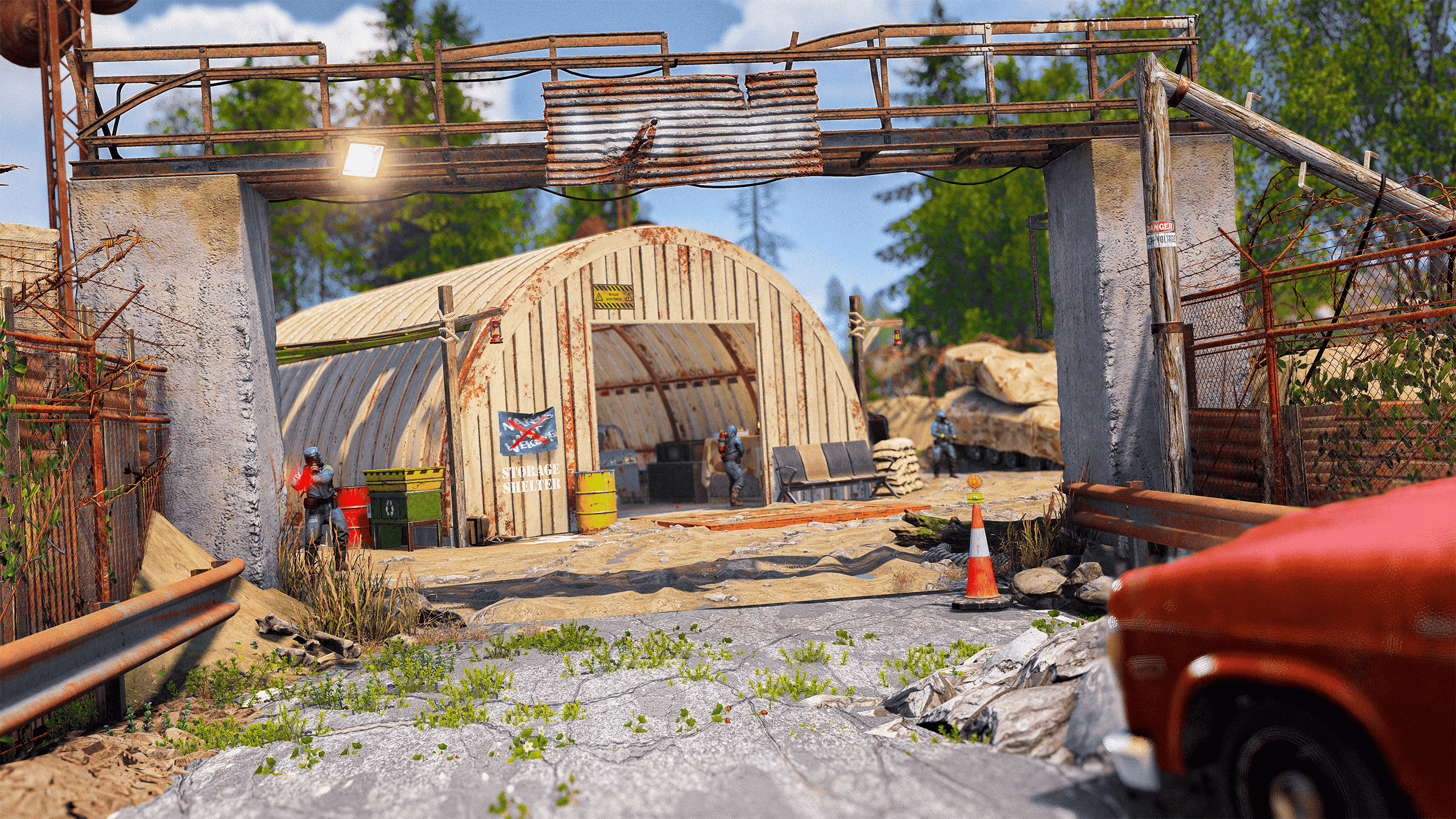
Welcome to the custom monument pack; 3x Military Checkpoint Pack. This Military Checkpoint Pack contains 3 custom monuments that can be placed on roads anywhere on the map. Each checkpoint features loot, Scientists, and various other elements. Checkpoint 1: Focuses on general loot with multiple barrels, crates, and fuel barrels. Checkpoint 2: Features 5 Scientists and mixed loot including medical and car parts. Checkpoint 3: Contains a balanced mix of crates and barrels. Features: Small in size to place anywhere on a map! Minimal prefab count to help performance whilst having a detailed atmosphere! Checkpoint 1 - 92 / Checkpoint 2 - 68 / Checkpoint 3 - 43 - Has a total entity count of 203. Various loot spawns around the checkpoints, and one checkpoint has NPCs. Unable to build in the monument. However, players are able to place wooden barricades but not on the roads. All masks available for height/splat/topology! Loot Spawns: Checkpoint 1; 8 Barrels 5 Low Grade Fuel Barrels 4 Brown Crates 2 Tool Crates 2 Basic Crates 1 Ammo Crate 1 Food Crate Checkpoint 2; 5 Scientists 3 Brown Crates 2 Barrels 1 Basic Crate 1 Food Crate 1 Medical Crate 1 Low Grade Fuel Barrels 1 Tool Crate 1 Car Part Crate Checkpoint 3; 4 Brown Crate 3 Barrels 2 Low Grade Fuel Barrels 2 Tool Crates 1 Basic Crates 1 Food Crate 1 Car Part Crate How To Use: 1. Copy the contents of the prefab folder to your RustEdit Custom Prefabs folder. 2. In RustEdit, place the prefab down and apply the prefab modifiers. 3. Create a new Path, select "Road" and align the road with the entrance to the monument. 4. If you cannot see the name of the monument on the map, add "MonumentMarker" via prefabs list. Place it in the center of the monument and name it: "Checkpoint 1-2-3". 5. Now save, upload to dropbox to be able use as a custom map on your server! This prefab requires rustedit.dll https://github.com/k1lly0u/Oxide.Ext.RustEdit$4.99- 2 comments
-
- 3
-
-
-
- #rust monument
- #monument
- (and 13 more)
-
Version 1.0.0
4 downloads
Welcome to the custom monument; Havoc Point (A Military Hub) Havoc Point is a once-formidable military stronghold, now a crumbling relic of past battles—scarred by war and slowly reclaimed by time. Features: Small in size to place anywhere on a map! Minimal prefab count to help performance whilst having a detailed atmosphere! Has an entity count of 337. Has various loot inside and outside with 19 NPC’s. Unable to build in monument. However, players are able to place wooden barricades. All masks available for height/splat/topology! Has a Recycler and an Oil Refinery. Has 3 Monument Cameras (hp1 - hp2 - hp3) Loot Spawns: 19 Scientists 7 Barrels 6 Low Grade Fuel Barrels 3 Brown Crates 3 Med Crates 2 Diesel Fuel 2 Fuel Crates 2 Military Crates 2 Basic Crates 2 Food Crates 2 Car Part Crates 1 Component Crate 1 Green Card Spawn 1 Tool Crate How To Use: Copy the contents of the prefab folder to your RustEdit Custom Prefabs folder. In RustEdit, place the prefab down and apply the prefab modifiers. Create a new Path, select "Road" and align the road with the entrance to the monument. If you cannot see the name of the monument on the map, add "MonumentMarker" via prefabs list. Place it in the center of the monument and name it: "Havoc Point". Now save and upload to dropbox the use as a custom map! This prefab requires rustedit.dll https://github.com/k1lly0u/Oxide.Ext.RustEdit$7.99-
- 3
-
-
-
- #rust monument
- #monument
- (and 12 more)