maxalt
-
Posts
284 -
Joined
-
Last visited
Content Type
Profiles
Warranty Claims
Downloads
Forums
Store
Services
Downloads Plus Support
DOWNLOADS EXTRA
Reels
Everything posted by maxalt
-
[18:48:18] UnityEngine.Component:SendMessage_Injected(IntPtr, ManagedSpanWrapper&, Object, SendMessageOptions) [18:48:18] UnityEngine.Component:SendMessage(String, Object, SendMessageOptions) [18:48:18] Oxide.Plugins.<>c__DisplayClass111_1:<SpawnBradleyCrates>b__0() [18:48:18] Oxide.Core.OxideMod:OnFrame(Single) [18:48:18] Oxide.Core.Unity.UnityScript:Update() [18:48:18] [18:48:18] MissingMethodException: Method 'LockedByEntCrate.SetLockingEnt' not found. [18:48:18] at System.RuntimeType.InvokeMember (System.String name, System.Reflection.BindingFlags bindingFlags, System.Reflection.Binder binder, System.Object target, System.Object[] providedArgs, System.Reflection.ParameterModifier[] modifiers, System.Globalization.CultureInfo culture, System.String[] namedParams) [0x006e0] in <e605204d165a49d89ae7579f3d894429>:0 [18:48:18] at UnityEngine.SetupCoroutine.InvokeMember (System.Object behaviour, System.String name, System.Object variable) [0x0001e] in <7ef4b7e39e5e4212acadbf6d2e50d7fa>:0 [18:48:18] UnityEngine.Component:SendMessage_Injected(IntPtr, ManagedSpanWrapper&, Object, SendMessageOptions) [18:48:18] UnityEngine.Component:SendMessage(String, Object, SendMessageOptions) [18:48:18] Oxide.Plugins.<>c__DisplayClass111_1:<SpawnBradleyCrates>b__0() [18:48:18] Oxide.Core.OxideMod:OnFrame(Single) [18:48:18] Oxide.Core.Unity.UnityScript:Update() [18:48:18] [18:48:18] MissingMethodException: Method 'LockedByEntCrate.SetLockingEnt' not found. [18:48:18] at System.RuntimeType.InvokeMember (System.String name, System.Reflection.BindingFlags bindingFlags, System.Reflection.Binder binder, System.Object target, System.Object[] providedArgs, System.Reflection.ParameterModifier[] modifiers, System.Globalization.CultureInfo culture, System.String[] namedParams) [0x006e0] in <e605204d165a49d89ae7579f3d894429>:0 [18:48:18] at UnityEngine.SetupCoroutine.InvokeMember (System.Object behaviour, System.String name, System.Object variable) [0x0001e] in <7ef4b7e39e5e4212acadbf6d2e50d7fa>:0 [18:48:18] UnityEngine.Component:SendMessage_Injected(IntPtr, ManagedSpanWrapper&, Object, SendMessageOptions) [18:48:18] UnityEngine.Component:SendMessage(String, Object, SendMessageOptions) [18:48:18] Oxide.Plugins.<>c__DisplayClass111_1:<SpawnBradleyCrates>b__0() [18:48:18] Oxide.Core.OxideMod:OnFrame(Single) [18:48:18] Oxide.Core.Unity.UnityScript:Update()
-
"Wipe and plugin update settings": { "Automatically wipe player data after x days if they have not logged in? [0 = off] [only checks on wipe]": 0, "Manual wipe settings": { "Wipe all player data files [setting true will ignore all below settings that handle data reset]?": false, "How should we handle xp, levels and skills when the server wipes [None, Reset, Refund]?": "None", "Should we wipe prestige levels?": false, "Wipe xp debt?": true, "Wipe respec multiplier?": true, "Reset pending xp pools on wipe?": true, "Erase ExtraPockets storage on wipe": true, "Give the player with the highest xp bonus skill points next wipe": false, "How many skill points should they receive for winning?": 5 }, "Forced wipe settings": { "Wipe all player data files [setting true will ignore all below settings that handle data reset]?": false, "How should we handle xp, levels and skills when the server wipes [None, Reset, Refund]?": "None", "Should we wipe prestige levels?": false, "Wipe xp debt?": true, "Wipe respec multiplier?": true, "Reset pending xp pools on wipe?": true, "Erase ExtraPockets storage on wipe": true, "Give the player with the highest xp bonus skill points next wipe": false, "How many skill points should they receive for winning?": 5 Hello! Regarding this setting, the contents of players' ExtraPockets were not wiped and remained intact. What could be causing this?
-
Setting the Chinook’s altitude to 200m fixed the issue!
-
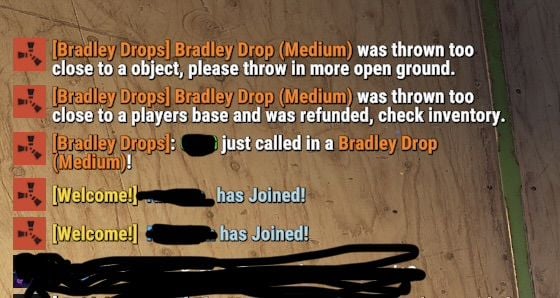
Hello, and thank you for this great plugin. However, I’ve received reports that the Chinook will sometimes fail to spawn at all, or it will spawn without a Bradley attached and simply fly straight past. I’m sending part of the log as an example. In this player’s case, the log shows just called ..., but the Chinook never actually arrived. I’ve also attached my config file just in case. Thank you in advance for your help. [08:00:02] [Shop] Player ?? (76561198) bought items for 4000RP$: [ITEM--312880514] supply.signalx1 [08:03:53] [Bradley Drops] INFO: Entity: grenade.supplysignal.deployed | No construction found underneath. [08:03:53] [Bradley Drops] DEBUG: Started event: Bradley Drop (Medium) BradleyDrops.json

-
Thank you for creating such an amazing plugin! I run a PvE server, but players still occasionally forget to lock their entities, which sometimes leads to theft. Would it be possible to make the /lock UI permission-based? For example, if a player doesn't have the .admin permission, the options for automatically locking TCs, chests, and other entities would be hidden. Instead, they would only see: Streamer Mode (On/Off) Code Lock combination The full UI would only be available to players with the .admin permission. I think this would make the interface much simpler for regular players while still allowing administrators to access all of the advanced options.
-
Thank you! In that case, could you please tell me how to add the vanilla Bradley APC and Patrol Helicopter?
-
How would I go about integrating with plugins such as HeliSignals, BradleyDrops, and BotReSpawn? For example, I'd like to track things like: the number of helicopters completed for each difficulty in https://codefling.com/clients/purchases/179417-heli-signals/, the number of Bradleys completed for each difficulty in https://codefling.com/clients/purchases/208775-bradley-drops/, and the number of bots killed in https://codefling.com/clients/purchases/153297-botrespawn/. Is there a recommended way to access those statistics or receive those events?
-
Sorry for the late reply! It turns out it was just a mistake in my configuration. I sincerely apologize for the confusion.
-
Thank you for creating this unique plugin! I'm also using BotReSpawn. In BotReSpawn, I have APC Safe set to true, so the vanilla Bradley APC does not target BotReSpawn bots. However, Bradley APCs spawned by this plugin still attack BotReSpawn bots. Would it be possible to make the Bradley spawned by this plugin respect BotReSpawn's APC Safe setting, so it won't target BotReSpawn bots as well? [Bradley Drops] ERROR: Error in MonitorAIState: Object reference not set to an instance of an object.
-
Thank you for creating such an interesting plugin! There are a few locations, such as the Harbor and Lighthouse, where I would like to change the event spawn points. However, even if I edit /data/SulfurEventSpawnData.json, the values revert to their original positions whenever I reload the plugin. How can I change the spawn locations permanently?
-
So, if I understand correctly… Even if a player has a Player Lockout, they can still complete a Raidable Base that they purchased themselves. That means it’s especially important for the Buyable Cooldown to work correctly, since that’s what actually prevents players from repeatedly purchasing their own raids. Is that correct?
-
Hello! With this setting, if a player is currently on a lockout, they won’t be able to enter the Dome even if they’re in a team. Is that correct? RaidableBases.json
-
Sorry, would you mind if I ask something that's not directly related? It seems I completely misunderstood how this works. Am I correct in understanding that: Player Lockout = the amount of time before a player is allowed to enter another Raidable Base (the dome/event area). Buyable Cooldown = the amount of time before a player can purchase another Raidable Base. So, for example, if I set the Player Lockout to 90 minutes, does that mean that after completing a raid, the player must wait 90 minutes before they can enter another Raidable Base, whether it's an automatically spawned one or a buyable one? Is that correct?
-
Thank you very much! I really appreciate your help. By the way, I have one more question. As I mentioned earlier, suppose a team has a mix of online and offline players. If the online players complete a raid and the team cooldown becomes active, then one of the players who was offline logs in afterward. In that situation, is it the expected behavior for the cooldown UI to appear for the player who has just logged in?
-
[05:09:34] Loaded 210 items from RaidableBases/Difficulty_Loot/Easy [05:09:34] Loaded 281 items from RaidableBases/Difficulty_Loot/Medium [05:09:34] Loaded 303 items from RaidableBases/Difficulty_Loot/Expert :[05:09:34] Loaded 314 items from RaidableBases/Difficulty_Loot/Nightmare [05:09:34] Loaded 4 items from RaidableBases/Base_Loot/Easy Bases [05:09:34] Loaded 9 items from RaidableBases/Base_Loot/Medium Bases [05:09:34] Loaded 9 items from RaidableBases/Base_Loot/Expert Bases [05:09:34] Loaded 11 items from RaidableBases/Base_Loot/Nightmare Bases [05:09:51] [RaidableBases] 25% loaded (121 potential points) [05:10:04] [RaidableBases] 50% loaded (281 potential points) [05:10:17] [RaidableBases] 75% loaded (607 potential points) [05:10:30] [RaidableBases] 100% loaded (1029 potential points) [05:10:30] [RaidableBases] Grid initialization completed in 58 seconds and 355 milliseconds on a 4500 size map with 1029 potential points. By the way, there don't seem to be any errors in the server logs.
-
Thank you for your reply! I do have administrator permissions. However, I still sometimes see the Buyable cooldown UI and sometimes I don't. Just to confirm, even if the cooldown UI is displayed, players with administrator permissions (or the raidablebases.allow permission) should never actually be affected by the cooldown. Is that correct? Also, I'd like to clarify something from my previous ticket (URL). I'm still using the Shop plugin. However, the RP is effectively only deducted by Shop. My Shop item executes the following command: deposit %steamid% 20000 | buyraid 3 %steamid% The flow is: The player purchases the Expert raid from Shop for 20,000 RP. Shop immediately refunds 20,000 RP using the deposit command. The buyraid command is executed. RaidableBases is configured to charge 20,000 RP. So although Shop initially deducts 20,000 RP, it is immediately refunded, and the actual cost comes from RaidableBases. The player therefore pays 20,000 RP in total. The issue is that the Shop purchase log always appears, but after that, RaidableBases produces no messages at all—not even the usual "paid" message—and nothing is written to the server console either. I hope this explains the situation more clearly. Sorry for the confusion, and thank you again for looking into this!
-
Hello, Previously (https://codefling.com/files/support/29787-regarding-the-buyraid-command/), I contacted you because Buyable Raidable Bases were not spawning. Starting this wipe, I switched to letting RaidableBases handle the RP cost directly instead of using the Shop plugin. At first, I thought everything was working correctly, but I've now received reports that certain players can purchase a base and nothing happens. My guess is that the issue is related to the cooldown system. For example, one player was in a team of four. Two members were online and purchased a Raidable Base. The base spawned correctly, but they logged off before completing it. Later, when the other two teammates logged in and tried to purchase another Raidable Base, nothing happened. There was no response from RaidableBases and no message was displayed. On another day, two team members completed a Raidable Base successfully. Later, the two teammates who had been offline logged in. Sometimes the Buyable cooldown UI appeared for them, and sometimes it did not. When the cooldown UI did not appear, it seemed that the cooldown was still active in the background. They were able to purchase a base, but after purchasing, nothing spawned and no message was shown. I've experienced something similar myself while playing on my own server. Sometimes my friend who completed the raid with me sees the cooldown UI, while I don't. Other times, I see it as expected. Because the cooldown UI appears inconsistently, I'm wondering if there might be a small issue with the cooldown logic itself. Just in case, I've attached my .json configuration file as well. I apologize for taking up your time, and I really appreciate your help. Thank you! RaidableBases.json
-
Thank you! I have one more question. When editing Shops/Default.json, I noticed there are both Image and Skin fields. If I enter a Skin ID in the Skin field, the shop usually loads the corresponding image automatically. However, some Skin IDs don't display an image at all. In those cases, I've been using the Image field with a direct image URL instead, and that works fine. Is there a reason why some Skin IDs don't load their images? I'd like to understand what determines whether a Skin ID can be used this way.
-
Thank you! Would it be okay if I asked two more questions? 1. Cooldown reset Let's say a player with the shop.default permission purchases an item that has a 30-minute cooldown. As expected, they can't purchase it again until the cooldown expires. Is there any way to allow that player to purchase it again immediately? Right now, the only workaround I've found is to unload the Shop plugin, remove that player's cooldown entry from oxide/data/Shop/Player.json, and then load the Shop plugin again. This works, but while the plugin is unloaded, nobody can access the Shop. Is there a better way to achieve this? 2. The "ID" field { "Shop Categories": [ { "Enabled": true, "ID": 1822931874, "Category Type": "None", "Title": "Special", "Permission": "", "Sort Type": "None", "Items": [ { "Type": "Item", "ID": 5000, "Image": "", "Permission": "" Regarding the ID field, am I correct in understanding that: For Type: "Item", this should be the Rust Item ID. For other types such as Command, is it okay to leave the ID field empty ("")? I just wanted to make sure I'm using it correctly.
-
Could you give me some advice on how you would configure it? For example, on Nightmare there are 6 crates, and I'd like the M249 to appear about once, or at most twice, across those crates. For items that I always want players to receive, I've enabled ExtraLoot and placed them there. Is that the correct way to use it, or would you recommend a different approach?
-
Thank you very much!! I'll give that a try! By the way, there weren't any messages or errors displayed at all. After executing the command, it simply seems like RaidableBases doesn't respond.
-
Is it possible to execute more than one command when a command is run? Or is it limited to executing only a single command?
-
Regarding the buyraid command, I previously asked about it here (https://codefling.com/files/support/29413-about-buyable-events/). After adding free, it started working, but it seems to fail sometimes. More specifically, when the buyraid command is executed from Mevent's Shop, RaidableBases sometimes doesn't respond at all. One of my players noticed that it usually works when the NormalLockout message is being shown, but when it isn't, the purchase often fails. Does this give you any clues as to what might be causing the issue?
-
Hello! What should I do if a crate is not spawning even though its chance is set to 100%? Could it be because too many items have been registered for that difficulty level, or because there are too many items with high chance percentages, causing it to be excluded during the loot roll process?
-
I'm sorry for asking something I already asked about a year ago! (I looked back through the old support thread, but I still couldn't figure it out.) I'm using CustomLoot to give specific loot to certain Bots, but I can't remember how I was supposed to set up loot for a newly created Bot. I created a new Bot profile in-game using: /botrespawn add <ProfileName> After that, I looked for that profile name in CustomLoot, but I couldn't find it anywhere. If I remember correctly, I thought CustomLoot would automatically create something like: "BotReSpawn-ProfileName": { for the new profile. Or am I remembering that wrong?