maxalt
-
Posts
295 -
Joined
-
Last visited
Content Type
Profiles
Warranty Claims
Downloads
Forums
Store
Services
Downloads Plus Support
DOWNLOADS EXTRA
Reels
Everything posted by maxalt
-
 Genius developer Mr. NIVEX, good evening. I know this is probably almost impossible, but I wanted to ask anyway: Is it possible to use keycard readers inside a raid base? It might be more of a CopyPaste-related thing, though… I just thought it could be interesting if keycards were required inside raid bases.
 -
Thank you very much! I’ll be waiting!!
-
I just noticed something. Uninstalling BRS fixes the issue. However, a new problem appears that wasn’t there yesterday: scientists now drop the skull specified in CustomLoot. After uninstalling BRS and things return to normal, once a player kills a zombie or scientist, the issue reappears. Could this be NPC ID duplication like before? NPCs from Scientist2 (AIGen2) seem unaffected. The ones impacted might be regular Scientists and Heavy Scientists.
-
Just in case, I’ll let you know what I changed since last season. I increased the number of bots — it’s currently 896. Also, it feels like scientists have disappeared from the Military Base. I’m not sure if it’s related, but I wanted to mention it.

-
Hello. Since this season, I’ve been seeing a slightly different kind of overlap with scientists compared to before. The issue is that scientists at certain monuments (Missile Silo, Military Tunnels, Deep Sea) seem to be turning into zombies prepared by BRS. However, their appearance doesn’t change — when engaged, they behave as normal scientists. But their loot is inconsistent: sometimes it’s scientist loot, and other times it’s only the zombie skull from CustomLoot. When killing a scientist, the following log appears: WT Zombie[881334] was killed by ???[7656119] at (993.05, -13.29, 1787.35) WT Zombie is supposed to be assigned only to zombies at the Water Treatment Plant, but this kill happened at the Missile Silo.
-
Thank you for such an incredibly fun plugin! I had a quick question: if I create a custom permission node using addtestpermsnode and assign permissions from another plugin to it, what happens if a player acquires that node and then performs a respec while those permissions are active? Will the permissions remain while all skill points are reset, allowing players to exploit this as a workaround?
-
Long time no see. It seems this issue still hasn’t been resolved. I changed the button name to something completely different, but the problem where the button disappears after opening and closing the SkillTree still persists. If I open and close a UI like the recycler, the button comes back. There are no other issues, but it’s a bit inconvenient to use.
-
 Long time no see. I’m always enjoying your plugin. I’d like to parent to the Oil Rig using /botrespawn add profilename, but I can’t find the Oil Rig. Is the Oil Rig not a valid monument parent target?
 -
 Thank you for the amazing plugin! I believe Blacksmith allows max repair, but would it be possible to add a blacklist feature? For example, if I add the M249 to a Blacksmith blacklist, its repair behavior would revert to vanilla when repaired.
 -
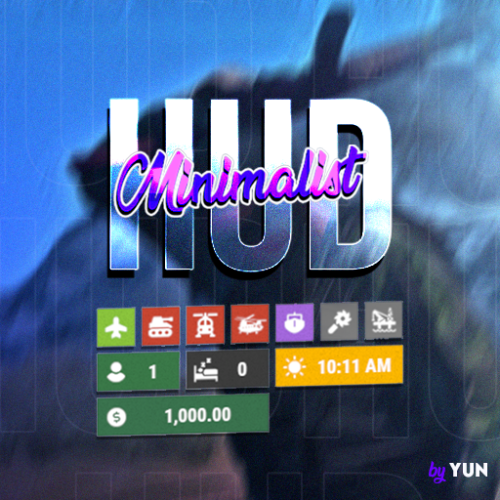 Hello! Is it possible to freely change the position of the icons with this plugin? For example: – Event-related icons placed above the belt slots – Economics or sleeper icons placed on the left side of the belt slots, etc.
 -
For example, if I set Access Granted to false, and instead I want to make Blacksmith the Ultimate for BuildCraft, would this be the correct way to do it? "Access Granted": { "Permission required to show this node": null, "Minimum prestige required to unlock this node": 0, "Minimum player level required to unlock this node": 0, "Skill required to unlock node [Requires max level]": null, "Skill that if unlocked, will prevent this node from unlocking": null, "enabled": false, "max_level": 1, "tier": 100, "value_per_buff": 1.0, "buff_info": { "Key": "Build_Craft_Ultimate", "Value": "IO" }, "icon_url": "https://www.dropbox.com/s/58hmrgytnntn314/Access_Granted.png?dl=1", "skin": 2873051221, "permissions": null }, "Blacksmith": { "Permission required to show this node": null, "Minimum prestige required to unlock this node": 0, "Minimum player level required to unlock this node": 0, "Skill required to unlock node [Requires max level]": null, "Skill that if unlocked, will prevent this node from unlocking": null, "enabled": true, "max_level": 1, "tier": 100, "value_per_buff": 1.0, "buff_info": { "Key": "Build_Craft_Ultimate", "Value": "IO" }, "icon_url": "https://www.dropbox.com/s/b4k6p03u77x9d7t/Blacksmith.png?dl=1", "skin": 2873051294, "permissions": null
-
Thanks for the reply! So, will the accelerated time stop once it reaches 10:00? I haven't tested it yet, though… Anyway, I'm really looking forward to the update!
-
I’m really sorry to bother you again, but I would appreciate it a lot if you could reply when you have time.
-
With the settings below, when I check MagicClockPanel, the time moves extremely fast even during the day (like 10:00 or 13:00). Are my settings incorrect? Also, even if I unload the plugin, the accelerated time speed remains. When I turn on Debug Mode and reload the plugin, it shows “day is active”, but even at 18:00, 19:00, or 20:00 it never says “night is active.” However, the time progression does seem to speed up according to the night settings. The strange thing is that even at 7:00 or 8:00 in the morning, the time is still accelerating, as if it never switches back to daytime speed. { "Settings": { "dayTime": 113, "DEBUG": false, "nightTime": 7, "Preset": false, "Preset_Day (if Preset is true)": 24, "Preset_Month (if Preset is true)": 7, "Preset_Year (if Preset is true)": 2021 } }
-
https://codefling.com/files/support/26227-will-this-nre-also-be-fixed-in-the-next-update/ Thank you for the reply. Here it is! Thank you in advance.
-
Or is this caused by a mistake in my loot configuration? (21:36:06) | [Heli Signals] Error in OnLootSpawn timer: Object reference not set to an instance of an object (21:36:06) | [Heli Signals] StackTrace: at Oxide.Plugins.HeliSignals+<>c__DisplayClass90_0.<OnLootSpawn>b__0 () [0x000a3] in <c45e65ae03d84f24af42870995c0032b>:0 (21:36:06) | [Heli Signals] Error in OnLootSpawn timer: Object reference not set to an instance of an object (21:36:06) | [Heli Signals] StackTrace: at Oxide.Plugins.HeliSignals+<>c__DisplayClass90_0.<OnLootSpawn>b__0 () [0x000a3] in <c45e65ae03d84f24af42870995c0032b>:0 (21:36:06) | [Heli Signals] Error in OnLootSpawn timer: Object reference not set to an instance of an object (21:36:06) | [Heli Signals] StackTrace: at Oxide.Plugins.HeliSignals+<>c__DisplayClass90_0.<OnLootSpawn>b__0 () [0x000a3] in <c45e65ae03d84f24af42870995c0032b>:0 (21:36:06) | [Heli Signals] Error in OnLootSpawn timer: Object reference not set to an instance of an object (21:36:06) | [Heli Signals] StackTrace: at Oxide.Plugins.HeliSignals+<>c__DisplayClass90_0.<OnLootSpawn>b__0 () [0x000a3] in <c45e65ae03d84f24af42870995c0032b>:0 (21:36:06) | [Heli Signals] Error in OnLootSpawn timer: Object reference not set to an instance of an object (21:36:06) | [Heli Signals] StackTrace: at Oxide.Plugins.HeliSignals+<>c__DisplayClass90_0.<OnLootSpawn>b__0 () [0x000a3] in <c45e65ae03d84f24af42870995c0032b>:0 (21:36:06) | [Heli Signals] Error in OnLootSpawn timer: Object reference not set to an instance of an object (21:36:06) | [Heli Signals] StackTrace: at Oxide.Plugins.HeliSignals+<>c__DisplayClass90_0.<OnLootSpawn>b__0 () [0x000a3] in <c45e65ae03d84f24af42870995c0032b>:0 (21:36:06) | [Heli Signals] Error in OnLootSpawn timer: Object reference not set to an instance of an object (21:36:06) | [Heli Signals] StackTrace: at Oxide.Plugins.HeliSignals+<>c__DisplayClass90_0.<OnLootSpawn>b__0 () [0x000a3] in <c45e65ae03d84f24af42870995c0032b>:0
-
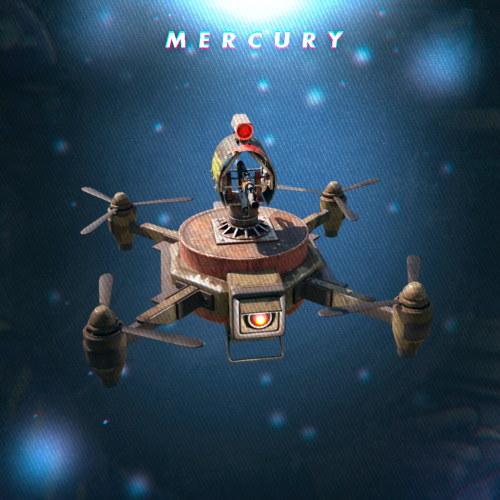 ・Currently on my server I spawn zombies using BotReSpawn and I also have LootDefender. If a drone that I own kills a zombie, can the loot be restricted so only the owner of that drone can loot it? (I’d like to know how the integration with LootDefender works.) ・I want drones (and other related items) to be purchasable only via the shop plugin, and not via a drone vendor. Is there a way to avoid creating a drone-vendor? ・Regarding drone durability: can I set it so that when the drone attacks, its durability decreases? In vanilla Rust weapons often don’t break despite low durability—but with this plugin, how does it behave? Ideally I’d like the drone or the weapon mounted on the drone to lose durability and eventually break when used heavily—can this be done?
 -
I’m sorry about that, I’ll make sure to check properly next time.
-
It means that when a player invests a skill point into a specific node, a pre-assigned permission will be granted to them.
-
Would it be possible to add a feature where, if a node’s maximum level is set to 1 and the player obtains that node — or reaches its maximum level — the plugin automatically grants the permission defined in the config?
-
https://codefling.com/files/support/24560-consol/
-
Hello! Thank you for this amazing plugin. There has never been another helicopter-related plugin with this level of flexibility — it truly stands out. Yesterday, I encountered an NRE. It might be the same issue as the one mentioned here (consol - サポート - Codefling), but unfortunately I was not in-game at the time, so I could not see what exactly happened. Also, the player who triggered the event (the one who shot down the helicopter) did not report anything unusual, so I only have limited information. Here is what I currently know: The player used HeliSignal (Medium) The following error occurred: Failed to run a 1800.00 timer in 'HeliSignals v1.2.32' (NullReferenceException: ) at (wrapper managed-to-native) UnityEngine.Component.GetComponentFastPath(UnityEngine.Component,System.Type,intptr) at UnityEngine.Component.GetComponent[T] () [0x00021] at Oxide.Plugins.HeliSignals+<>c__DisplayClass148_0.<RetireHeli>b__0 () [0x0001b] at Oxide.Core.Libraries.Timer+TimerInstance.FireCallback () [0x00018] About 3 days ago, another player attempted several runs using HeliSignal (Easy/Expert), but none of those produced this error. That's all the information I have for now. I’m very sorry that the details are so limited, but if you could tell me what might be causing this, it would really help. I will also attach my current config file. Thank you in advance! HeliSignals.json